
Compliance & inspections
Compliance evidence that lives with the asset
Keep asset inspections with the equipment, and site and worker checks with their Location or Person records. Open saved submissions and supporting files when someone asks for the evidence.
Get pricing4.9 on G2 · 5.0 on Capterra, GetApp & Software Advice15 current G2 reviewsNo credit card required

Read how these teams run MapTrack








Co-Founder & GM of Operations
From the schedule to the asset record
- Audit-ready
- evidence per asset
- One platform
- tracking + compliance
- Field-first
- mobile sign-off
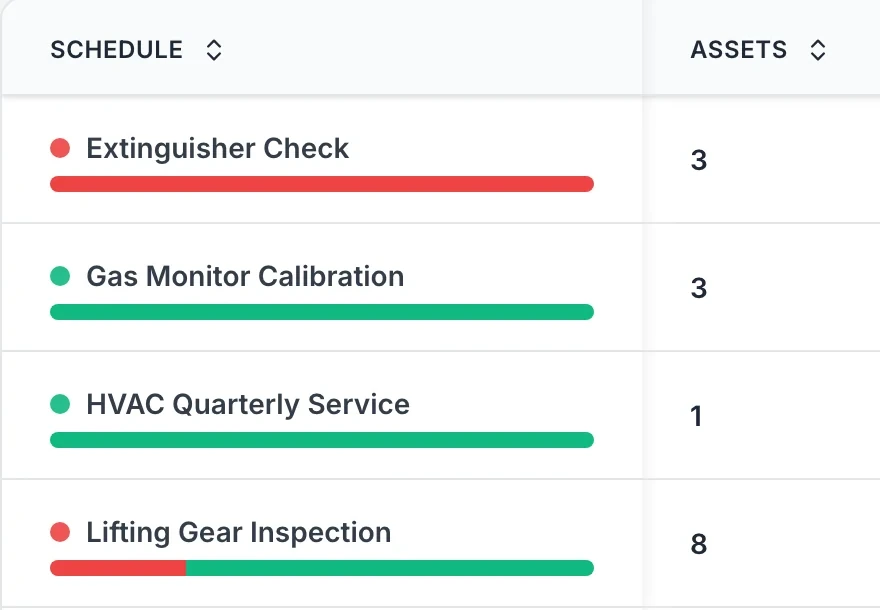
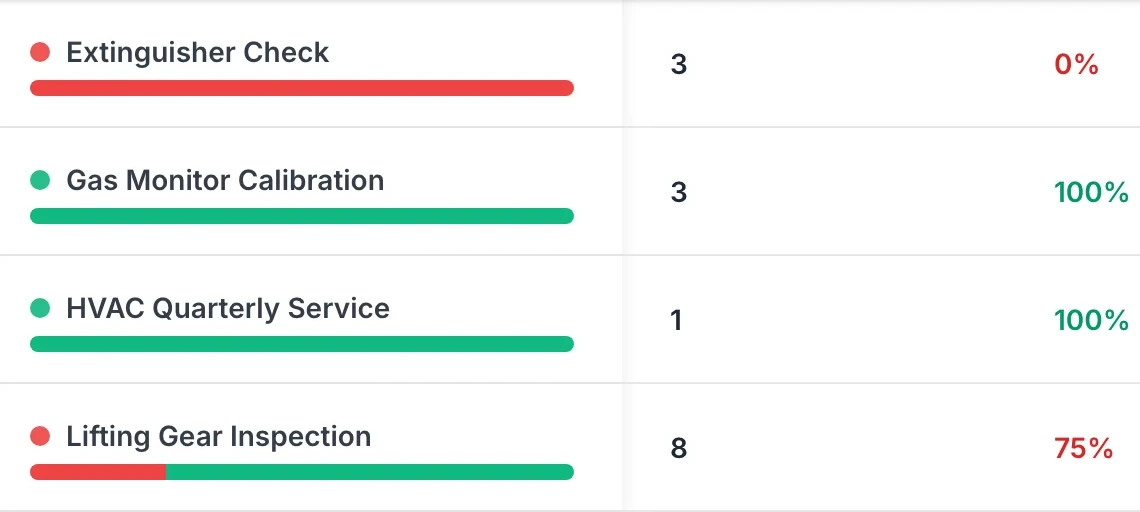
Every maintenance schedule in one table. Bulk views of what's due or overdue.
MapTrack app · Demonstration data · Captured
See the schedules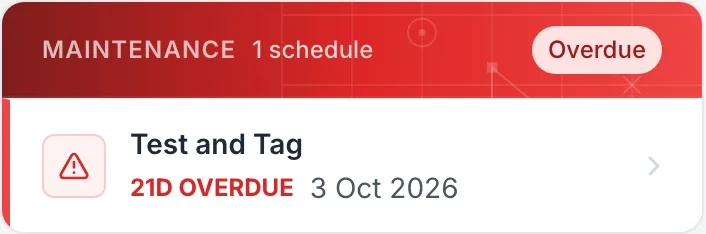
MapTrack flags an overdue test or calibration when someone checks the item out, and logs the decision to proceed.
MapTrack app · Demonstration data · Captured
Read the FAQ
Expiry and renewal visibility. Everything linked for audits.
MapTrack app · Demonstration data · Captured
See what's due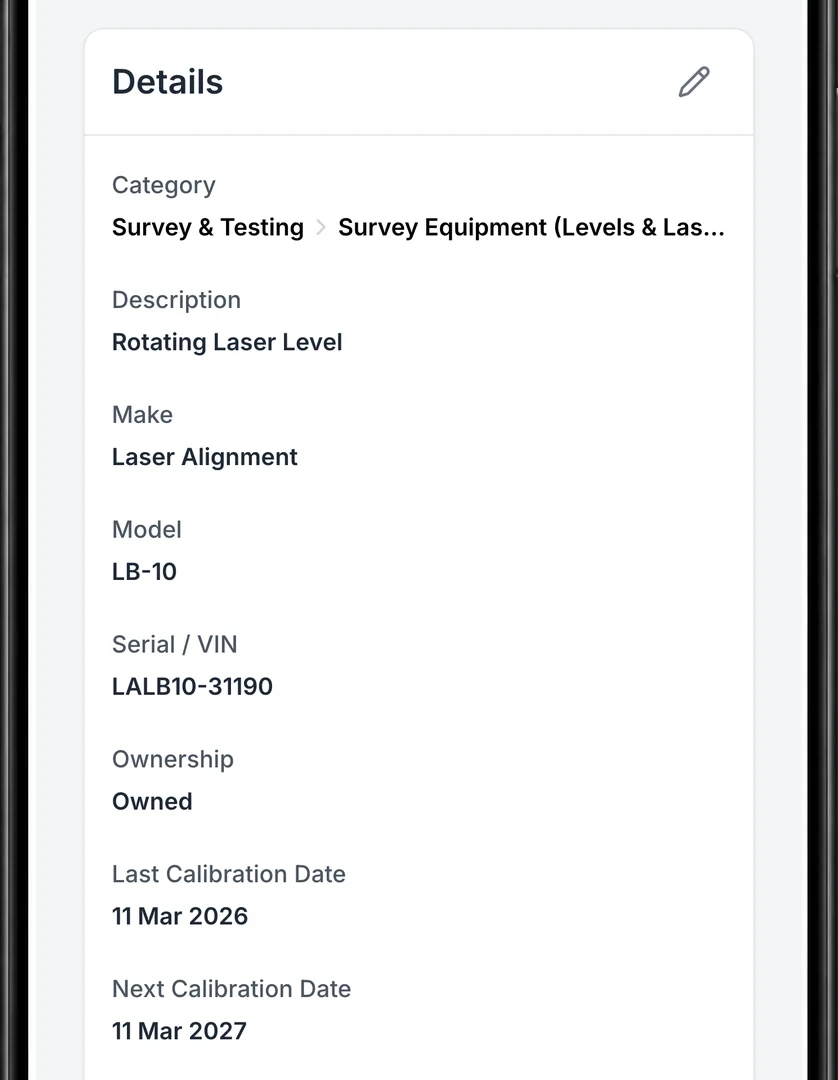
All compliance evidence tied to the asset. No hunting through emails or shared drives.
MapTrack app · Demonstration data · Captured
See evidence on the asset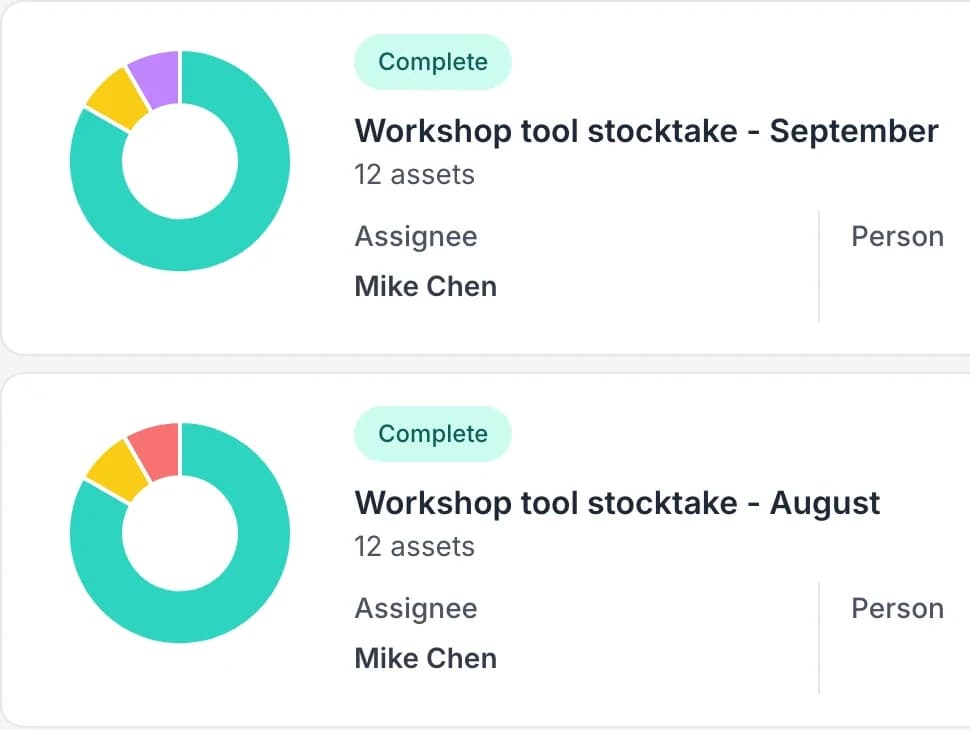
Each audit shows its scope, who ran it, where, its status and a chart of what it found.
MapTrack app · Demonstration data · Captured
More on audits
Keep the individual result inside the inspection round
Multi-asset work orders let the team organise a visit together without collapsing every asset into one overall pass. Each asset keeps its outcome and supporting record.
1. Select and identify the assets
Build the due list from the appropriate category, location and configured date fields. Confirm the physical identifier before recording the result.
2. Review the failed and incomplete items
Complete the procedure and outcome for each asset, then check the exceptions before closing the round. Retain the relevant evidence and follow-up job with the affected item.
Setup and limits
- The software organises evidence. Your competent team determines the applicable procedure and the equipment’s suitability for use.
Trusted by construction, civil and mining teams









From forms to proof. One source of truth
Attach pre-starts, inspections and checklists to asset types. Complete in the field, store certificates on the asset, and run reports for auditors. No more scattered files or emails.
Pre-starts & inspections
Define checklists per asset type. Use AI-assisted form creation or templates. Field teams complete and sign off on mobile or tablet.
Explore pre-starts →Forms & checklists
Build custom forms with logic and attachments. Photos and notes attach to the asset record. One place for all compliance evidence.
Explore →Inspection to work order
When a pre-start or form flags a defect, create a work order linked to the asset. Track to resolution in the same platform.
Explore →Site checks
Keep the site check with the location
Use a Location form to record a site check and the action taken. Reopen the saved submission to review its answers and follow-up notes when you're preparing for audits.
Explore forms & checklists →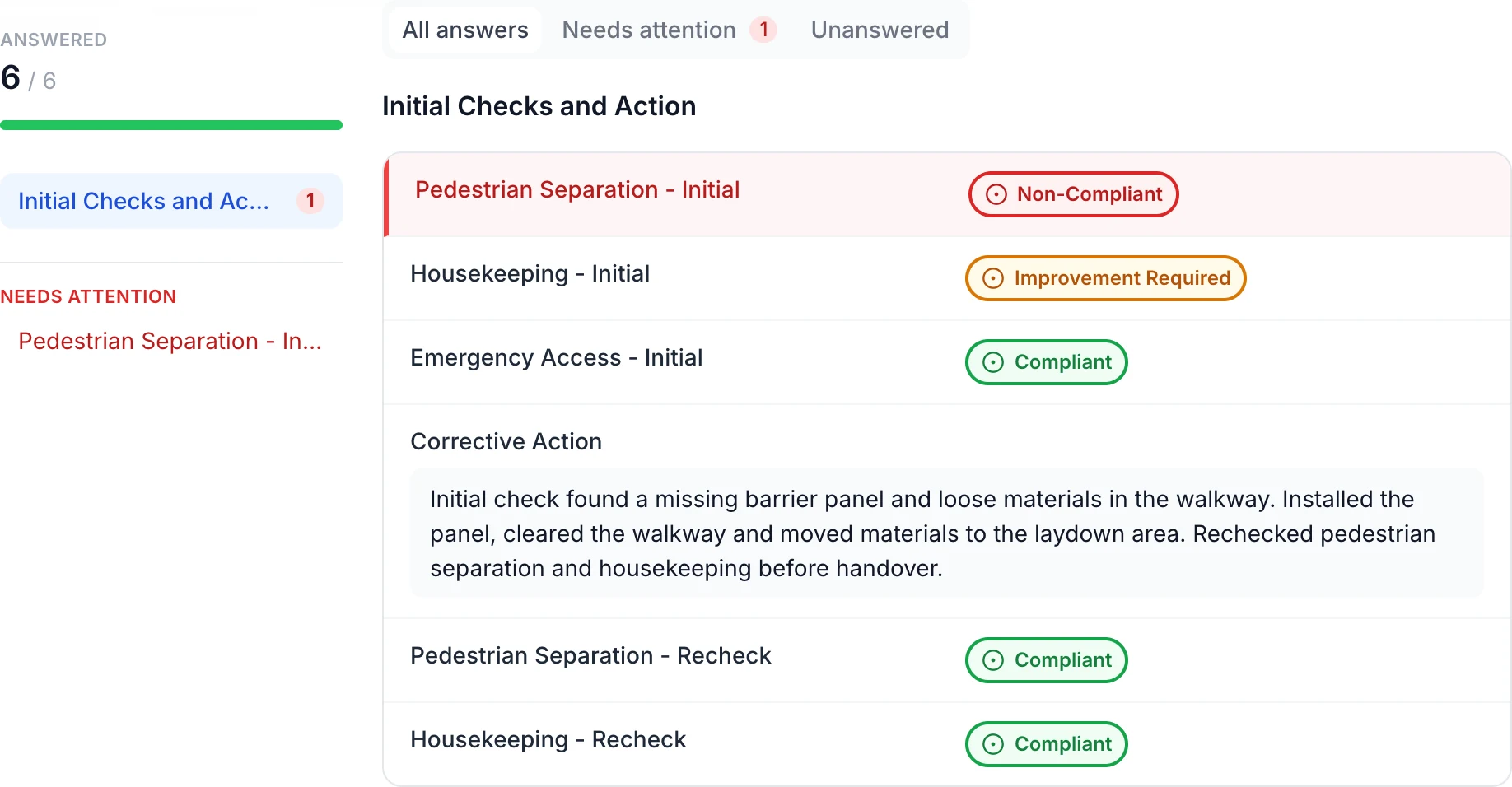
Keep the site finding and corrective action together
The initial red and amber findings remain beside the recorded action: install the missing barrier panel, clear the walkway and recheck both items. In this example, only the red Non-Compliant answer appears under Needs attention.
MapTrack app · Demonstration data · Captured
About this screenshot
Saved demonstration Location form linked to a site. All six answers appear here.
Worker checks
Keep the worker check with the person
Use a Person form to record worker readiness and any follow-up. Review the saved answers and action notes against your own site requirements.
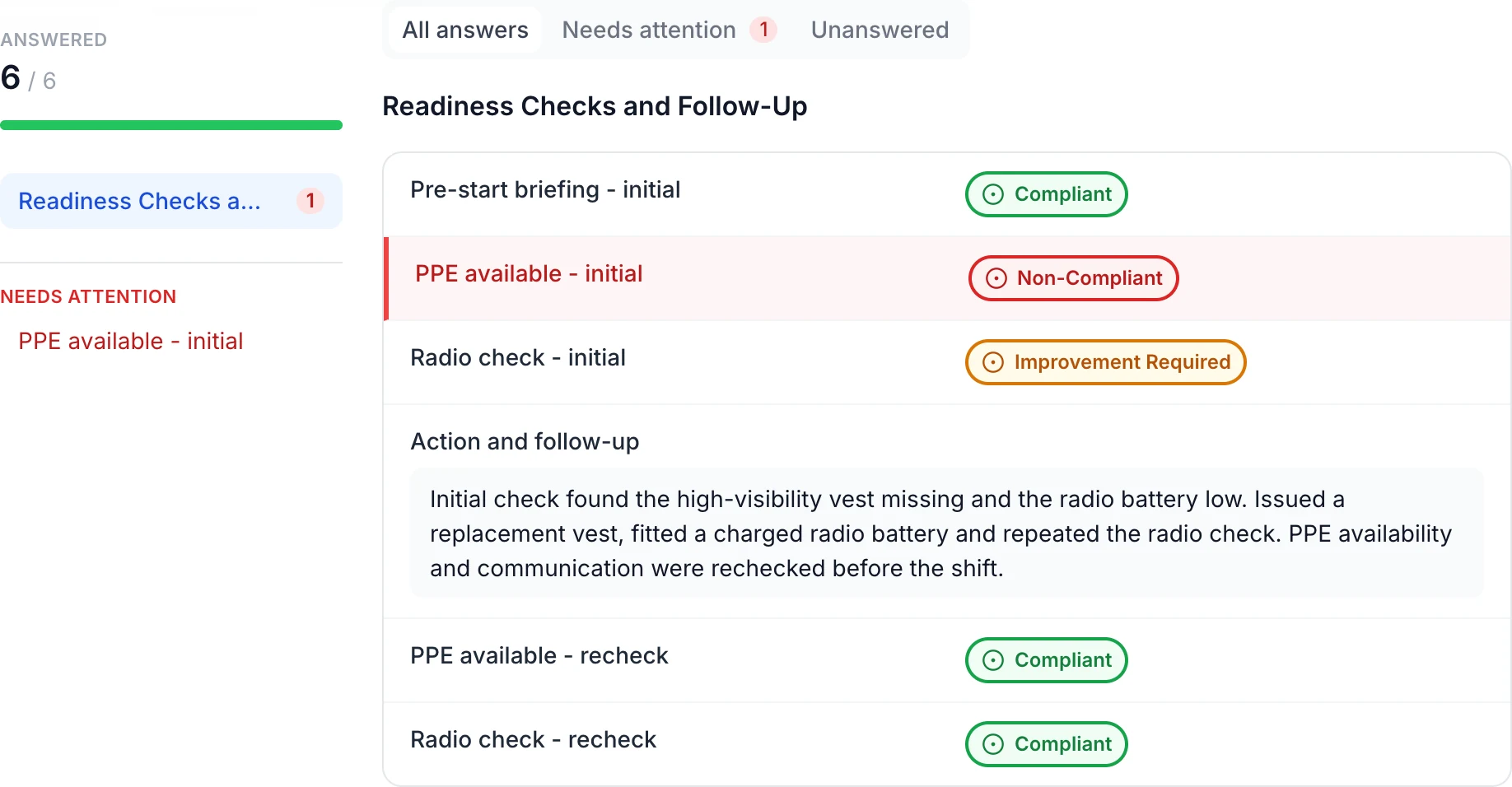
Keep worker checks and follow-up with the person
The saved check retains the missing PPE and low radio battery findings. The follow-up records a replacement vest, charged battery and repeated checks, with both rechecks marked Compliant.
MapTrack app · Demonstration data · Captured
About this screenshot
Saved demonstration Person form linked to a worker record. All six answers appear here.
Stay ahead of compliance
Attach forms to asset types
Define pre-starts and inspections per asset type. AI-assisted form creation or templates speed setup.
Explore attach forms to asset types →Complete in the field
Field teams complete checks on mobile or tablet. Sign-offs and timestamps recorded; photos and notes on the asset.
Explore complete in the field →Certificates and evidence
Upload certificates, PDFs and documents to the asset. Expiry and renewal visibility. Everything linked for audits.
Explore certificates and evidence →Report and prove
Run reports by asset, site or type. Export for auditors. Bulk views of what's due or overdue.
Explore report and prove →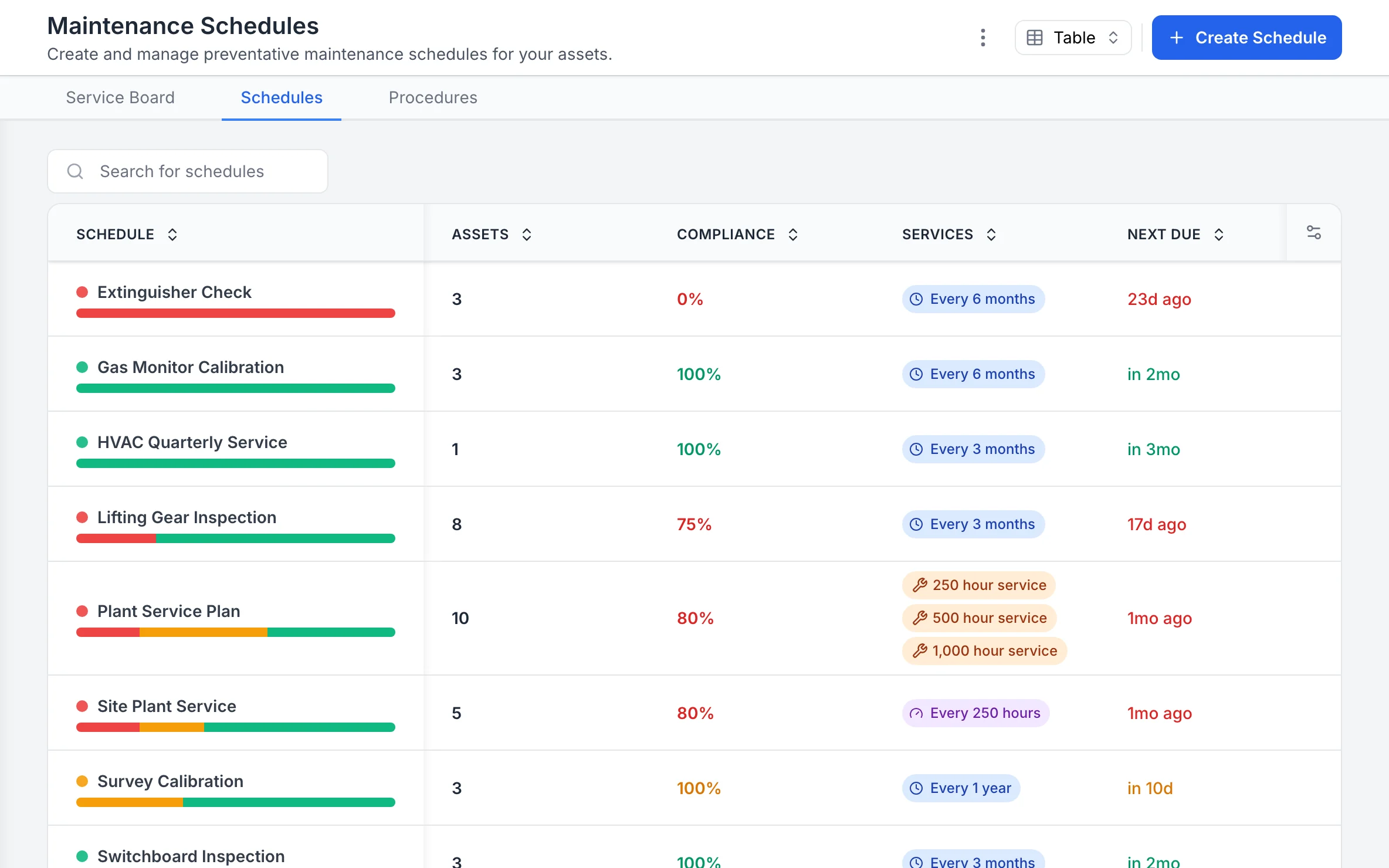
Every maintenance schedule, with how it is tracking
Each schedule shows how many assets it covers, its compliance, its interval in time or hours, and when it is next due.
MapTrack app · Demonstration data · Captured
About this screenshot
Captured at a 1440 x 900 desktop viewport at 2x in a demonstration workspace, right of the sidebar.
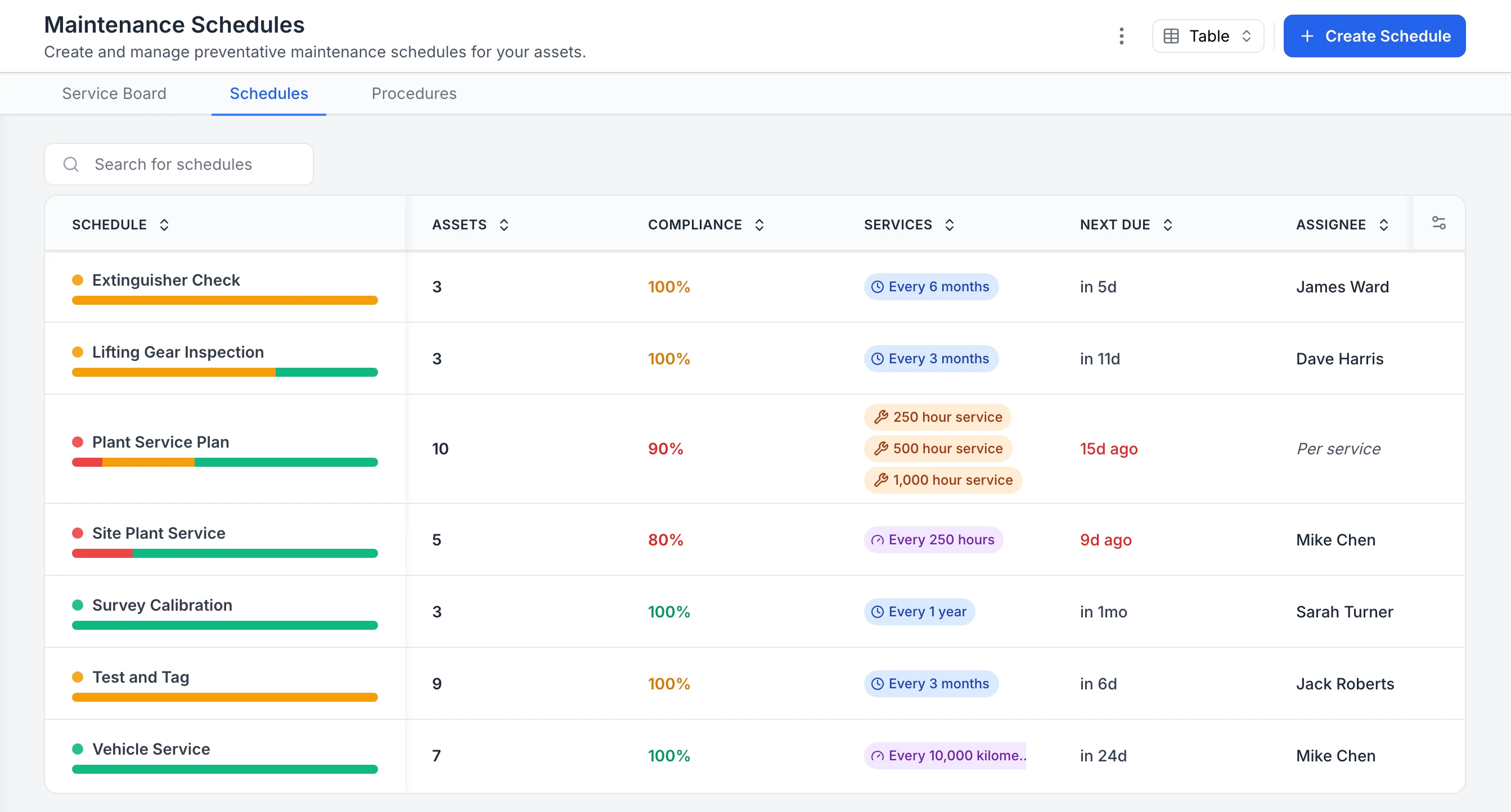
See compliance for every inspection and service schedule
Every maintenance schedule in one table. Extinguisher checks, lifting gear inspections, test and tag and survey calibration sit beside plant and vehicle servicing, each with a compliance percentage, interval, next due date and assignee. The plant service plan and site plant service are overdue, so they show in red; schedules with assets due soon show in orange.
MapTrack app · Demonstration data · Captured
About this screenshot
Captured in a demonstration workspace on the Maintenance Schedules tab. The app shortens long interval labels, as in the vehicle service row.
Why compliance belongs in your asset platform
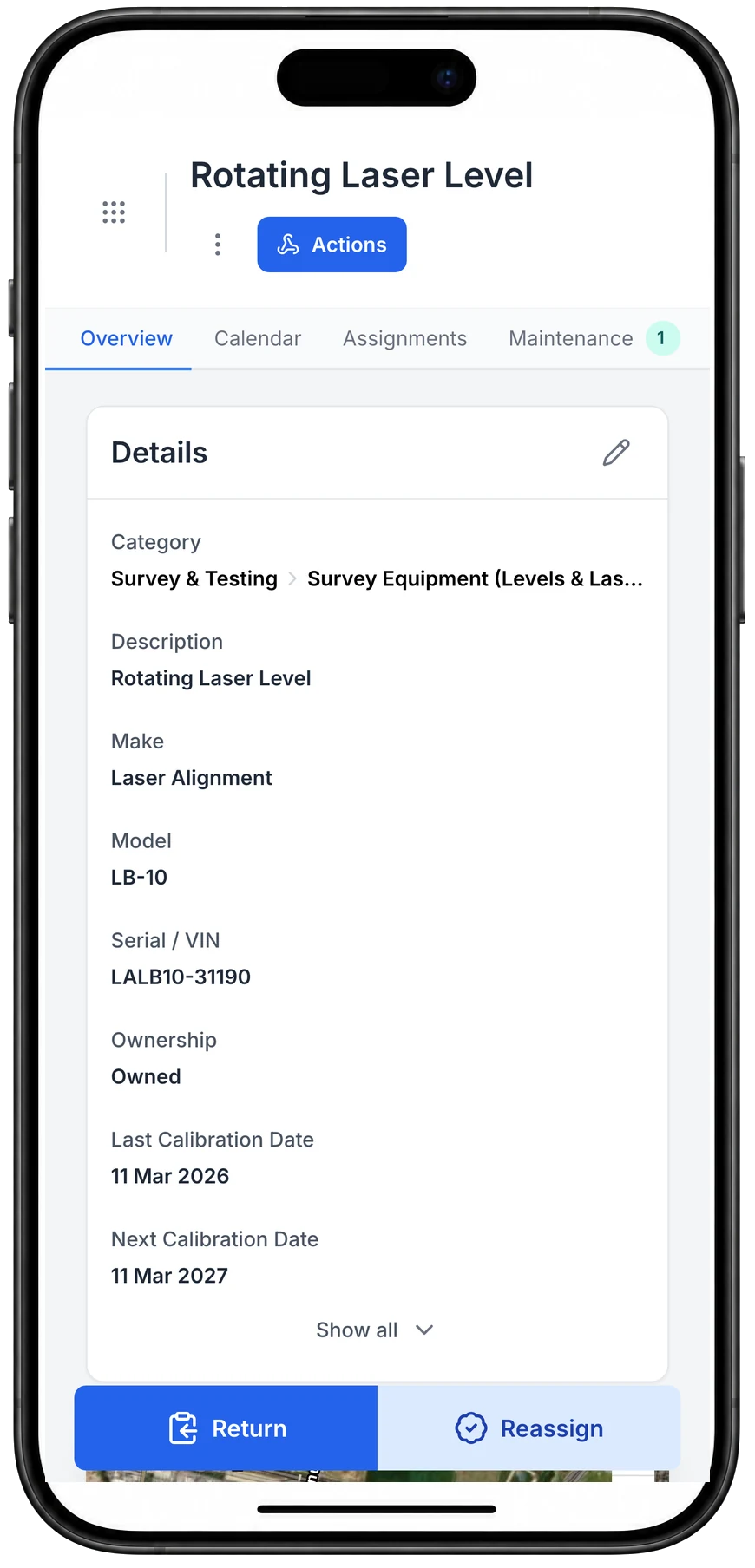
Calibration dates on the record, on a phone
The laser level’s last and next calibration dates sit on its record, on a phone as on a desktop.
MapTrack app · Demonstration data · Captured
About this screenshot
Captured at a 430 x 932 phone viewport in a demonstration workspace and shown in a phone frame.
Compliance requirements across industries
Under the Australian WHS Act, every Person Conducting a Business or Undertaking (PCBU) must ensure plant and equipment is regularly inspected, maintained and safe to operate. The specific obligations vary by industry, but the core requirement is the same: demonstrate that you manage risk and keep records to prove it.
Construction
SafeWork codes of practice require pre-start inspections, plant registration and operator competency records for all machinery on site. Non-compliance penalties under the model WHS Act can reach $3 million for body corporates. Digital compliance tracking replaces paper logbooks and ensures nothing is missed between shifts. Learn more about construction compliance.
Mining
State resources and mining safety regulations mandate equipment inspection registers, risk assessments and maintenance records for all plant and mobile equipment. Mines inspectors expect documented evidence of scheduled servicing and defect rectification. Centralising these records per asset eliminates the filing cabinet problem. Learn more about mining compliance.
Oil and gas
Pressure Systems Safety Regulations (PSSR) require documented inspection and maintenance of pressure vessels, lifting gear and safety-critical equipment. Operators need to prove that inspection schedules are followed and that any defects are rectified before equipment returns to service. Learn more about oil and gas compliance.
Facilities management
Building compliance codes require fire safety equipment inspection schedules, HVAC maintenance logs and emergency system testing records. Essential safety measures reports must be submitted annually, and missing a scheduled inspection can void insurance coverage. Learn more about facilities compliance.
Why spreadsheets fail at compliance tracking
Missed inspection dates. Spreadsheets have no built-in reminders. When an inspection is due, nobody gets notified. By the time someone checks the sheet, the deadline has already passed and the asset is non-compliant.
No photo evidence or geolocation proof. A spreadsheet cell can hold text, but it cannot capture a timestamped photo at the point of work or record GPS coordinates proving the inspection happened on site. Auditors increasingly expect this level of evidence.
Manual entry errors and version control issues. Copy-paste mistakes, outdated file versions and conflicting edits across teams create compliance gaps that are invisible until an auditor finds them. There is no reliable audit trail showing who changed what and when.
Audit preparation takes days instead of seconds. Pulling together compliance evidence from multiple spreadsheets, email threads and shared drives is a manual process that can take days. With a digital compliance platform, you filter by asset, site or date range and export a report in seconds.
No real-time visibility across sites or teams. When compliance data lives in spreadsheets, managers have no way to see which assets are overdue for inspection right now. Issues only surface when someone manually consolidates the data, which is always too late.
If your team is still tracking compliance in spreadsheets, start a free trial of MapTrack and see the difference a purpose-built platform makes.
By the numbers
Compliance results from the field
Compliance is not optional in heavy industry. Here is how MapTrack customers keep their operations audit-ready.
100%
pre-start checklist completion rate achieved after replacing paper forms with mandatory digital checklists
Specialised Plumbing case study
~80%
improvement in maintenance compliance by automating service schedules and sending overdue alerts to supervisors
RIX case study
Days to min
audit preparation time reduced from two to three days to minutes with digital records and instant export
RIX case study
70–80%
reduction in compliance risk by replacing manual tracking with automated alerts and audit-ready digital records
Mineral Resources case study
Find the record for the asset being checked
Keep submitted forms and attached certificates with the asset. See how one inspection round can hold a separate pass or fail for each item.
- No credit card required
- Unlimited users
Resources to improve your compliance
Frequently asked questions
Ready-to-use compliance templates
Download free PDF-ready templates. No sign-up required.
Stay audit-ready year round
Join teams keeping compliance attached to every asset on MapTrack.
- No credit card required
- Unlimited users
Related definitions
Key terms explained in our glossary