
Tool theft prevention & recovery
Reduce loss and improve recovery with clear accountability, assignments and audit trails. Know who had what, run verification and keep evidence for insurance.

Co-Founder & GM of Operations
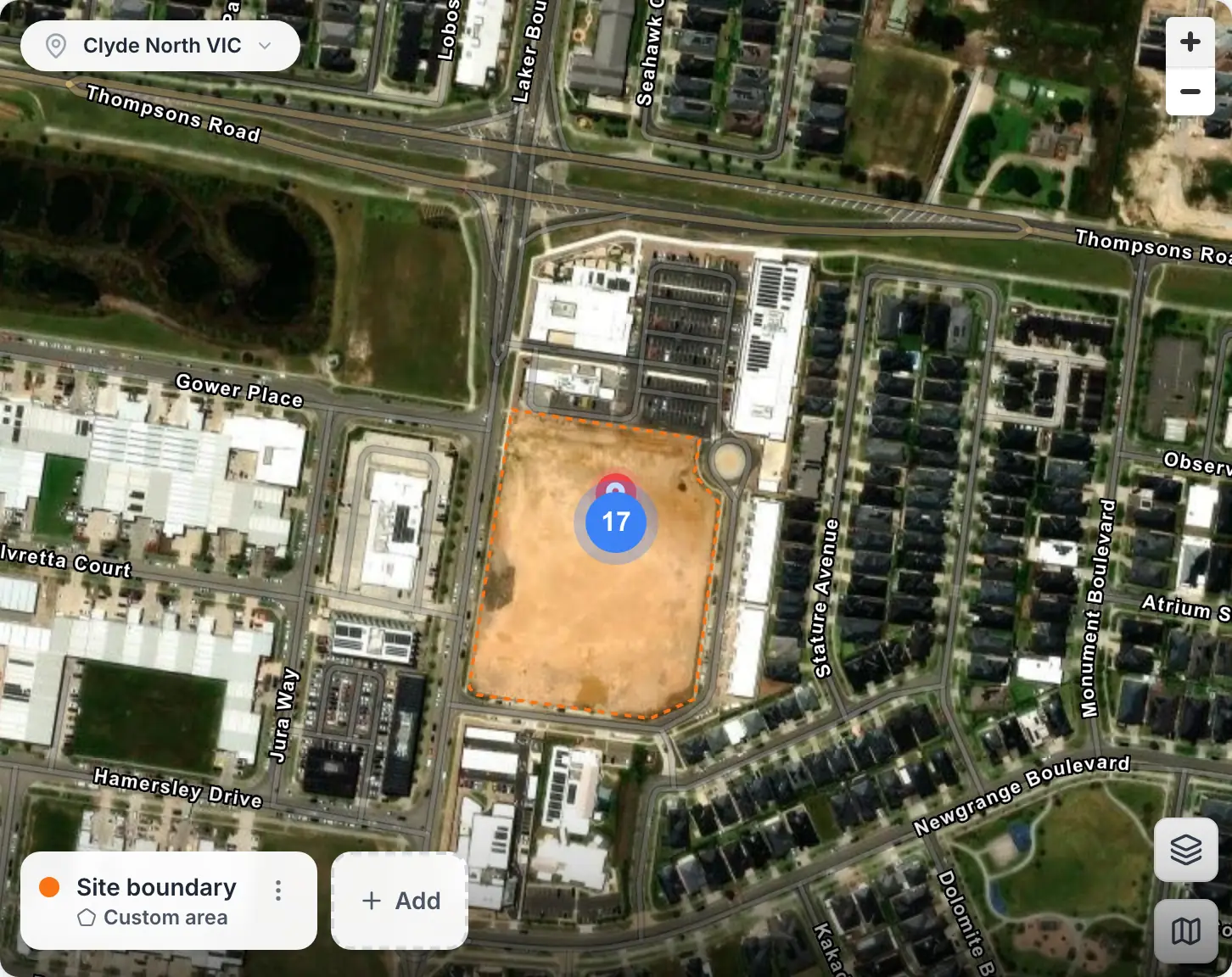
A site’s boundary on its map
A site’s boundary in Clyde North, drawn on its map in MapTrack, with a marker for the 17 assets assigned to the site. None of them has a tracker, so they show at the site rather than at a live position.
MapTrack app · Demonstration data · Captured
About this screenshot
Demonstration workspace at a 1440 px desktop viewport on the location’s Overview tab. The map was dragged to centre the site and zoomed in one step; the map card is cropped from the page.
Trusted by construction, mining and field service teams















The problem
Tool and equipment theft is a major cost for contractors and field teams. Without a single register and clear accountability, you don't know what's missing until it's too late, and you lack evidence for recovery or insurance. Spreadsheets and paper don't keep up when assets move between sites and crews.
How MapTrack addresses it
MapTrack gives you one register with assignments (who has which tool), check-in/out from mobile, and bulk scanning for fast verification. Regular audits surface missing or misplaced assets early. Every assignment and scan is recorded with timestamps, so you have an audit trail for recovery and claims. For high-value assets, add GPS where devices are fitted. You get accountability and evidence without running a separate security system.
How it works
- 1
Assign and check in/out
Assign tools to people, crews (through a crew member or crew vehicle) or projects (as project sites). Field teams check in and out from mobile so you always know who has what and where it should be.
- 2
Run bulk verification
Scan a van, site or storeroom in one session. See what's present, what's missing and what's unaccounted. Run audits regularly to catch drift early.
- 3
Keep an audit trail
Every assignment and scan is recorded with timestamps. Use the history for recovery, insurance and internal accountability.
- 4
Add GPS where it pays
For high-value plant or equipment, add GPS so you have location data. MapTrack supports GPS where devices are installed.
Movement alerts on GPS-tracked gear
Full access to every feature. No credit card required. Per-asset pricing so you scale as your fleet grows.
- No credit card required
Frequently asked questions
Explore
- Pricing
- Book a demo
- MapTrack vs Asset Panda
- Alternative to Asset Panda
- Alternative to spreadsheets
- Commercial GPS tracking
- Construction equipment GPS tracking
- Construction
- Vehicle pre-start checklist
- Hardware store
Related use cases
- Tool tracking for construction
- Equipment utilisation tracking
- Plant and machinery compliance
- Fleet pre-start inspections
- Equipment maintenance scheduling
- Asset audits and stocktakes
- Equipment hire and rental tracking
- Fire extinguisher inspections
- Test and tag tracking
- Shutdown and turnaround management
- Multi-site equipment management
- GPS geofence time onsite
- Calibration tracking
- Bulk inspections and testing
- Lifting gear and crane inspections
- SWMS and plant risk assessments
- Asset documents and certificates
- Equipment custody and handover
- Offline inspections
- One system for fleet, plant and tools
- Plant hire chargeout and job costing
- Forklift inspections
- EWP inspections
- Harness and ladder inspections
- Crane inspections
- PPE register
- Scaffold tagging
- First aid and AED inspections
Stop tool theft before it happens
Join construction, mining and field service teams across Australia.
4.9 on G2 · 5.0 on Capterra, GetApp & Software Advice
- No credit card required
Asset tracking · Audits & stocktakes · QR tracking · Contractor tool tracking · Pricing · GPS trackers