
Generator GPS
GPS tracker for generators, lighting towers and site plant
Know where every generator, lighting tower, compressor, pump and welder is, keep estimated run hours on each hour meter so services fall due on use, and run the pre start on a phone. Trackers, Bluetooth tags and QR labels all land on one record in MapTrack.


How MapTrack runs generators and site plant
The tracker or tag for each unit, run hours on its hour meter, the pre start on a phone, and the servicing, check-outs, files and costs on the same record.
The short answer
MapTrack tracks generators, lighting towers, compressors, pumps and welders with a battery GPS tracker such as the Barra GPS on portable and towed units, a hardwired tracker on sets with their own battery, Bluetooth tags on small gear and QR labels. Run hours estimated from the tracker keep each hour meter current, so services fall due on use.

Key takeaways
- One record per generator, lighting tower, compressor, pump or welder: make, model, serial, QR label, tracker, pre starts, service plan and history, files and costs.
- Run hours estimated from the tracker keep each hour meter current, so hour services fall due on use; manual meter readings work without a tracker.
- Live GPS, trip history and boundary alerts run in MapTrack Telematics; the app shows each unit's latest position and your site and yard boundaries.
- Operators do the generator pre start on a phone, hour meter reading included, and Fault Present opens a required fault note and photo.
- Check-outs carry a due-back date, with the unit's leads and earth stake confirmed back on return; on Pro and Enterprise, hire rates are an add-on.
What MapTrack covers for each unit
- Trackers and tagsThe right tracker, tag or label for each unit
- Run hoursEstimated from the tracker, or typed in
- Hour servicesFrom the maker's manual, on one plan
- Pre startsOn a phone, hour meter reading included
- Site and yard boundariesBoundaries in MapTrack, alerts in MapTrack Telematics
- Check-outs and bookingsOut to a site with a due-back date
- Certificates and service logsTest certificates, logs and manuals on the unit
- Costs, fuel and hireService costs, hire rates and utilisation
Trusted by construction, mining and field service teams
















Customer proof
What customers say
“Finally we've got everything in one place - I would recommend this platform to anyone.”
- From the published story: Safety audit documentation that previously took 2–3 days to compile can now be retrieved instantly from the platform on any device.
“Thanks to MapTrack we know exactly where our gear is, who has it and when it needs servicing.”
“MapTrack streamlines tracking and asset servicing across mine shutdowns - simple, reliable, and effective.”
- From the published story: The end-of-shutdown reconciliation - previously a multi-day exercise - is now completed in hours.
Pick the right tracker for each unit
Most fleets mix a few of these. Portable and towed units without a usable power supply get a battery GPS tracker, larger sets with their own battery can take a hardwired one, small gear can carry a Bluetooth tag, and every unit gets a QR label. Trackers you already run can be connected too, with our help.
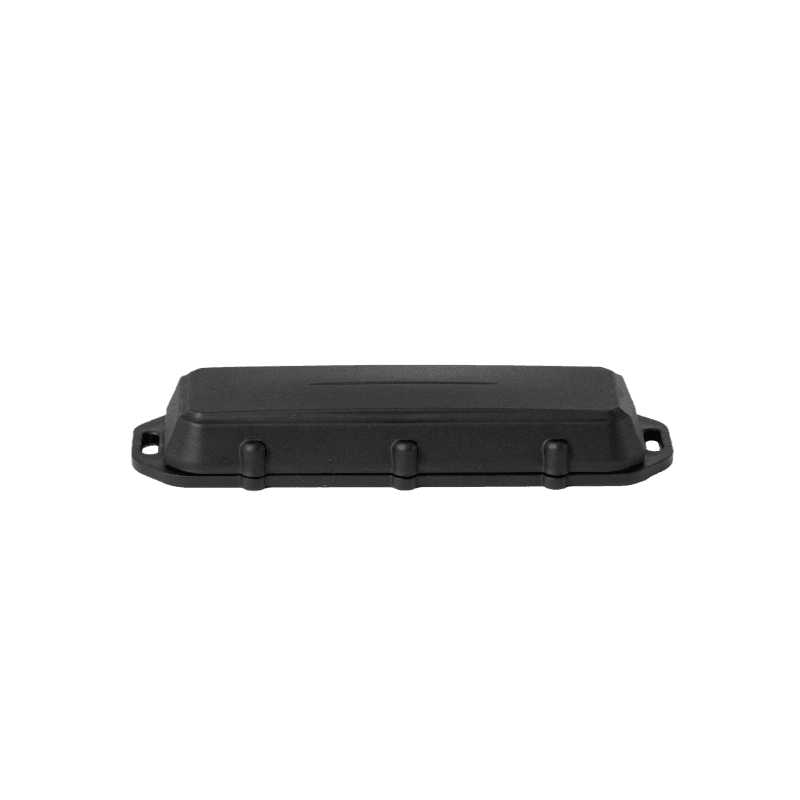
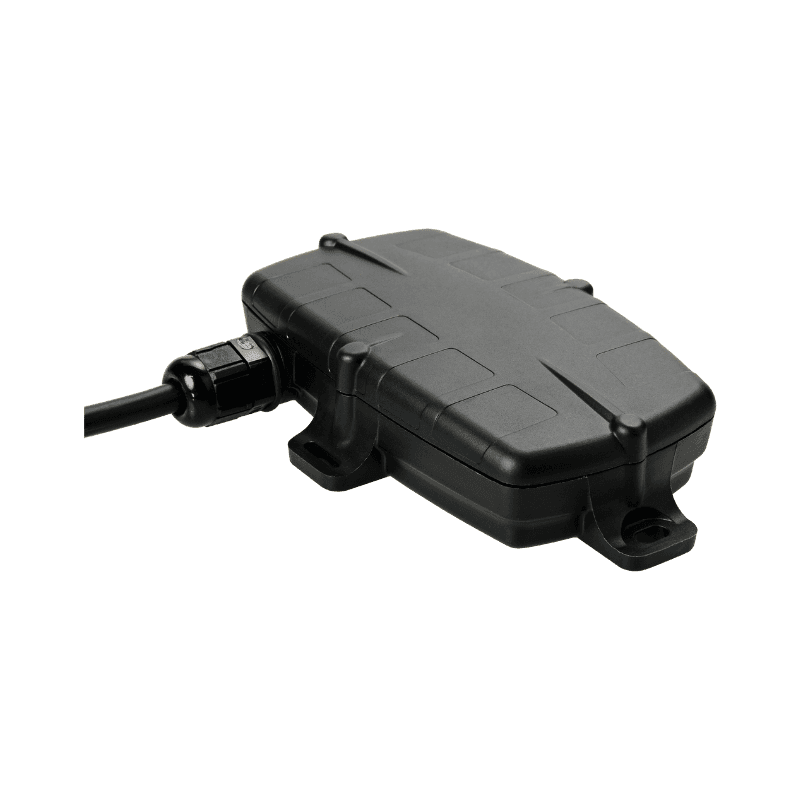
Portable and towed generators, compressors and lighting towers
Battery GPS tracker (Barra GPS)
- No wiring
- The unit's own location on its record
- Tracker battery level in MapTrack
- Estimated run hours into its hour meter
Good to know: Its hours are estimates, so record the hour meter reading at each service
Larger generators and lighting towers with their own battery
Hardwired GPS tracker (G70)
- Location on the unit's record
- Estimated run hours into the hour meter
- Picks up Bluetooth tags nearby
Good to know: Not a stick-on job: it's wired into the unit's power
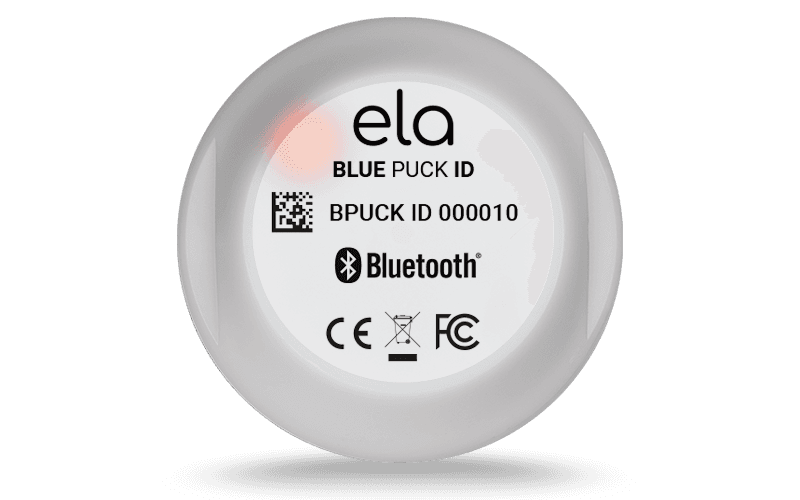
Small generators, pumps and welders that travel with a truck or sit in a yard
Bluetooth tag
Bluetooth (BLE) 5.0
- Each unit's location in MapTrack, updated when a gateway tracker (Oyster, Remora3, G70 or Dart3) picks it up
Good to know: No location of its own: it needs a gateway tracker in range
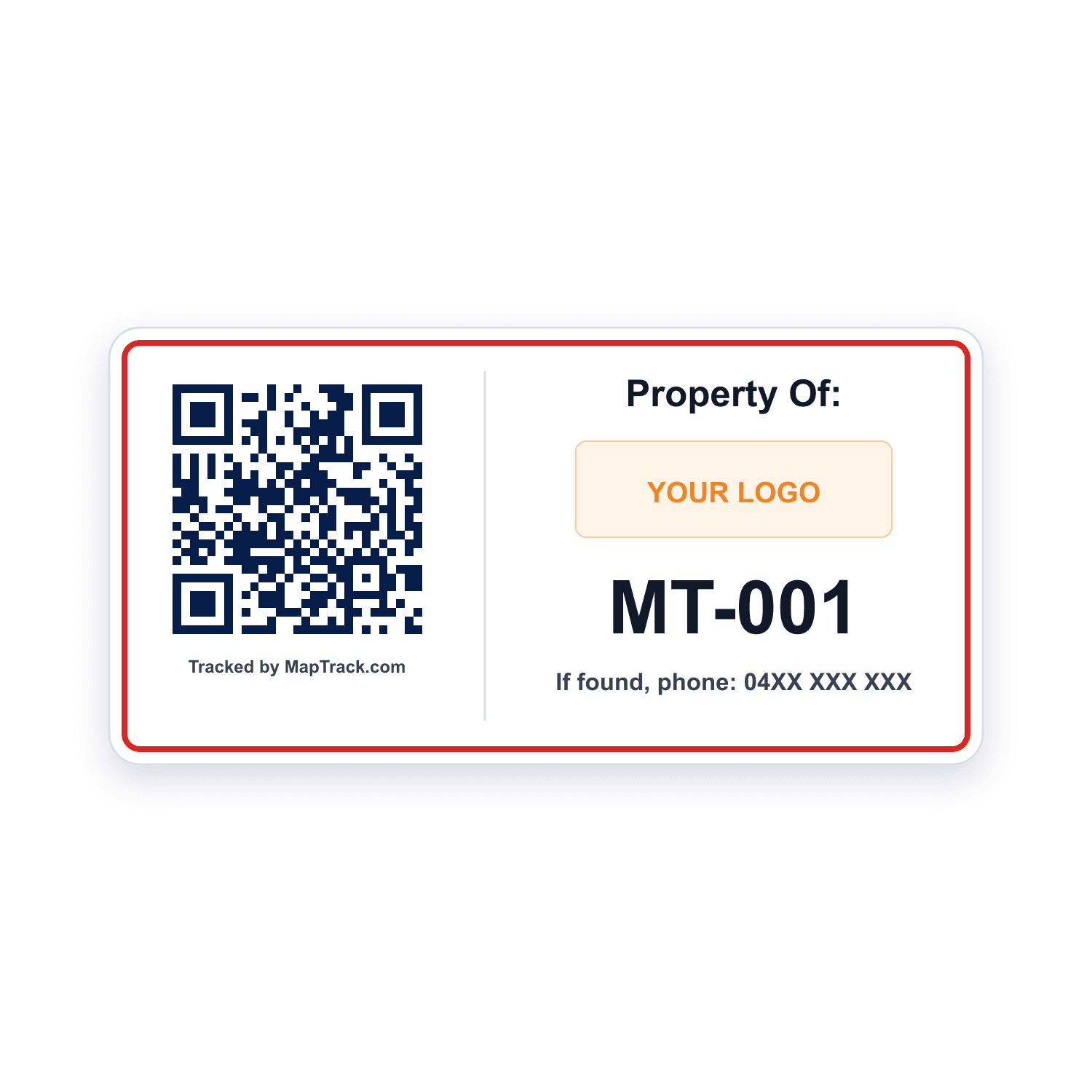
Every unit, for the pre start, audits and the record
QR labels
- Scan the QR, barcode or Data Matrix label with the phone camera or a handheld scanner to open the record or start the pre start
- Yard audits by scan
Good to know: A plain scan records no location
Units that already carry another tracker, or a controller with its own telematics
The trackers you already run
- Other tracker and telematics brands connected to MapTrack, an OEM's or a generator controller's telematics included
- No new hardware on those units
Good to know: Set up with our help rather than by you
Our trackers ship within Australia and New Zealand; elsewhere we connect your existing trackers with you.
What it costs
MapTrack is priced per asset, and the plans are on the pricing page. Trackers, QR labels, install and freight are quoted with your order, after a short setup call so each asset gets the right tracker.
Generators, lighting towers and the rest of your site plant
Diesel and portable generators, lighting towers, compressors, pumps and welders each get the tracker or tag that suits them, and every one lands on the same kind of record.
Diesel and portable generators
A battery GPS tracker such as the Barra GPS, or a hardwired one on a set with its own battery
- Hour services on one service plan, from the maker's manual
- The generator pre start, hour meter reading included
- Its leads, power boards and portable RCDs on their own testing schedule, each with its record, result and next due date
Light towers and temporary site power
Lighting towers, power packs and temporary site services
- Checked out to a site with a due-back date, or booked for a job with Requests
- A calendar schedule for a yearly check beside the hour services
- Their latest position on the record from a tracker
Compressors, pumps and welders
On the same register as the generators, with QR labels
- The compressor pre start adds hoses and whip checks and the pressure relief valve
- Pumps and welders on their own service plans
- Welders on a testing schedule with the leads
Hire, shutdown and remote units
The same kind of record, wherever the unit goes
- Shutdown and turnaround support assets
- Hire fleet plant moving between customers
- Remote units with limited cellular coverage
One generator, tagged three ways
A hardwired G70 on the generator picks up the Bluetooth tag on the small pump or welder that travels with it, and a QR label on the canopy opens the generator's record: each lands on the right record.
Tracker on the generator
Its location and estimated run hours
Bluetooth tags on small gear
Updated when a gateway tracker picks them up
QR label on the canopy
Scan to open the record or start the pre start
Example record
- Generator 20 kVA at Werribee Drainage
- Site Plant Service, every 250 hours on this schedule
- 2,662 hours at its 29 September service
Run hours and tracker health
Register each unit's tracker in MapTrack and see its battery level, signal and last report. Run hours estimated from the tracker keep the hour meter current, so hour services fall due on use.
- The hours are estimates, so record the hour meter reading at each service
- Manual meter readings available without a sensor feed
- The next due date is estimated from recent readings
- Stale readings are flagged, so a meter that stops updating gets noticed
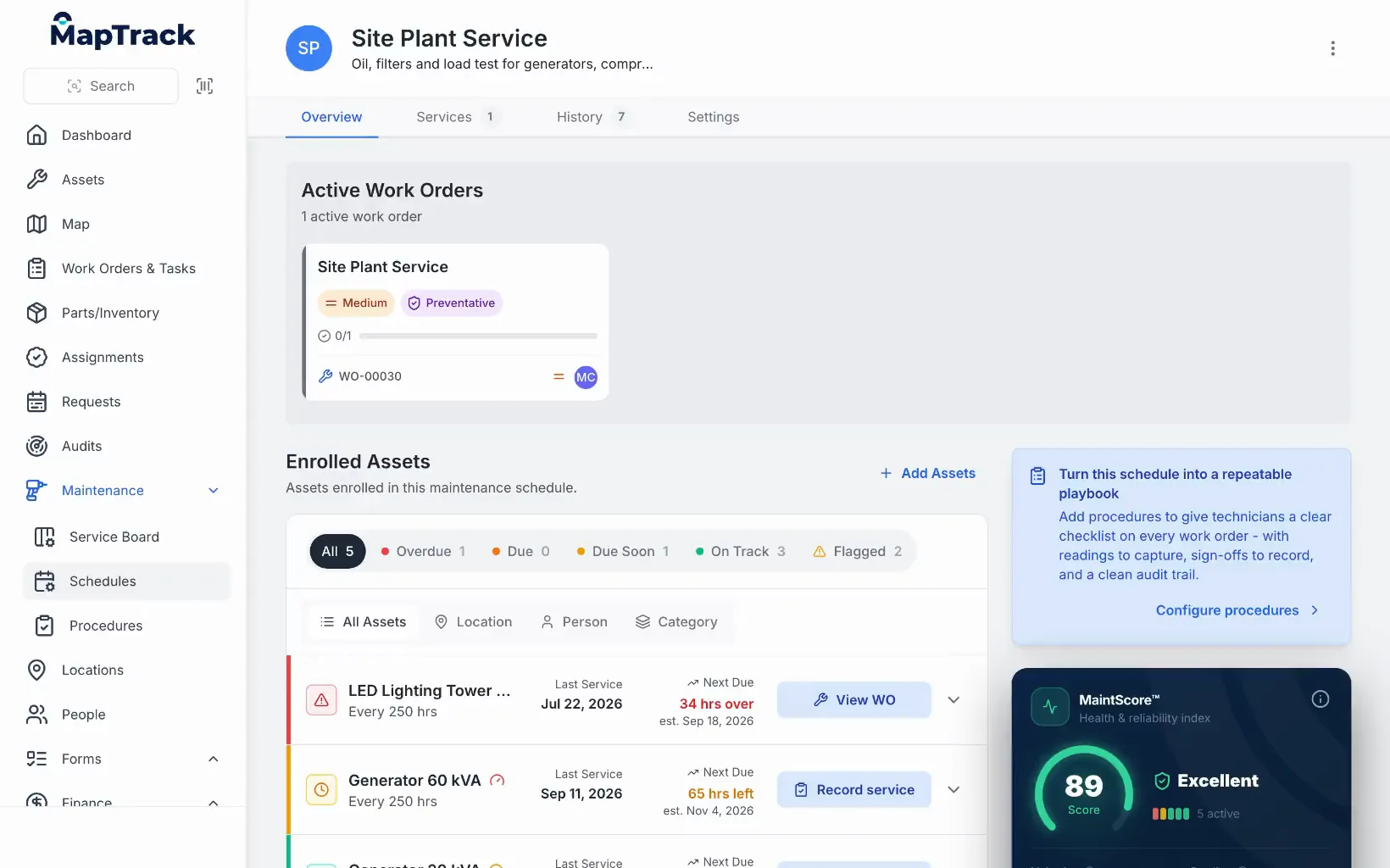
Generators serviced on hours
A generator's service plan counting down the run hours to its 250 hour service.
MapTrack app · Demonstration data · Recorded
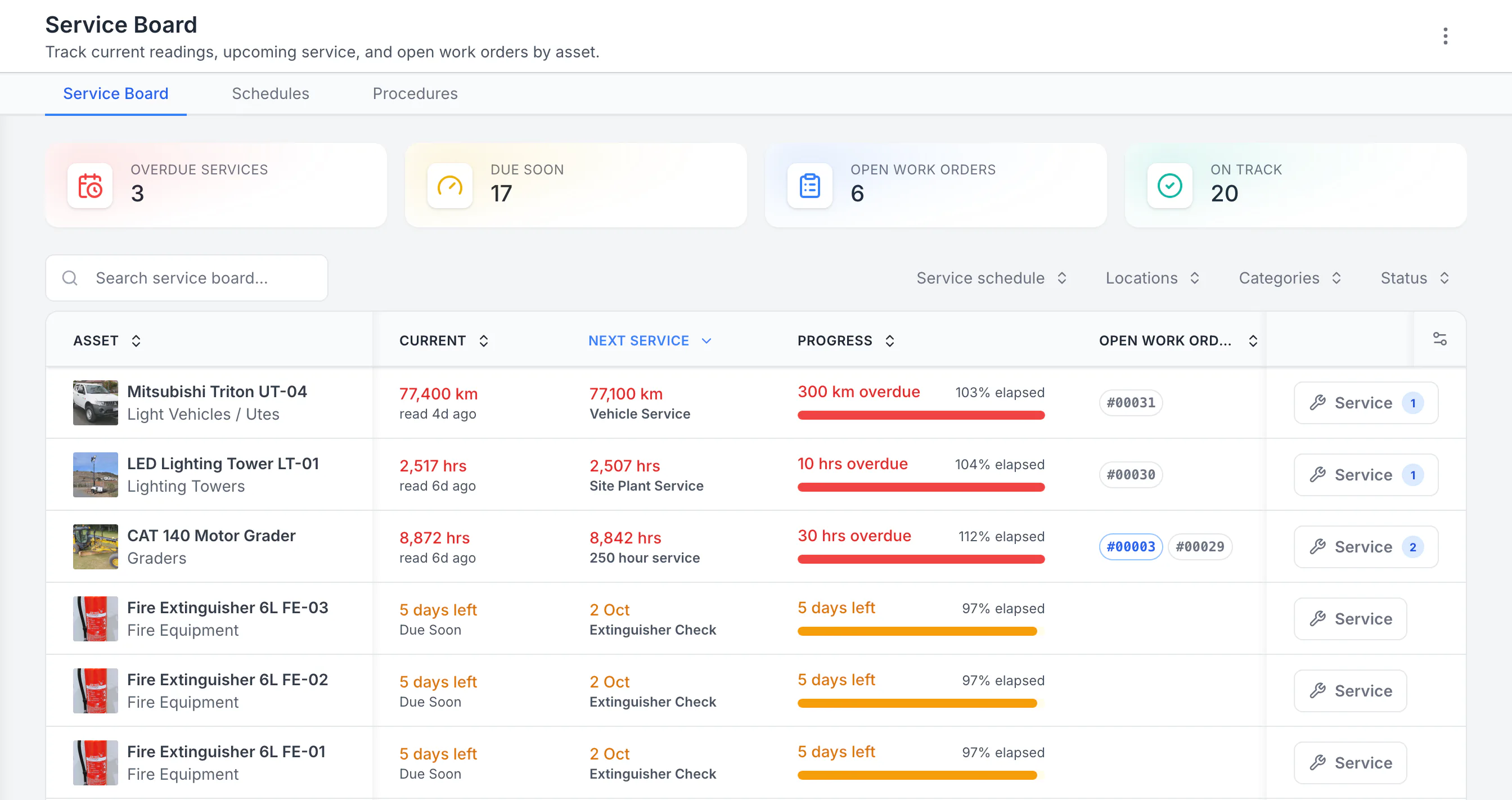
See the next service beside the current reading
Sorted by next service, the three overdue schedules come first: a ute 300 km past its service, then a lighting tower and a grader past their hour services. Each shows its open work orders. Extinguisher checks due in five days follow. Hours, kilometres and calendar checks share one board.
MapTrack app · Demonstration data · Captured
About this screenshot
Demonstration workspace with 40 schedule enrolments. Columns were chosen and resized in the board’s own display settings. Requires enrolled assets, configured schedules and an internet connection.
Run hours and dates drive the servicing
One service plan holds a unit's hour services, and when two coincide the bigger one covers the smaller in one work order. Set them by hours, months or whichever comes first, from the maker's manual. MapTrack estimates the next due date from recent readings, and the Service Board shows what's overdue and due soon.
- On an automatic schedule, an hour reading someone records raises the work order for you, one per unit or one batch for everything due together
- Schedule triggers by hour, odometer or calendar: calendar service triggers put a service due, and a person raises per-asset or batch work orders from the schedule in a couple of clicks
- A calendar schedule, such as a standby set's 6-monthly service or the leads' next test, puts it due soon and overdue, and the person assigned gets a maintenance email 7 days out
- Scan a batch of units and log the service for all of them at once; each keeps its own hour reading and history entry
- Labour, parts and external costs go on the work order and stay in each unit's service history
| Hours | Typical work | Source |
|---|---|---|
| 500 hours | Atlas Copco QAS 60, 80 and 100 towable diesel generators: a 500-hour service interval, as the maker's datasheet puts it (the datasheet doesn't itemise the service) | SourceAtlas Copco QAS 60-80-100 datasheet (2935 0735 32, 2011) |
| 1,000 hours | Generac MLT6 lighting tower with the Mitsubishi L3E engine (MLT6SMDS): engine oil changes extended to 1,000 hours after the initial break-in | SourceGenerac Mobile Owner's Manual, Light Tower MLT6SMDS and MLT6SKDS (Rev. C, 2020) |
These intervals come from each maker's own documents, for the model and engine named. Others differ: Generac puts the Kubota-engined MLT6 lighting tower's oil change at 750 hours after a 50-hour break-in, Honda's WT trash pumps take an oil change every 100 hours or 6 months, whichever comes first, and Miller's Bobcat 265 welder generator with a Kohler engine changes its oil at 100 hours and its filters at 200. Intervals change with the engine, the oil and how hard the unit works: heat, dust and high or light load can shorten them, and some makers set a calendar limit as well as an hour limit. Always follow the manual for your unit's model and serial number.
The generator pre start on a phone
Operators scan the unit's QR label and do the pre start on a phone, or on a shared site tablet with their own PIN. Workstation mode (a shared-device kiosk) turns one shared phone or tablet into a crew kiosk: each person taps their name, enters their own 4-digit PIN and works under their own role, and it locks itself when left idle. An Owner or Admin turns it on. The generator pre start records the hour meter reading and covers fit for work, oil, coolant and fuel, leads and RCDs, the earth connection, gauges and controls, the emergency stop, guards, leaks, the fire extinguisher, and tyres and hitch on trailer units; the compressor pre start adds hoses and whip checks and the pressure relief valve.
- Fault Present opens a required fault note and photo
- A rule you set up can raise a linked corrective task, and the original fault stays beside the repair
- The completed pre start downloads as a PDF, and forms submit offline and sync later
- An operator's or tester's licence or training evidence and its expiry on their person record, with a VOC form signed off there
Setup and limits
- MapTrack doesn't check who tested or ran what.
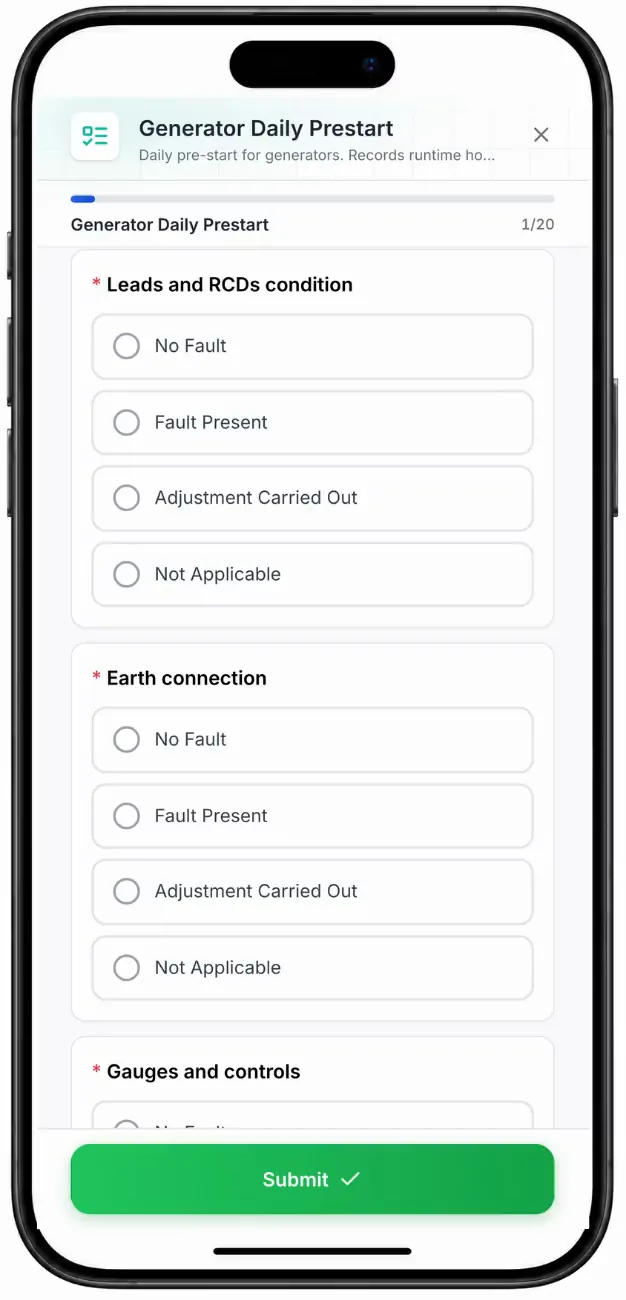
Generator pre-start, fault found
A generator pre-start on a phone: the earth passes, then a leads and RCD fault with a typed note.
MapTrack app · Demonstration data · Recorded
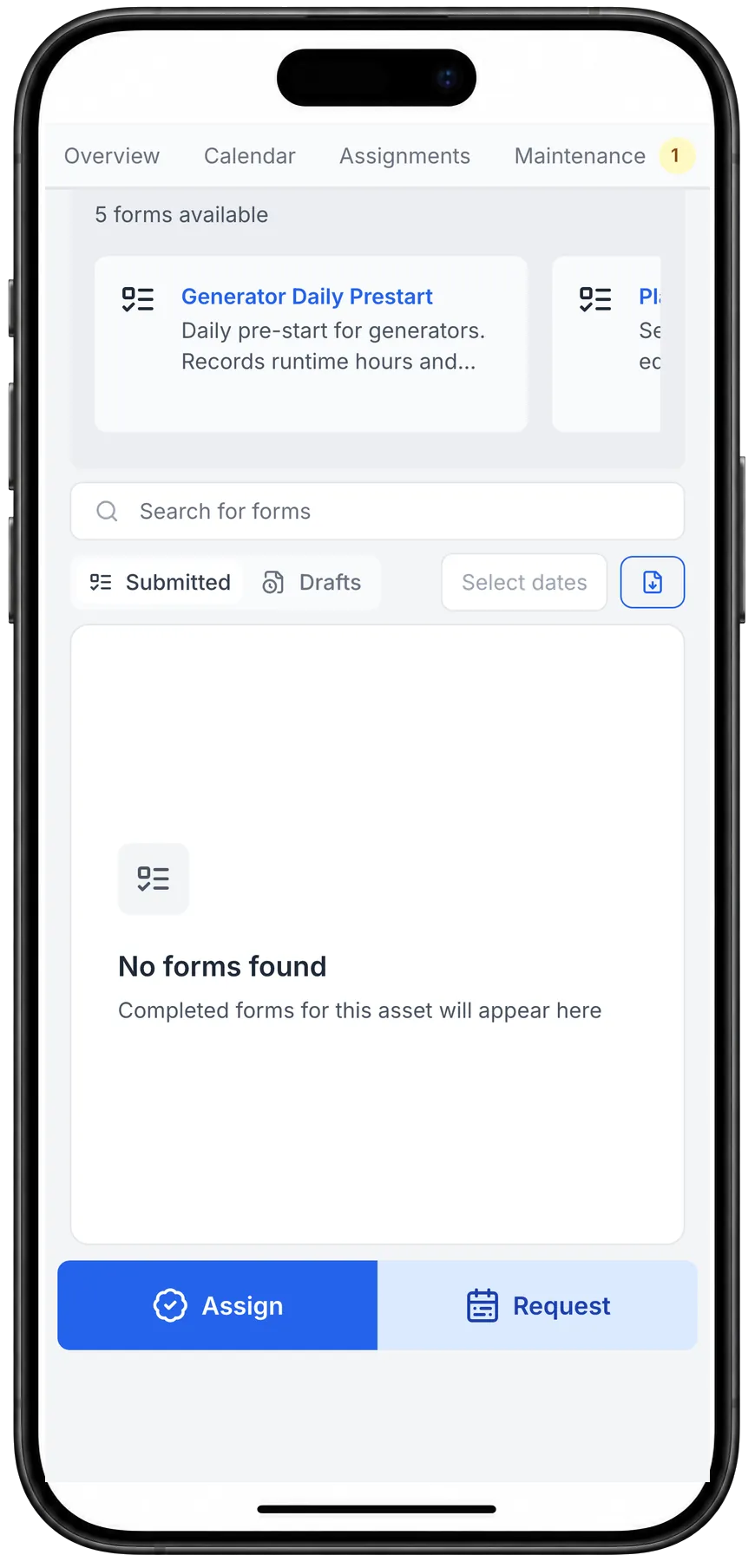
The generator pre start on its record, on a phone
The Generator Daily Prestart is offered on the generator’s own Forms tab, ready to start on a phone.
MapTrack app · Demonstration data · Captured
About this screenshot
Captured at a 430 x 932 phone viewport in a demonstration workspace, on generator GN-02’s Forms tab.
Site and yard boundaries
Draw each site's or yard's boundary on its map in MapTrack and see the gear there; each unit's record shows its latest linked GPS position. Live GPS, trip history and alerts when a unit enters or leaves a boundary run in MapTrack Telematics, an optional add-on.
- A boundary for every site and yard, drawn on the map in MapTrack
- Alerts when a unit enters or leaves a boundary, in MapTrack Telematics
- Time-on-site reports from those boundaries also run in MapTrack Telematics, and show presence on site, not engine hours
Check-outs, bookings and yard audits
Check a unit out to a person and a site with a due-back date, or book it for a job with Requests, approve it and turn it into a check-out by scan at pick-up. Requests and check-outs need a connection.
- On return its accessories, the leads and the earth stake, are confirmed back, with a reason for anything missing
- Overdue check-outs get a reminder email, an overdue service or test is flagged when someone checks the unit out or books it and going ahead is logged, and damaged or written-off units can't be checked out
- Yard audits by scan: at the end you choose Mark Missing or Skip All
- Where it was last checked out or returned, when there's no tracker on it
Setup and limits
- A scan identifies the asset. Assignment, return, transfer and audit actions are deliberate connected steps.
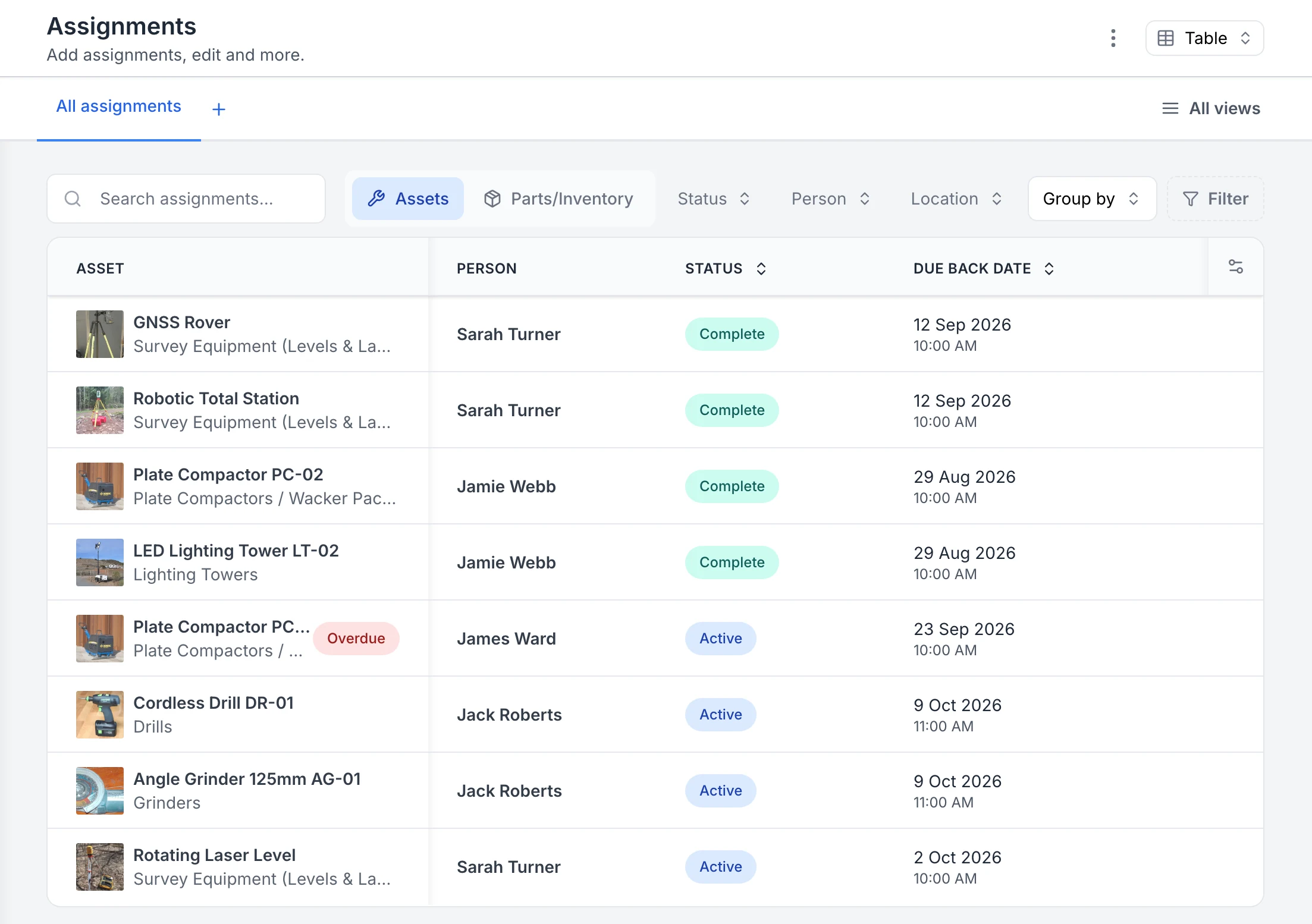
See who has each tool and when it is due back
Every sign-out in one list. Four assignments are back and marked Complete; four are still out as Active, each with the person and the due-back date. The plate compactor with James Ward was due back on 23 September, so it is flagged Overdue.
MapTrack app · Demonstration data · Captured
About this screenshot
Captured in a demonstration workspace on the All assignments view with the Person, Status and Due Back Date columns. The app shortens long asset and category names.
Test certificates, service logs and manuals
Keep each unit's documents on its record, next to its service plan and pre starts.
- Test certificates and electrical test results
- The service log and the maker's manual
- The hire agreement, and the rego papers for a towed unit
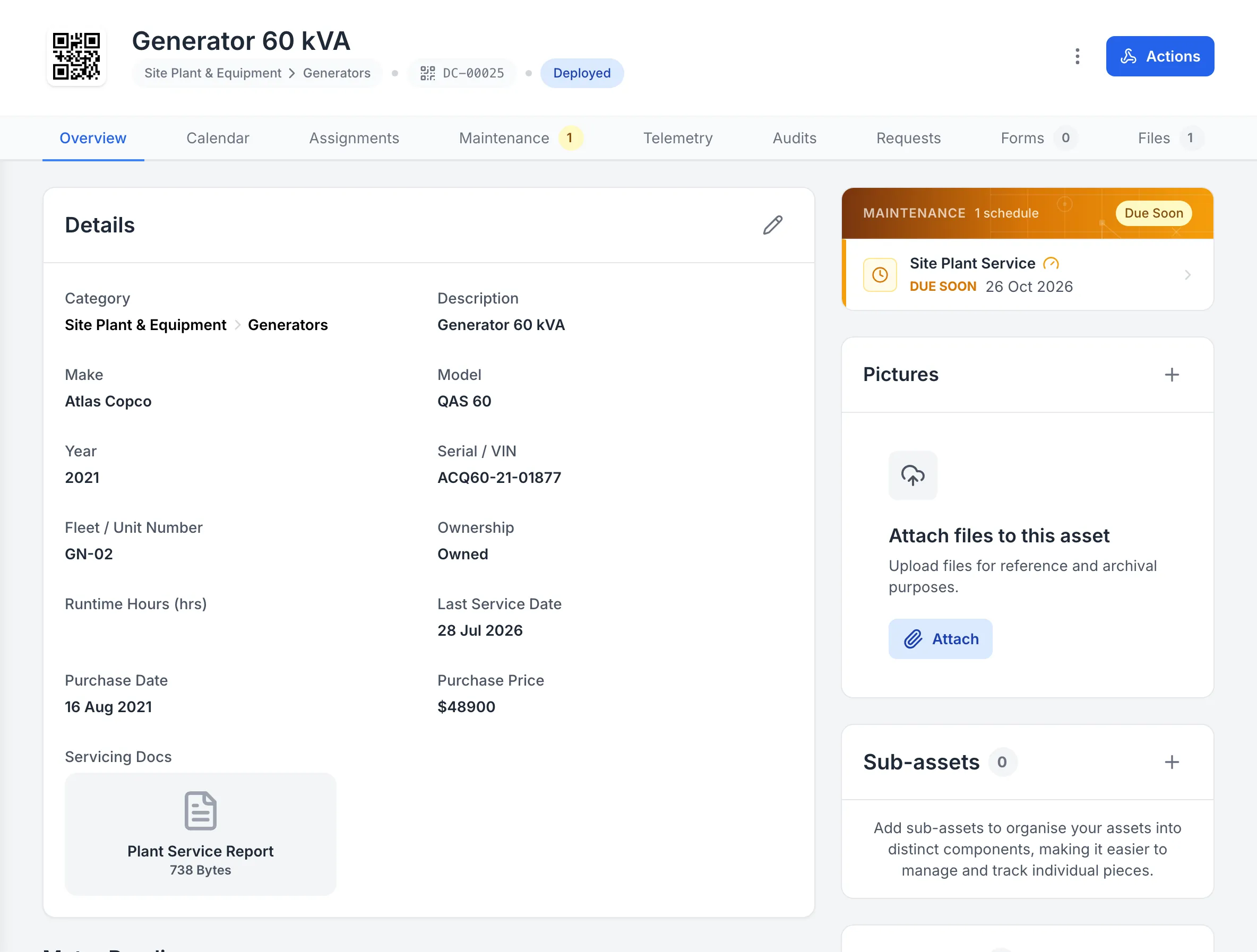
One generator’s record, its service report included
Generator GN-02’s record: its QR tag, make, model and serial, its last service and service report, and its Site Plant Service due soon.
MapTrack app · Demonstration data · Captured
About this screenshot
Demonstration workspace at a 1440 px desktop viewport on the generator’s Overview tab, cropped right of the navigation sidebar. The service report is an example document.
Costs, fuel and hire
Every service keeps its labour, parts and external costs in the unit's history. The electrician or service agent sits on it as a preferred vendor, and filters, oil and test tags are parts with stock per bin.
- Fuel used comes through MapTrack Telematics
- Rate cards, an add-on on Pro and Enterprise plans: daily, weekly and monthly hire rates (dry, wet or standby) by category or unit, with the hire cost recorded when it comes back
- Finance and costings, an add-on on Pro and Enterprise plans: a cost ledger for every unit, with budget against actual, depreciation and repair-or-replace guidance
- Asset Performance shows each unit's utilisation: how much it was allocated to jobs, from recorded check-outs and bookings
Free generator pre starts, hour services and service logs
Generator and compressor pre starts, the 250, 500 and 1,000 hour services, maintenance checklists, the service log book, electrical test records and the hire hand-over. Print them, or run the checklists on the phone in MapTrack.
- Generator pre-start checklist
- Air compressor pre-start checklist
- Generator 250-hour service procedure
- Generator 500-hour service procedure
- Generator 1000-hour / annual service procedure
- Lighting tower 250-hour service procedure
- Air compressor 250-hour service procedure
- Generator maintenance checklist
- Generator service log book
- Mobile pump monthly inspection checklist
- Welding machine inspection checklist
- RCD testing log
- Equipment hire handover form
Common questions
What is GPS tracker for generators?
Which generators and mobile plant can MapTrack track?
What GPS tracker type is best for generators and mobile plant?
Can GPS data trigger maintenance for generators and mobile plant?
How do jobsite geofences help?
How is MapTrack different from a standalone GPS tracker?
How do hire companies track lighting towers and generators across sites, including run hours?
Can a GPS tracker count a generator's run hours?
How do I set up 250, 500 and 1,000 hour services on generators and compressors?
Can the crew do the generator pre start on their phones, even without reception?
What happens when the pre start finds a damaged lead or RCD?
Do the leads and RCDs on a site generator need regular testing?
What is AS/NZS 3010?
Can we see which site each generator or lighting tower is on?
Can we book generators for jobs and charge out the hire?
Can MapTrack handle pumps, compressors and welders too?
What should we record in case a generator is stolen?
Can MapTrack track gensets?

 Source: G2.com, Inc.
“Bloody amazing! We used to spend 1-2 days a week tracking and managing our generators alone.”
Steve McAllister
Asset Coordinator at Saunders International
See your generators and site plant in MapTrack
Book a demo to see how your generators, lighting towers, compressors and pumps, their run hours, pre starts and servicing would look in MapTrack, or look at the trackers first.