
Shutdown & turnaround management
Manage tools, equipment and plant during shutdowns and turnarounds. Reservations, compliance and maintenance in one platform so the right assets are ready when needed.

Co-Founder & GM of Operations
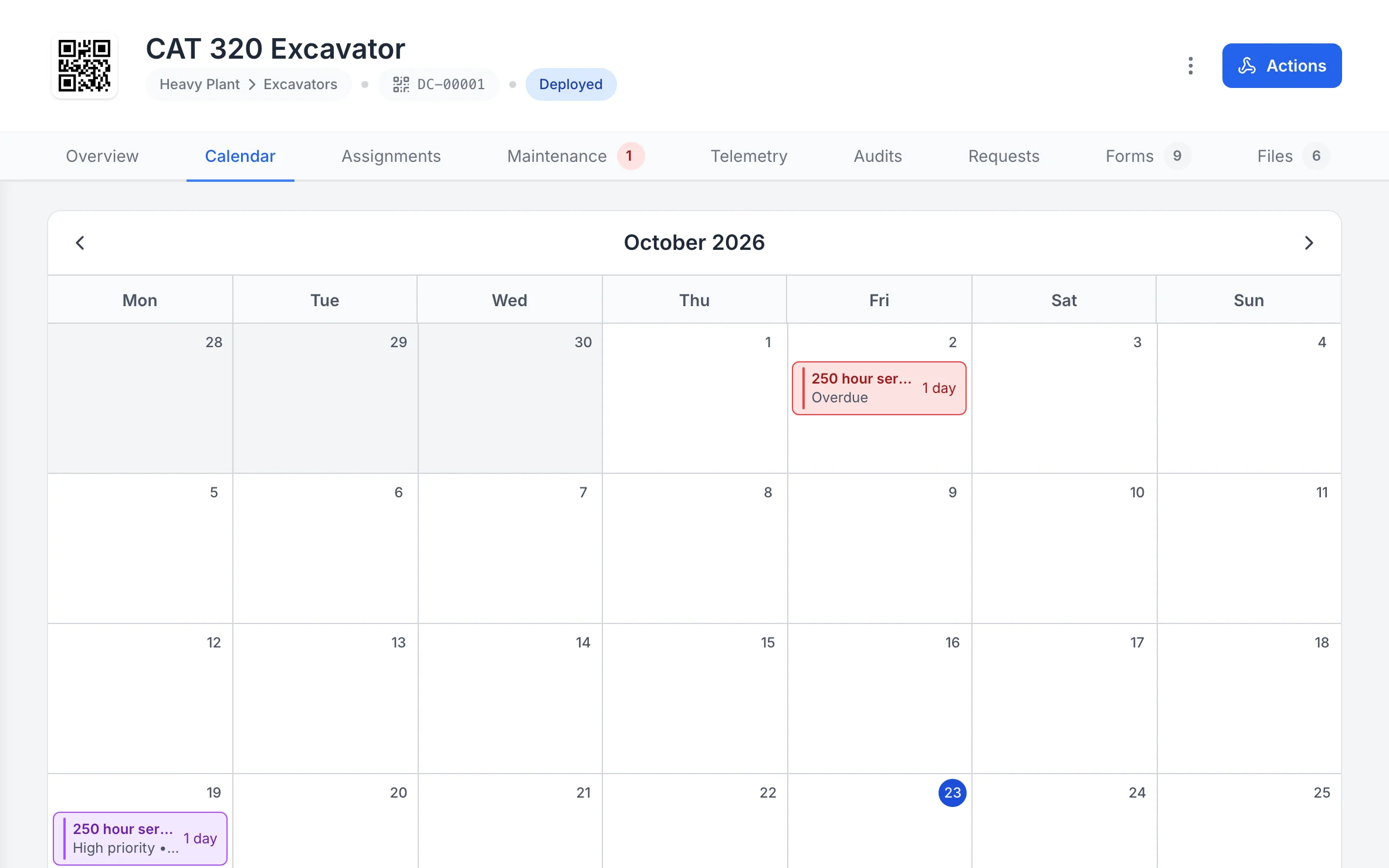
A machine’s calendar
Each asset has its own calendar, so the services and work booked against one machine sit on the days they fall.
MapTrack app · Demonstration data · Captured
About this screenshot
Demonstration workspace at a 1440 x 900 desktop viewport, cropped right of the navigation sidebar to a 16:10 frame; nothing pressed.
Trusted by construction, mining and field service teams














The problem
Shutdowns and turnarounds create a spike in demand for tools, plant and equipment. Without a single view of what's reserved, who has it and what's compliant, you get double-booking, no-shows and gear that isn't ready. Spreadsheets and ad-hoc lists don't scale when hundreds of assets and work packs are in play.
How MapTrack addresses it
MapTrack gives you one platform for reservations, compliance and maintenance during shutdowns. Reserve equipment by work pack, phase or crew; see availability and avoid double-booking. Pre-starts and certificates stay on each asset so you know what's ready to go. Work orders and meter triggers help you schedule servicing before or during the shutdown. Field teams can check in/out and complete forms on mobile. You get visibility for planners and supervisors, accountability for who has what, and one place for readiness and compliance.
How it works
- 1
Reservations by work pack or phase
Reserve tools and plant for work packs, phases or crews. See what's allocated and what's free. Avoid double-booking and no-shows.
- 2
Compliance and readiness
Pre-starts and certificates on each asset. See at a glance what's compliant and what's not. Block non-compliant gear from allocation until cleared.
- 3
Maintenance before and during
Use work orders and meter-based triggers to schedule servicing before the shutdown. Track open work during the window so critical assets are ready.
- 4
Visibility and access
Planners and supervisors see availability and assignments. Use RBAC to restrict by area or role. Contractors can be given appropriate access as you configure.
Shutdown tool control from one platform
Full access to every feature. No credit card required. Per-asset pricing so you scale as your fleet grows.
- No credit card required
Frequently asked questions
Explore
- Pricing
- Book a demo
- MapTrack vs Asset Panda
- Alternative to Asset Panda
- Alternative to spreadsheets
- Commercial GPS tracking
- Construction equipment GPS tracking
- Construction
- Vehicle pre-start checklist
- Hardware store
Related use cases
- Tool theft prevention
- Tool tracking for construction
- Equipment utilisation tracking
- Plant and machinery compliance
- Fleet pre-start inspections
- Equipment maintenance scheduling
- Asset audits and stocktakes
- Equipment hire and rental tracking
- Fire extinguisher inspections
- Test and tag tracking
- Multi-site equipment management
- GPS geofence time onsite
- Calibration tracking
- Bulk inspections and testing
- Lifting gear and crane inspections
- SWMS and plant risk assessments
- Asset documents and certificates
- Equipment custody and handover
- Offline inspections
- One system for fleet, plant and tools
- Plant hire chargeout and job costing
- Forklift inspections
- EWP inspections
- Harness and ladder inspections
- Crane inspections
- PPE register
- Scaffold tagging
- First aid and AED inspections
Run your next shutdown on time
Join construction, mining and field service teams across Australia.
4.9 on G2 · 5.0 on Capterra, GetApp & Software Advice
- No credit card required