
Self-guided tour - no form, no signup
See how MapTrack works in 3 minutes
Fourteen steps covering the full loop: register your tools, equipment, plant and fleet, scan from the field, run pre-starts, review locations, service on time, plan allocations and prove it all with reporting.
Step 1 of 14
Every tool, vehicle and machine in one register
Keep tools, equipment, plant and fleet together. Open an asset to check its status, assignment and recorded location.

The asset register as it opens
Plant, vehicles, tools and safety gear on one register, each with its status, who has it, where it is and its QR tag.
MapTrack app · Demonstration data · Captured
About this screenshot
Demonstration workspace at a 1440 x 900 desktop viewport, the register’s default view, cropped right of the navigation sidebar to a 16:10 frame.
What to check
- Choose the asset type and category.
- Confirm the identifier, location and assigned person.
- Open the record before changing it.
See the workflow in MapTrack
These screenshots come from a MapTrack demonstration account. Read the saved state and setup beneath each image, then open the feature guide for the full workflow.
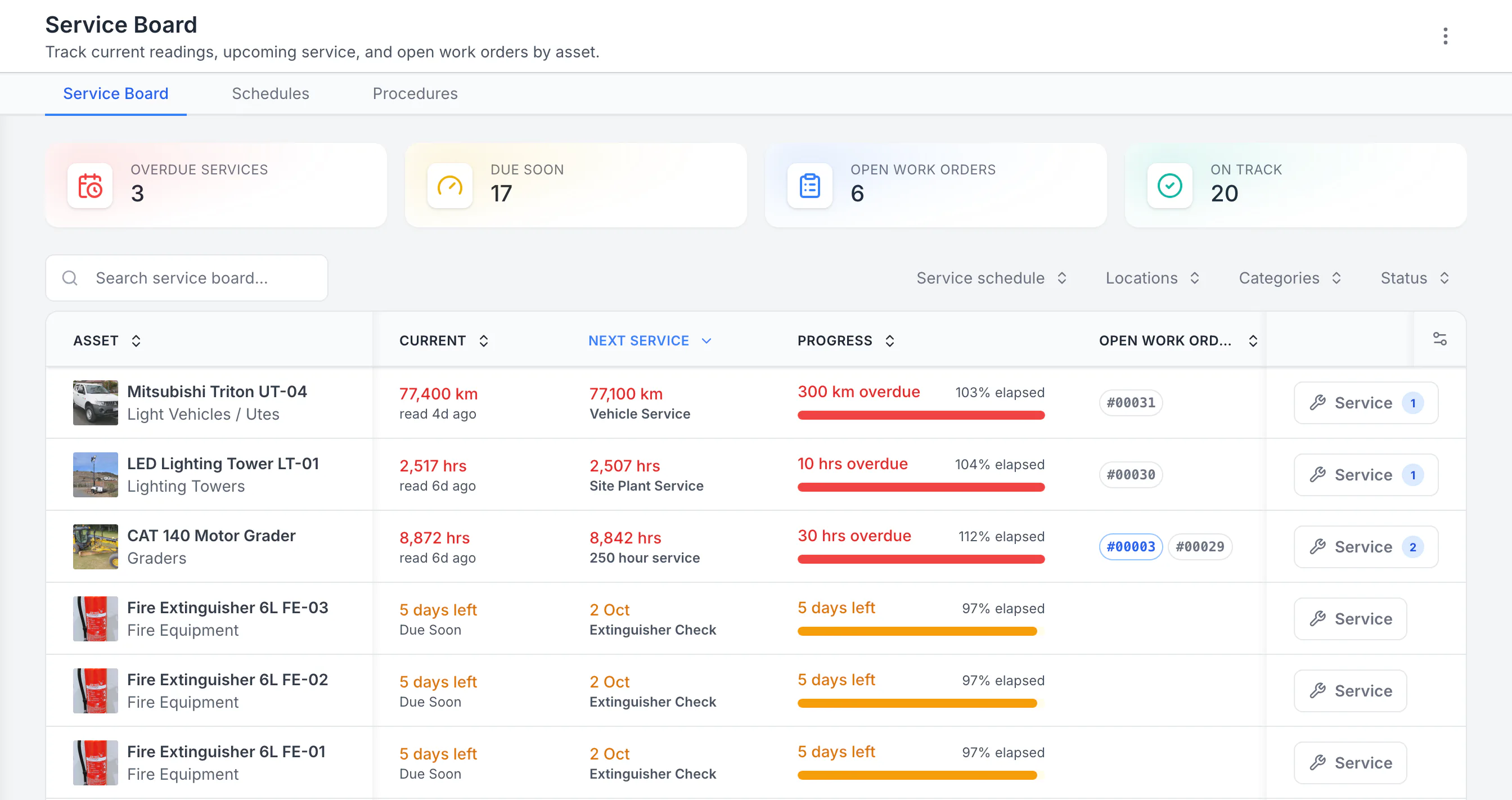
See the next service beside the current reading
Sorted by next service, the three overdue schedules come first: a ute 300 km past its service, then a lighting tower and a grader past their hour services. Each shows its open work orders. Extinguisher checks due in five days follow. Hours, kilometres and calendar checks share one board.
MapTrack app · Demonstration data · Captured
About this screenshot
Demonstration workspace with 40 schedule enrolments. Columns were chosen and resized in the board’s own display settings. Requires enrolled assets, configured schedules and an internet connection.
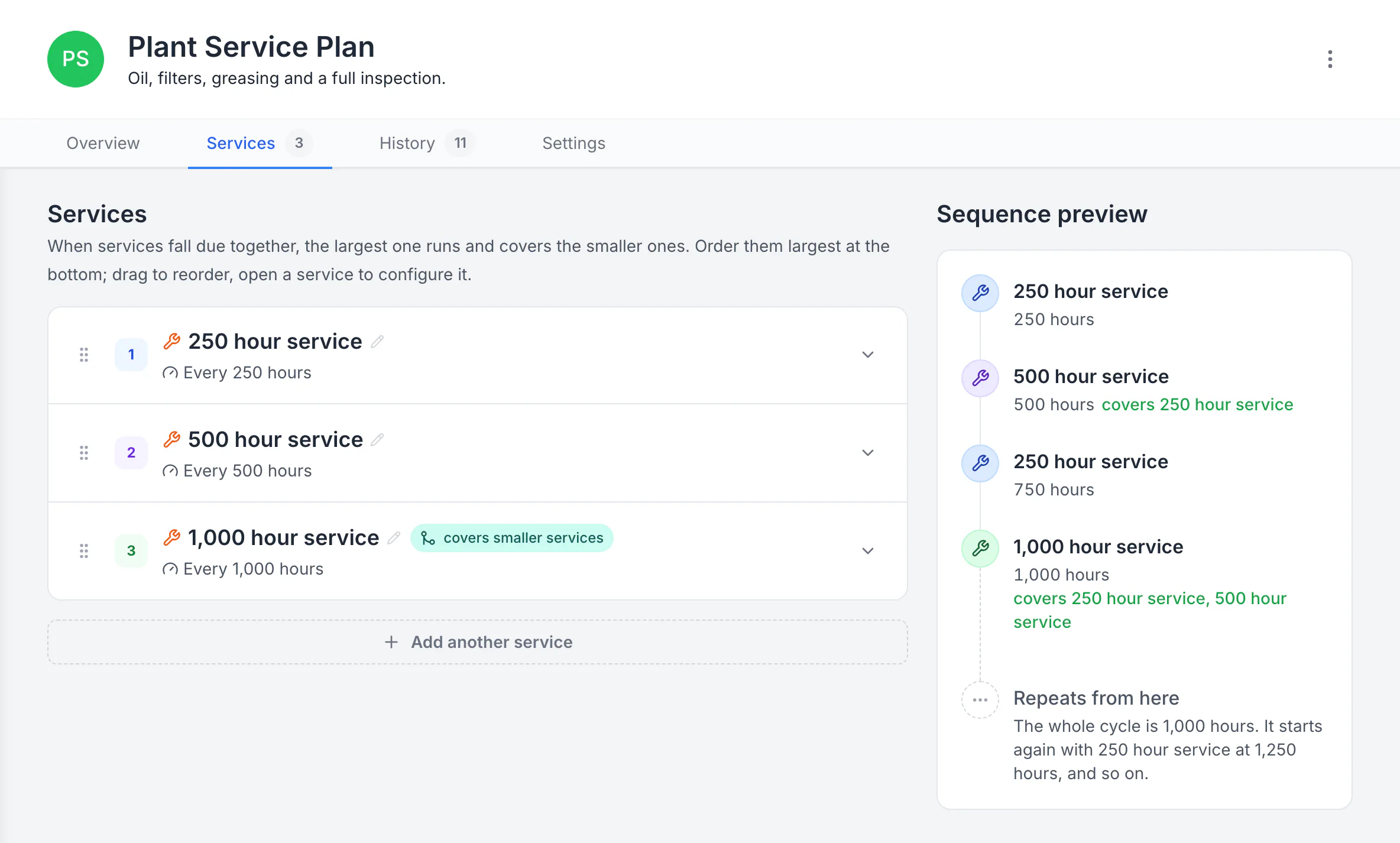
Build a plan with separate service levels
The plan runs a 250-hour service, a 500-hour service that covers it, and a 1,000-hour service that covers both. The sequence preview shows the whole 1,000-hour cycle and where it starts again.
MapTrack app · Demonstration data · Captured
About this screenshot
Demonstration plan. Each level carries its own triggers, procedure, parts and work-order defaults. Follow your equipment manufacturer’s service intervals.
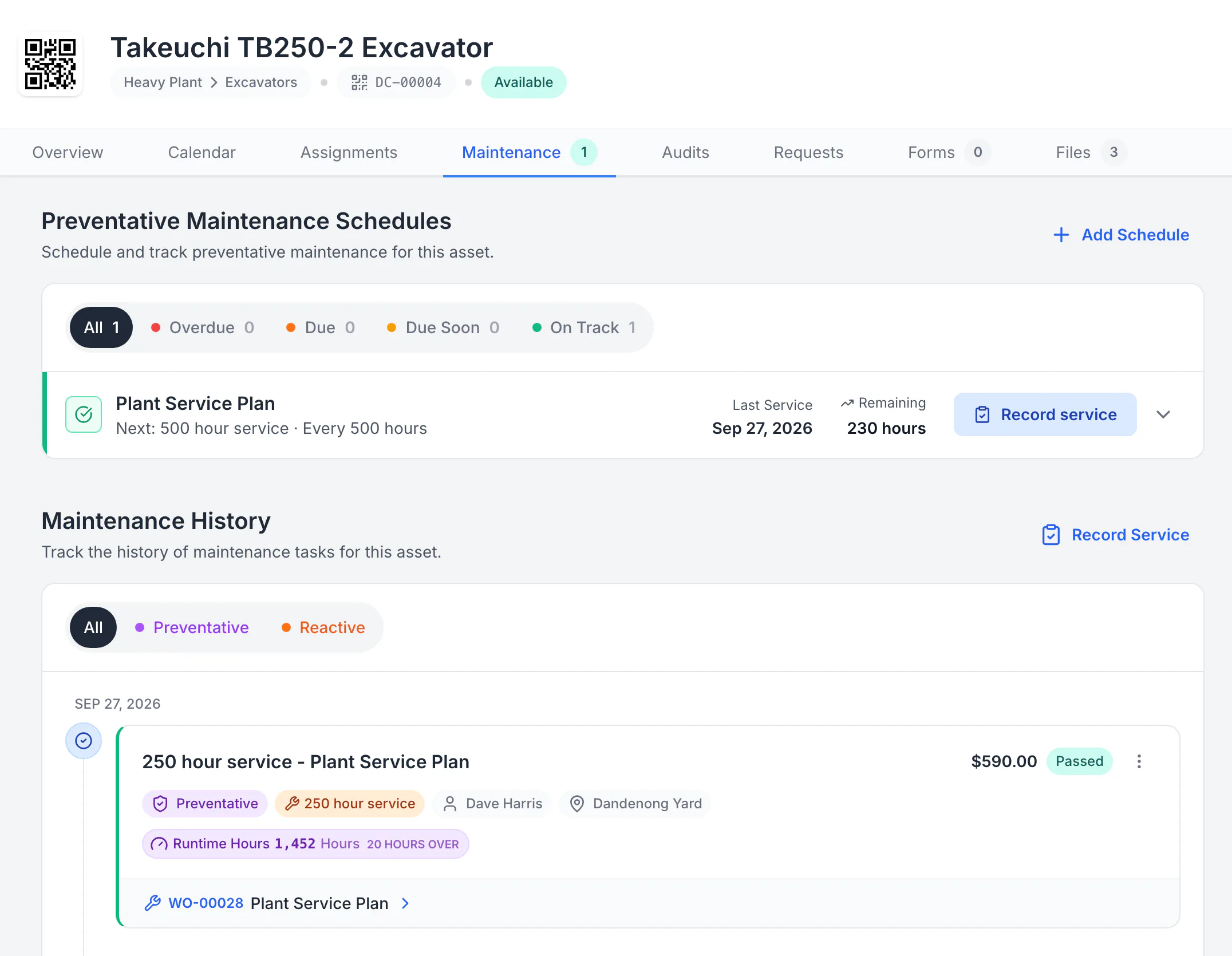
Open the saved service record on the asset
The 250-hour service was completed on work order WO-00028 at 1,452 hours, 20 hours past its service point, with $590 in logged costs. After completion the plan moved on: the 500-hour service is next, 230 hours away.
MapTrack app · Demonstration data · Captured
About this screenshot
The work order was started, time and costs were logged and it was completed in a demonstration workspace, then the record was reopened from the asset’s Maintenance tab.
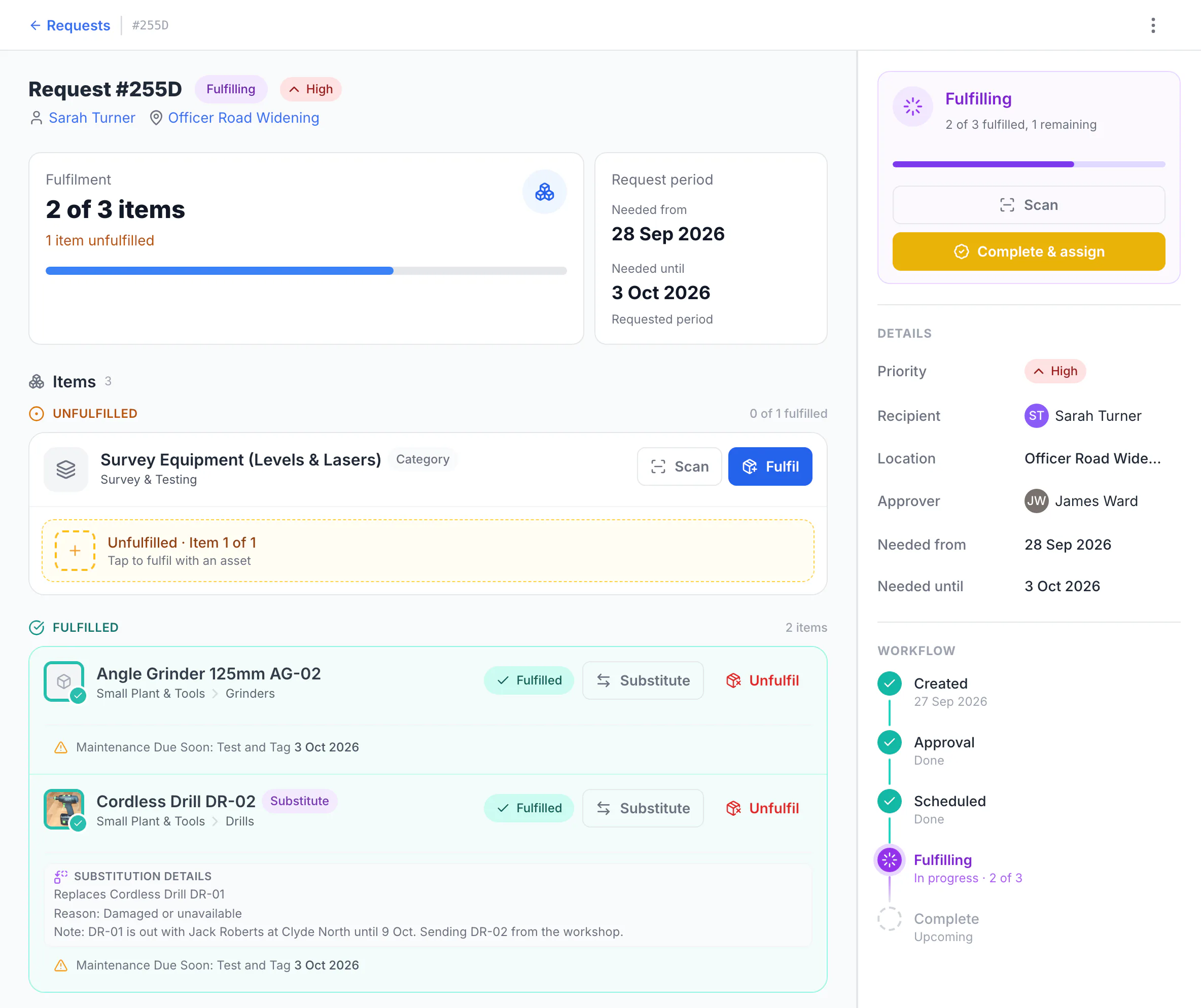
See what was picked and what is still outstanding
The request is for an angle grinder, drill DR-01 and one survey instrument, with Sarah Turner as recipient at Officer Road Widening and James Ward as approver. DR-01 was already out with another crew member, so stores sent DR-02 and recorded why. Two of three items are fulfilled and the survey instrument is still outstanding.
MapTrack app · Demonstration data · Captured
About this screenshot
Demonstration workspace with request approval switched on. The request was created, approved and part-fulfilled; the assignment has not been completed yet.
Product tour questions
Want more depth? Explore every feature, check per-asset pricing, see customer stories or compare MapTrack in the comparison hub.
Ready to try it with your own assets?
Set up takes about 30 minutes. Per-asset pricing, unlimited users, no lock-in contracts.
4.9 on G2 · 5.0 on Capterra, GetApp & Software Advice
- No credit card required