
Harness and ladder inspection software from lanyards to roof anchors
Every harness, lanyard, reel, anchor and ladder with its own record, its next inspection and who has it, so the guys can check it's in date before they clip on.

The asset register as it opens
Plant, vehicles, tools and safety gear on one register, each with its status, who has it, where it is and its QR tag.
MapTrack app · Demonstration data · Captured
About this screenshot
Demonstration workspace at a 1440 x 900 desktop viewport, the register’s default view, cropped right of the navigation sidebar to a 16:10 frame.
How MapTrack keeps harnesses, anchors and ladders in date
The labels and tags for each kind of gear, the record each item keeps, the schedules and the pre-use check, the round on one work order, the tag-out when something fails, and the certificates and training beside it all.
The short answer
MapTrack keeps every harness, lanyard, inertia reel, anchor point and ladder on its own record. Each sits on an inspection schedule at the interval your maker or competent person sets, the crew does pre-use checks on a phone, and gear marked Damaged is blocked at check-out. MapTrack keeps the records; your crew and competent person do the inspecting.

Co-Founder & GM of Operations
Key takeaways
- One record for every harness, lanyard, inertia reel, rope grab, anchor, rescue kit and ladder: make, model, serial, label and status, with manufacture and first-use dates as fields.
- Put each item on an inspection schedule at the interval your maker or competent person sets; the person assigned gets an email when one falls due within 7 days.
- The crew scans the harness bag or ladder and does the pre-use check on a phone; a Fail opens a fault note and photo, and the check submits offline.
- Run the periodic round as one work order across every harness, reel and ladder due, each with its own pass or fail, raised by a person from the schedule.
- Mark gear that fails Damaged and it's blocked at check-out, with an owner's override logged; tag it out on the rack too, because a status is a record.
What MapTrack keeps for every harness, anchor and ladder
- Every kind of height gearHarnesses, reels, anchors, rescue kits and ladders
- Labels and tagsOn the bag, the hook or the ladder, never the webbing
- The pre-use checkOn a phone, and it submits offline
- In date before the climbSchedules and one due list
- The inspection roundOne work order, a result for each item
- Tagged out is a statusDamaged, Repair, Written off and who has it
- Anchors and trainingCertificates, reports and VOCs
- Hard hats and other PPEChecks on the phone, stock per store
Trusted by construction, mining and field service teams

















Harnesses, lanyards, reels, anchors, rescue kits and ladders on one register
Add each item with its make, model and serial from the maker's label, or import the register from a spreadsheet and attach the certificates after. Height safety gear sits in the same register as the lifting gear, fire equipment, test and tag, vehicles, plant and tools, so whoever looks after the lifting and fire registers keeps this one in the same place.
Harnesses and lanyards
Full body harnesses and the lanyards that travel with them
- The lanyard as an accessory confirmed out and back with its harness, or a record of its own when it's inspected on its own
- Dates of manufacture and first use as fields on the record
Inertia reels and rope grabs
Self-retracting lifelines and rope grabs
- An inspection schedule, and the maker's service on a schedule of its own
- The service agent as the schedule's preferred vendor
Anchor points and static lines
Fixed to a roof or a structure at one site
- Its own record at its site, with the installer's certificate on it
- A yearly schedule, or the installer's interval
Rescue kits
Kept as one set, wherever the work at height is
- Its parts as accessories confirmed out and back with it
- Its own inspection schedule, and its check on the phone
Ladders
Extension, step and platform ladders on utes, in stores and on sites
- A QR label on the ladder for the pre-use check
- A periodic inspection on a schedule, and Damaged when it fails
QR labels, inspection tags and Bluetooth tags for height safety gear
3M's harness instructions say never to modify or alter fall protection equipment, so nothing is stuck or stitched to the webbing. The QR label goes on the harness bag, the kit or reel case, the storage hook or a tag point the maker allows, and on the ladder itself. Scan it with the phone camera or a handheld Bluetooth or USB scanner and the item's record opens.
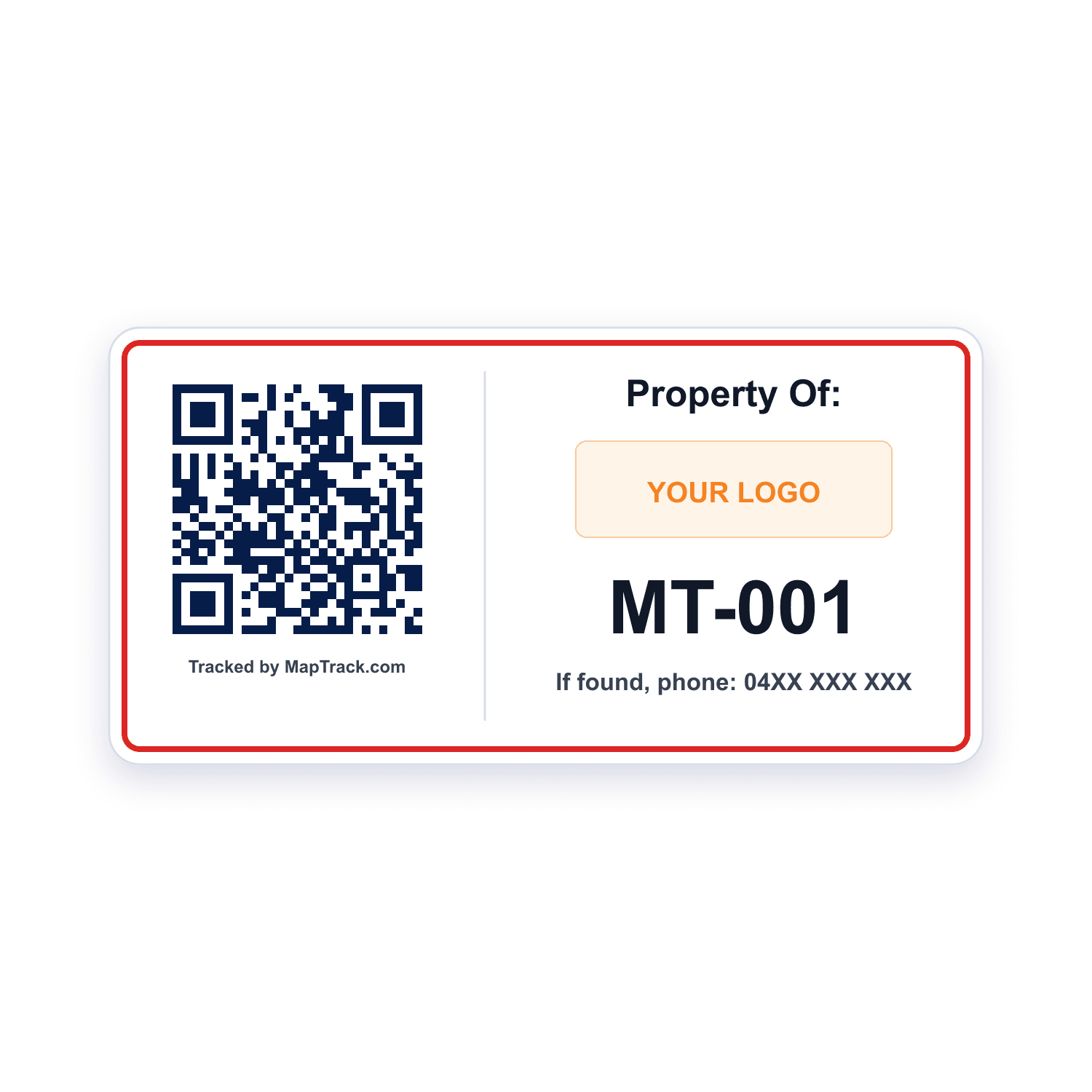
Harness bags, kit and reel cases, storage hooks and ladders
QR labels
- Opens the harness or ladder's record from a scan with the phone camera or a handheld Bluetooth or USB scanner
- Printed in MapTrack, on Zebra printers too, or ordered as durable labels from the label store
Good to know: A plain scan records no location
Gear that already carries a barcode, or a tag point with room only for a small code
Barcode and Data Matrix labels
- Read by the same phone camera or handheld scanner
- No label to scan? Search the register by serial or tag
Good to know: A plain scan records no location
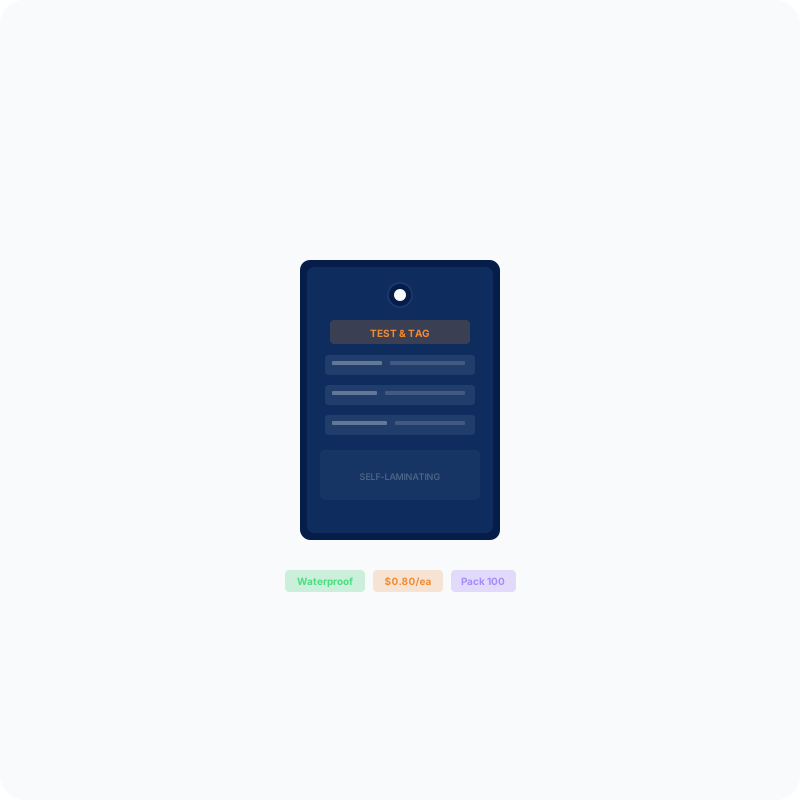
The tag the crew reads on a ladder or a kit case, and on gear that fails
Inspection tags
- Writable, self-laminating tags from the store, so the tag on the gear and the record in MapTrack say the same thing
Good to know: A tag on the gear doesn't change the record: set the item's status in MapTrack as well
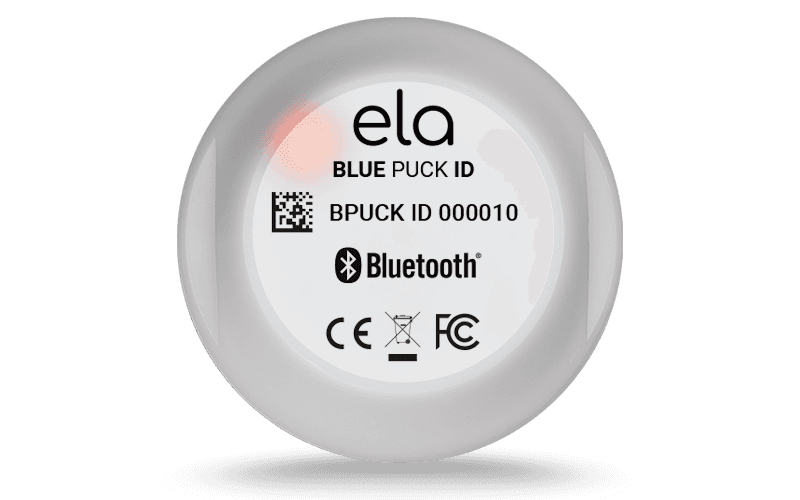
Harness bags, rescue kits and reel cases that travel between utes, stores and sites
Bluetooth tag
Bluetooth 5.0
- Where the bag, kit or case was last seen, updated when a gateway tracker (Oyster, Remora3, G70 or Dart3) in a ute or the store picks it up
Good to know: It goes on the bag, kit or case, never the harness, and it has no GPS of its own
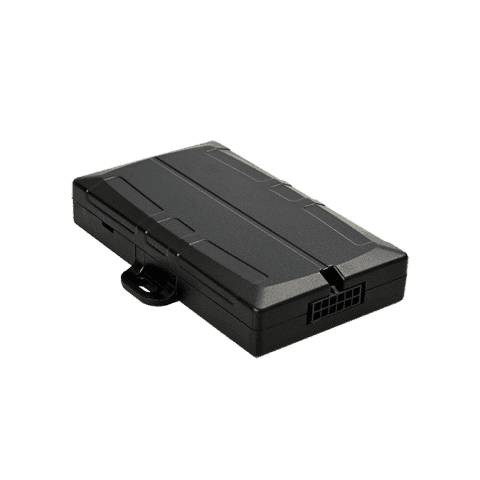
The ute or van that carries the height safety kit
Hardwired tracker (Dart3)
- Picks up the Bluetooth tags on the harness bags, rescue kits and reel cases in the back
- The vehicle's own location on its record, and its battery, signal and last report in MapTrack
Good to know: It rides in the vehicle, behind the dash; outside the cab, fit the G70
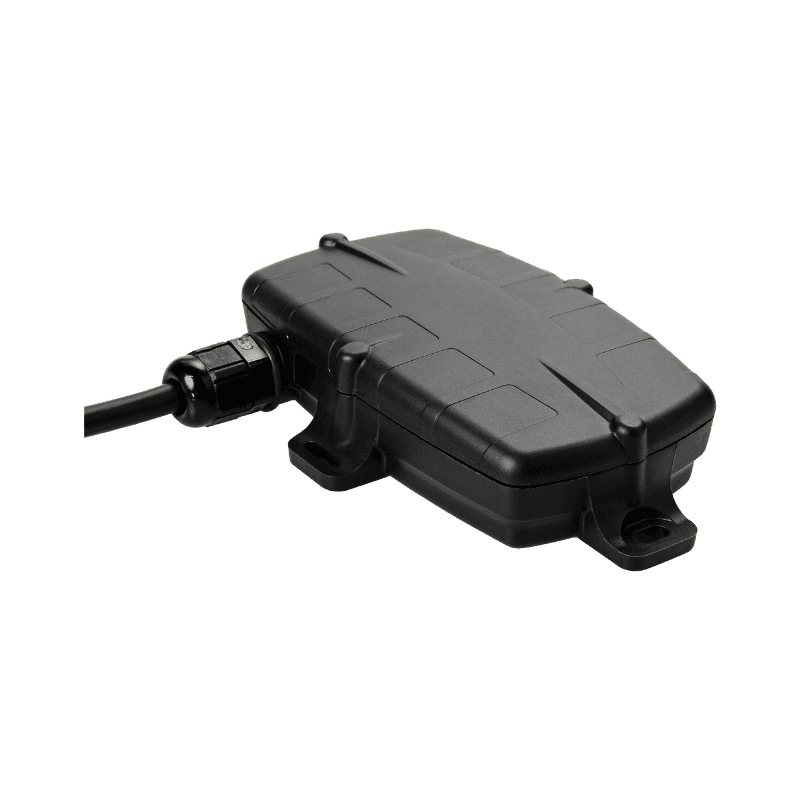
Mounted outside the cab of the vehicle that carries the kit
Hardwired tracker (G70)
- A waterproof housing for mounting outside the cab
- Picks up the Bluetooth tags on the kit that travels with the vehicle
Good to know: Wired into the vehicle's power and ignition
QR, barcode and Data Matrix labels work anywhere; Bluetooth tags and our trackers ship within Australia and New Zealand.
Each harness and ladder on its own record
A lanyard that passed last month says nothing about the harness it's clipped to today, so each item gets a record of its own: its make, model and serial, its label, its status and its inspection history. The serial comes off the maker's label, so the register and the gear agree, and the record is a scan away from the gear itself.
The maker's label and serial
Recorded as the item's serial, so a search by serial finds it
A QR label on the bag or hook
A scan opens the record, its next inspection and its forms
A Bluetooth tag on the kit case
Where a rescue kit or reel case was last seen, from a gateway tracker in range
Example record
- Make, model and serial from the maker's label
- Date of manufacture and date of first use, as fields
- Its lanyard as an accessory, confirmed out and back with it
- Its schedule, forms, files and history a tab away
In date before the climb
Harness and ladder inspection schedules at every site
Put each harness, lanyard, reel, anchor and ladder on an inspection schedule at the interval your maker, your competent person or your site sets, in days, weeks, months or years. The Service Board shows what's overdue, due soon and on track at every site, so the store, the supervisor and the crew work from the same due list.
- Whoever is assigned to the schedule gets an email once an inspection is due within 7 days
- An overdue harness or ladder is flagged when someone checks it out or books it, and going ahead is recorded
- Search the register by serial or tag to find one harness among the rest
- A date of manufacture or first use sits on the record as a field, beside its schedule
Setup and limits
- The due list, the check-out flag and the 7-day email all work from schedules, so put each inspection on one rather than in a date field.
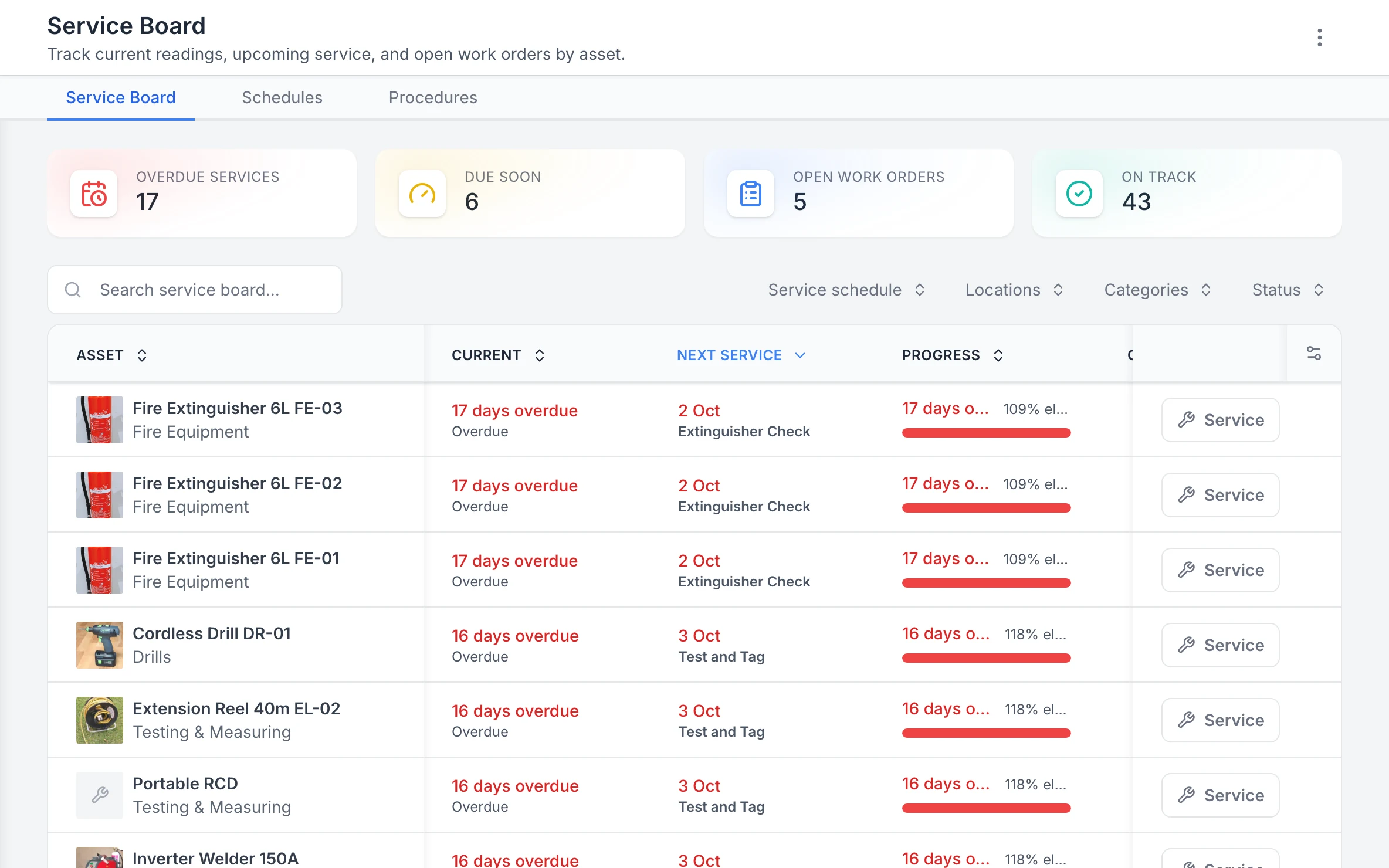
The Service Board, overdue first
Every asset’s next service in one list, the overdue ones first, with a Service button on each row.
MapTrack app · Demonstration data · Captured
About this screenshot
Demonstration workspace at a 1440 x 900 desktop viewport, cropped right of the navigation sidebar to a 16:10 frame.
Pre-use harness and ladder checks on a phone
The guys scan the harness bag or the ladder's label and do the pre-use check on a phone before they clip on or climb. MapTrack's Harness & Lanyard Inspection Checklist and Ladder Inspection Checklist are ready-made forms in the app, and a Fail opens a fault note and a photo of what they found.
- A rule you set up can raise a linked repair or replacement task, and the original Fail stays on the record beside it
- The check submits offline and syncs once the phone has reception, so a crew up on a roof without signal can still send it
- The completed check downloads as a PDF
- Forms Reporting counts a week's checks by asset, location or person
Setup and limits
- Opening a check by scanning needs coverage, or the form already loaded on the phone.
- Forms Reporting counts the checks submitted, not the checks that should have been.
- MapTrack records the check; the person doing it decides whether the gear is fit to use.
- For what to look for on a ladder before use, see How to inspect a ladder

Choose the week and the type of form
Choose a week and use All, Asset, Location or Person to focus the view. The summary counts submissions and participating users; it does not establish that every required inspection was completed.
MapTrack app · Demonstration data · Captured
About this screenshot
Demonstration weekly summary. The individual user rows are outside this crop.
A periodic harness inspection round on one work order
When the round comes up, a person raises it from the schedule in a couple of clicks, for one item or the whole batch, and one work order covers every harness, lanyard, reel and ladder on it. Each item keeps its own pass or fail, so a lanyard that fails doesn't turn a round of good harnesses into a failed job, and a passed round never hides the one that failed.
- Record each result as passed, failed or skipped, with who did it and when
- Attach the competent person's report to each item it names
- Scan a batch of harnesses and log the inspection for all of them at once
- Put an inertia reel on its inspection schedule and the maker's service on a schedule of its own, with the service agent as the preferred vendor
- A 0 to 100 maintenance health score for each item and its schedule, with 12 months of memory
Setup and limits
- A date never raises the round on its own: a person raises it from the schedule.
- Logging a round by scan needs a connection.
- MapTrack records your competent person's result; it doesn't inspect, test or certify the gear.
Intervals and service lives come from the maker's instructions for each model, your competent person and the standards that apply where you work, and they differ. 3M's ExoFit harness instructions ask for an inspection by a competent person other than the user at least once a year, and allow up to 10 years in service while the harness passes; 3M's instructions for its Nano-Lok Edge self-retracting device set competent person inspections from quarterly to yearly by how hard it works, with a 3M authorised service agent's service every one to five years. MapTrack holds the interval you set; it doesn't set one for you.
Tagged out is a status
Damaged, Repair or Written off: failed gear tagged out on the record
When a harness or ladder fails, mark it Damaged and it's blocked at check-out, with an owner's override logged. Set it to Repair while it's away being fixed, and Written off when it's destroyed. The status shows wherever the item appears, so whoever scans it next sees it before they clip on. A status is a record, so tag the gear out on the rack too.
- After a fall arrest, mark the harness and its lanyard Damaged and attach the competent person's report when it comes
- See who has each harness, which site or vehicle it went to and when it is due back
- Check gear out to a person, a saved location or both, with a harness's lanyard or a rescue kit's parts confirmed out and back, and a reason for anything missing
- Book harnesses, a rescue kit or a ladder ahead for a job with Requests, approve it and turn it into a check-out by scan
- Overdue check-outs get a reminder email
Setup and limits
- Check-outs, returns and Requests need a connection.
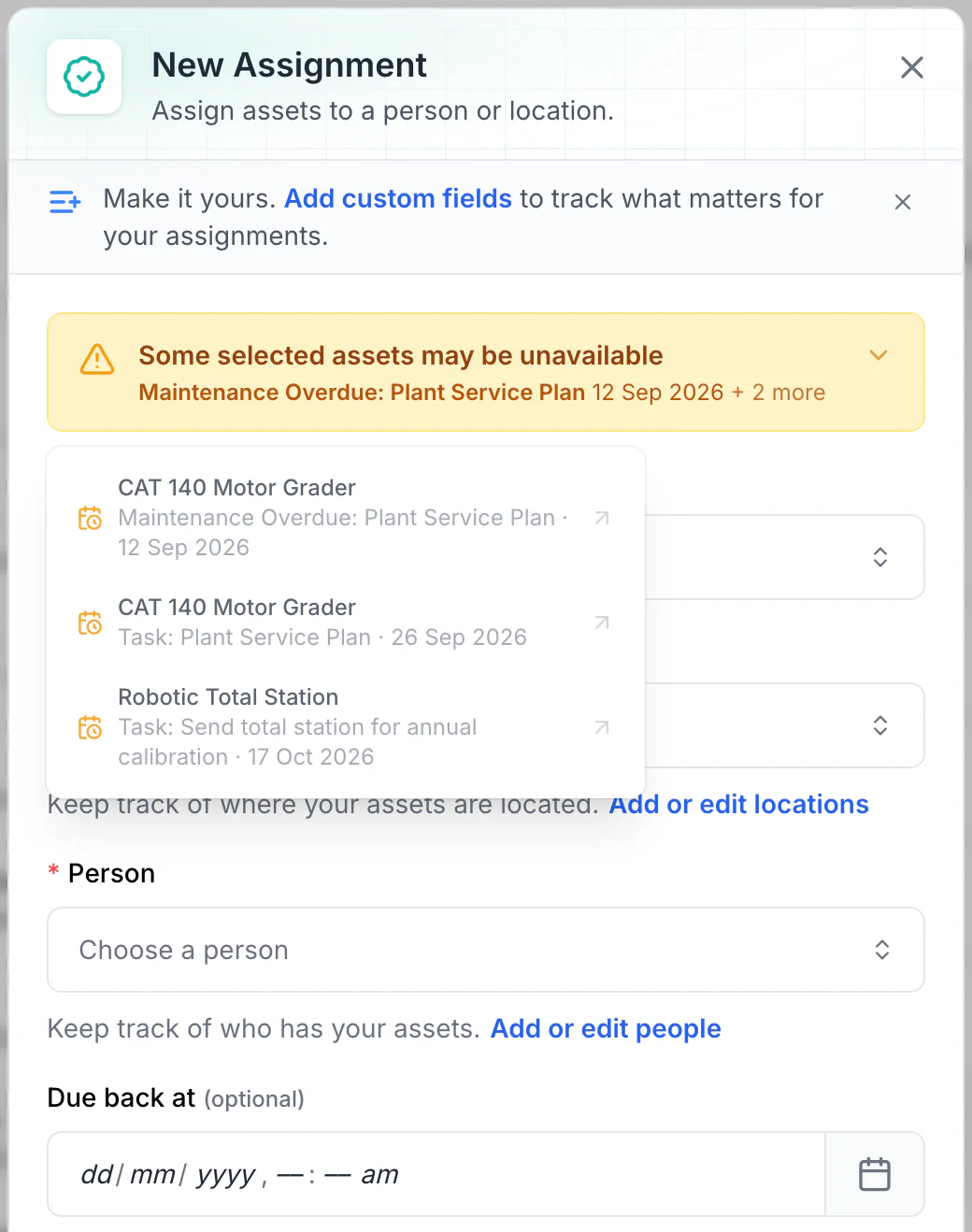
Read the warnings before issuing equipment
Overdue maintenance and scheduled tasks show as amber warnings. No due-back date is set here, so every upcoming conflict is listed. With a due-back date, only tasks before it are listed: a 15 October due-back leaves out the total station’s 17 October calibration.
MapTrack app · Demonstration data · Captured
About this screenshot
Demonstration workspace. Two assets selected and Assign opened; the form was not saved.
A harness and ladder register for every store, ute and site
Stocktake the height safety store, a ute or a site box by scanning each label, and at the end choose Mark Missing or Skip All for anything that wasn't scanned. Harnesses move between crews and utes, and a stocktake is how you find the one that didn't come back.
- Each item shows where it was last checked out or returned
- A Bluetooth tag on a harness bag, rescue kit or reel case updates where it was last seen when a gateway tracker in a ute or the store picks it up
- Import the register from a spreadsheet, attach the certificates after, and export it when someone asks
- Live GPS, trips, history and boundary alerts for the ute that carries the kit run in MapTrack Telematics, an optional add-on
Setup and limits
- Stocktakes need a connection.
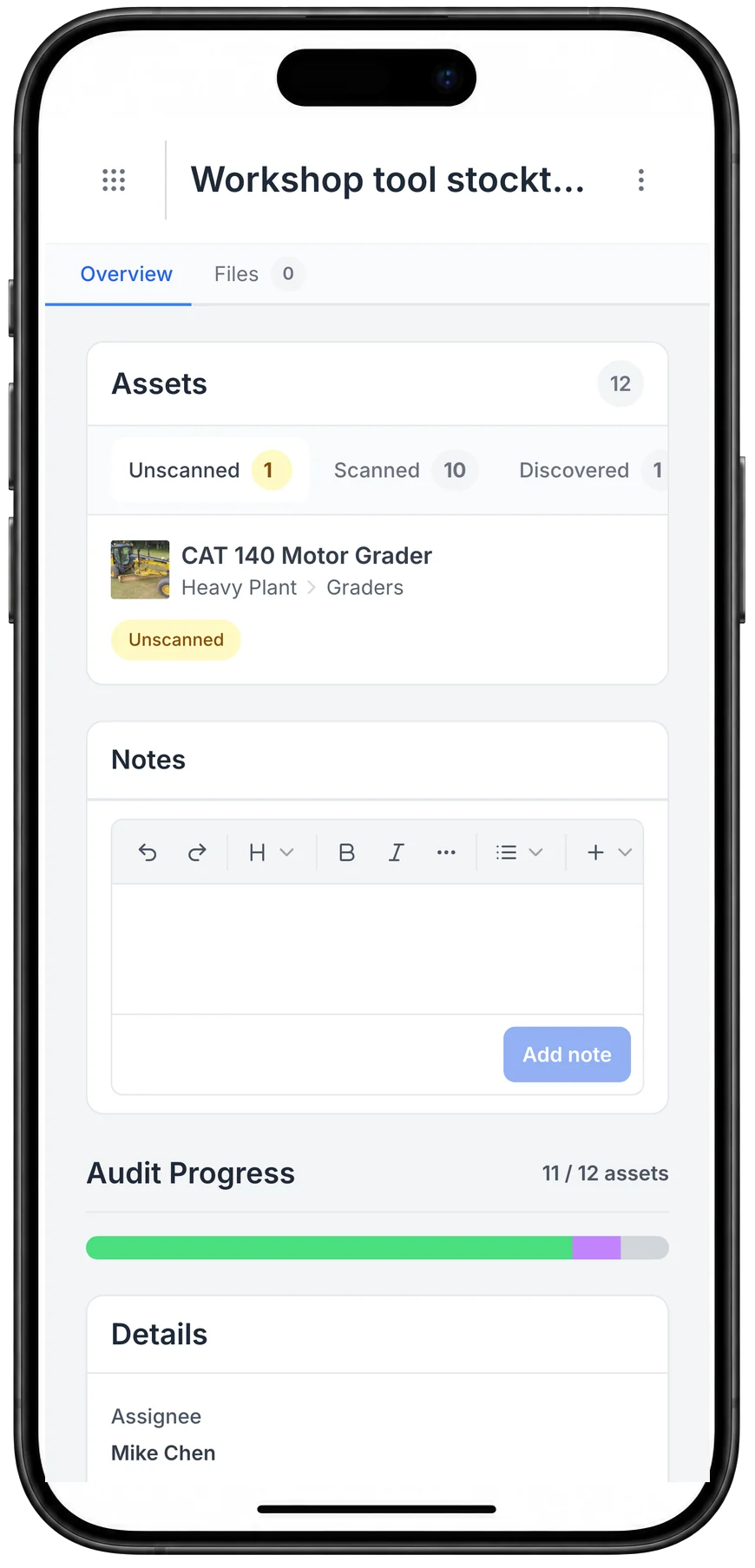
A stocktake on the phone
A stocktake on the phone: what has been scanned, what turned up that was not on the list, and what is still to find.
MapTrack app · Demonstration data · Captured
About this screenshot
Captured at a 430 x 932 phone viewport in a demonstration workspace and shown in a phone frame.
Anchor certificates, makers' instructions and training records
Give each roof anchor or static line its own record at its site, with the installer's certificate on it and the roof layout in the site's Files, and run the roof access check as a location form. Each harness, reel and ladder keeps its maker's instructions and its competent person's reports in its Files tab, and each worker keeps their working at heights and rescue training on their person record.
- Each anchor's installer certificate on its record, and its next inspection from its schedule
- Each worker's training as fields on their person record, with a VOC form signed off and their certificates in Files
- Each item's identity, schedule and results, the failed gear tagged out and what happened next, and the reports and certificates, ready when someone asks to see them
Setup and limits
- MapTrack doesn't check who used which harness, or check a worker's training against the gear.
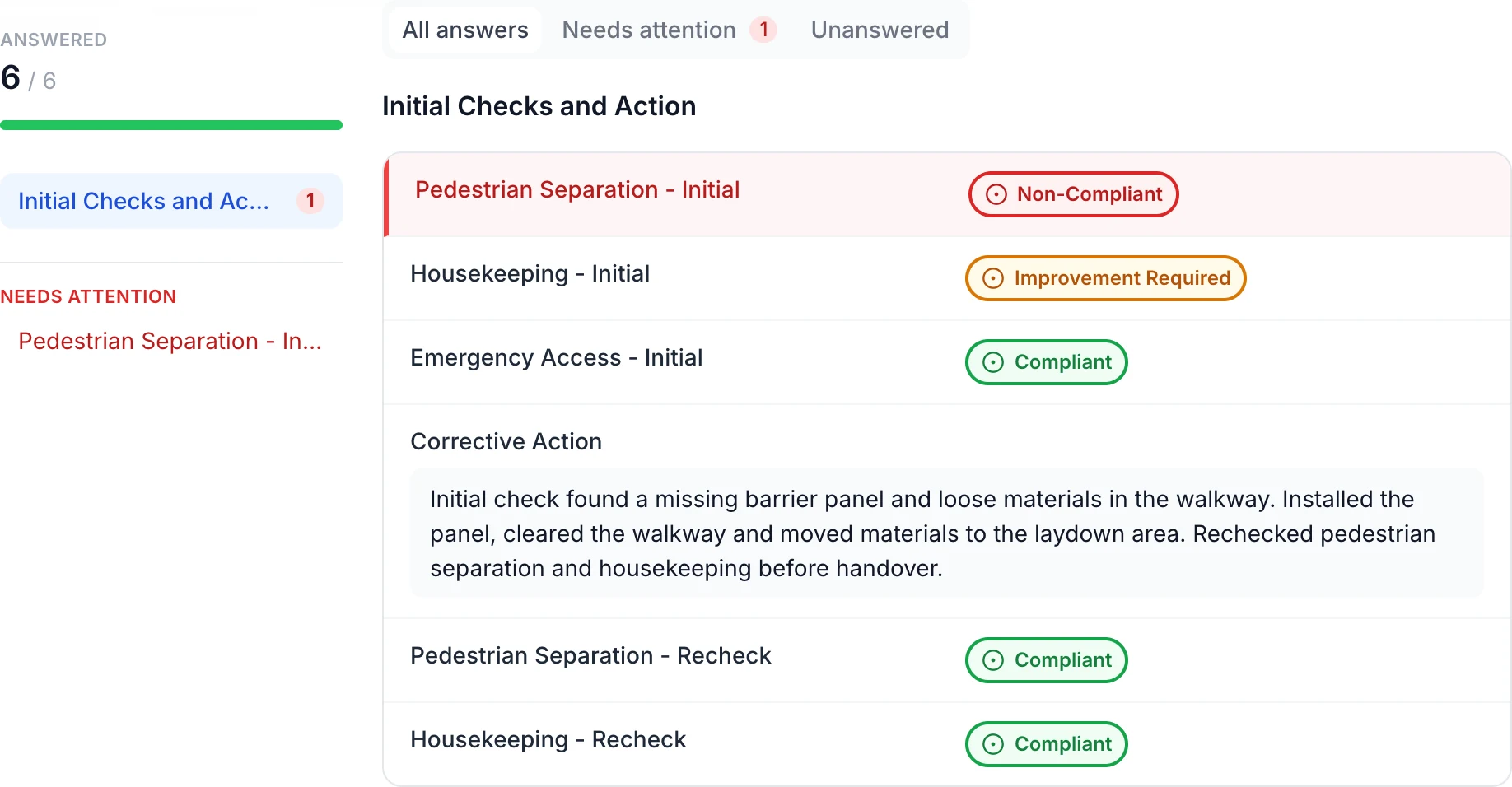
Keep the site finding and corrective action together
The initial red and amber findings remain beside the recorded action: install the missing barrier panel, clear the walkway and recheck both items. In this example, only the red Non-Compliant answer appears under Needs attention.
MapTrack app · Demonstration data · Captured
About this screenshot
Saved demonstration Location form linked to a site. All six answers appear here.
PPE inspection, issue and stock alongside the harnesses
Hard hats and the rest of the crew's PPE go in MapTrack beside the harnesses. Inspect them with MapTrack's PPE Inspection Checklist on the phone, keep the PPE you hand out as stock per store with minimum and maximum levels, and issue it to a person, used up or tracked for return. In Australia, regulation 44 of the model WHS Regulations, which Safe Work Australia says every jurisdiction except Victoria has implemented (some with variations), says PPE must be maintained, repaired or replaced so it keeps protecting the worker and stays in good working order.
- MapTrack's PPE Inspection Checklist runs on the phone, like the harness check
- PPE as stock per store, with minimum and maximum levels
- Issued to a person, either used up or tracked for return
- Stocktake the PPE store
Setup and limits
- Issuing PPE needs a connection.
- For PPE beyond height safety, see PPE: what it is and why it matters
- How to inspect PPE
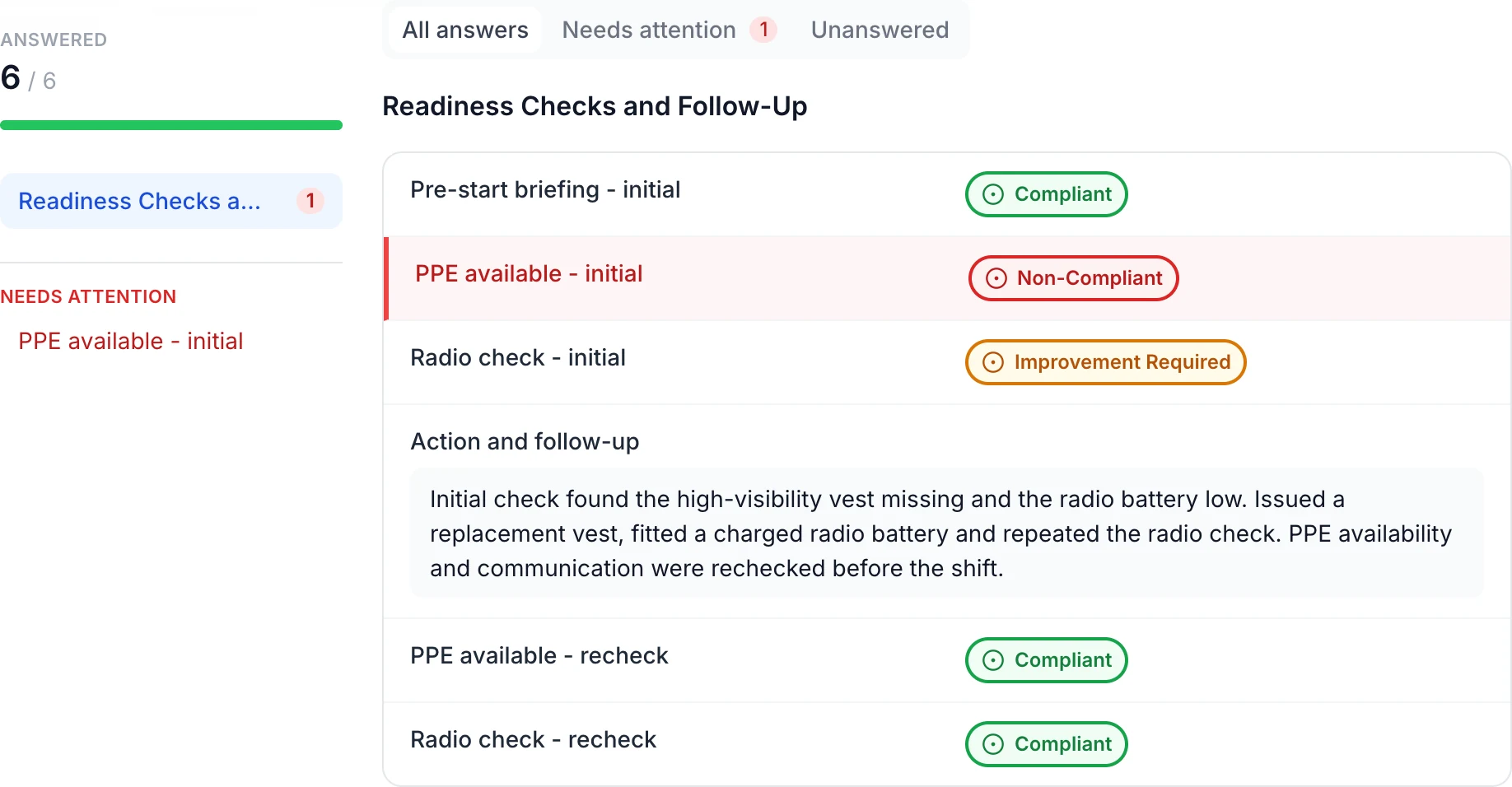
Keep worker checks and follow-up with the person
The saved check retains the missing PPE and low radio battery findings. The follow-up records a replacement vest, charged battery and repeated checks, with both rechecks marked Compliant.
MapTrack app · Demonstration data · Captured
About this screenshot
Saved demonstration Person form linked to a worker record. All six answers appear here.
Inspection firms, service agents and replacement gear
Keep the inspection firm, or the maker's service agent for inertia reels, as a vendor and set it as the schedule's preferred vendor. Record its invoice as an external cost on the work order, so each item's history shows what its inspections and repairs cost.
- When a harness is replaced, mark the old one Written off and add the new one with its own serial and dates
- Labour and parts on a repair sit on the work order beside the firm's invoice
Setup and limits
- MapTrack records what the firm found and invoiced; the firm does the inspecting.
Where harness, ladder and fall protection inspection rules come from
How often each item is inspected, who inspects it and what happens to gear that fails are set by the instruments below, the standards that apply where you work and each maker's instructions, not by MapTrack. In Australia, states and territories publish their own versions of the model Code of Practice on falls, so check the one where you work; in New Zealand, WorkSafe New Zealand publishes its own guidance.
Check the current source
- Model Codes of Practice (Safe Work Australia)
- Model WHS Regulations (Safe Work Australia)
- OSHA 29 CFR Part 1926, Safety and Health Regulations for Construction
- OSHA 29 CFR Part 1910, Occupational Safety and Health Standards
- Lifting Operations and Lifting Equipment Regulations 1998 (LOLER)
- Work at Height Regulations 2005
MapTrack keeps the records these standards ask you to keep. It does not certify your work or make you compliant, and the current text of each instrument is the authority.
Free harness, ladder, anchor and rescue kit inspection sheets
Harness and lanyard checks, the fall protection and fall arrest system checks, the OSHA fall protection checklist for the US, a harness retirement record, an anchor point certification record, ladder checks with a tag and register, a rescue kit check and a working at heights permit. Print any of them; the harness and lanyard checklist, the fall protection and OSHA fall protection checklists, the ladder checklist, the rescue kit checklist, the retirement and anchor point records and the permit also run on the phone in MapTrack.
- Harness & lanyard inspection checklist
- Safety harness inspection checklist
- Fall protection inspection checklist
- OSHA fall protection inspection checklist
- Fall arrest system inspection checklist
- Harness and fall arrest retirement record
- Height safety anchor point certification record
- Ladder inspection checklist
- Ladder inspection tag and register
- Rescue kit inspection checklist
- Working at heights permit + checklist
Common questions
See your harness and ladder register in MapTrack
Book a demo to see a harness go from its pre-use check to its periodic round and its tag-out in MapTrack, or look at the labels first.