
Scaffold tagging
Scaffold tagging software from handover to dismantle
Every erected scaffold on its own record with a QR tag, each inspection on the phone, and when the next one's due. The tubes, boards and couplers on each job are counted out and back.

Every erected scaffold on its own record, with its tag and inspections
This is the register for whoever answers for the scaffolds on your jobs. Each scaffold carries its QR tag, its handover certificate and drawings, every inspection and when the next is due, while the tubes, boards and couplers are counted out to each job and back.
The short answer
MapTrack gives each erected scaffold its own record and QR tag. Scanning the tag opens that record for anyone signed in, with every inspection, its result and when the next one is due. Inspectors run the checklist on a phone with a photo and signature, and you track how many of each piece is out on each job.

Co-Founder & GM of Operations
Key takeaways
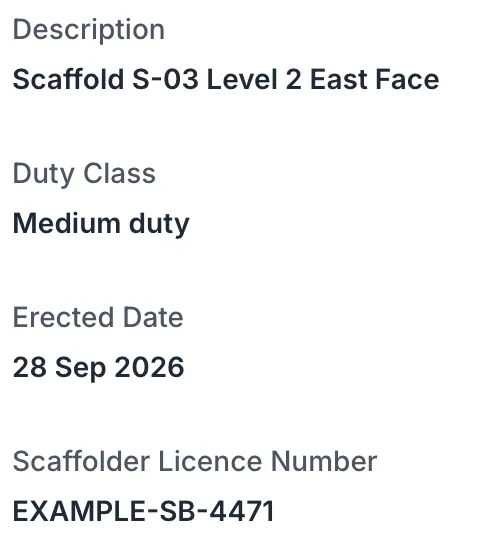
- One record per erected scaffold: its ID or tag number, site, duty class, height, erected and handover dates, and the scaffolder's licence number, with forms and files a tab away.
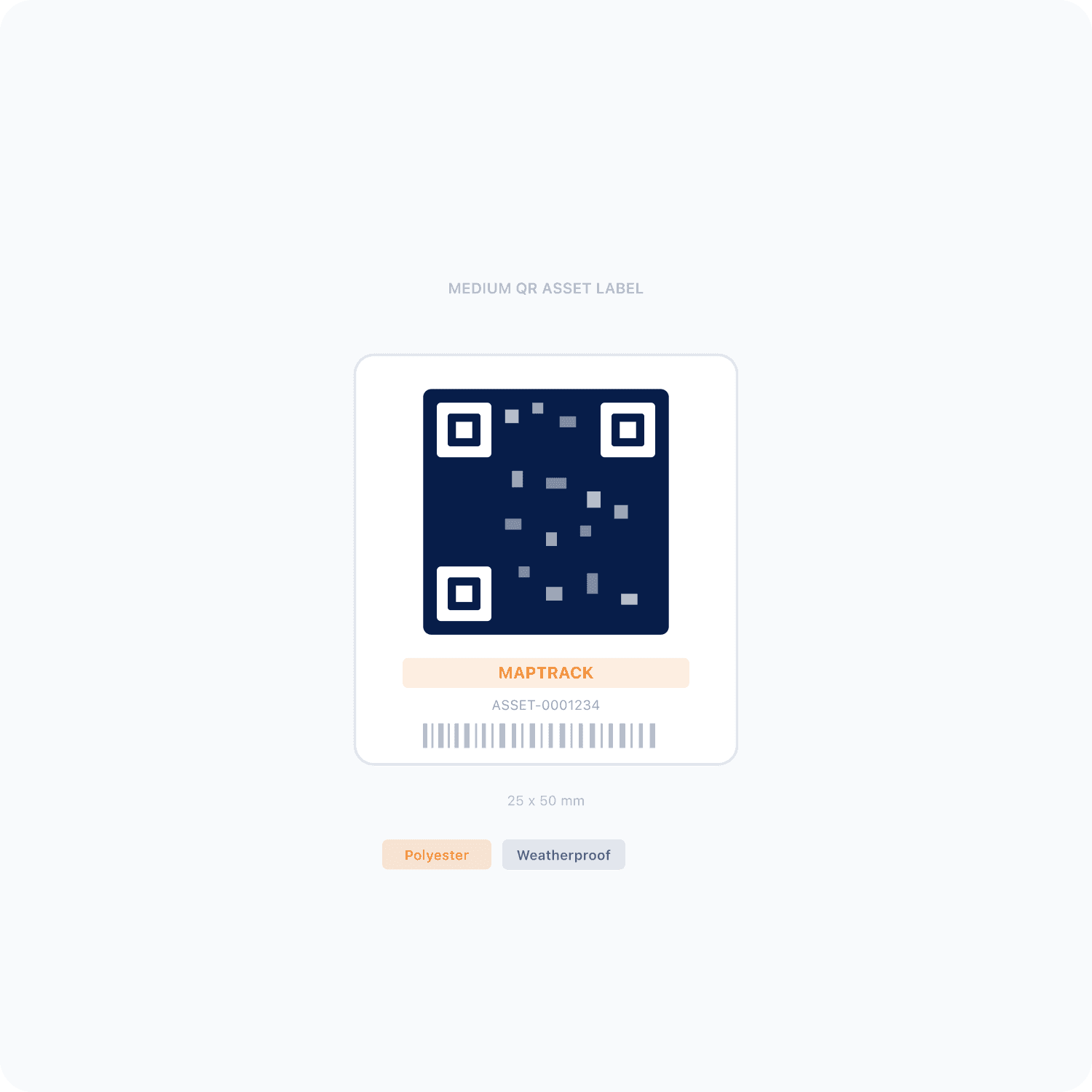
- A QR tag sits beside the scaffold tag, and both that tag and the handover certificate stay. Anyone signed in to your MapTrack can scan it to open the record.
- Run the Scaffold Inspection Checklist on a phone against the scaffold's record; the photo and the competent person's signature are saved with it and printed on its PDF.
- Each scaffold on an inspection schedule at the interval that applies to you, with what's overdue and due soon on the Service Board.
- Track how many tubes, boards and couplers are out on each job and what's come back, with a note for anything that doesn't.
What MapTrack keeps for each scaffold
- A QR tag per scaffoldBeside the scaffold tag, opened by a scan
- Inspections on a phonePhoto, signature and the PDF
- When the next is dueA schedule and the Service Board
- Where it standsJob site, zone and who sees a scan
- Handover paperworkCertificates, drawings and licences
- The rules by countryAustralia, New Zealand, Great Britain and the US
- Pieces on each jobTubes, boards and couplers out and back
- Every kind of scaffoldTube and fitting to suspended
Trusted by construction, mining and field service teams

















Customer proof
What customers say about their inspection records
We haven't published a scaffolding customer story. These are customers doing the same work in other industries, each labelled with their own industry.
Construction
“Finally we've got everything in one place - I would recommend this platform to anyone.”
- From the published story: Safety audit documentation that previously took 2–3 days to compile can now be retrieved instantly from the platform on any device.
Building maintenance
“MapTrack has completely changed how we track tools and manage compliance across our sites - the admin time we've saved alone has been a game-changer.”
- From the published story: Digital forms with automatic timestamps and asset linking replaced paper records, making compliance documentation instantly retrievable for client or auditor requests.
Mining
“MapTrack streamlines tracking and asset servicing across mine shutdowns - simple, reliable, and effective.”
- From the published story: The end-of-shutdown reconciliation - previously a multi-day exercise - is now completed in hours.
The inspection
Each scaffold inspection on a phone, on the scaffold's record
Scan the scaffold's QR tag and run MapTrack's Scaffold Inspection Checklist on a phone against its record, or on a site tablet the crew shares, each with a personal 4-digit PIN. The photo and the competent person's signature are saved with the submission and printed on its PDF, and the PDF's record card shows the scaffold's tag.
- A failed check shows under Needs attention on the submission and its PDF
- A rule you set up can raise a linked corrective task, recorded apart from the original answer
- The next person who scans the scaffold sees every inspection on its record, its result and when the next one is due
- For US sites, MapTrack's OSHA scaffold inspection checklist runs on the phone the same way
Setup and limits
- Inspections submit offline and sync once the phone has reception; the scan that opens one needs coverage, or the form already on the phone.
- A failed inspection is a record: tag the scaffold out at the access point and have it inspected again before use resumes.
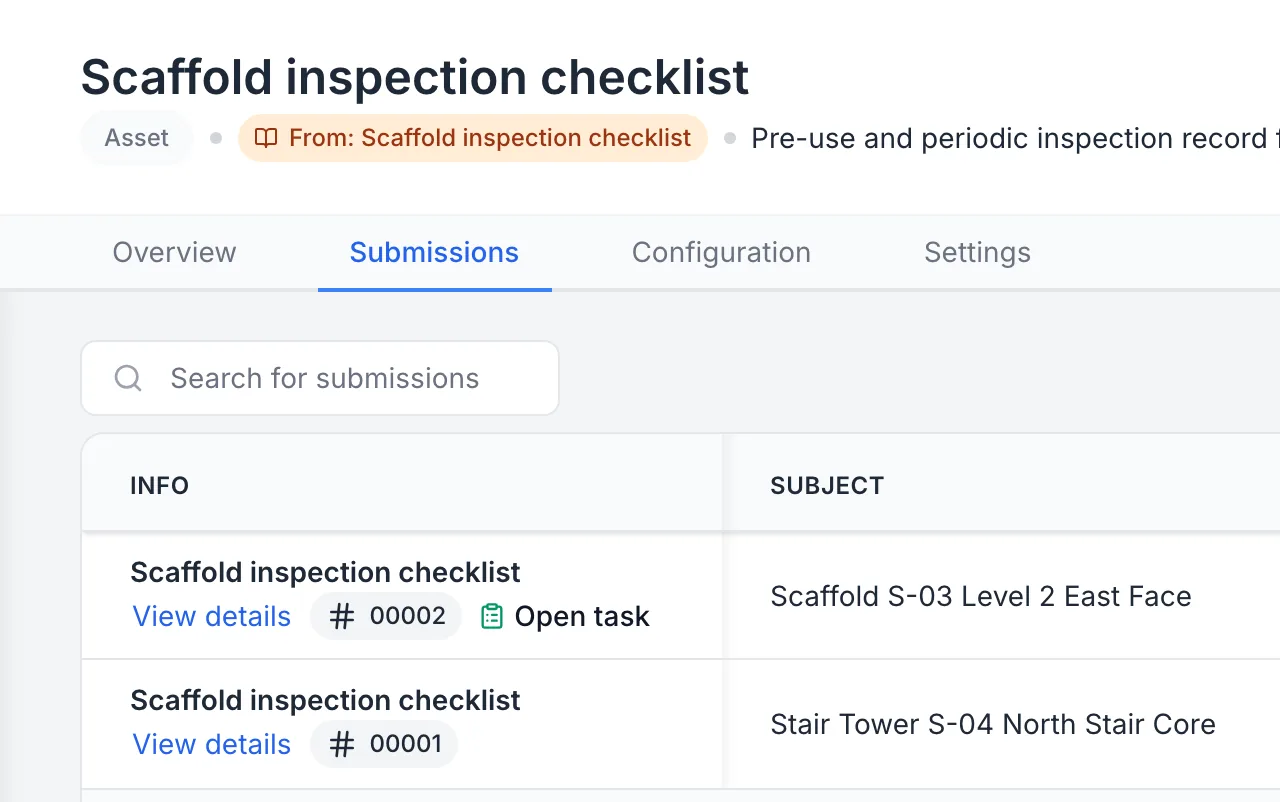
Scaffold inspections, one with an open task
Two scaffold inspections submitted, each against its own scaffold; the failed one on S-03 carries its open task.
MapTrack app · Demonstration data · Captured
About this screenshot
Demonstration workspace at a desktop viewport on the form’s Submissions tab, cropped to the first two rows.
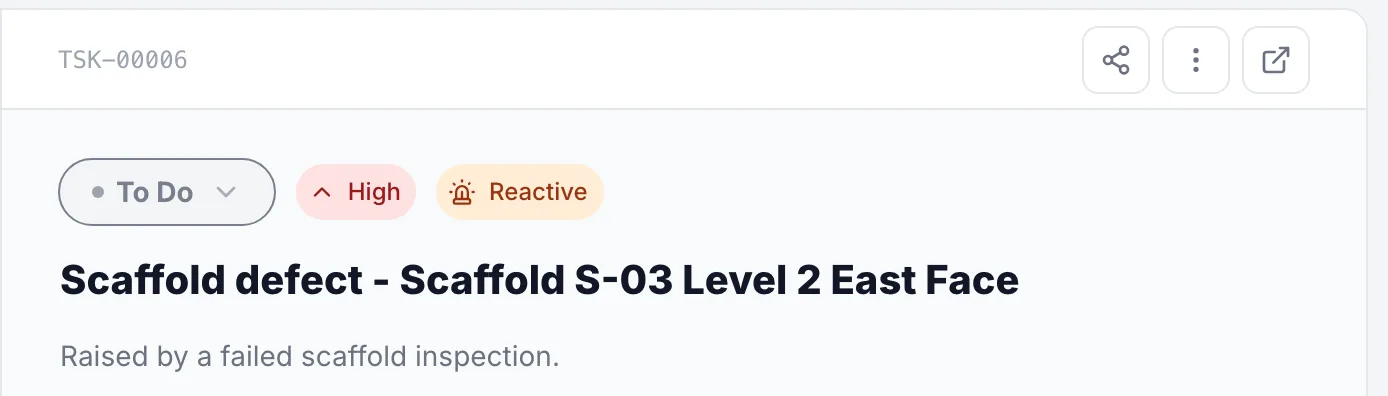
The task a failed scaffold inspection raised
The defect task a rule set up in this workspace raised from S-03’s failed inspection, kept apart from the inspection’s own answers.
MapTrack app · Demonstration data · Captured
About this screenshot
Demonstration workspace at a desktop viewport on the task’s panel, cropped to its header.
A QR tag on every erected scaffold, a label on every yard bin
Each erected scaffold carries a QR label beside its scaffold tag at the access point, and each yard or store bin can carry one for the pieces counted in it. The crew scans with the phone camera or a handheld Bluetooth or USB scanner. An erected scaffold and a counted tube carry no GPS tracker; a battery tracker goes on the stillage, cage, trailer or container the pieces travel in.
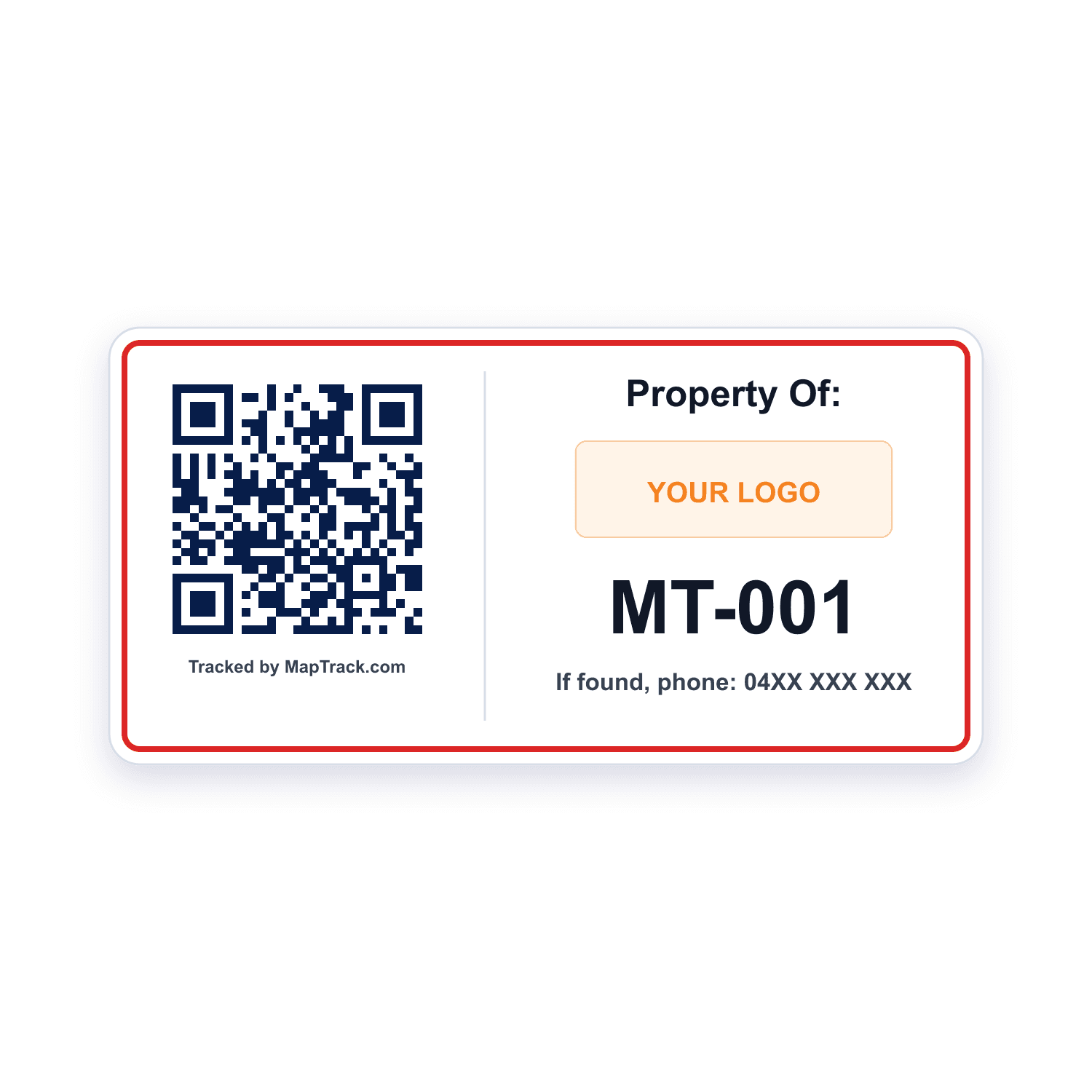
Every erected scaffold, beside its scaffold tag
QR labels
- Scan QR, barcode and Data Matrix labels with the phone camera or a handheld Bluetooth or USB scanner to open the scaffold's record
- Print your own QR labels from MapTrack, or order durable ones from our label store
Good to know: A scan opens the record only for people signed in to your MapTrack
Each yard or store bin of tubes, boards and couplers
QR labels on bins
- Scan the label to open the bin in MapTrack
- Each piece type keeps its own quantity in the bin
Good to know: Counted pieces carry no tag or tracker of their own
Our trackers ship within Australia and New Zealand; elsewhere we connect your existing trackers with you.
What it costs
MapTrack is priced per asset, and the plans are on the pricing page. Trackers, QR labels, install and freight are quoted with your order, after a short setup call so each asset gets the right tracker.
Next inspection
When each scaffold's next inspection is due
Put each erected scaffold on an inspection schedule at the interval that applies to it, or a tighter one your site or competent person sets. MapTrack puts each inspection due soon and then overdue on the scaffold's record and the Service Board, and the person assigned gets an email when one falls due within 7 days.
- One work order can cover several scaffolds on a job, each with its own pass or fail
- A person raises a work order for each scaffold, or one for every scaffold due together, from the schedule
- The Service Board lists every scaffold that's overdue or due soon across your jobs
Setup and limits
- A due date puts the inspection on the schedule; a person raises the work order from there.
- The reminder is an email to the person the schedule is assigned to.
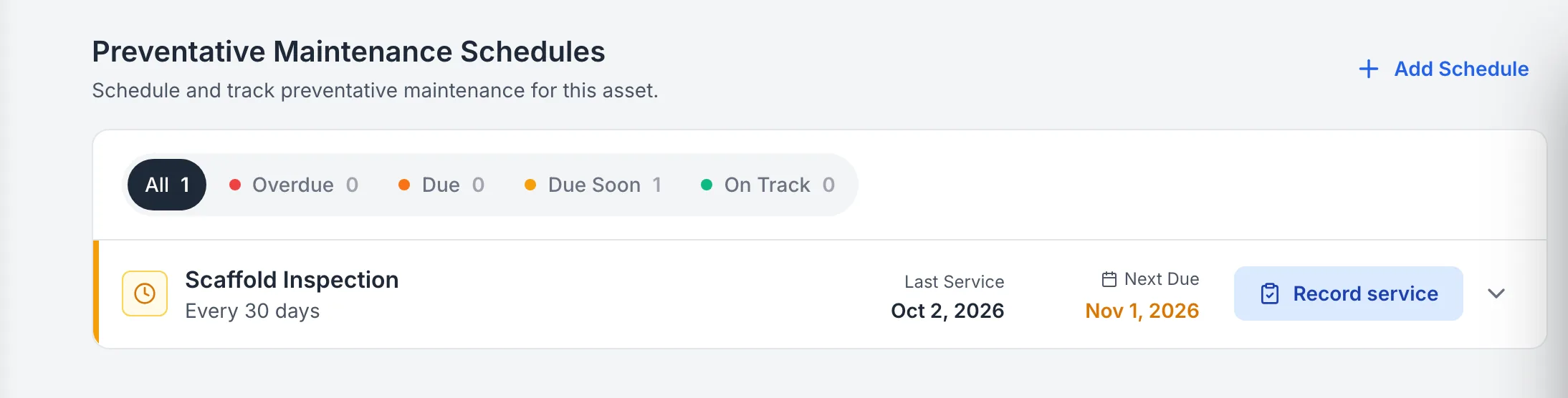
A scaffold’s inspection on its own schedule
Scaffold S-03’s inspection schedule, set to the interval the demonstration workspace uses, with its next inspection due soon.
MapTrack app · Demonstration data · Captured
About this screenshot
Demonstration workspace at a desktop viewport on the scaffold’s Maintenance tab. The 30 day interval is the demonstration workspace’s own schedule.
Set the interval that applies to you. In Australia, regulation 225 of the WHS Regulations has a scaffold a person or thing could fall more than 4 m from inspected at least every 30 days (rules differ in Victoria); in Great Britain, a construction platform someone could fall 2 m or more from is inspected within the previous 7 days. Your site or your competent person may set a tighter one.
On site
Where each scaffold stands, and who sees a scan
Add each erected scaffold at its job site, in the zone where it's erected: a level, an elevation or a stair tower. A scan takes anyone signed in to your MapTrack straight to that scaffold's record, so give the crew, supervisors and inspectors a login; a form-submitter or scanner role is enough.
- Adding a scaffold at a job site assigns it there in the same save
- The Locations list shows how many assets each site and yard holds
Setup and limits
- Scanning a tag opens the scaffold's record for people signed in to your MapTrack, so keep the scaffold tag at each access point.
- Checking a scaffold's record out or back needs a connection.
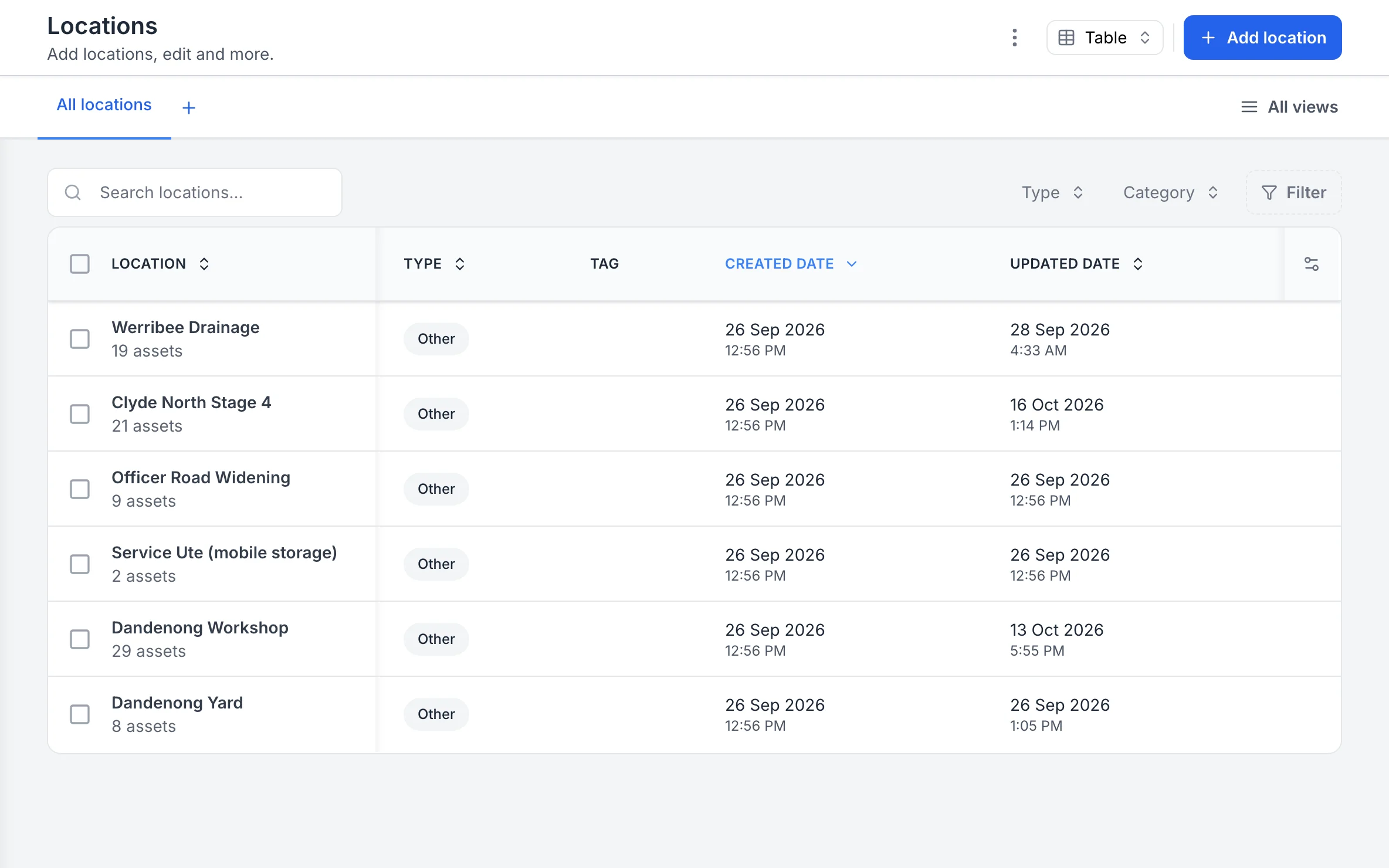
Your sites, with the assets at each
Each site, yard and service vehicle is a location, and the list shows how many assets are at each one.
MapTrack app · Demonstration data · Captured
About this screenshot
Captured at a 1440 x 900 desktop viewport at 2x in a demonstration workspace, right of the sidebar.
Handover paperwork
The handover certificate, drawings and licences on one record
Keep the handover certificate, the drawings, engineer's letters and the design registration number for prefabricated scaffolding on the scaffold's Files tab, beside every inspection. In Australia, prefabricated scaffolding is plant whose design is registered, and SafeWork NSW says to keep the design registration number readily accessible, for example near the scaffold. In Australia, erecting, altering and dismantling scaffold a person or thing could fall more than 4 m from is high risk work: the scaffolder holds a basic, intermediate or advanced scaffolding licence.
- The scaffolder's licence class and number in fields on the scaffold's record or on their person record
- Every inspection's PDF downloads from its submission
- In Australia, inspection records against AS 4576:2020 (Guidelines for scaffolding) and the AS/NZS 1576 series, on the scaffold they cover
Setup and limits
- MapTrack doesn't check a scaffolder's licence.
- MapTrack keeps the handover certificate on the record; it does not write or send one.
- In NSW, keep the design registration number readily accessible near the scaffold as SafeWork NSW says, as well as on the scaffold's record.
Handover and after
Scaffold inspections in Australia, New Zealand, Great Britain and the US
In Australia, a scaffold a person or thing could fall more than 4 m from isn't used until a competent person who has inspected it confirms in writing that it's complete. In Australia it's inspected again at least every 30 days and before use resumes after repairs or an incident (WHS Regulations, regulation 225; rules differ in Victoria). In New Zealand, WorkSafe's guidelines have a competent person check every scaffold before handover, a tag at each access point showing its status, and a record of each inspection, weekly or after a significant storm or earthquake, on the tag or in a separate register. In Great Britain, a construction platform someone could fall 2 m or more from is inspected in position within the previous 7 days; the report is kept on site until the work is done, then for 3 months (Work at Height Regulations 2005, regulation 12). In the US, 29 CFR 1926.451(f)(3) has a competent person inspect scaffolds and their components for visible defects before each work shift and after anything that could affect their structural integrity.
- The handover inspection and every one after it on the same scaffold's record, each with the competent person's signature
- Each scaffold on a schedule at the interval that applies where it stands
- The handover certificate on the scaffold's Files tab, beside every inspection
Setup and limits
- In Australia, regulation 225 asks for the written confirmation before use; a record of each later inspection is how a business shows it did them.
- MapTrack keeps the record of each inspection a competent person does.
Tube and fitting, system, mobile and suspended scaffolds on one register
Add each erected scaffold as its own record at its job site, one at a time or in bulk from a spreadsheet, whatever kind it is. Each one keeps its inspections, its paperwork and its schedule, with the pieces out on its job counted beside it.
Tube and fitting scaffolds
Tubes, couplers and boards built to the job
- Its handover certificate and drawings on its record
- Each inspection with its signature on its record
System scaffolds
Modular standards, ledgers and transoms
- The design registration number for prefabricated scaffolding in a field
- Its standards, ledgers and transoms counted out to the job
Mobile scaffold towers
Towers on castors that move around a site
- Its QR tag at the access point
- Its zone changed on its record when it moves
Hung, suspended, cantilevered and spur scaffolds
In Australia, regulation 225 covers these at any height
- Its handover and every inspection after it on one record
- Engineer's letters and drawings in its Files tab
Scaffolds on the same register as your plant, EWPs and harnesses
Erected scaffolds sit in the same register as the plant, tools, EWPs, harnesses and ladders, so their inspections run on one system. Each scaffold's record holds its QR tag, its job site and the zone it stands in, and the fields you add, such as its scaffold ID, duty class, height, erected and handover dates, and the scaffolder's name and licence number.
QR tag on the scaffold
Scanned beside the scaffold tag, it opens the record, its inspections and when the next is due
Job site and zone
The site it stands on, and the level, elevation or stair tower within it
The competent person on each form
Their signature on every inspection, and the scaffolder's licence number in a field
Example record
- Scaffold S-03, a tube and fitting scaffold on the Level 2 east face, with its duty class and height
- its handover certificate and drawings in its Files tab
- each inspection on its Forms tab, with the inspector's signature

The asset register as it opens
Plant, vehicles, tools and safety gear on one register, each with its status, who has it, where it is and its QR tag.
MapTrack app · Demonstration data · Captured
About this screenshot
Demonstration workspace at a 1440 x 900 desktop viewport, the register’s default view, cropped right of the navigation sidebar to a 16:10 frame.
Tubes, boards and couplers out on each job
Each piece type, such as a tube, board, coupler, standard, ledger, transom or base plate, is an inventory item with a quantity in each yard or store bin. Track how many of each piece is out on each job and what's come back: the item's Deployed view shows every job holding it and how many, and its total is the bins plus what's out. For firms that hire scaffold out, the same counts show how many of each piece is with each customer. A battery GPS tracker goes on a stillage, cage, scaffold trailer or container, never on a counted piece; the Barra Core suits stillages and cages.
- Record what comes back and what doesn't, with a note each time
- The job's assignment completes itself once every piece is accounted for
- Overdue reminders list what's still out
- Stocktake a bin and see the difference before you save
Setup and limits
- Issuing, returning and counting stock need a connection.
- Inventory items can't be imported from a spreadsheet yet.
- For props, stillages, cages and formwork, see scaffold, props and stillages
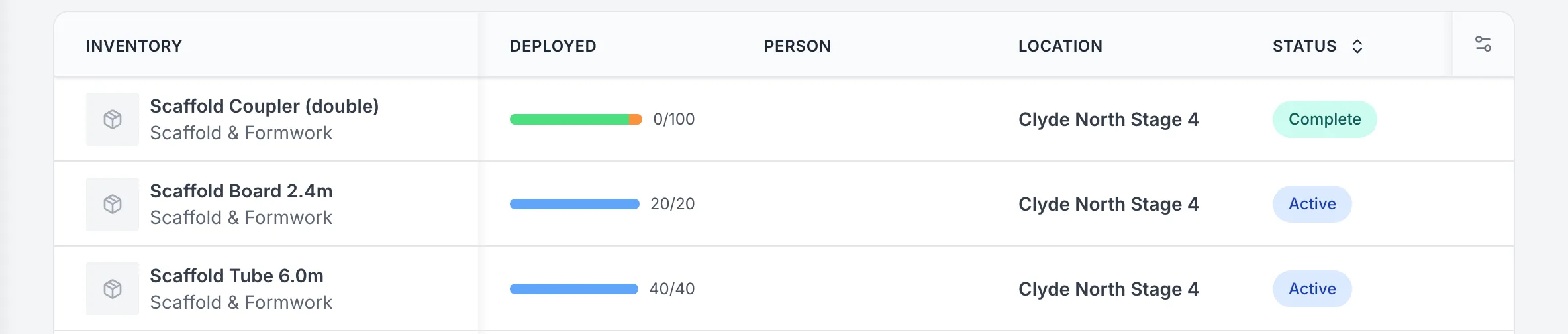
Tubes, boards and couplers out on one job
The scaffold pieces out on one job: 40 tubes and 20 boards still there, and the couplers’ assignment complete.
MapTrack app · Demonstration data · Captured
About this screenshot
Demonstration workspace at a 1440 px desktop viewport on an Assignments list, cropped to the job’s three inventory rows.
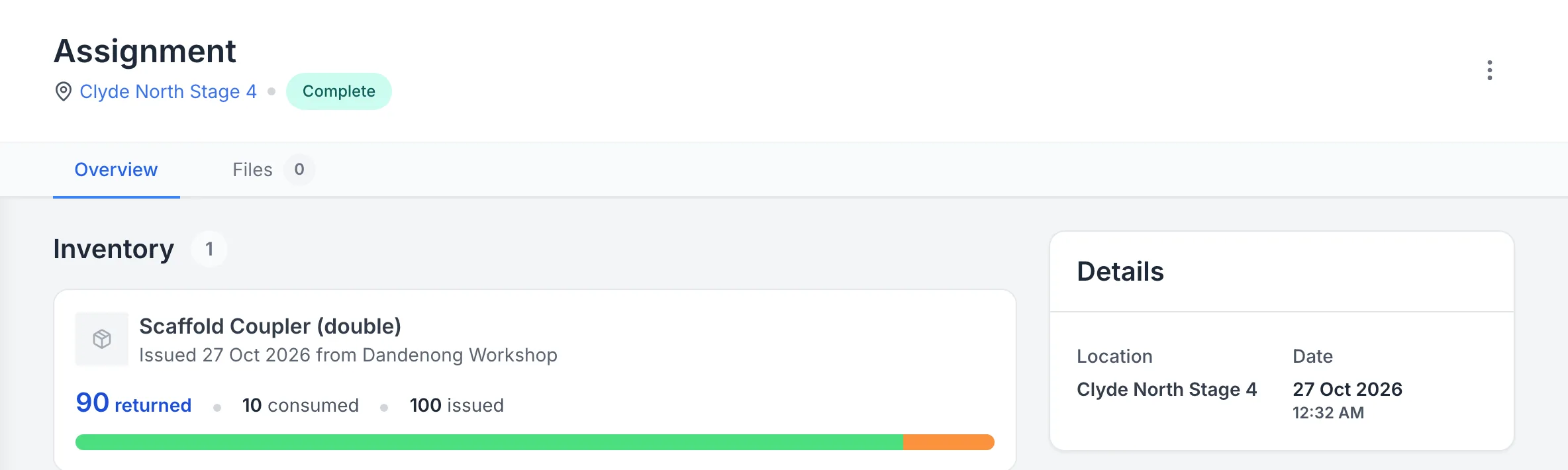
Couplers back from the job, the rest used up
A job’s couplers counted back: 90 of 100 returned and 10 recorded as used up, so the assignment closed.
MapTrack app · Demonstration data · Captured
About this screenshot
Demonstration workspace at a 1440 px desktop viewport on the assignment’s Overview tab.
Site audits and boundaries
Audit a job site by scanning each scaffold's QR tag; at the end you choose Mark Missing or Skip All. Draw a boundary around each site on its map in MapTrack and see which tagged gear is there.
- The app shows a tracked stillage or cage's latest position when its tracker has a fix; without one, the pin shows where it was last checked out or returned
- Live tracking, trip history and boundary alerts run in MapTrack Telematics, an optional add-on
Setup and limits
- A site audit needs a connection.
- Counted pieces aren't in a scan audit: check them with a bin stocktake.
For the invoice
A list of the pieces on each job for your accounts system
Export the assignments with one row per piece line, so your hire or accounts system has the counts out on each job. Labour, parts and external costs for a scaffold repair go on its work order and stay in its history.
- How many of each piece is with each customer, for firms that hire scaffold out
- The scaffolds and their fields export to a spreadsheet too
Setup and limits
- MapTrack tracks the counts to each job and back; it doesn't price hire by the piece or raise dispatch dockets or hire invoices.
Free scaffold inspections and registers
The scaffold inspection checklist and the OSHA scaffold inspection checklist for US sites, both of which also run on the phone in MapTrack, plus a scaffold inspection tag and register and a scaffolding SWMS to print.
Where the scaffold inspection rules come from
The handover, inspection intervals and licences are set by the instruments below, not by MapTrack, and they differ by country and, in Australia, by state. MapTrack keeps the records; the inspections and the judgement on them stay with you and your competent person.
Check the current source
- Model WHS Regulations (Safe Work Australia)
- OSHA 29 CFR Part 1926, Safety and Health Regulations for Construction
- Work at Height Regulations 2005
MapTrack keeps the records these standards ask you to keep. It does not certify your work or make you compliant, and the current text of each instrument is the authority.
Common questions
What is scaffold tagging software?
How do we tag scaffolds in MapTrack?
Do we still need our scaffold tags?
Can someone without a MapTrack login see a scaffold's status?
How often does a scaffold need inspecting in Australia?
Can MapTrack remind us when a scaffold's next inspection is due?
What happens when a scaffold fails inspection?
Can the inspector do it without reception?
Where does the handover certificate go?
Can we track how many tubes, boards and couplers are on each job?
We hire scaffold out. Can MapTrack bill the hire?
What happens when fewer pieces come back than went out?
Who can inspect a scaffold?
How are scaffold inspections recorded in Great Britain?
What does OSHA say about scaffold inspections in the US?
Is MapTrack scaffolding management software?
Can we keep records against AS 4576 and AS/NZS 1576?
Does MapTrack inspect or certify scaffolds?


“Finally we've got everything in one place - I would recommend this platform to anyone.”
Ashley Sutherland
Plant & Logistics Administrator at RIX Specialist Contracting
See your scaffolds in MapTrack
Book a demo to walk through a scaffold in MapTrack, from its QR tag and handover certificate to each inspection and the pieces out on its job, or start with the free scaffold inspection checklist.