
Ute and van tracking software for work vehicles
Know where every ute and van is, how many kilometres it's done, when its service and rego are due, whether the pre start got done and which tools are in the back. Trackers, AI dashcams, Bluetooth tags and QR labels all land on one record in MapTrack.

The asset register as it opens
Plant, vehicles, tools and safety gear on one register, each with its status, who has it, where it is and its QR tag.
MapTrack app · Demonstration data · Captured
About this screenshot
Demonstration workspace at a 1440 x 900 desktop viewport, the register’s default view, cropped right of the navigation sidebar to a 16:10 frame.
How MapTrack runs utes, vans and pool cars
The tracker or dashcam for each vehicle, the kilometres that drive its servicing, the pre start before it leaves the yard, the tools in the back, and the rego, files and costs on the same record.
The short answer
MapTrack tracks utes and vans with a hardwired tracker such as the Dart3 or an AI dashcam, Bluetooth tags on the tools in the back and a QR label in the cab. Estimated kilometres from the tracker or camera keep each odometer meter current, so services fall due on use. Rego dates sit on the same record.

Co-Founder & GM of Operations
Key takeaways
- One record per ute, van or car: rego and its expiry, VIN, fleet number, QR label, tracker or dashcam, pre starts, service history, files and costs.
- Record the odometer reading from the dash once and the tracker's estimated kilometres add to it, so kilometre services fall due on use.
- A ute or van with an AI dashcam doesn't need a separate GPS tracker: its saved event clips, location and trips land on the vehicle's record.
- Set the ute up as a vehicle location to list the tools in the back, and the ute's Dart3 or G70 picks up Bluetooth tags on the tools.
- The app shows each ute's latest position, or where it was last checked out or returned; live tracking, trips, history and boundary alerts run in MapTrack Telematics.
What MapTrack covers for each ute, van and car
- Trackers and dashcamsDart3, Bolt2, AI dashcams, tags and QR labels
- Utes, vans and pool carsEach kind of work vehicle, and the trailer behind
- KilometresEstimated readings keep each odometer meter current
- Servicing and regoKilometre services and 12-monthly rego dates
- Pre startsDone on a phone before the ute leaves the yard
- The tools in the backA vehicle location, and Bluetooth tags on the tools
- Pool cars and check-outsBook ahead with Requests, then turn the booking into a check-out
- Depot and site boundariesDrawn in MapTrack; alerts come from MapTrack Telematics
- Rego papers and licencesPapers on the vehicle, licences on each driver's record
Trusted by construction, mining and field service teams
















Pick the right tracker for each ute, van and car
Most work fleets run a mix. Utes and vans get a Dart3 wired in behind the dash or an AI dashcam in the cab, pool and leased cars can take a Bolt2 in the OBD port, the tools in the back get Bluetooth tags, and every cab gets a QR label. Other tracker brands you already run are connected with our help.
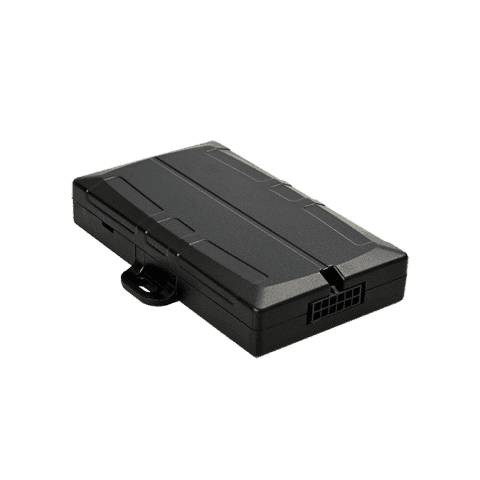
Work utes and service vans
Hardwired tracker (Dart3)
- Location on the vehicle's record
- Reports the ignition, with estimated kilometres and run hours on its meters
- Picks up Bluetooth tags on the tools in the back
- Its battery, signal and last report show in MapTrack
Good to know: Made for a cabin install behind the dash; outside the cab, fit the G70
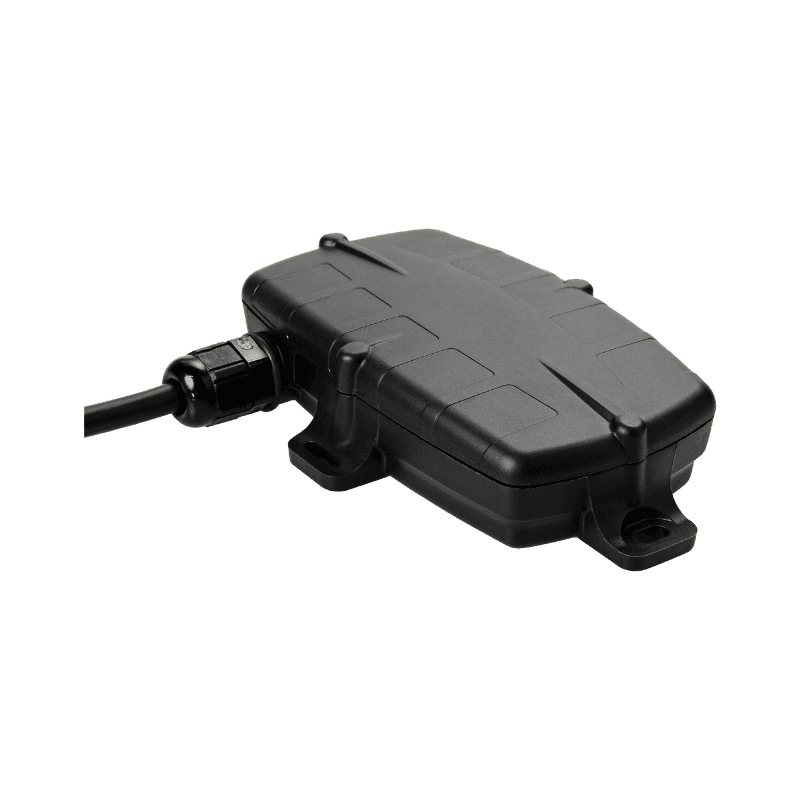
A tracker mounted outside the cab
Hardwired GPS tracker (G70)
- A waterproof, sealed housing for mounting outside the cab
- Estimated kilometres and run hours on the vehicle's meters
- Picks up Bluetooth tags on the tools and on a trailer the ute tows
Good to know: Wired to the vehicle's power and ignition: 8 to 48 V
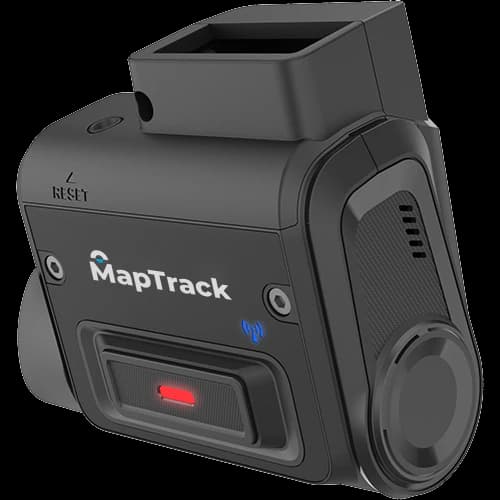
Contractor utes and vans where you don't record the driver
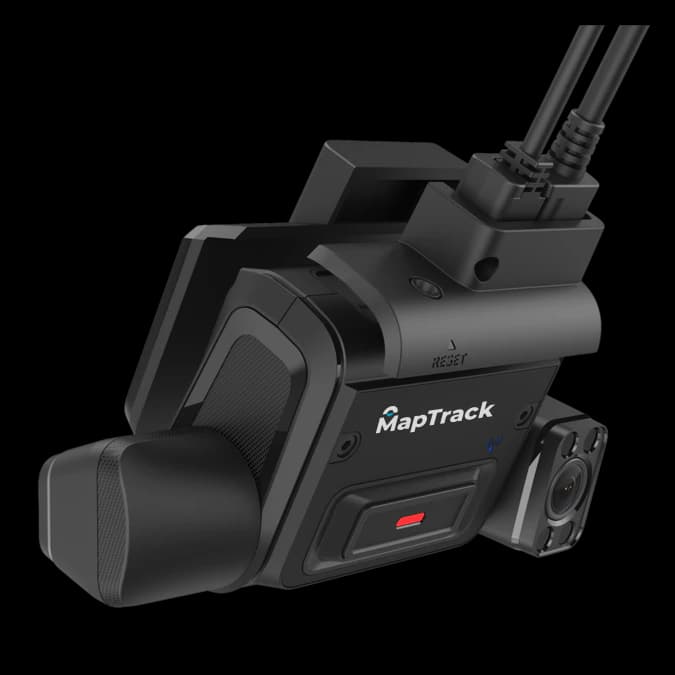
AI dashcam (K145)
- Saved event clips from the road view on the vehicle's record, with the trip, the speed and the place
- Location and trips from the camera, with estimated kilometres and drive hours
- Pro adds ADAS alerts for tailgating, lane departure and harsh braking
- No separate GPS tracker needed
Good to know: Records the road only, so it has no driver monitoring
Utes and vans where you want the road and the driver
AI dashcam (K245)
- Event clips saved to the vehicle's record from the road and driver views, with the trip, the speed and the place
- Location and trips from the camera, with estimated kilometres and drive hours, and estimated run hours on the hour meter
- No separate GPS tracker needed
Good to know: Driver monitoring on the K245 (fatigue, distraction, phone use, seatbelt, smoking) needs the Advanced plan
Pool cars, and leased or short-term vehicles you don't want to wire
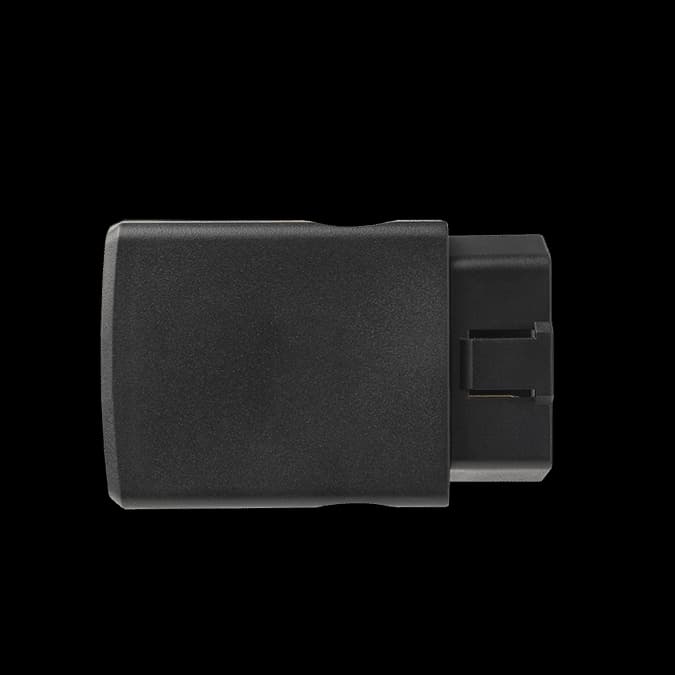
OBD tracker (Bolt2)
- Plugs into the vehicle's OBD port, with no wiring
- Location on the vehicle's record
- Reports the ignition, with estimated kilometres and run hours on its meters
The tools and tool boxes in the back
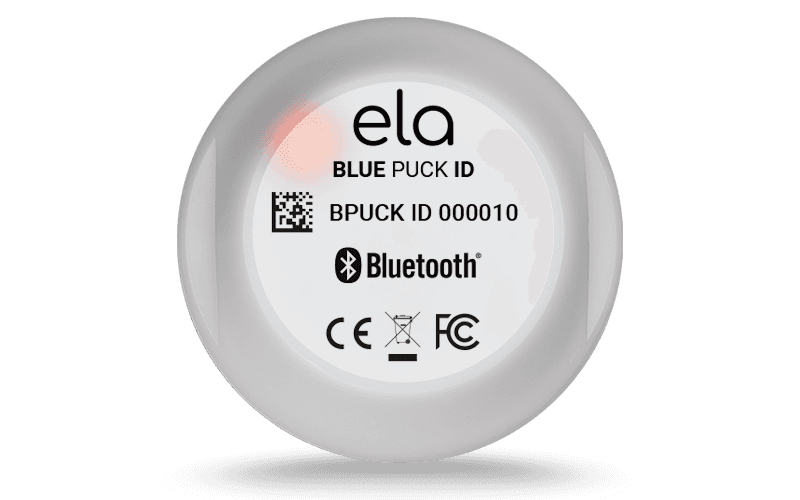
Bluetooth tag
Bluetooth (BLE) 5.0
- The tool's location in MapTrack, updated when a Dart3 or G70 in the vehicle picks it up
Good to know: It has no GPS of its own, so it needs the vehicle's Dart3 or G70 nearby
Every ute, van and car: a label in the cab
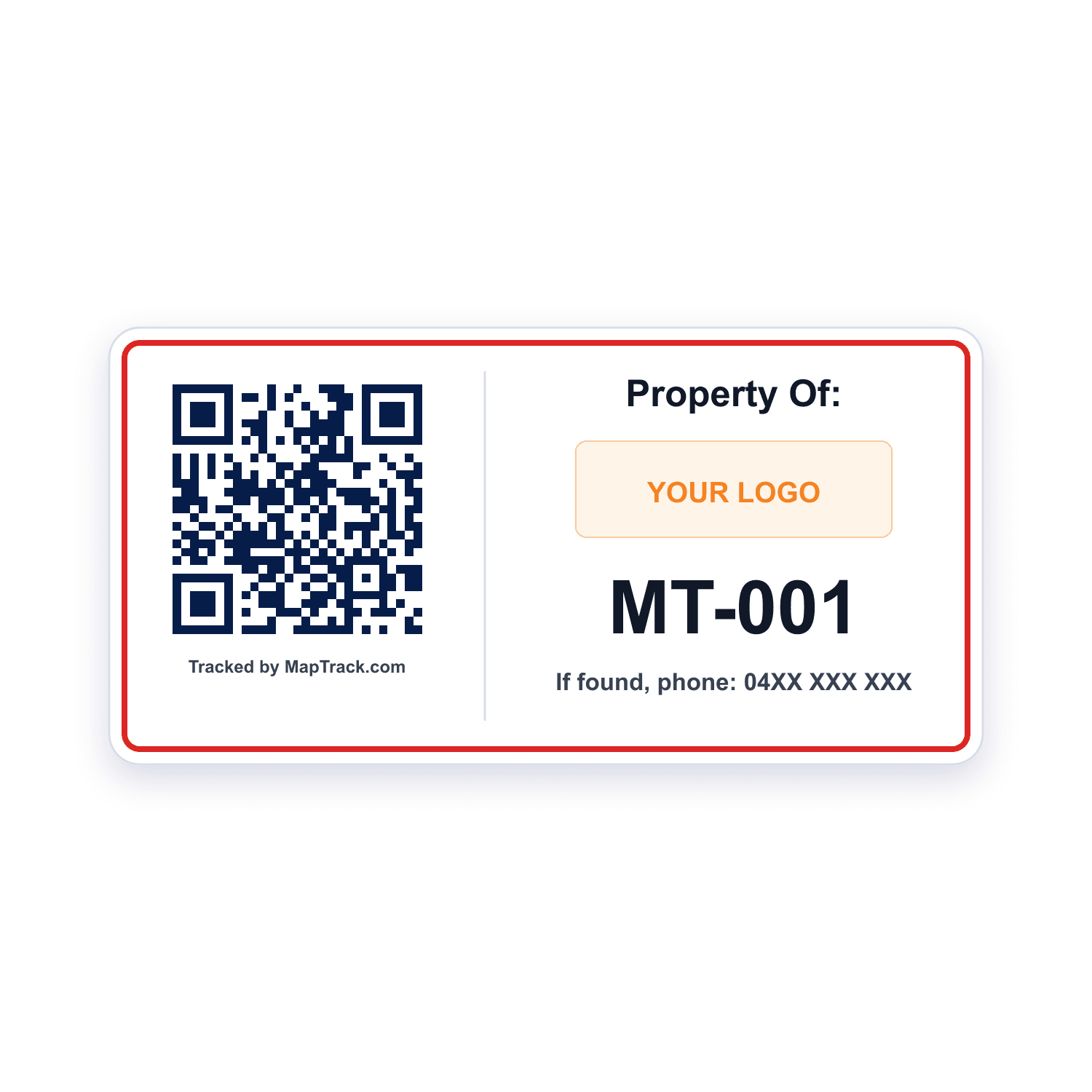
QR labels
- Drivers scan it to open the vehicle's record or start the pre start
- Depot and van audits by scan
Good to know: A plain scan records no location
Utes and vans already running another tracker brand
The trackers you already run
- Another tracker or telematics brand, connected to MapTrack
- No new hardware in those vehicles
Good to know: Set up with our help, through an assisted request in MapTrack
Our trackers ship within Australia and New Zealand; elsewhere we connect your existing trackers with you.
Work utes, service vans, pool cars and the trailer behind
Every work vehicle gets its own record and the tracker that suits how it's used.
Work utes
A Dart3 behind the dash, or an AI dashcam in the cab
- Estimated kilometres and its location, from the tracker or camera
- The light vehicle pre start, done on a phone
- Kilometre services and a 12-monthly rego schedule
Service vans
Its own record, plus a vehicle location for the tools and parts it carries
- The van pre start, with the racking, ladder and roof rack
- Tools and parts on board, with stock per bin
- Bluetooth tags on the tools, picked up by the van's Dart3
Pool and company cars
A Bolt2 in the OBD port, or a QR label on its own
- Booked with Requests, with optional approval
- A scan at pick-up turns the booking into a check-out
- The spare key and first aid kit confirmed back on return
The trailer it tows
A Bluetooth tag the ute's Dart3 picks up, or a battery tracker of its own
- Its own record, with its rego date and services
- Its location from the tag or its own battery tracker
One ute, tagged three ways
A tracker or AI dashcam in the cab, Bluetooth tags on the tools in the back and a QR label for the pre start all land on the same record.
Tracker or dashcam in the cab
Location and estimated kilometres
Bluetooth tags on the tools in the back
Picked up by the ute's Dart3 or G70, so each tool's location updates
QR label in the cab
Scan it to open the record or start the pre start
Example record
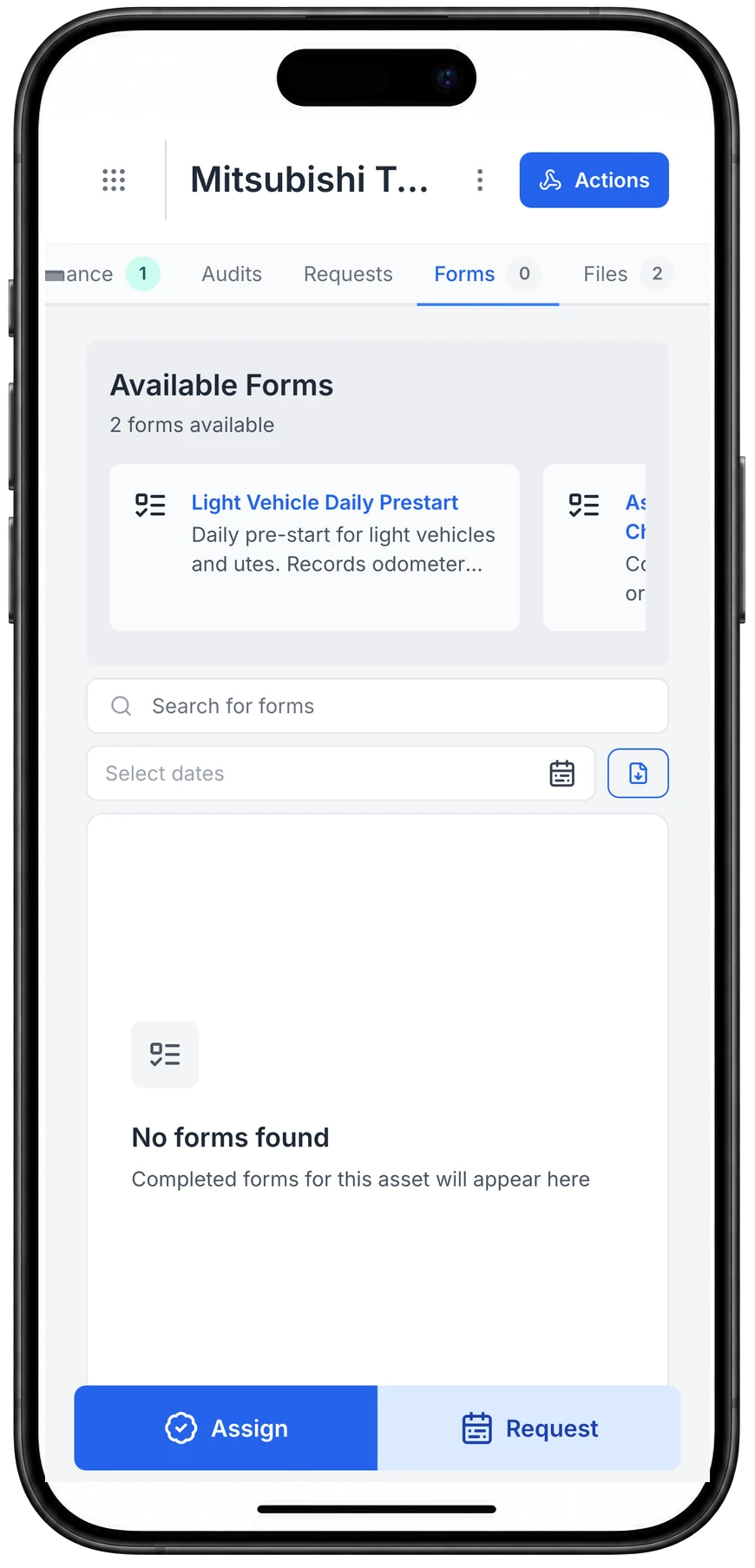
- a Mitsubishi Triton ute, opened on a phone
- the Light Vehicle Daily Prestart on its Forms tab
- an Asset Handover / Return Checklist beside it
Open an asset and pick the form for its type
Opening a ute lists the forms set up for its type, here the Light Vehicle Daily Prestart and a handover checklist. Scanning the asset’s MapTrack QR tag opens the same record; this one was opened from the asset list.
MapTrack app · Demonstration data · Captured
About this screenshot
Captured at a 430 x 932 phone viewport in a demonstration workspace, on an asset with no completed forms, and shown in a phone frame.
Kilometres on every ute and van, kept current
Record the odometer reading from the dash once, and the tracker's estimated kilometres add to it. Record it again at each service, so the forecast stays honest. Without a tracker, someone types the reading in on the vehicle's record.
- Estimated kilometres from a Dart3, G70 or Bolt2 update the odometer meter in MapTrack
- An AI dashcam estimates kilometres and drive hours from its completed trips; drive hours leave out idling, so they read low
- MapTrack estimates the next due date from how far each vehicle travels
- A reading that stops updating is flagged as stale
- Vehicle battery voltage shows in MapTrack too
Setup and limits
- Kilometres from a tracker or camera are estimates, not the vehicle's own odometer, so record the dash reading at each service
See the next service beside the current reading
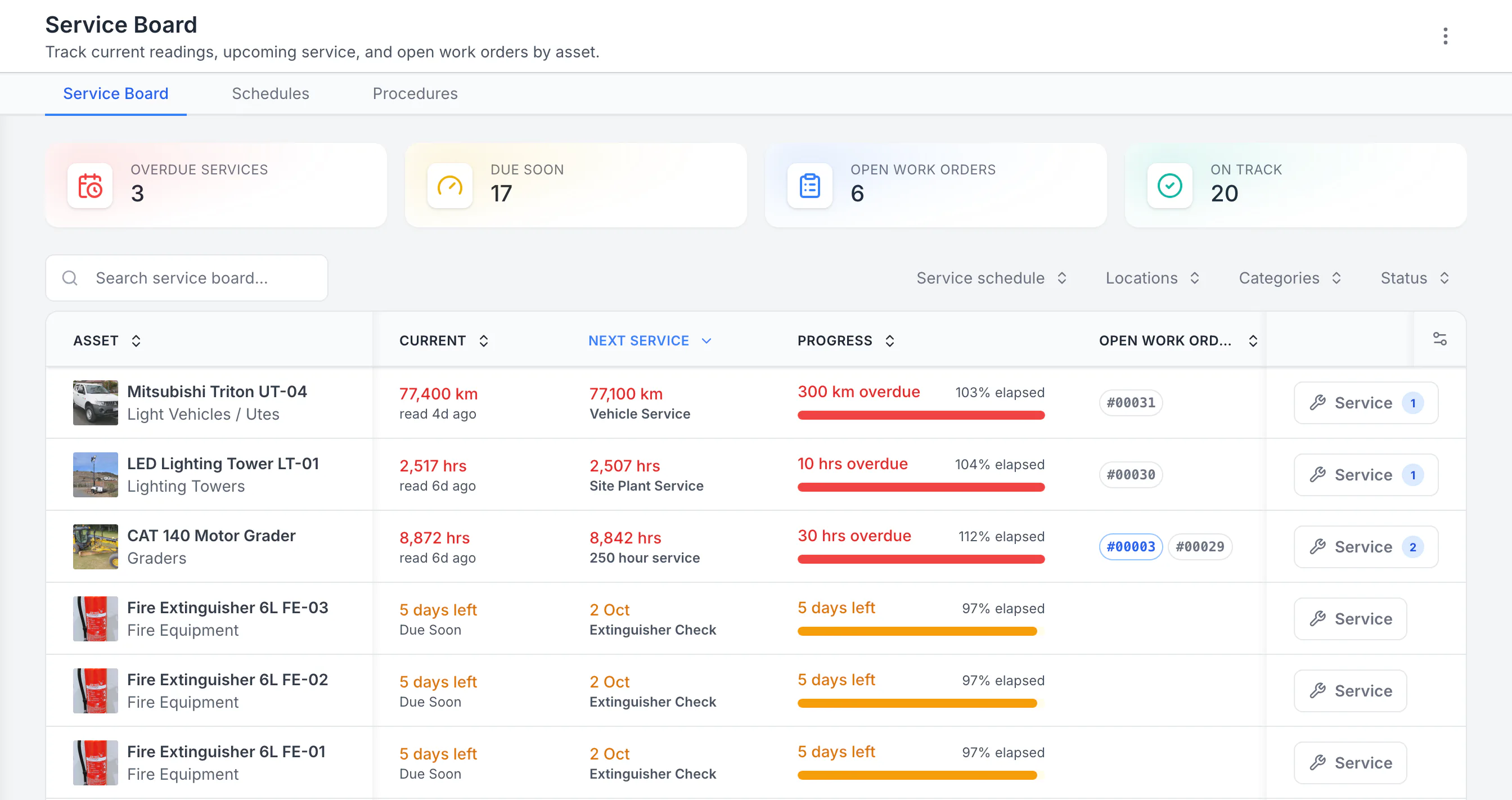
Sorted by next service, the three overdue schedules come first: a ute 300 km past its service, then a lighting tower and a grader past their hour services. Each shows its open work orders. Extinguisher checks due in five days follow. Hours, kilometres and calendar checks share one board.
MapTrack app · Demonstration data · Captured
About this screenshot
Demonstration workspace with 40 schedule enrolments. Columns were chosen and resized in the board’s own display settings. Requires enrolled assets, configured schedules and an internet connection.
Servicing on the kilometres, and rego on the calendar
One service plan holds a vehicle's kilometre services, and when two fall due together the bigger one covers the smaller in one work order. Set each service by kilometres, months or whichever comes first, from the maker's service book. MapTrack estimates the next due date from recent readings, flags stale ones, and the Service Board shows what's overdue and due soon.
- When a ute is on an automatic schedule, an odometer reading someone records raises the work order: one per vehicle, or one batch for everything due together
- A 12-monthly schedule for the rego renewal, the NSW safety check or the New Zealand warrant of fitness puts it due soon and overdue, and the person assigned gets an email 7 days out
- A person raises per-vehicle or batch work orders from a schedule in a couple of clicks
- Service the pool cars in one work order, with a pass or fail for each vehicle
- A maintenance health score from 0 to 100 for each vehicle and schedule, with 12 months of memory
Start a work order on a phone
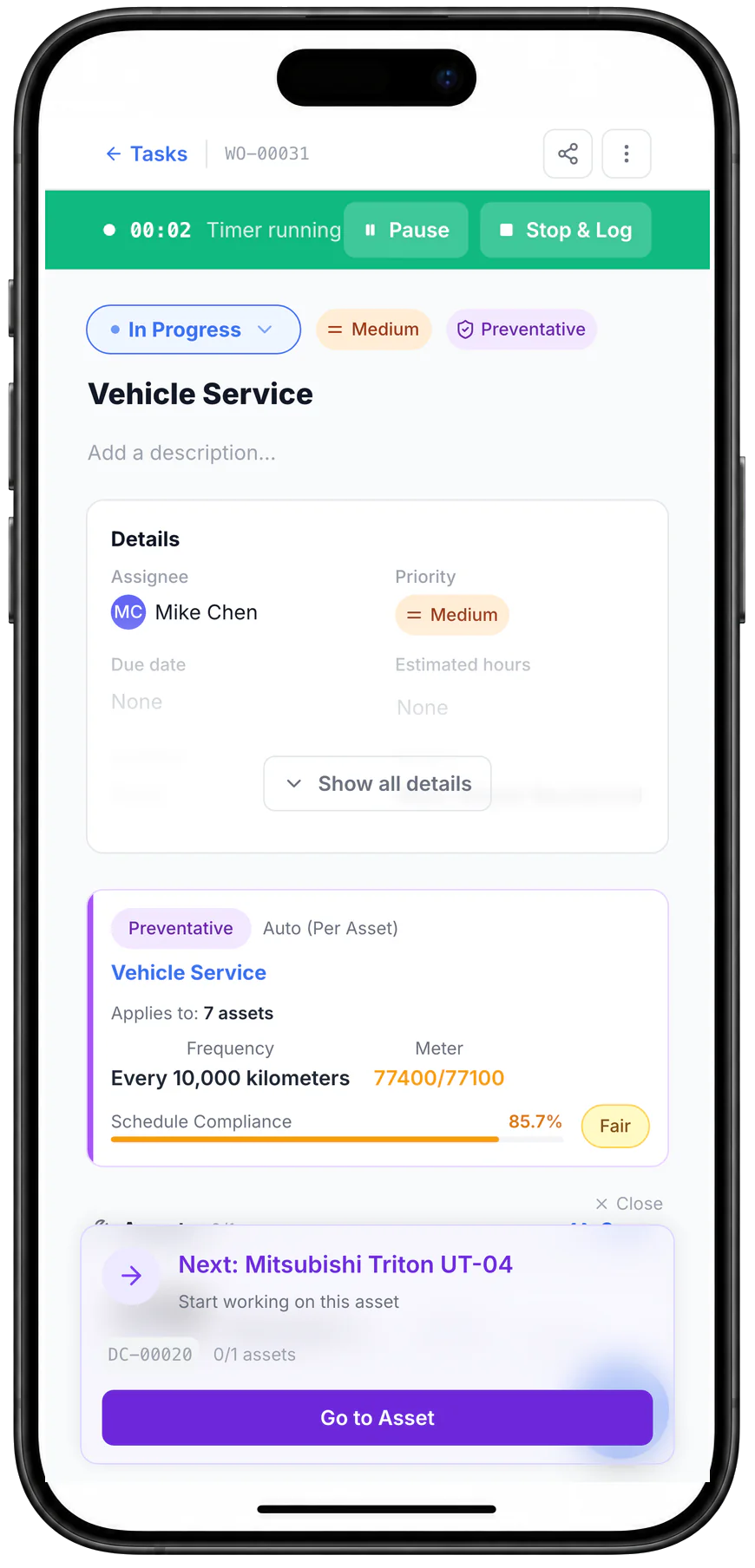
Starting the work order set it In Progress and started its timer. It shows the schedule that raised it, the odometer reading that made it due and the next asset to work through.
MapTrack app · Demonstration data · Captured
About this screenshot
Captured at a 430 x 932 phone viewport in a demonstration workspace, with a connection, and shown in a phone frame.
| Kilometres | Typical work | Source |
|---|---|---|
| 10,000 km | Isuzu D-MAX and MU-X: 10,000 km or 6 months before 16.5MY, and 10,000 km or 12 months for 16.5MY and 17MY, whichever occurs first; 15,000 km or 12 months for 18MY, 19MY and from 23MY | SourceIsuzu UTE Australia owners FAQs |
| 15,000 km | Mitsubishi's 2021MY range, the Triton included: 12 months or 15,000 km, whichever occurs first, and the time-based service is still due when the kilometres aren't reached | SourceMitsubishi Motors Australia capped price servicing summary, 2021MY |
| 30,000 km | Ford Transit and Transit Custom vans: each 30,000 km or 12 months, whichever occurs first. Most other Ford vehicles, the current Ranger among them, run 15,000 km or 12 months | SourceFord Australia service terms and conditions |
These intervals come from each maker's own documents, for the models and model years named, and they change between generations: an older Ranger and a newer one aren't serviced alike. Mitsubishi and Isuzu both point to a heavier schedule for severe operating conditions in their service booklets, and a low-kilometre pool car still needs its time-based service. The screens on this page show a demonstration workspace's own 10,000 km schedule, not a maker's interval. Follow the service book for your vehicle's model and VIN.
The pre start before the ute leaves the yard
Each driver scans the QR label in the cab and runs the pre start on a phone, or on a shared depot tablet with a personal PIN. MapTrack's Light Vehicle Daily Prestart covers fit for work, the required licence or VOC (the driver's own yes or no), tyres and spare, lights and indicators, windscreen and wipers, mirrors, horn, seatbelts, brakes, oil, coolant and washer fluid, the first aid kit and fire extinguisher, the UHF radio if fitted, load restraint or cargo barrier and a walkaround for body damage, signed at the end. The van versions add the racking, ladder and roof rack, and gas bottles secured upright.
- Fault Present makes a fault note and a photo required
- A rule you set up can raise a linked corrective task, recorded apart from the original fault
- Download any completed pre start as a PDF
- With no reception, the form submits offline and syncs once the phone is back in range
- A handover form records the fuel level, walkaround photos, the interior and the accessories on board when a vehicle changes hands
- Over 4.5 tonnes GVM, a vehicle is a heavy vehicle under the Heavy Vehicle National Law; for those rules, see truck and prime mover tracking
Run a vehicle pre-start on a phone
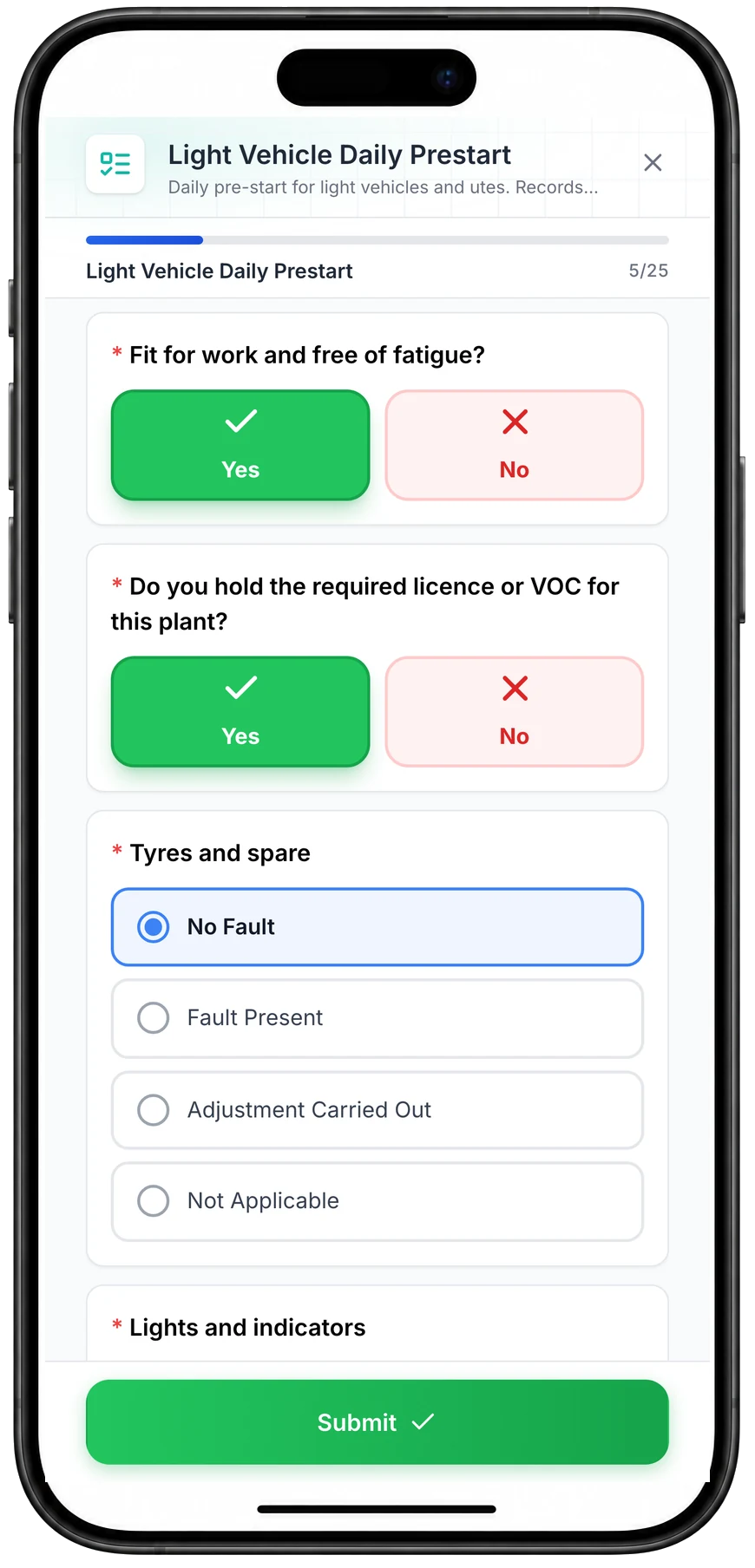
A daily pre-start for a ute, part-way through. Driver checks such as fitness for work and licence take one tap, and each vehicle check records No Fault, Fault Present, Adjustment Carried Out or Not Applicable.
MapTrack app · Demonstration data · Captured
About this screenshot
Captured at a 430 x 932 phone viewport in a demonstration workspace and shown in a phone frame; the form was closed without submitting.
The tools in the back
A ute is a moving store. Set it up as a vehicle location in MapTrack too, so the tools, parts and consumables in the back are listed against it, and check tools out to the crew's ute. A Bluetooth tag on a tool or tool box is picked up by the Dart3 or G70 in the ute or van, which updates the tool's location in MapTrack.
- Tools, parts and consumables listed against the ute or van, with stock per bin
- Check tools out to the crew's ute, and back in at the depot
- Bluetooth tags on the tools that matter, picked up by the vehicle's Dart3 or G70
- Depot and van audits by scan; at the end you choose Mark Missing or Skip All
Setup and limits
- A vehicle location is its own record, separate from the vehicle's asset record
- For the stock and tools in a plumber's van, see tool and van tracking for plumbers
- For tools across every site and crew, see tool tracking
- Why fleets set a ute up as a location: what fleets actually track (2026)

Drainage and plumbing kit on the register
Drain cameras, jetters, locators and press tools on one register, each with its status, who has it, where it is and its QR tag.
MapTrack app · Demonstration data · Captured
About this screenshot
Demonstration workspace at a 1440 x 900 desktop viewport, the register filtered to its three Drainage & Plumbing categories, cropped right of the navigation sidebar to a 16:10 frame.
Pool cars, bookings and check-outs
Check a ute or van out to a person, a job site or both, with a due-back date. Staff book a pool car or van ahead with Requests, picking a specific vehicle or one from a category, with optional approval, and a scan at pick-up turns the booking into a check-out.
- The spare key, the first aid kit and the cargo gear confirmed out and back, with a reason for anything missing
- Overdue check-outs get a reminder email
- An overdue service is flagged at check-out, and going ahead is logged
- A vehicle marked damaged or written off can't be checked out
- Someone with the Requester role can book without editing records
Setup and limits
- Check-outs, returns and Requests need a connection
- A plain scan of the QR label records no location
Depots, yards and job sites on the map
Draw each depot's, yard's or job site's boundary on its map in MapTrack and see the vehicles inside it. Each ute's record shows its latest position, or, without a tracker, where it was last checked out or returned. Live GPS tracking, trips and history, and alerts when a vehicle enters or leaves a boundary run in MapTrack Telematics, an optional add-on from the same vendor and account.
- Draw the depot, the yard and each job site once, then see which vehicles are inside
- Alerts when a ute or van enters or leaves a boundary come from MapTrack Telematics
Setup and limits
- The MapTrack app shows the latest position; live tracking, trip history and boundary alerts are MapTrack Telematics
Rego papers, insurance and each driver's licence
Keep each vehicle's paperwork on its record, and each driver's licence and VOC on their own.
- Rego papers and the rego expiry date
- Insurance certificates
- The service book, invoices and the lease agreement
- The owner's manual
- A copy of each driver's licence and its expiry on their person record
- Each driver's VOC form, signed off on their own record
Setup and limits
- MapTrack doesn't check a licence, or a driver against a vehicle
- MapTrack keeps each ute's odometer readings and who had it; it isn't a tax logbook
Costs, fuel and the Finance ledger
Labour, parts and outside costs go on each work order and stay in the vehicle's service history.
- Finance, an add-on on Pro and Enterprise plans: a cost ledger for every vehicle, with budget against actual, depreciation, repair-or-replace guidance and fuel costs, and CSV export
- Drivers log each refuel on a form; fuel used comes through MapTrack Telematics
Free ute and van pre starts, service sheets and logs
Light vehicle and ute daily checks, 10,000 and 100,000 km service procedures, handover and pool car forms, and vehicle logs. Print them, or run the pre starts and service sheets on the phone in MapTrack.
- Light vehicle pre-start checklist
- Ute / service vehicle daily check
- Light vehicle / van 10,000 km service procedure
- Light vehicle / van 100,000 km service procedure
- Service interval checklist (10k / 20k km)
- Vehicle annual service record
- Vehicle handover inspection form
- Vehicle checkout inspection form
- Pool vehicle booking form
- Vehicle maintenance log
- Vehicle mileage log
- Vehicle log book template
- Driver licence verification form
Common questions
See your utes and vans in MapTrack
Book a demo to walk through utes, vans and pool cars in MapTrack, from the morning pre start to the next service, or look at the trackers first.