
Truck GPS
Truck tracking software for prime movers & rigids
Know where every truck is, how many kilometres it's done, when it's due for a service and whether the pre start got done. GPS trackers, AI dashcams, Bluetooth tags and QR labels all land on one record in MapTrack.

How MapTrack runs trucks and prime movers
The tracker or dashcam for each truck, the kilometres that drive the servicing, the pre start in the cab, and the rego, files and costs on the same record.
The short answer
MapTrack tracks trucks and prime movers with a hardwired G70 or an AI dashcam in the cab, battery trackers or Bluetooth tags on trailers and dollies, and a QR label for the pre start. Estimated kilometres and run hours from the tracker keep each truck's meters current, so services fall due on use.

Co-Founder & GM of Operations
Key takeaways
- One record per truck in your asset register: rego and its expiry, VIN, QR label, tracker or dashcam, trailers, pre starts, service history, files and costs.
- Estimated kilometres and run hours from the tracker keep each truck's meters current, so kilometre and hour services fall due on use.
- A truck with an AI dashcam doesn't need a separate GPS tracker: its event clips, location and trips land on the truck's record.
- Live GPS, trip history and boundary alerts run in MapTrack Telematics; the app shows each truck's latest position and your depot and site boundaries.
- Drivers do the truck and trailer pre start on a phone; Fault Present opens a fault note and photo, and a rule you set up can raise a linked task.
What MapTrack covers for each truck
- Trackers and dashcamsThe right tracker, dashcam, tag or label for each truck
- Every kind of truckPrime movers, tippers, service trucks and trailers
- Kilometres and run hoursEstimated readings keep the meters current
- ServicingKilometre and hour services that fall due on use
- Pre startsDone in the cab on a phone, with fault notes and photos
- Depot and site boundariesBoundaries in MapTrack, alerts in MapTrack Telematics
- Bookings and assignmentsBook trucks ahead, then assign them to a driver and a site
- Rego, insurance and licencesPapers on the truck, licences on each driver's record
Trusted by construction, mining and field service teams

















Pick the right tracker for each truck
Most fleets mix a few of these. Trucks and prime movers get a hardwired tracker or an AI dashcam, trailers and dollies get a battery tracker or a Bluetooth tag, and every cab gets a QR label. Trackers you already run can be connected too, with our help.
Trucks and prime movers
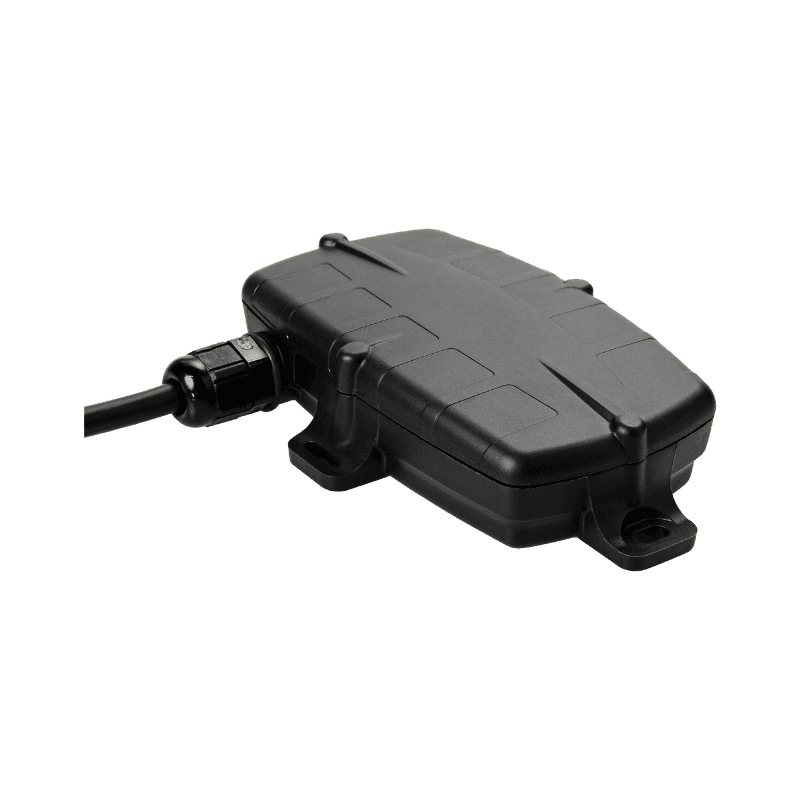
Hardwired GPS tracker (G70)
- Location on the truck's record
- Estimated kilometres and run hours into its meters
- Picks up Bluetooth tags on its trailers
- Battery, signal and last report in MapTrack
Good to know: Wired into the truck's power and ignition: 8 to 48 V, so 12 V and 24 V systems
Trucks where you want video of the road and the cab
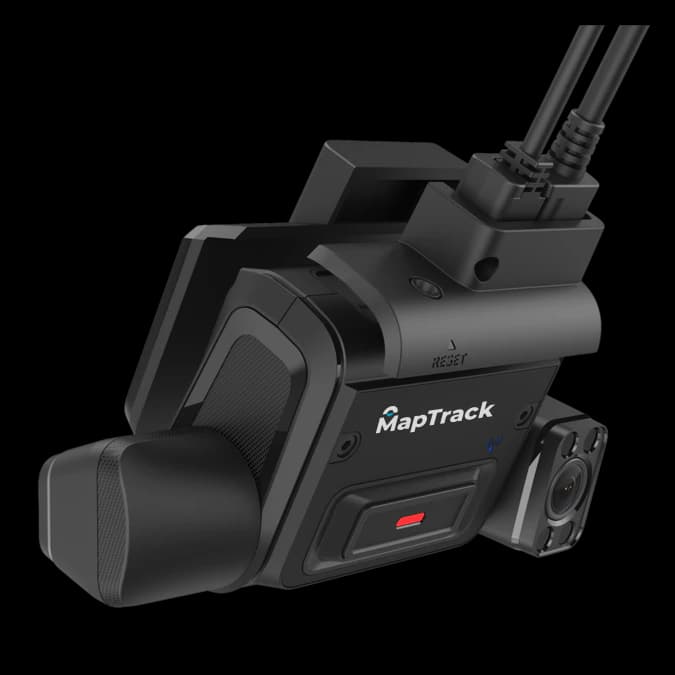
AI dashcam (K245)
- Saved event clips on the truck's record, with the road and driver views, the trip, the speed and the place
- Location, speed and trips from the camera, with estimated kilometres and drive hours
- Estimated run hours into the truck's hour meter
- No separate GPS tracker needed
Good to know: Driver monitoring needs the K245 and the Advanced plan.
Trailers, dollies and anything without power
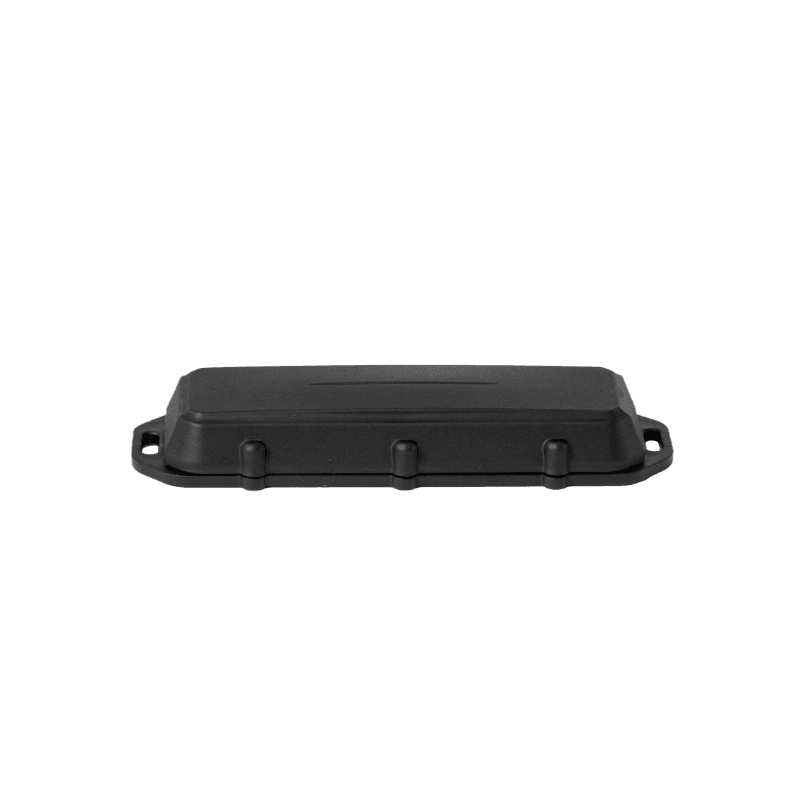
Battery GPS tracker (Barra GPS)
- No wiring
- The trailer's own location
- Tracker battery level in MapTrack

Trailers and dollies that travel with one truck, and the gear on a service truck
Bluetooth tag
Bluetooth (BLE) 5.0
- The trailer's location in MapTrack, updated when the G70 or Dart3 in the truck picks it up
Good to know: No location of its own: it needs a gateway tracker in range
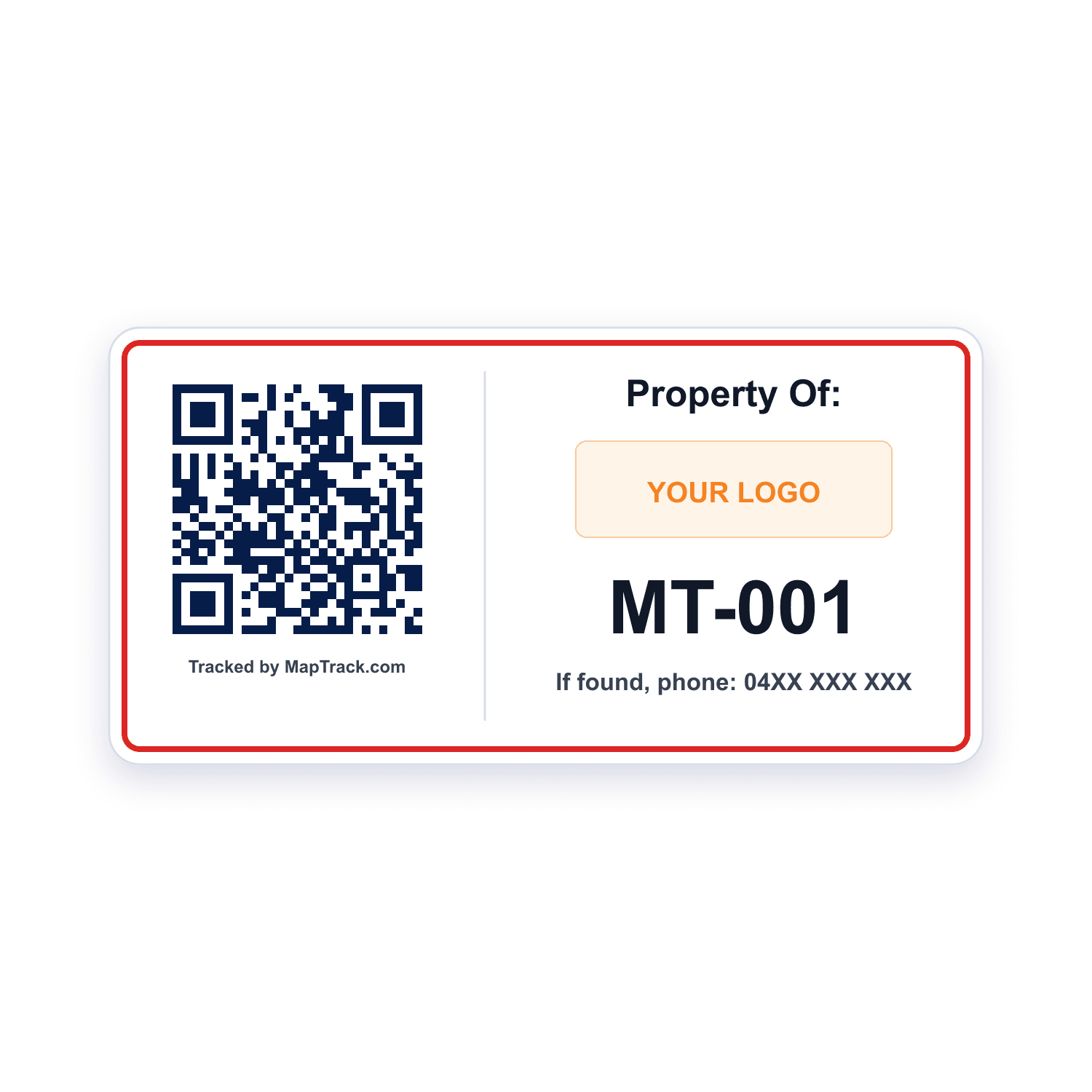
Every cab, for the pre start and the record
QR labels
- Scan with a phone to open the record or start the pre start
- Yard audits by scan
Good to know: A plain scan records no location
Trucks that already carry another brand of tracker
The trackers you already run
- Other tracker and telematics brands connected to MapTrack
- No new hardware on those trucks
Good to know: Set up with our help rather than by you
Our trackers ship within Australia and New Zealand; elsewhere we connect your existing trackers with you.
Prime movers, tippers, service trucks and trailers
Each kind of truck gets the tracker that suits it, and every one lands on the same kind of record.
Prime movers
A hardwired G70, or an AI dashcam in the cab
- Location and estimated kilometres on its record
- Its trailers and dollies added as sub-assets, and removed when they are swapped
- Bluetooth tags on its trailers, picked up by the truck's G70
Tippers and rigids
A hardwired G70, or an AI dashcam where you want video
- The truck and trailer pre start on a phone, with Fault Present opening a fault note and photo
- Kilometre and hour services on one service plan
- Booked to a job with Requests, or assigned to a driver and a site
Service trucks
An asset with its own record, and a vehicle location for what it carries
- The tools, parts and consumables on board, listed against the truck
- Stock per bin
- Bluetooth tags on the tools, picked up by the truck's G70
Trailers and dollies
A battery GPS tracker, or a Bluetooth tag the truck picks up
- Their own record, with rego and inspection dates
- Added to their truck as a sub-asset by a person, and removed when swapped
- Trailer inspections and annual services from the free templates
One truck, tagged three ways
A tracker or AI dashcam on the truck, a Bluetooth tag on its trailer and a QR label in the cab all land on the same record.
Tracker or dashcam on the truck
Location and estimated kilometres
Bluetooth tag on the trailer
Picked up by the truck's G70, so the trailer updates too
QR label in the cab
Scan to open the record or start the pre start
Example record
- tipper TT-01, rego due February 2027
- pre start done this morning
- dog trailer DT-01 on board as a sub-asset
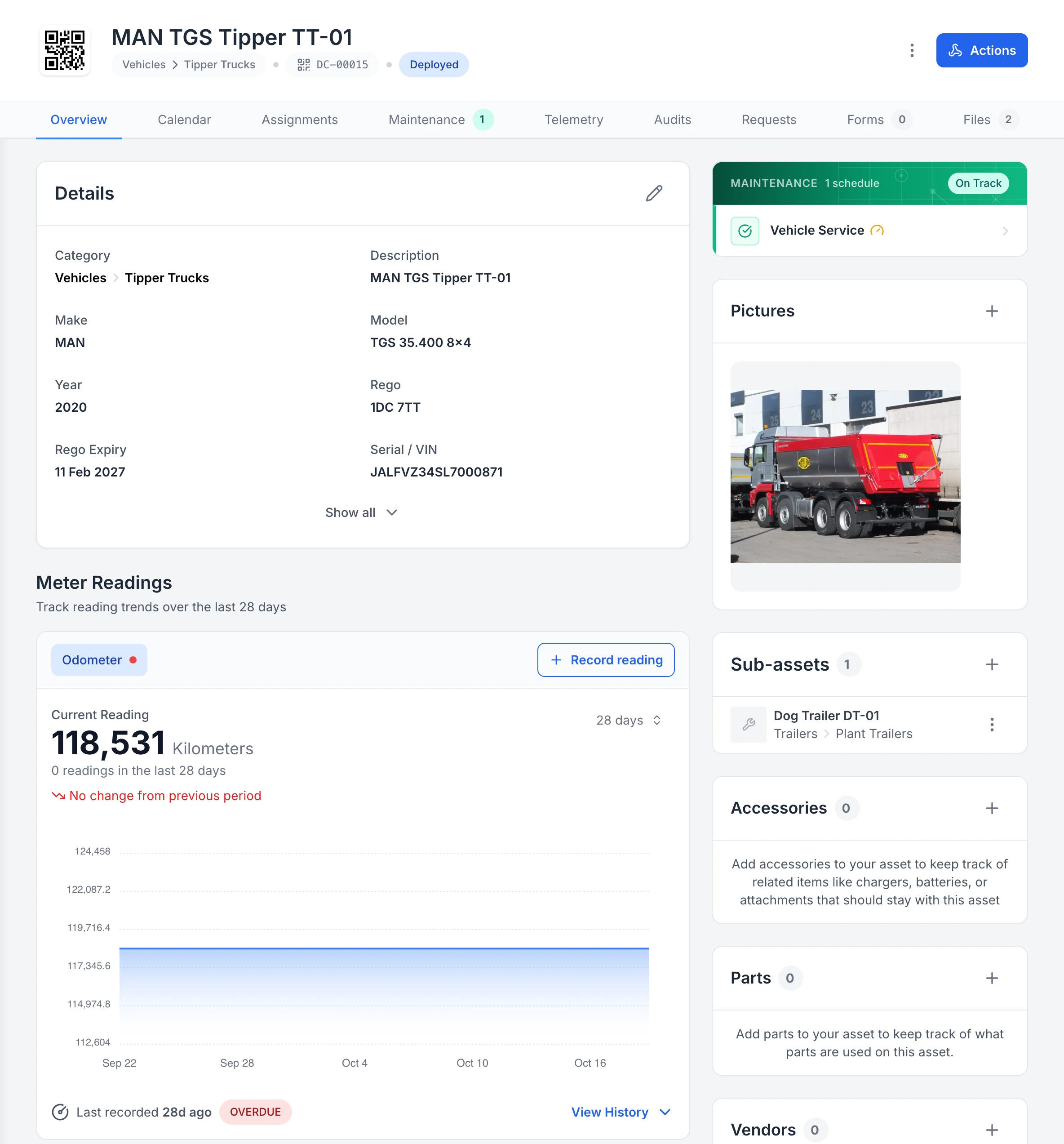
One truck’s record, its dog trailer included
Tipper TT-01’s record: its QR tag, rego and rego expiry, photo, Vehicle Service schedule and odometer, with its dog trailer, DT-01, as a sub-asset on the same record.
MapTrack app · Demonstration data · Captured
About this screenshot
Demonstration workspace at a 1440 px desktop viewport on the truck’s Overview tab, cropped right of the navigation sidebar. Accessories, parts, vendors, notes and activity continue further down the page. The dog trailer was added in the app that day.
Kilometres and run hours, kept current
Every truck's odometer and hours sit on its record, and its service plan runs off them. A G70 estimates kilometres and run hours and keeps the meters current; an AI dashcam adds estimated kilometres and drive hours from its trips. Or someone types the reading in on the truck's record.
- Estimated kilometres and run hours from the tracker update the meters in MapTrack
- The next due date is estimated from how hard each truck is working
- Stale readings are flagged, so a meter that stops updating gets noticed
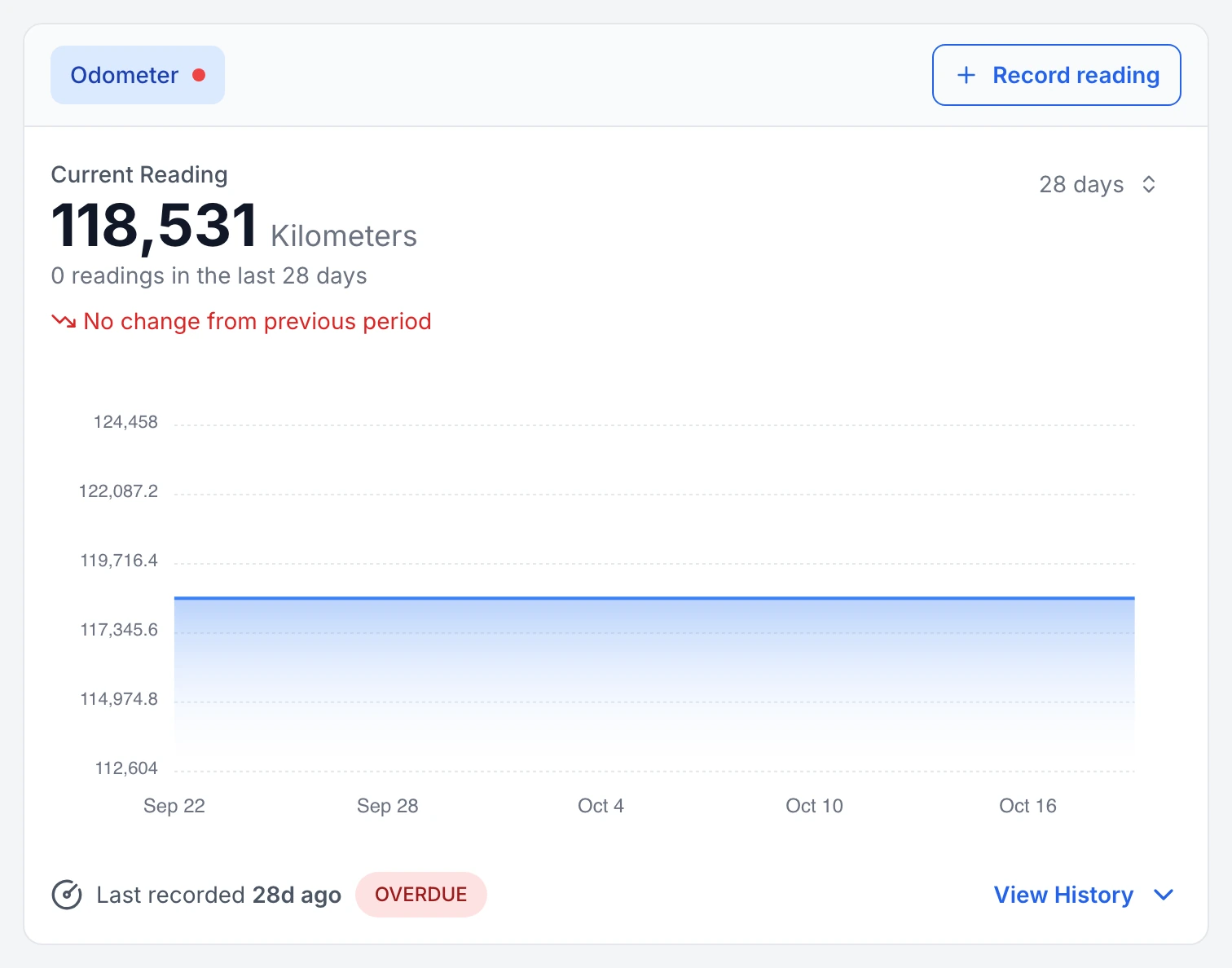
A truck odometer that has stopped updating, flagged
Tipper TT-01’s odometer: no reading in the last 28 days, so MapTrack marks the meter overdue for a reading and shows the gap on its 28-day chart.
MapTrack app · Demonstration data · Captured
About this screenshot
Demonstration workspace at a 1440 px desktop viewport on the truck’s Overview tab, cropped to its Meter Readings card.
Kilometres drive the servicing
One service plan holds a truck's kilometre or hour services, and when two coincide the bigger one covers the smaller in one work order. Set them by kilometres, months or whichever comes first. The next due date is estimated from recent readings, stale readings are flagged, and the Service Board shows what's overdue and due soon.
- On an automatic schedule, an odometer reading someone records raises the work order for you, one per truck or one batch for everything due together
- A 12-monthly schedule for the rego renewal or the annual inspection puts it due soon and overdue, and the assignee gets an email 7 days out
- Schedule triggers can also be set by time, and a person raises per-truck or batch work orders from the schedule in a couple of clicks
- One work order can cover several trucks, each with its own pass or fail
- Labour, parts and other costs on work orders stay in the truck's service history
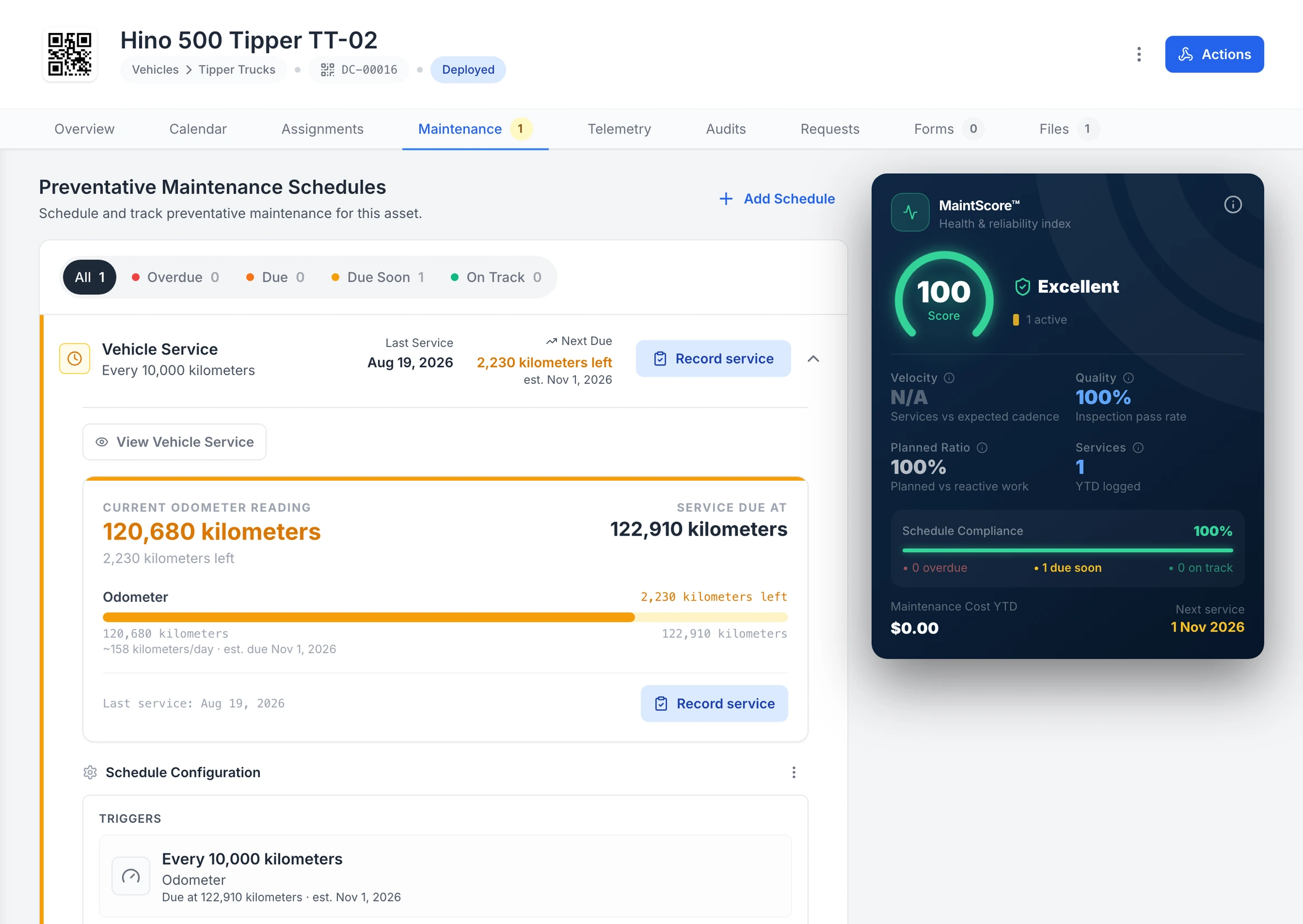
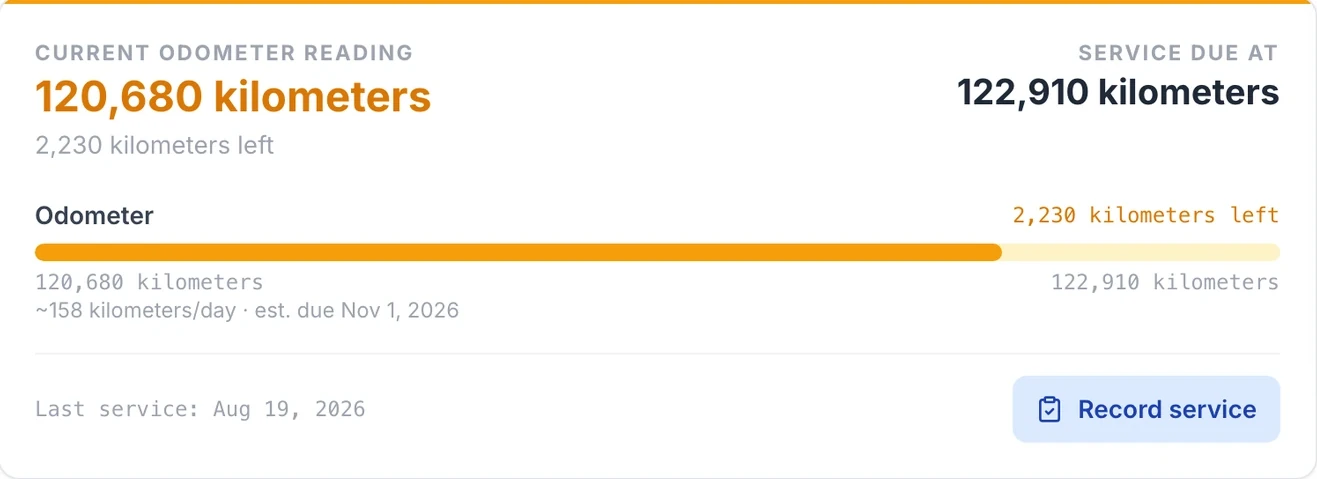
A truck’s kilometre service, forecast from its use
Tipper TT-02’s Vehicle Service runs off its odometer: 2,230 kilometres to the 122,910 kilometre service, with the due date estimated from about 158 kilometres a day.
MapTrack app · Demonstration data · Captured
About this screenshot
Demonstration workspace at a 1600 px desktop viewport on the truck’s Maintenance tab, cropped right of the navigation sidebar and above the schedule’s service history. The 10,000 km interval is the demonstration workspace’s own schedule, not the maker’s.
| Kilometres | Typical work | Source |
|---|---|---|
| 20,000 km | Hino 300, 500 and 700 Series from Euro 5: the routine service every 20,000 km or 6 months, whichever comes first, after a free check at the first 5,000 km | SourceHino Australia capped price service terms |
| 25,000 km | Isuzu's MY25 range (the release names the NQR, FV and FX): the routine service, extended from 20,000 km, after a first service at 5,000 km | SourceIsuzu Australia media release, 28 October 2025 |
| 48,000 km | PACCAR MX-13 and MX-11 in severe or vocational work, such as construction, concrete mixers, cranes and tipper work: engine oil and filter, or every 800 hours or 12 months if sooner. US-market figures | SourcePACCAR Service Bulletin E256, MX-13 and MX-11 oil change intervals (2020) |
| 80,000 km | PACCAR MX-13 and MX-11 in line haul with more than 20% idle: engine oil and filter, or every 1,500 hours or 12 months if sooner. US-market figures | SourcePACCAR Service Bulletin E256, MX-13 and MX-11 oil change intervals (2020) |
| 120,000 km | PACCAR MX-13 and MX-11 in line haul with under 20% idle: engine oil and filter, or every 2,250 hours or 12 months if sooner. US-market figures | SourcePACCAR Service Bulletin E256, MX-13 and MX-11 oil change intervals (2020) |
These intervals come from each maker's own documents, for the engines and market named; the PACCAR figures are for US-market engines. They change with the engine generation, the oil used and how hard the truck works: tipper, mixer, stop-start and high-idle work usually means shorter intervals, and Volvo Trucks and Scania in Australia plan each truck's servicing from its own operating data. Follow the schedule for your truck's model and VIN, from its handbook, service book or dealer.
Pre starts in the cab
Drivers scan the QR label in the cab and do the pre start on their phone, or on a shared depot tablet with their own PIN. The truck and trailer pre start covers fit for work, fluids including AdBlue, brakes, lights, tyres and wheel nuts, coupling and chains, the trailer's plug, lights and brakes, and load restraint.
- Fault Present opens a required fault note and photo
- A rule you set up can raise a linked corrective task
- The completed pre start downloads as a PDF
- Forms submit offline and sync when the phone gets reception back
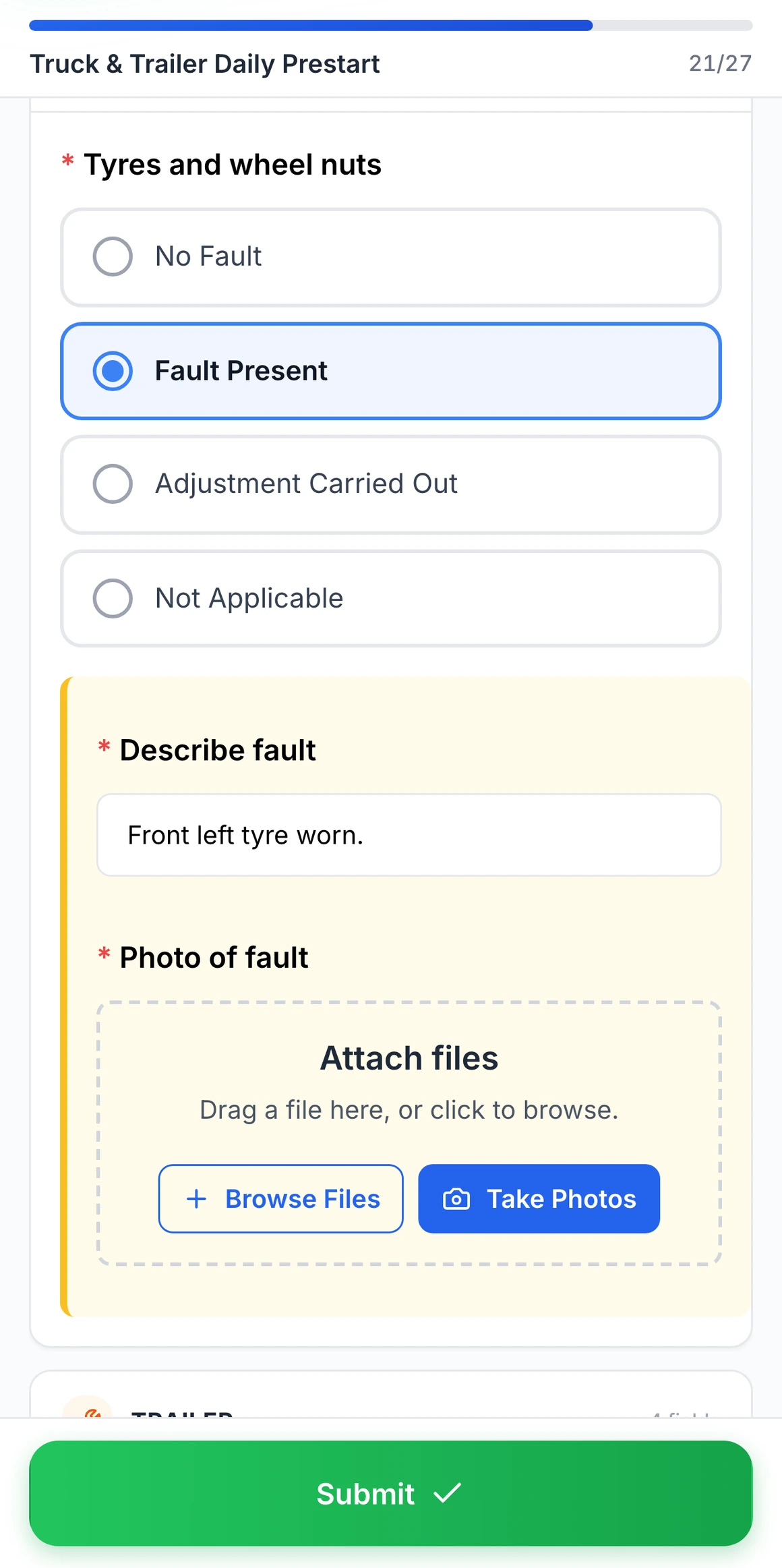
Fault Present on a truck pre start
Choosing Fault Present on tyres and wheel nuts opens a fault note and a photo, both required before the pre start can be submitted.
MapTrack app · Demonstration data · Captured
About this screenshot
Captured at a 430 x 932 phone viewport in a demonstration workspace. The pre start was filled in for this screen and not submitted.
Depot, quarry and site boundaries
Draw each depot's, quarry's or site's boundary on its map in MapTrack and see the trucks there; each truck's record shows its latest position. Live GPS, trip history and alerts when a truck enters or leaves a boundary run in MapTrack Telematics, from the same vendor and account.
- A boundary for every depot, quarry and site, drawn on the map in MapTrack
- Alerts when a truck enters or leaves a boundary, in MapTrack Telematics
Bookings, assignments and check-outs
Assign a truck to a driver and a job site with a due-back date, or book it ahead for a job with Requests, approve it and turn it into a check-out.
- A handover checklist can open when a truck goes out or comes back
- An overdue service shows a warning at check-out, and going ahead is logged
- Assigning and Requests need a connection
Rego, insurance and the driver's licence
Keep each truck's paperwork on its record, and each driver's licence and sign-offs on theirs.
- Rego papers and the rego expiry date
- Insurance certificates
- The operator manual and the purchase invoice
- A driver's licence expiry on their person record
- A VOC form signed off on the driver's person record
Costs, fuel, tyres and hire
Every service keeps its labour, parts and other costs, and tyres fitted go on the job as parts and costs. Tyre and wheel-nut checks are on every pre start.
- Finance and costings, an add-on on Pro and Enterprise plans: a cost ledger for every truck, with budget against actual, depreciation and repair-or-replace guidance
- Rate cards, an add-on on Pro and Enterprise plans: daily, weekly and monthly hire rates, dry or wet
- Fuel used comes through MapTrack Telematics, and drivers can log fuel on a form
Free truck pre starts, inspections and service sheets
Daily truck, tipper and NHVR heavy vehicle checks, kilometre service procedures, and trailer and tyre checks. Print them, or run them on the phone in MapTrack.
- Truck pre-start checklist
- Truck / heavy vehicle pre-start checklist
- Tipper truck pre-start checklist
- NHVR heavy vehicle inspection checklist
- Truck / heavy vehicle 15,000 km service procedure
- Truck / heavy vehicle 100,000 km service procedure
- Trailer inspection checklist
- Trailer annual service procedure
- Tyre & rim inspection form
Common questions
See your trucks in MapTrack
Book a demo to see how your trucks, trailers, pre starts and servicing would look in MapTrack, or look at the trackers first.