
Lifting gear and crane inspections
Lifting equipment inspection software from shackles to cranes
One register for cranes, hoists, chain blocks, slings, shackles and chains. Inspection dates, certificates and quarantine status sit on the item itself, so the crew can see what is safe to rig before they pick it up.


A lifting gear register for the people who own the gear
This is the owner's register, kept for whoever is responsible for the gear rather than for whoever inspects it. Each item keeps its own record, its own inspections and its own certificate, and the register stays yours when the inspection firm changes.
The short answer
MapTrack keeps a lifting equipment register in which every sling, shackle, chain block, lever hoist and spreader bar has its own record: its ID, working load limit, certificate, last inspection and next due date, and who has it. One work order can run a whole inspection round with a pass or fail for each item. MapTrack records inspections; it doesn't inspect or certify gear.

Key takeaways
- Every item that takes load gets its own record, with its ID, working load limit, certificate, last inspection and next due date. A sling is an asset, not a line on a crane record.
- Run the inspection round as one work order: each sling, block and shackle keeps its own pass or fail, so forty passes and one reject never become one passed job.
- Put each item on a schedule at the interval your maker, inspector or site sets: the Service Board shows what's overdue, due soon and on track, and the person assigned to the schedule gets an email when an inspection falls due within 7 days.
- Mark a rejected item Damaged and nobody can check it out until someone changes it back. An overdue inspection is flagged when someone checks the item out or books it, and going ahead is recorded.
- MapTrack keeps your inspector's result and certificate on the item. It doesn't inspect, test or certify lifting gear.
What MapTrack covers for each item that takes load
- IdentifiedLabels, stamped IDs and Bluetooth tags
- Every item that takes loadBlocks, hoists, slings, shackles, beams and clamps
- Inspection roundsOne work order, a result for every item
- Due listsOverdue, due soon and on track
- CertificatesThe inspector's report on each item it names
- Quarantine and custodyDamaged gear, check-out flags and who has it
- Pre-use checksPass or Fail and photos on a phone
- CranesThe crane on the same register
Trusted by construction, mining and field service teams

















How it works
1. Register every item that takes load
Cranes, hoists, chain blocks, slings, shackles, chains, eyebolts and lifting beams. Record the ID stamped on the gear so the register and the item agree.
2. Set the interval and the next date due
Intervals come from the standard, the manufacturer and how hard the gear works. MapTrack holds the one you set and alerts before it lapses: the person assigned to the schedule gets an email when an inspection falls due within 7 days.
3. Inspect in the field by scanning
Open the right record by scanning its label, record the result and add a photo of any damage or wear you find.
4. Attach the certificate to every item it covers
A single third-party report covering many items can be attached to each one it names, so the proof sits with the gear.
5. Quarantine visibly, not physically
Mark failed gear out of service on the register so the next crew sees it before they reach for it, and keep the reason on the record.
Every item that takes load, on one lifting equipment register
Most asset software is built around the machine. Lifting gear is a population of small, high-consequence, highly mobile items, and it needs the same discipline. The small gear is registered too. Put every item that takes load on the register, from the crane down to the shackle: cranes, hoists, chain blocks, slings, shackles, chains, eyebolts and lifting beams, on the same platform as the plant it lifts.
Chain blocks and lever hoists
Manual chain blocks, lever hoists and chain hoists
- One record per block or hoist, with its inspection report
- The hook and its other accessories confirmed out and back with it
Slings
Chain, wire rope, webbing and round slings
- Each sling its own asset, with the ID stamped or swaged on it as its identifier
- Its own pass or fail in every inspection round
Shackles and hooks
Bow and dee shackles, hooks and eyebolts
- Its own record, inspection history and status
- The inspector's certificate on each one it names
Spreader bars and lifting beams
Spreader bars, lifting beams and lifting frames
- Its shackles confirmed out and back with it, with a reason for anything missing
- A Bluetooth tag shows where it was last seen, from a gateway tracker in range
Lifting clamps
Plate clamps and beam clamps
- On a schedule at the interval your maker sets
- Mark it Damaged when it fails, and nobody can check it out
Labels, stamped IDs and Bluetooth tags
Lifting gear is small and it moves, so the first job is knowing which item you're holding. Record the ID stamped on the gear so the register and the item agree. Scan a durable QR or barcode label, or search the stamped ID, to open the item in the field.
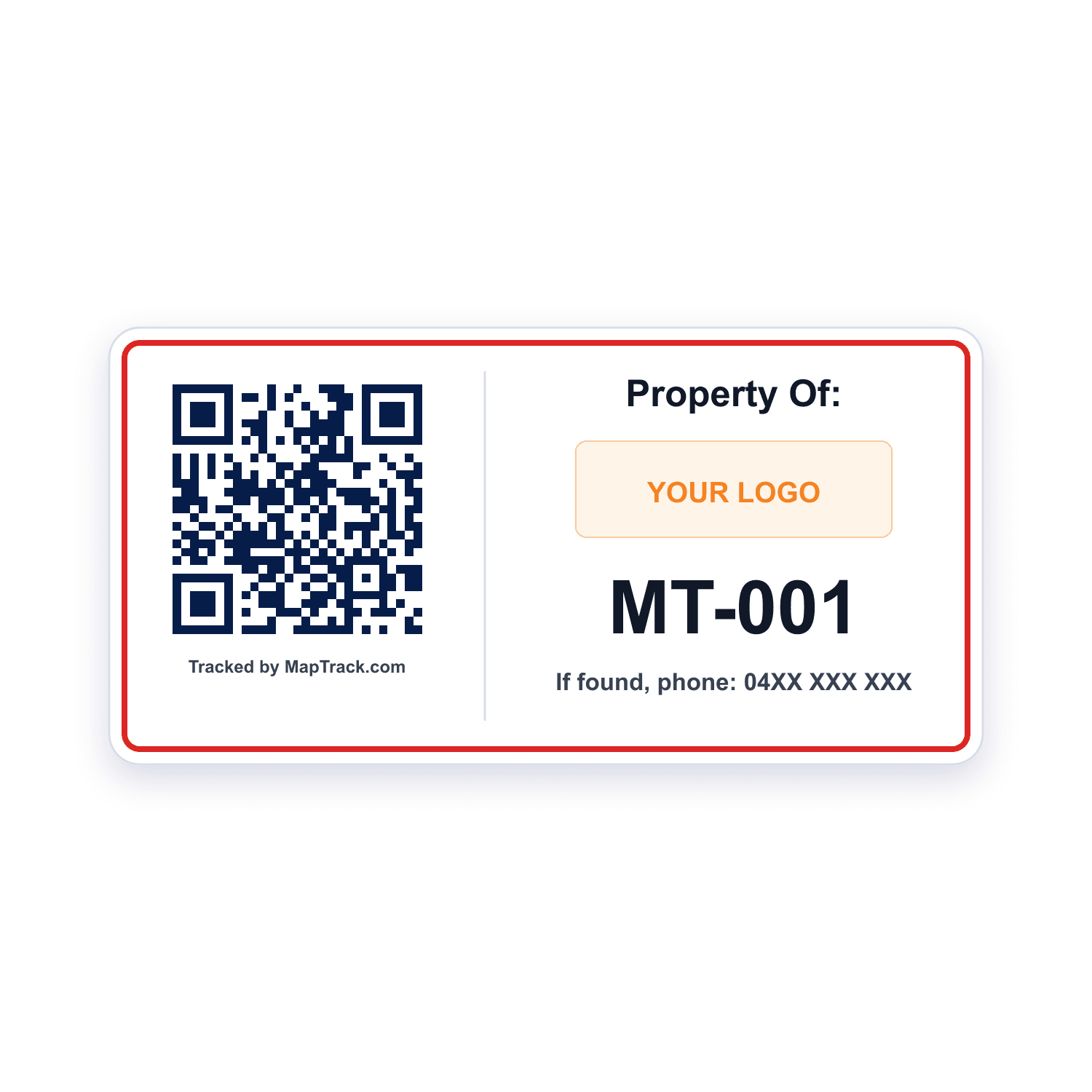
Chain blocks, lever hoists, spreader bars and lifting beams with room for a label
QR labels
- Scan QR, barcode and Data Matrix labels with the phone camera or a handheld Bluetooth or USB scanner to open the item's record
- Print QR labels in MapTrack, order durable labels online, or quote metal tags from the label store
Good to know: A plain scan records no location
Gear that already carries a barcode, or small items that need a tiny code
Barcode and Data Matrix labels
- Scanned with the phone camera or a handheld Bluetooth or USB scanner
- Ordered from your asset list
Good to know: A plain scan records no location
Spreader bars and lifting beams that move between sites and yards
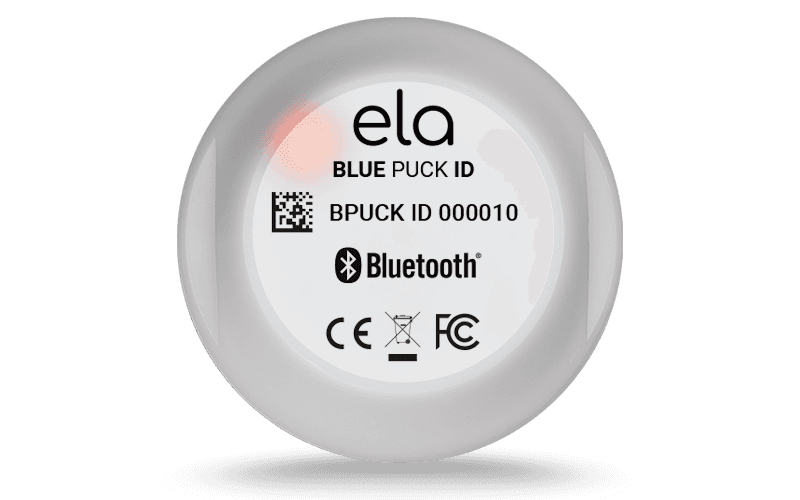
Bluetooth tag
Bluetooth 5.0
- Where it was last seen in MapTrack, updated when a gateway tracker in a truck or the yard picks it up
Good to know: No location of its own: it needs a gateway tracker in range
QR, barcode and Data Matrix labels work anywhere; Bluetooth tags ship within Australia and New Zealand.
One item, one record, one certificate
A shackle gets its own record, its own inspection history and its own status. It is not a note on the crane it happened to be used with that day. The stamped ID, the label and the inspector's certificate all name the same item, so the register and the item agree.
Stamped ID on the gear
Recorded as its identifier or serial, so the register and the gear agree
Bluetooth tag on a beam
Where a spreader bar or lifting beam was last seen, from a gateway tracker in range
QR label where there is room
Scan to open its record, its next inspection and its certificate
Example record
- chain block CB-01, 2 t
- its inspection report attached
- on the Lifting Gear Inspection schedule, on track

The asset register as it opens
Plant, vehicles, tools and safety gear on one register, each with its status, who has it, where it is and its QR tag.
MapTrack app · Demonstration data · Captured
About this screenshot
Demonstration workspace at a 1440 x 900 desktop viewport, the register’s default view, cropped right of the navigation sidebar to a 16:10 frame.
Keep the failed sling visible after the round closes
A lifting-gear inspection round can contain mixed outcomes. Closing the visit should leave a clear result and evidence for every sling, chain or other registered item. Filter by what is due and run a whole inspection round as one job, with a separate result recorded against every item: one work order across every sling, block and shackle due, so forty passes and one reject never become one passed job.
- Match the identifier, complete the procedure and retain the individual outcome and photos. Keep the rejected item distinguishable from gear that passed.
- Reopen the completed job and inspect each failed or incomplete asset. Arrange the appropriate repair, replacement or retest and retain the evidence on the individual record.
- A person raises the round from the schedule in a couple of clicks, for one item or a batch; a date never raises it on its own
- Each entry records the result (passed, failed or skipped), who did it and when
Setup and limits
- Use the procedure and competent person required for the equipment. Recording a result does not itself establish certification or fitness for use.
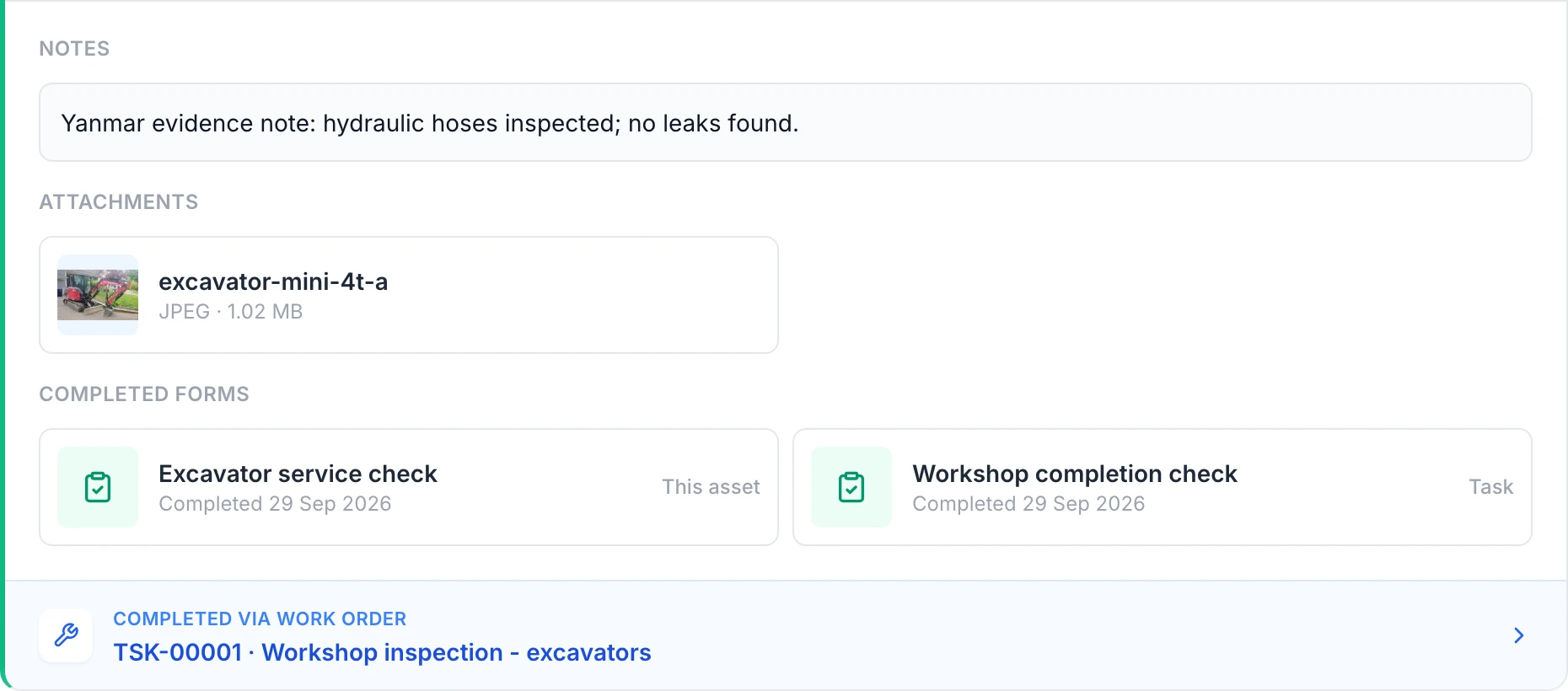
Read the first asset’s evidence
The Yanmar history shows its own note, photo and asset form. The Workshop completion check is shared task evidence. Both forms can be opened from this service record.
MapTrack app · Demonstration data · Captured
About this screenshot
Completed demonstration work order covering two excavators. This asset’s history and both linked form answers were reopened and checked independently.
Lifting gear inspection rules come from the WHS Regulations, your maker's instructions and your competent person, and they differ by state, by site and by gear. MapTrack keeps the record: what the item is, its WLL, who inspected it, when, the result, the certificate and when it's next due. Under the model WHS Regulations, plant is inspected by a competent person following the maker's recommendations; if there are none, a competent person's; and if neither is practicable, every year. State laws and regulators add their own detail: SafeWork NSW and WorkSafe Victoria advise checking soft slings before every use and having a competent person inspect them at least every three months; WA's mines regulator says the same for round slings.
Due dates you see before the lift
Know the gear is in date before the pick
Register every item that takes load, set the interval, and let the crew check status by scanning it. Record the working load limit, the inspection interval you have set and the next date due, then put each item on a schedule at the interval your maker, inspector or site sets: the Service Board shows what's overdue, due soon and on track.
- Intervals come from the standard, the manufacturer and how hard the gear works. MapTrack holds the one you set and alerts before it lapses: the person assigned to the schedule gets an email when an inspection falls due within 7 days.
- Filter the register by what is due, get alerted before it lapses (the person assigned to the schedule gets an email when an inspection falls due within 7 days), and turn a period of due items into one inspection round rather than a scramble.
- Next inspection due, and a status the crew can see before they rig.
One certificate, many assets
Inspection certificates and results on each item
Lifting gear is the part of the fleet that is hardest to keep honest. The crane has a service record and an owner. The slings, shackles, chain blocks and lifting beams sit in a container, move between crews and sites, and get inspected by a third party who sends back one PDF covering forty items. Somebody files that PDF. Six months later nobody can say which sling it covered, whether the quarantined one went back into service, or what is due next month.
- Attach the inspector's certificate to each item it names. A single third-party report covering many items can be attached to each one it names, so the proof sits with the gear.
- Third-party inspectors return one PDF covering a batch. That report can be attached to each item it names, which is how the evidence survives the next audit.
- The third-party certificate lives on the item it certifies, and on the inspection entry it came from
- The maker's instructions, photos of damage or wear and the purchase invoice on the same record
Quarantine is a status, not a shelf
Change status when gear is quarantined so it stops showing as available. Mark failed gear out of service on the register so the next crew sees it before they reach for it, and keep the reason on the record. In MapTrack that status is Damaged: nobody can check the item out until someone changes it back, and Written off is for gear that's destroyed. Tag it out on the rack too: MapTrack changes the record, not the sling.
- Failed gear stops appearing as available across every site, so a crew in another yard cannot reach for it by accident: marked Damaged or Written off, it can't be checked out
- If an item's inspection is overdue, MapTrack flags it when someone checks it out or books it, and records it if they go ahead
- See who has each item, which site it's on and when it's due back
- Confirm a spreader bar's shackles or a hoist's hook go out and come back with it, with a reason for anything missing
- Book a chain block or spreader bar ahead for a lift, approve it and turn it into a check-out
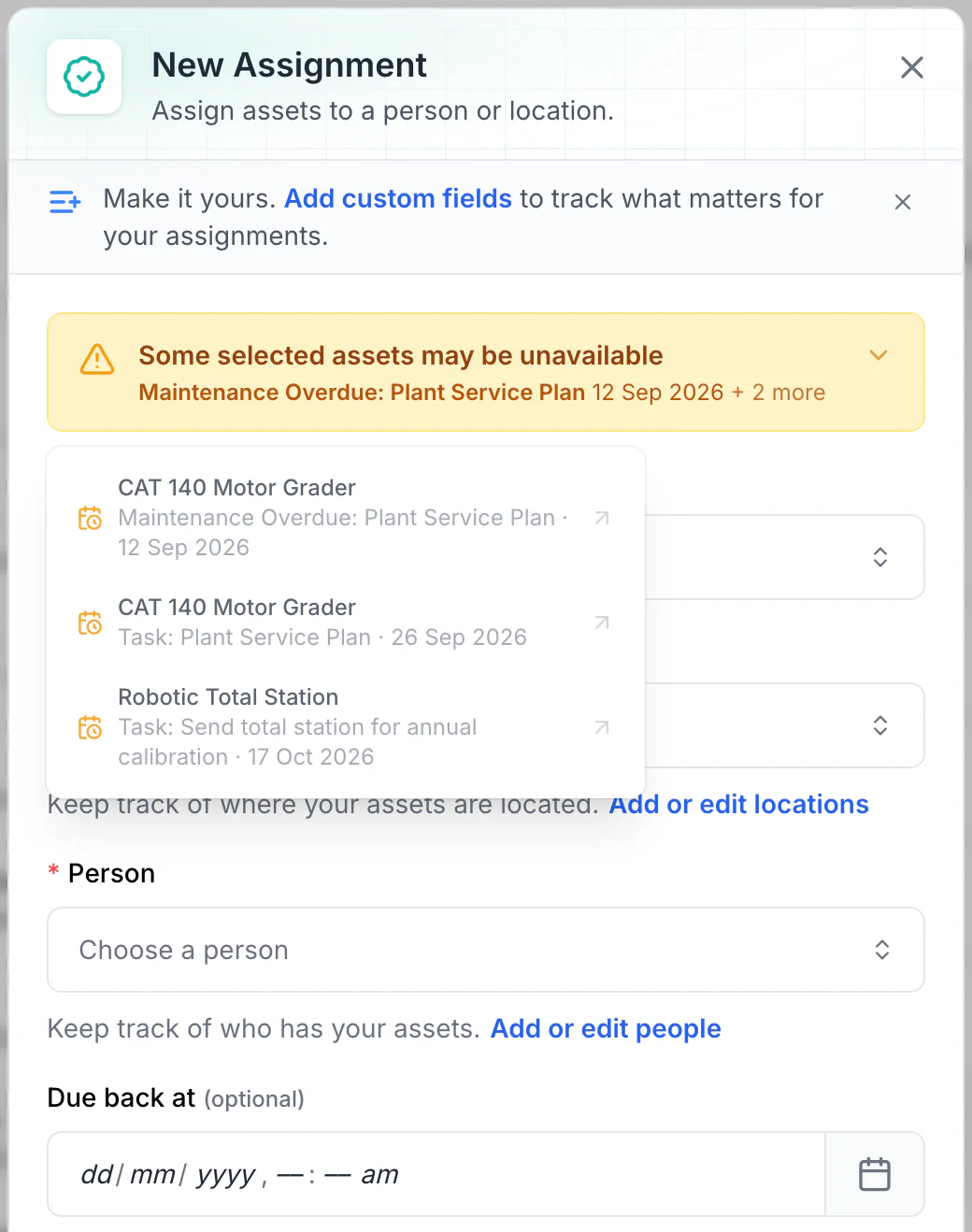
Read the warnings before issuing equipment
Overdue maintenance and scheduled tasks show as amber warnings. No due-back date is set here, so every upcoming conflict is listed. With a due-back date, only tasks before it are listed: a 15 October due-back leaves out the total station’s 17 October calibration.
MapTrack app · Demonstration data · Captured
About this screenshot
Demonstration workspace. Two assets selected and Assign opened; the form was not saved.
Pre-use checks and field inspections on a phone
Open the right record by scanning its label, record the result and add a photo of any damage or wear you find. Build the pre-use check your site runs before a lift, with Pass or Fail, photos and a signature, and the crew completes it on the phone.
- A Fail opens a fault note and photo
- A rule you set up can raise a linked repair task, and the Fail stays on the record beside the repair
- Checks submit offline and sync later; the completed check downloads as a PDF
- Each rigger's and dogger's licence expiry on their person record, with a VOC form signed off
Setup and limits
- MapTrack doesn't check who rigged what.
Crane inspection software on the same register
Cranes keep their own record on the same register as the slings, shackles and hoists they lift with: the crane's inspection schedule, its annual and major inspection dates, its certificates and its service history all sit on the crane.
- Hour-based services on a tiered plan; a meter reading can raise the work order on an automatic schedule
- The operator's VOC form signed off on their person record, with their licence expiry beside it
- The crane's pre-use check and fault photos on its own record
Rigging stores, containers and sites
Stocktake the rigging store or the container by scanning, and at the end choose Mark Missing or Skip All for anything that wasn't scanned. Slings and shackles get borrowed between crews, so the count is what keeps the register honest.
- See where an item was last checked out or returned
- A Bluetooth tag on a spreader bar or lifting beam updates where it was last seen when a gateway tracker picks it up
- Import the register from a spreadsheet, then attach the certificates
Inspection firms and their invoices
Keep the inspection firm as a vendor and set it as the schedule's preferred vendor. Record its invoice as an external cost on the inspection, or break a cost into labour, parts and external.
- Labour, parts and external costs on each service record
- The register stays yours when the inspection firm changes
Lifting gear register and inspection records
If you're starting on paper or a spreadsheet, these are the register and the inspection records for each kind of gear.
- Lifting equipment register
- Lifting gear inspection register (AS 4991)
- Lifting equipment inspection checklist
- Hoist inspection checklist
- Chain hoist inspection checklist
- Synthetic sling inspection checklist
- Lifting shackle inspection checklist
- Spreader bar inspection checklist
- Crane rigging inspection checklist
How to inspect lifting equipment
Start a free trial and keep your lifting register in MapTrack
The standards lifting work sits under
Inspection intervals, competent-person requirements and record obligations for lifting equipment come from the instrument that applies where you work, and from the manufacturer. In Australia that is usually the WHS Regulations together with the AS 2550 and AS 1418 series; in Great Britain it is LOLER. Read the current text rather than a summary, including ours.
Check the current source
- Model WHS Regulations (Safe Work Australia)
- Lifting Operations and Lifting Equipment Regulations 1998 (LOLER)
- AS 1418 series, Cranes, hoists and winches (Standards Australia listing)
- AS 2550 series, Cranes, hoists and winches, safe use (Standards Australia listing)
MapTrack keeps the records these standards ask you to keep. It does not certify your work or make you compliant, and the current text of each instrument is the authority.
Common questions
Put your lifting register on one platform
Join construction, mining and field service teams across Australia.
4.9 on G2 · 5.0 on Capterra, GetApp & Software Advice
- No credit card required
- 30 days free trial
- Cancel anytime