
Site containers
Site container tracking, and every tool checked into it
Which container the tools are in, who took what out, whether it all came back, and where the container itself has gone.

How MapTrack runs the tool store in each container
The container as a place tools are checked into, the stocktake before it moves, the box itself as an asset with its own tracker, and the gang box that goes out with a crew.
The short answer
MapTrack treats each site container, shed or gang box as a location you check tools into. The crew scans tools out and back on a phone, the container's record lists what's at it, and an audit before it moves shows what wasn't scanned. A battery GPS tracker on the box puts its latest position on its record.

Co-Founder & GM of Operations
Key takeaways
- Set each site container, shed or gang box up as a location in MapTrack, typed Storage, and check tools out to it as you would to a person.
- The container's own record lists the tools at it, the stock held in it, and its Requests, audits, forms and files.
- Run an audit on the container before it leaves a job and when it lands, then choose Mark Missing or Skip All.
- A container that moves between jobs can be an asset too, with its own QR label, battery GPS tracker, photos and files.
- The app shows the container's latest position; live GPS, trips, history and boundary alerts run in MapTrack Telematics, an optional add-on.
What MapTrack covers for each container, shed and gang box
- Tools checked in and outEach container is a location tools are checked out to
- Container stocktakesAudit it before it moves, then Mark Missing or Skip All
- Labels, tags and trackersQR labels, Bluetooth tags and battery GPS trackers
- Containers, sheds and gang boxesEach kind of tool store, set up the way it is used
- Gang boxes and rigger boxesOne asset, its contents confirmed out and back
- Where the container wentIts latest position in the app; live tracking in MapTrack Telematics
- Condition checksOn the phone, with photos and where it was done
- Due datesChecks fall due, with an email 7 days out
- Photos and papersThe hire agreement and the chemical register on its record
- Rate cards and costsAn add-on on Pro and Enterprise plans
Trusted by construction, mining and field service teams















Customer proof
What customers say about their tool stores
“Thanks to MapTrack we know exactly where our gear is, who has it and when it needs servicing.”
Plumbing and drainage contractor
“And now with MapTrack we know where everything is. We know when people swap tools between one another. Everything gets moved digitally.”
Mining
“MapTrack streamlines tracking and asset servicing across mine shutdowns - simple, reliable, and effective.”
- From the published story: The end-of-shutdown reconciliation - previously a multi-day exercise - is now completed in hours.
Each container as a place tools are checked into
Set each site container, shed or gang box up as a location in MapTrack, typed Storage, and check tools out to it the same way you'd check them out to a person, a site or the crew's ute. Assign to a person, a location, or both. Set the container up as a zone inside the site it sits on, so the site shows its containers and each container shows its tools. The crew scans a tool out to the person taking it, and returns it to the container when it comes back.
- The container's own record lists the tools at it, the stock held in it, and its Requests, audits, forms and files
- Each check-out can carry a due-back date, and overdue check-outs get a reminder email
- A tool's batteries, chargers and attachments are confirmed out and back, with a reason for anything missing
- A tool with an overdue test, calibration or service is flagged at check-out, and going ahead is logged; a Damaged or written-off tool is blocked
- The map shows a tool's GPS fix if it has a tracker; without one, where it was last checked out or returned
- Consumables and spares held at the container as stock, with quantities and a minimum, issued on a check-out to come back or be used on the job
- Book tools ahead for a job with Requests, approve it, and fulfil it by scan
- A tablet left in the shed runs in workstation mode, each person with their own 4-digit PIN
Setup and limits
- Check-outs, returns, audits and Requests need a connection
- A Bluetooth tag helps only the tools that carry one
- A Bluetooth detection updates where a tagged tool was seen; it doesn't check the tool in or out
- For power tools, batteries and chargers, see contractor tool tracking
- For check-outs between people and places, see equipment custody
- Comparing systems? See tool tracking software
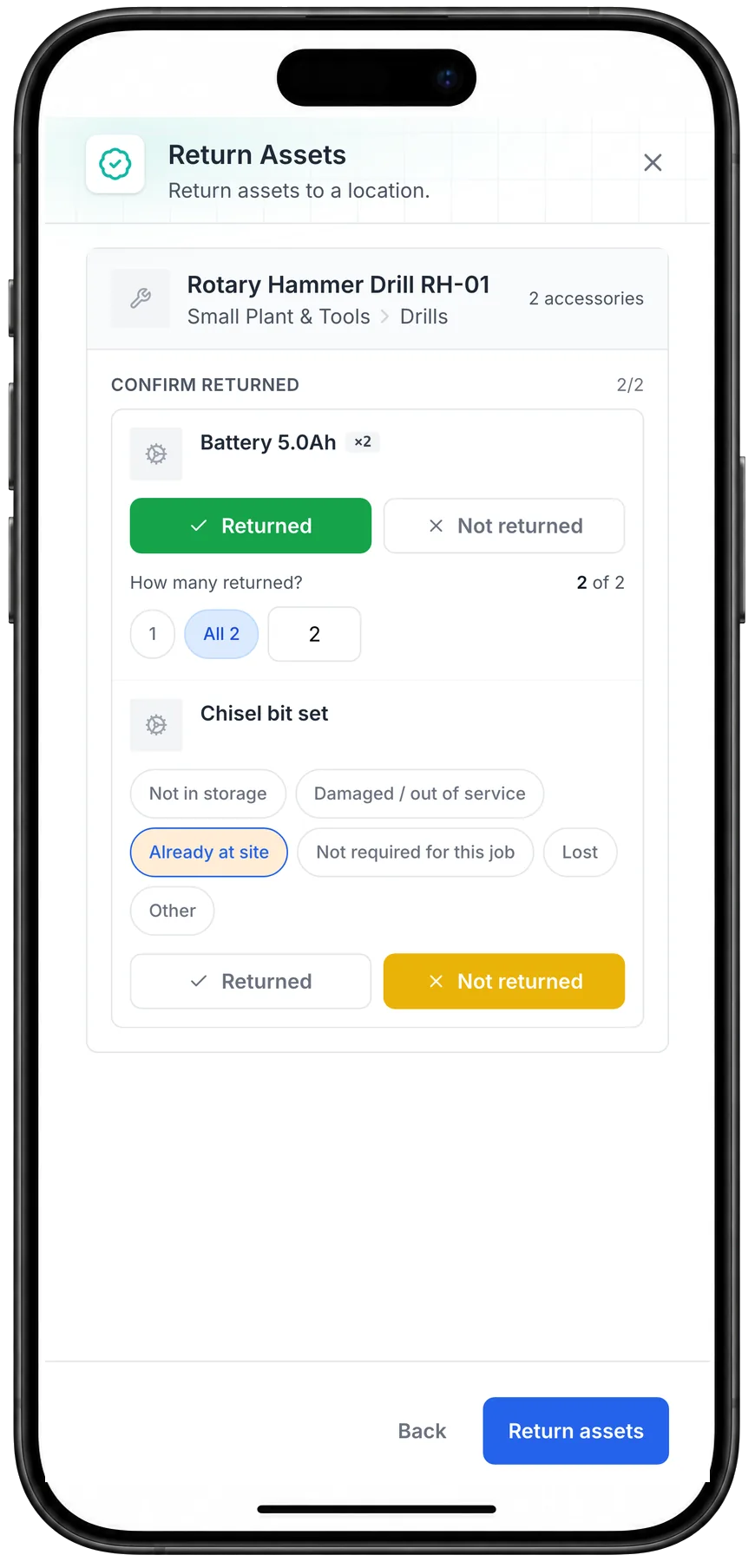
A drill returned, its accessories confirmed back
Returning a drill on a phone: both batteries confirmed back, and the chisel bit set marked Not returned, with the reason Already at site.
MapTrack app · Demonstration data · Captured
About this screenshot
Captured at a 430 x 932 phone viewport in a demonstration workspace, returning the drill to its container.
Stocktake the container before it moves
Run an audit on the container in MapTrack before it leaves a job and again when it lands. Everything that should be there is listed, the crew scans what's there, and anything scanned that wasn't expected shows as discovered. At the end you choose Mark Missing, which marks the tools left unscanned as Missing, or Skip All, which leaves the records as they are.
- Results show as Scanned, Discovered, Missing and Unscanned
- Each audit records where each scan was done, on the audit's own record
- Overdue audits get a reminder email
Setup and limits
- An audit needs a connection
- For stocktakes across every site and store, see asset audits
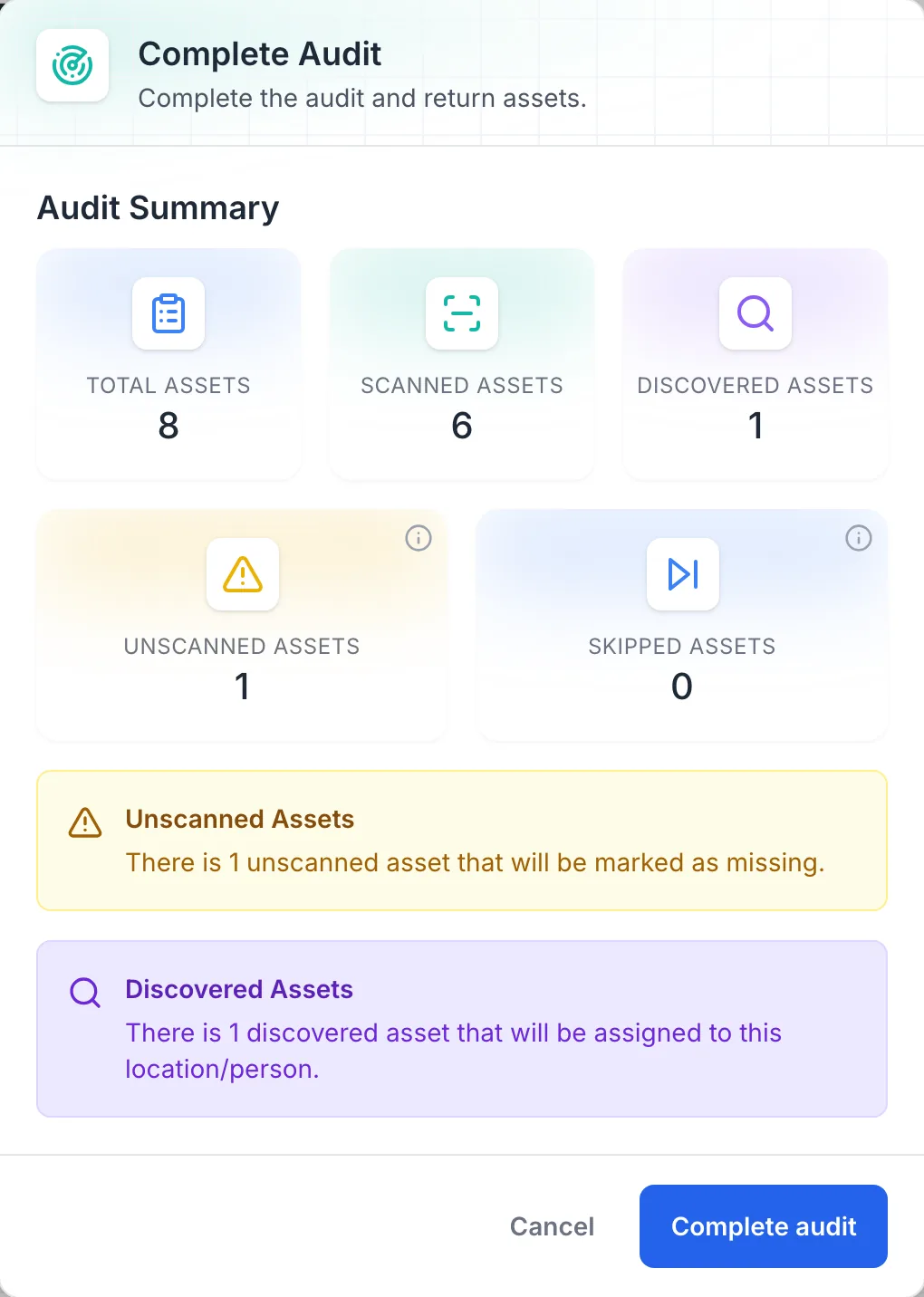
A container stocktake, ready to complete
Completing a container’s audit: 6 of 8 tools scanned, 1 found that wasn’t expected, and 1 unscanned that will be marked as missing.
MapTrack app · Demonstration data · Captured
About this screenshot
Demonstration workspace at a desktop viewport, completing a location audit of Container CT-01.
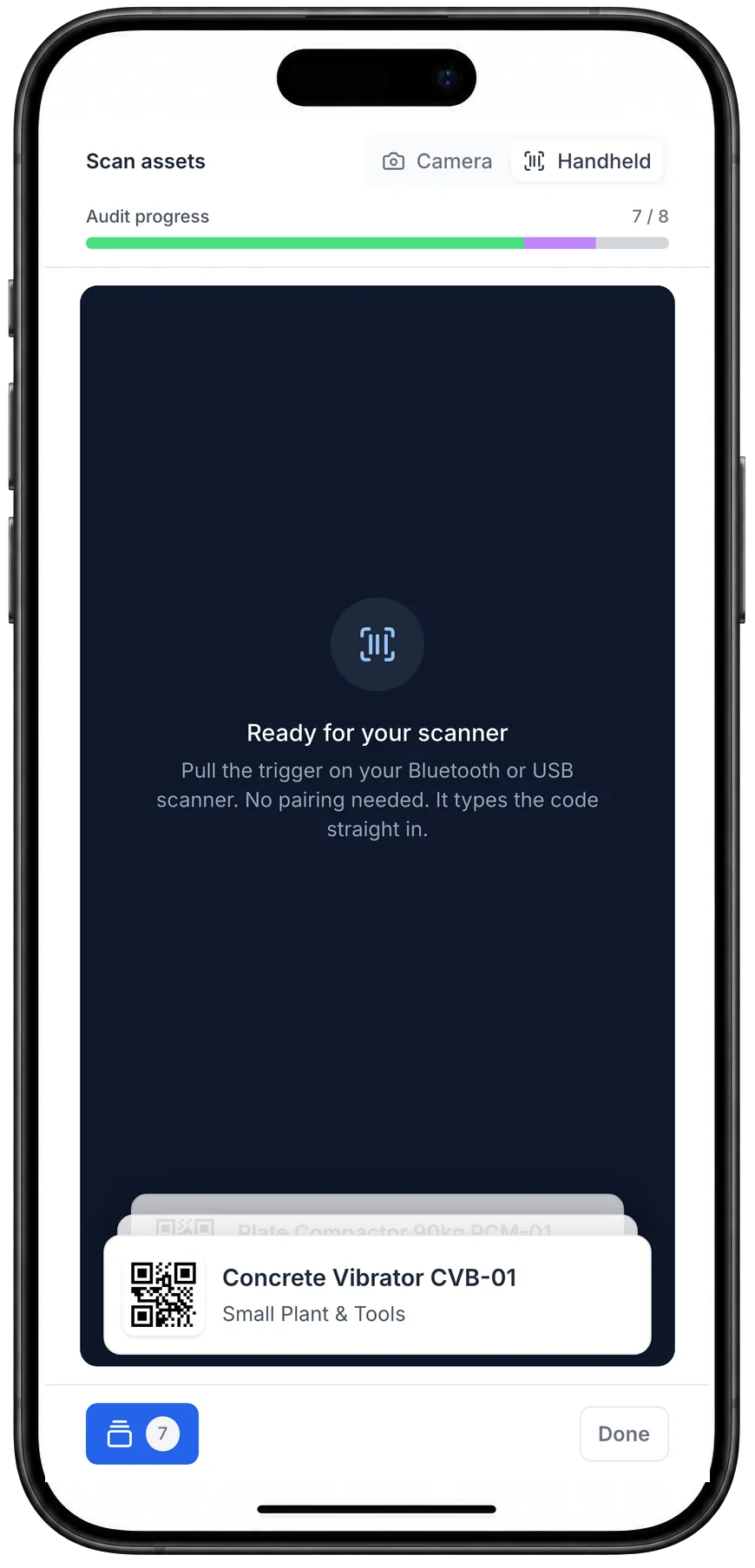
Scanning a container’s tools with a handheld scanner
The container’s audit on a phone in Handheld mode, 7 of 8 scanned, with the last tool scanned on top of the stack.
MapTrack app · Demonstration data · Captured
About this screenshot
Captured at a 430 x 932 phone viewport in a demonstration workspace, during the audit of Container CT-01.
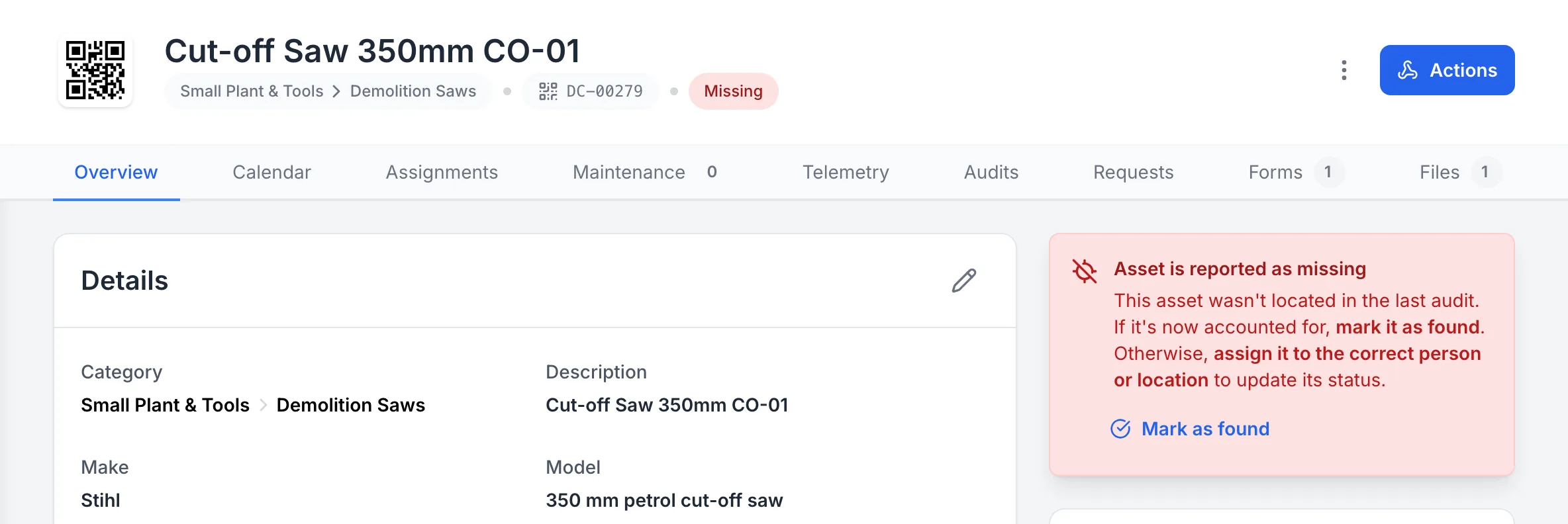
The tool left unscanned, marked Missing
The cut-off saw nobody scanned in the container’s audit, now marked Missing on its own record, with Mark as found one click away.
MapTrack app · Demonstration data · Captured
About this screenshot
Demonstration workspace at a 1440 px desktop viewport on the saw’s Overview tab, cropped right of the navigation sidebar.
Pick the right label, tag or tracker for each container
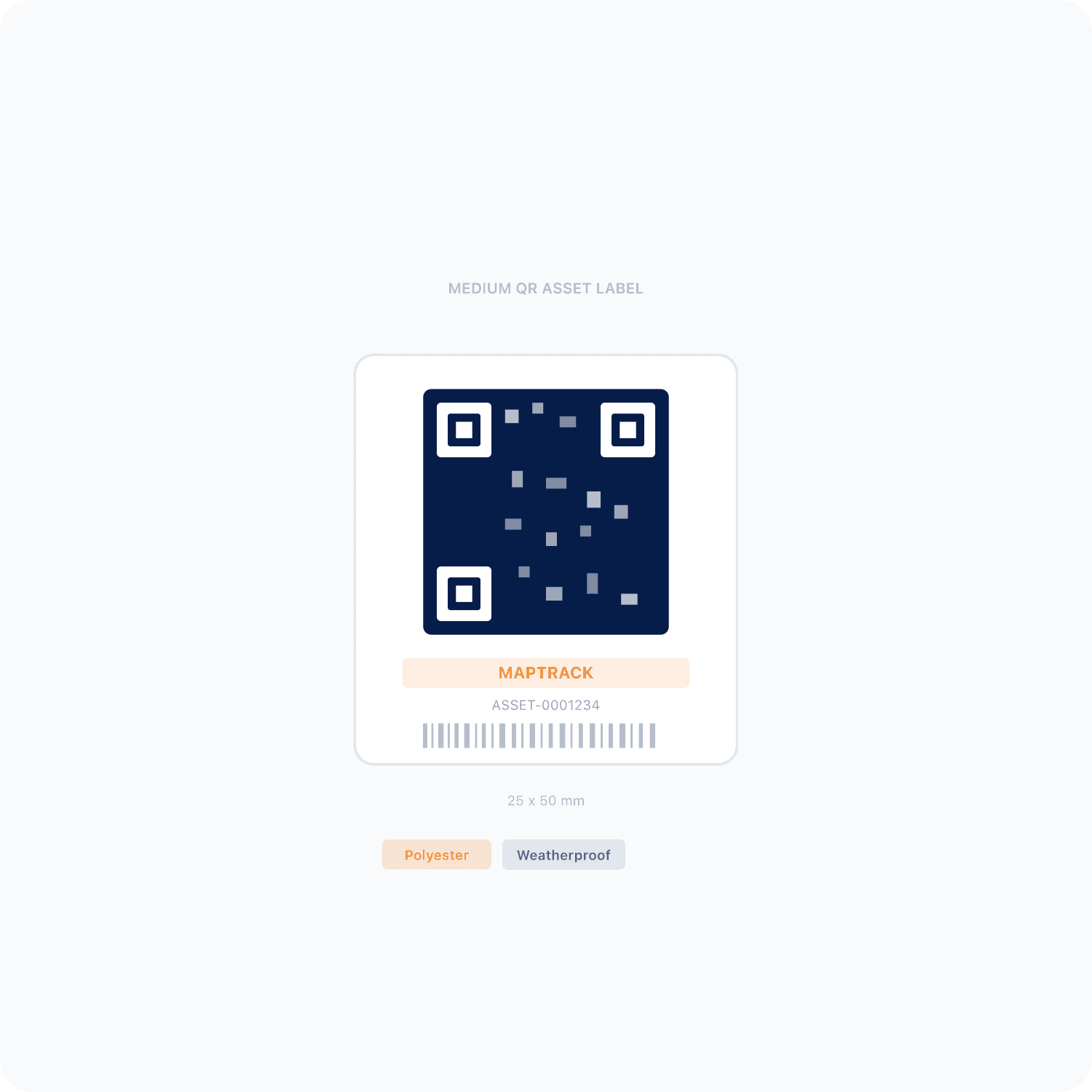
Most yards mix a few of these. Every container, shed and gang box gets a QR label on the door and every tool in it gets one too. A container that moves between jobs can carry a battery GPS tracker, and the high-value tools kept in it can carry Bluetooth tags that a gateway tracker picks up.
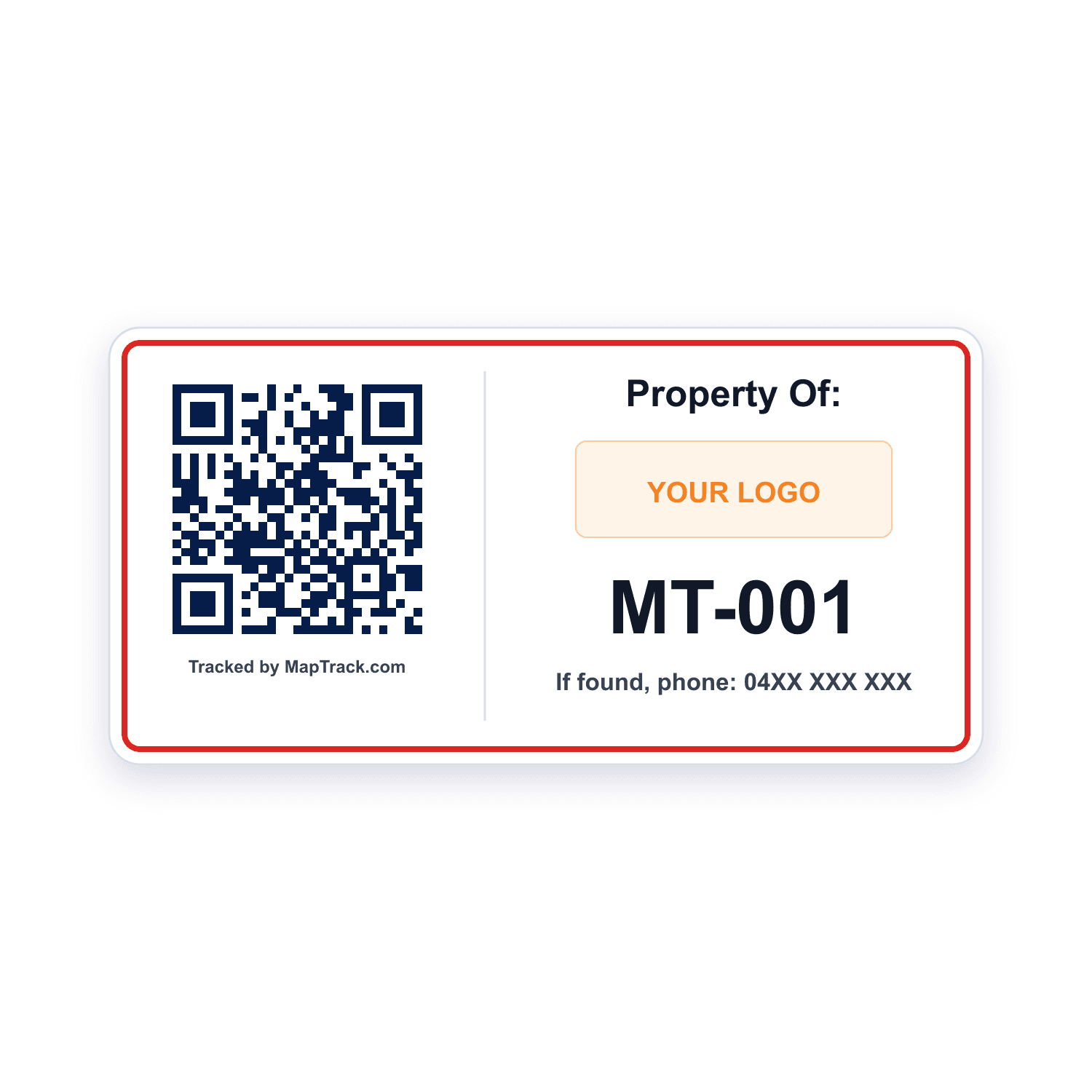
Every container, shed and gang box, and every tool kept in it
QR labels
- A label on the container door opens the container's asset record
- A label on each tool, scanned to check it out and back in
- Scan QR, barcode and Data Matrix labels with the phone camera or a handheld Bluetooth or USB scanner
- Container stocktakes by scan
Good to know: A plain scan records no location
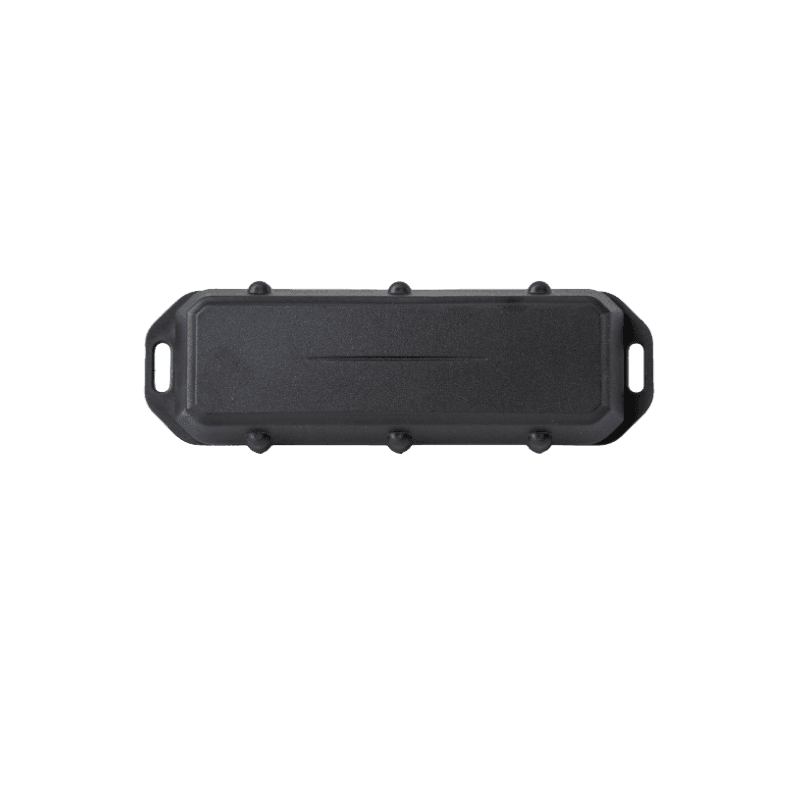
Containers and sheds that move between jobs on a truck
Battery GPS tracker (Barra Edge)
- No wiring
- The container's latest position on its asset record
- The tracker's battery level in MapTrack
Good to know: It tracks the box, not the tools in it
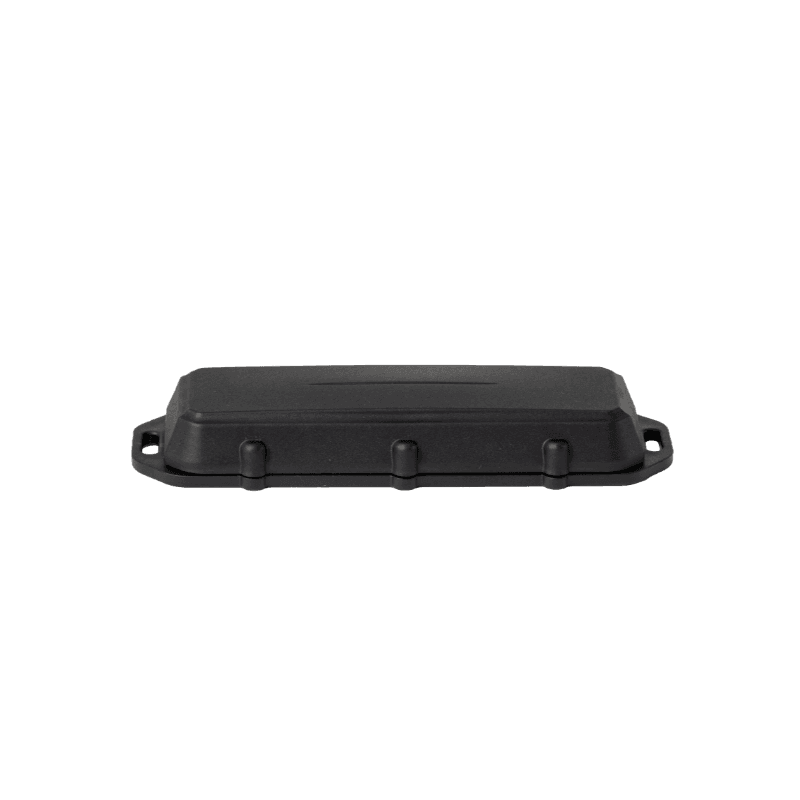
Sheds and containers on a skid or trailer, towed between jobs
Battery GPS tracker (Barra GPS)
- No wiring
- The shed's latest position on its asset record
- The tracker's battery level in MapTrack
Good to know: It tracks the box, not the tools in it
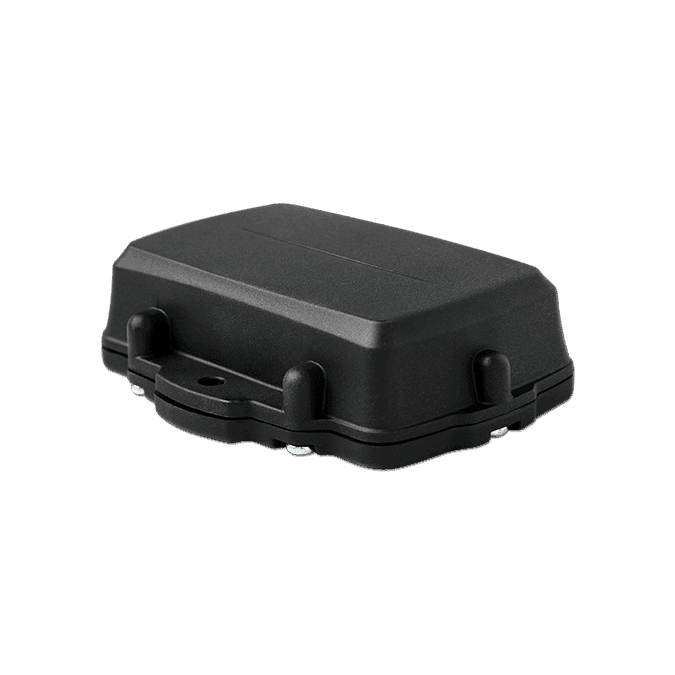
A container holding high-value tools that carry tags
Gateway tracker for tagged tools (Oyster Edge)
- The container's latest position on its asset record
- Picks up Bluetooth tags on the tools kept in the container, and each tool's location updates in MapTrack
Good to know: Tagged tools update only while they're in range of the tracker
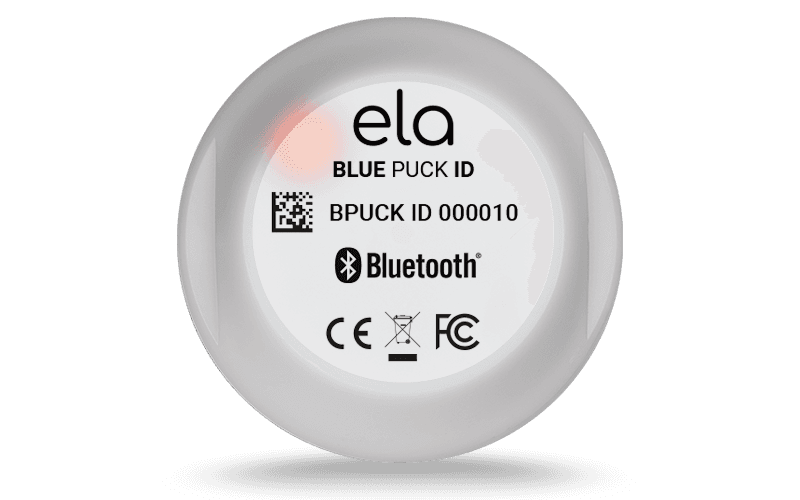
High-value tools, and a gang box that rides in the ute
Bluetooth tag
- The tool's location in MapTrack, updated when the container's Oyster Edge picks it up
- A gang box's location, updated when the G70 or Dart3 in the ute that carries it picks it up
Good to know: It has no GPS of its own, so it needs a gateway tracker such as an Oyster, Remora3, G70 or Dart3 nearby
Our trackers ship within Australia and New Zealand; elsewhere we connect your existing trackers with you.
What it costs
MapTrack is priced per asset, and the plans are on the pricing page. Trackers, QR labels, install and freight are quoted with your order, after a short setup call so each asset gets the right tracker.
Site containers, sheds and gang boxes
Each kind of tool store is set up the way it's used: a place the tools are kept, a box that moves, or a box that goes out with a crew.
Site containers on a job
A location, typed Storage, as a zone of the site it sits on
- Tools checked out to it and returned to it
- Consumables and spares as stock, with a minimum
- Stocktakes by scan before it moves
Containers that move between jobs
An asset too, with a QR label on the door and a battery GPS tracker
- Photos, files and its own forms
- Its latest position on its record
- A second record, the location, for what's in it
Site sheds and tool stores in the yard
A location, with a shared tablet for the crew
- Workstation mode, each person with their own 4-digit PIN
- Check-outs and returns by scan
- Stocktakes of the whole store
Gang boxes and rigger boxes
One asset with its contents listed, out with the crew
- Contents as accessories, each with a quantity
- Checked out to the leading hand
- Confirmed back, with a reason for anything missing
One container, tagged three ways
A QR label on the door, Bluetooth tags on the tools that matter most and a battery GPS tracker on the box. Each one lands on a record in MapTrack.
QR label on the door
Scan it to open the container's asset record
Bluetooth tags on the two most valuable tools
Picked up by the gateway tracker in the container, so each tool's location updates
Battery GPS tracker on the box
Its latest position on the container's asset record
Example record
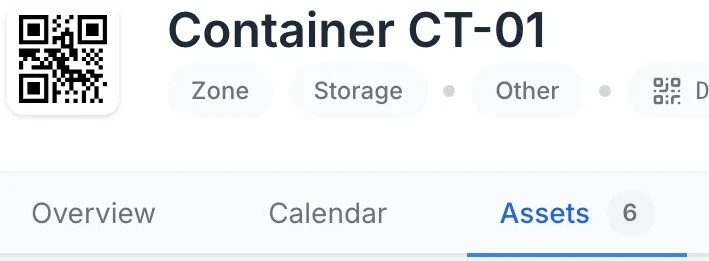
- site container CT-01, a location typed Storage
- the tools checked out to CT-01 and the stock held in it
- CT-01 as an asset too, with its tracker, photos and files
Gang boxes and rigger boxes that go out with a crew
A gang box or rigger box that goes out with a crew can be one asset in MapTrack, with its contents as accessories, each with a quantity. Check it out to the leading hand, and on return each item is confirmed back, with a reason for anything missing. A Bluetooth tag on the box is picked up by the G70 or Dart3 in the ute that carries it.
- Contents listed as accessories, each with a quantity
- Checked out to the leading hand, with a due-back date
- Each item confirmed back on return, with a reason for anything missing
- A Bluetooth tag on the box, picked up by the ute's G70 or Dart3
Setup and limits
- Tools can sit under a container's or box's asset record as sub-assets, but a sub-asset keeps no custody history, so check tools out to the container's location instead
- For the ute that carries the gang box, see ute and van tracking
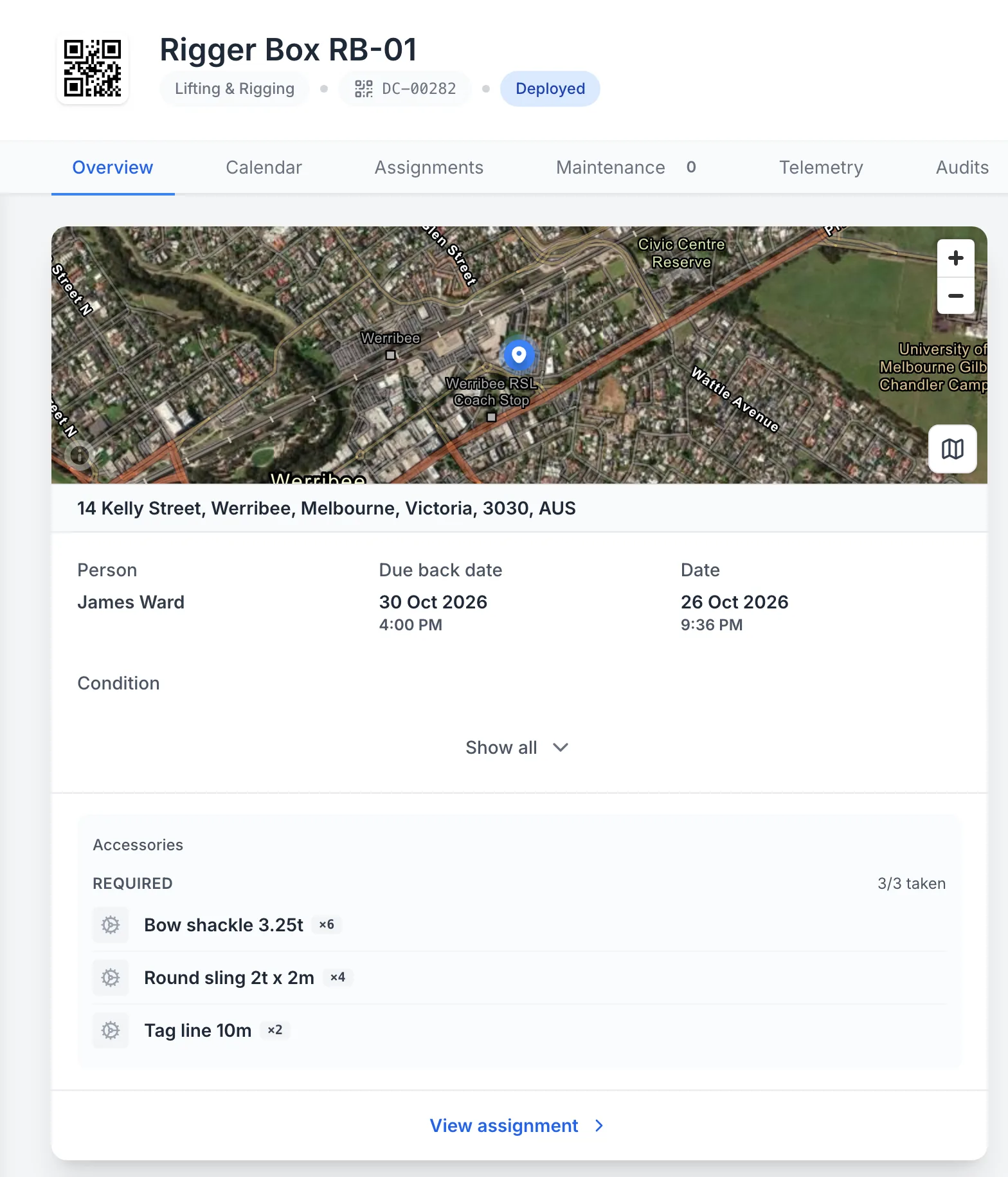
A rigger box out with a crew, its contents taken
A rigger box checked out to a person with a due-back date, its contents listed as accessories with their quantities, all three taken.
MapTrack app · Demonstration data · Captured
About this screenshot
Demonstration workspace at a desktop viewport on the rigger box’s Overview tab, cropped to its current assignment.
Where the container itself has gone
Draw each site's boundary on its map in MapTrack and see the containers and gear there. A container with a battery GPS tracker shows its latest position on its record. Live GPS tracking, trips and history, and alerts when a container enters or leaves a boundary, run in MapTrack Telematics, an optional add-on from the same vendor and account.
- Draw the yard and each job site once, then see the containers at each
- Alerts when a container enters or leaves a boundary come from MapTrack Telematics
Setup and limits
- The MapTrack app shows the latest position; live tracking, trip history and boundary alerts are MapTrack Telematics
- A container location's pin stays where it was set; a person updates it when the container moves
- For the trailer a shed or container rides on, see GPS trackers for trailers
The container's condition check, on the phone
Run a condition check on the container from a phone, with photos, and it's saved against the container in MapTrack. Each form records where it was submitted, with a map pin and street address, and suggests the geofenced site the phone is inside.
- Photos saved with the check
- A rule you set up can raise a linked task for a failed answer, recorded apart from the original answer
- With no reception, the form submits offline and syncs once the phone is back in range
- For the extinguishers and first aid kits kept in a shed, see fire extinguisher inspections
- For the leads, chargers and corded tools kept in a container, see test and tag
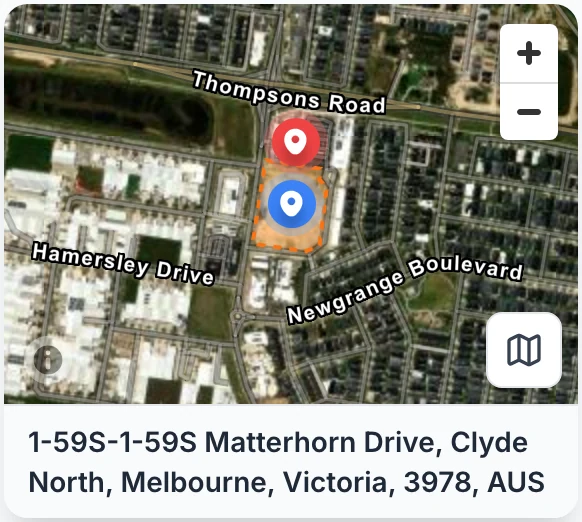
Where the pre-start was submitted
The saved pre-start pins where it was submitted and gives the street address. The map also draws your site geofences, so you can see the check was done inside the site boundary.
MapTrack app · Demonstration data · Captured
About this screenshot
Captured at a 1440 x 900 desktop viewport at 2x from the saved submission and cropped to its location card. For the demonstration, the phone’s location was set inside the Clyde North Stage 4 geofence.
Due dates for the checks on each container
Give the container's condition check a due date and MapTrack puts it due soon, then overdue, and the person assigned gets an email 7 days out. A tool kept in the container keeps its own service, test and tag or calibration dates on its own record.
- A due date on each check, with an email to the person assigned 7 days out
- Overdue check-outs and overdue audits get a reminder email too
- A tool with an overdue test, calibration or service is flagged when someone checks it out of the container
There's no service interval to list for a site container here. Under Australia's model WHS laws a container counts as plant (Victoria runs its own OHS laws), so what to inspect, and how often, is your call and your competent person's. MapTrack holds the check you set up, its photos and its due date.
Photos, papers and registers on the container's record
Keep the container's photos, the hire agreement and any modification paperwork on its record in MapTrack, along with the chemical register and safety data sheets for what's stored in it.
- Photos and files a tab away from the container's check-outs and forms
- The hire agreement and any modification paperwork
- The chemical register and safety data sheets for what's stored in it
Setup and limits
- MapTrack doesn't keep or check the hazardous chemicals register; file it on the container's record
- For the register itself, start from the chemical register template
Rate cards and the cost ledger
Hire rate cards, an add-on on Pro and Enterprise plans, hold daily, weekly and monthly rates by category or by container, and the hire cost is recorded when it comes back.
- Finance, an add-on on Pro and Enterprise plans: a cost ledger for every asset, location and person, with budget against actual and depreciation, and CSV export
The rules a site container sits under
In Australia, the WHS Act's definition of plant includes any container, so a site container counts as plant, and what's stored in it can bring its own duties under the model WHS Regulations. Leads, chargers and corded tools kept in it stay on their own test and tag schedule, and an overdue one is flagged when someone checks it out. Victoria runs its own OHS Act and Regulations. MapTrack keeps the records; the judgement stays yours.
Check the current source
- Model WHS Regulations (Safe Work Australia)
- Model Work Health and Safety Act (Safe Work Australia)
- AS/NZS 3760:2022, In-service safety inspection and testing of electrical equipment (Standards Australia)
MapTrack keeps the records these standards ask you to keep. It does not certify your work or make you compliant, and the current text of each instrument is the authority.
Free sign-out, stocktake and site check templates
Sign-out registers, handover and transfer forms, stocktake sheets, site checks and the inspections for the gear kept in the shed. Print them, or run them on the phone in MapTrack.
- Tool sign-out / return register
- Tool handover checklist
- Asset transfer form
- Tool audit checklist
- Tool inventory and stocktake form
- Tool store inventory checklist
- Asset stocktake sheet
- Asset audit & stocktake checklist
- Construction site equipment checklist
- Monthly site inspection checklist
- Power tool inspection checklist
- AS/NZS 3760 test and tag record
- Fire extinguisher inspection checklist
- First aid kit inspection checklist
Common questions
How do we keep track of which tools are in each site container?
Can we stocktake a container at the end of a job?
Can we put a GPS tracker on a site container?
Does MapTrack know what's in the container?
Is a site container a location or an asset in MapTrack?
Can a gang box go out with a crew with everything in it?
Can the guys check tools out of the container without a login each?
What happens when a tool that's overdue for test and tag is taken from the container?
Can we keep consumables in the container too?
Can MapTrack tell us if someone breaks into a container?
Can we track shipping containers with MapTrack?
Do we need to keep a chemicals register for what's stored in a site container?
Does a site container need inspecting under WHS law?


“MapTrack has completely transformed how we manage our tools, equipment and fleet.”
Scott Bradley
Managing Director at Specialised Plumbing and Drainage
See your site containers in MapTrack
Book a demo to walk through your containers, sheds and gang boxes in MapTrack, from the first check-out to the stocktake before the container moves.