
Preventive maintenance scheduling
Plan preventive maintenance around each asset
Set time or meter intervals, review due services and choose how work orders are raised. Meter readings can raise work orders automatically. Date-based services show as due soon and email the person assigned; raise the work order in a couple of clicks or test the supported rule you set.
Get pricing4.9 on G2 · 5.0 on Capterra, GetApp & Software AdviceNo credit card required

Read how these teams run MapTrack









Co-Founder & GM of Operations
Schedules, due services and work orders
- Service Board
- due-soon visibility
- One platform
- tracking + planning
- Flexible triggers
- schedule + meter
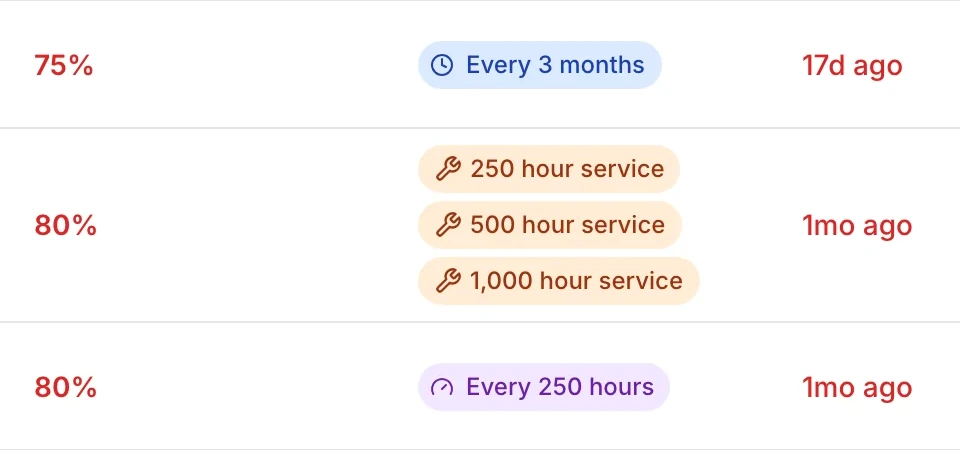
Set service intervals (e.g. every 250 hours, 10,000 km, or 90 days) per asset type and review what is due on the Service Board.
MapTrack app · Demonstration data · Captured
See the schedules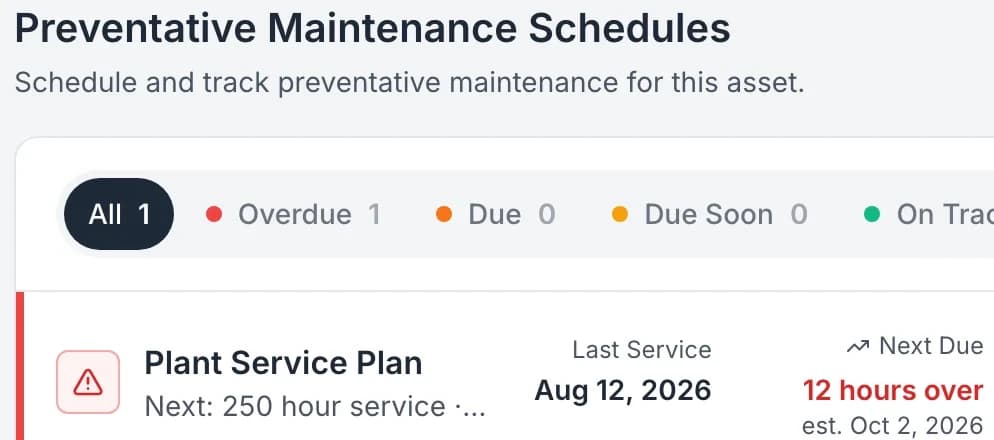
MapTrack shows service due and overdue on the asset and in planning views.
MapTrack app · Demonstration data · Captured
See service due on the asset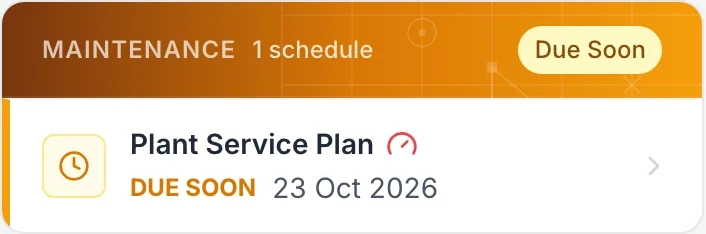
Due-soon and overdue visibility so you schedule work before assets fall out of compliance.
MapTrack app · Demonstration data · Captured
See due-soon visibility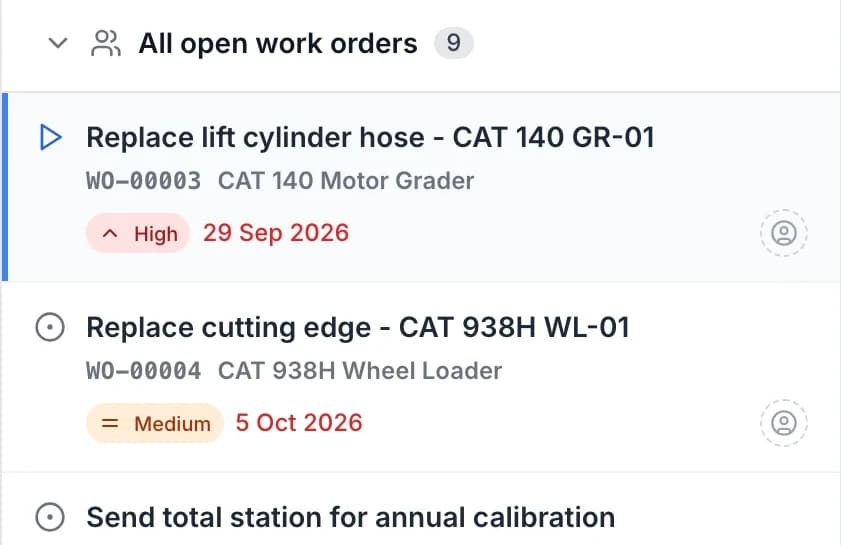
Review due work, choose the generation mode and assign jobs to technicians or workshops. Track each job to completion.
MapTrack app · Demonstration data · Captured
See completion tracking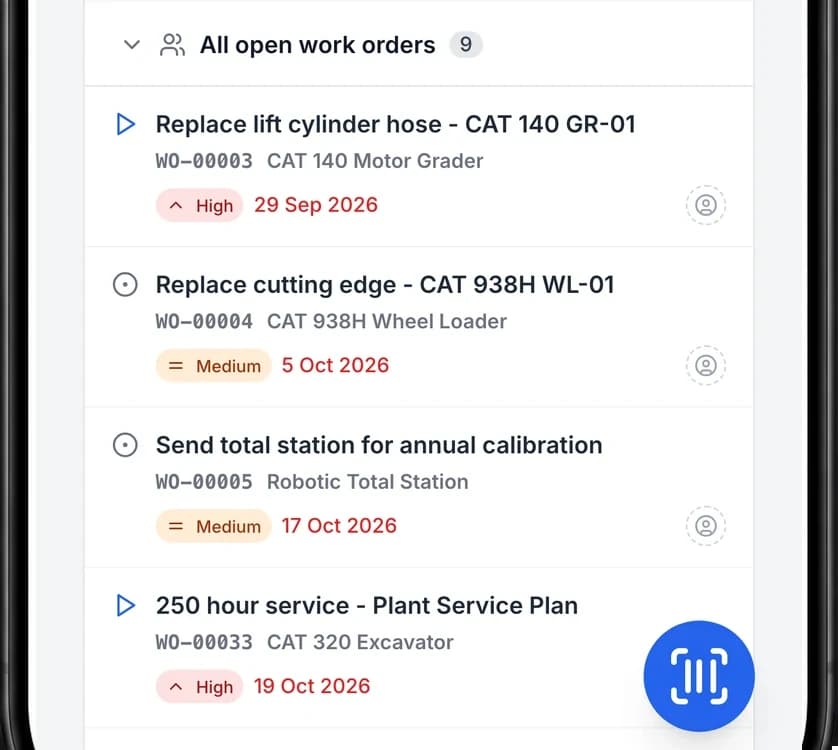
Work orders are completed in MapTrack from mobile or desktop.
MapTrack app · Demonstration data · Captured
See in-house or field completion
Customer outcomes
Results from published MapTrack customer case studies.
Roughly 80%
Overdue service items dropped by roughly 80% within the first six months as automated scheduling and alerts replaced manual spreadsheet tracking.
Estimated 70–80%
Automated scheduling and alerts for safety inspections, certifications and regulatory requirements reduced overdue compliance items by an estimated 70–80% within the first year.
Near zero
Automated alerts and centralised compliance records ensure that inspection schedules and certification renewals are tracked across all projects, with overdue items dropping to near zero.
Build one plan with several service levels
Put the minor, intermediate and major services in one ordered plan. Each level carries its own triggers, complete procedure and parts list.
1. Review the due sequence
For aligned 250, 500 and 1,000-hour intervals, a higher-ordered due service takes priority when levels meet. It uses its own procedure and parts, so include all work required at that level.
2. Test the plan on one asset
Review the sequence and starting readings before enrolling a larger group. Check the generated or manually raised job and reopen the saved result after completion.
Setup and limits
- Maintenance setup and the Service Board require a connection. An already-open lower-level job is not automatically merged into a later higher-level job.
Trusted by construction, civil and mining teams









Set intervals, generate work orders, track completion
Define service intervals per asset type. Review due work, choose the generation mode and assign jobs to technicians or workshops. Track each job to completion. PM scheduling sits with reservations, assignments and compliance in one platform.
Define intervals
Set service intervals (e.g. every 250 hours, 10,000 km, or 90 days) per asset type and review what is due on the Service Board.
Explore PM scheduling →Auto work orders
With automatic generation configured, a qualifying meter reading can create the linked work order. Calendar-only due work shows as due soon, emails the person assigned and is raised from the schedule in a couple of clicks.
Explore →Track completion
Whether done in a depot or on site, completion updates the asset. Full history for compliance and planning.
Explore →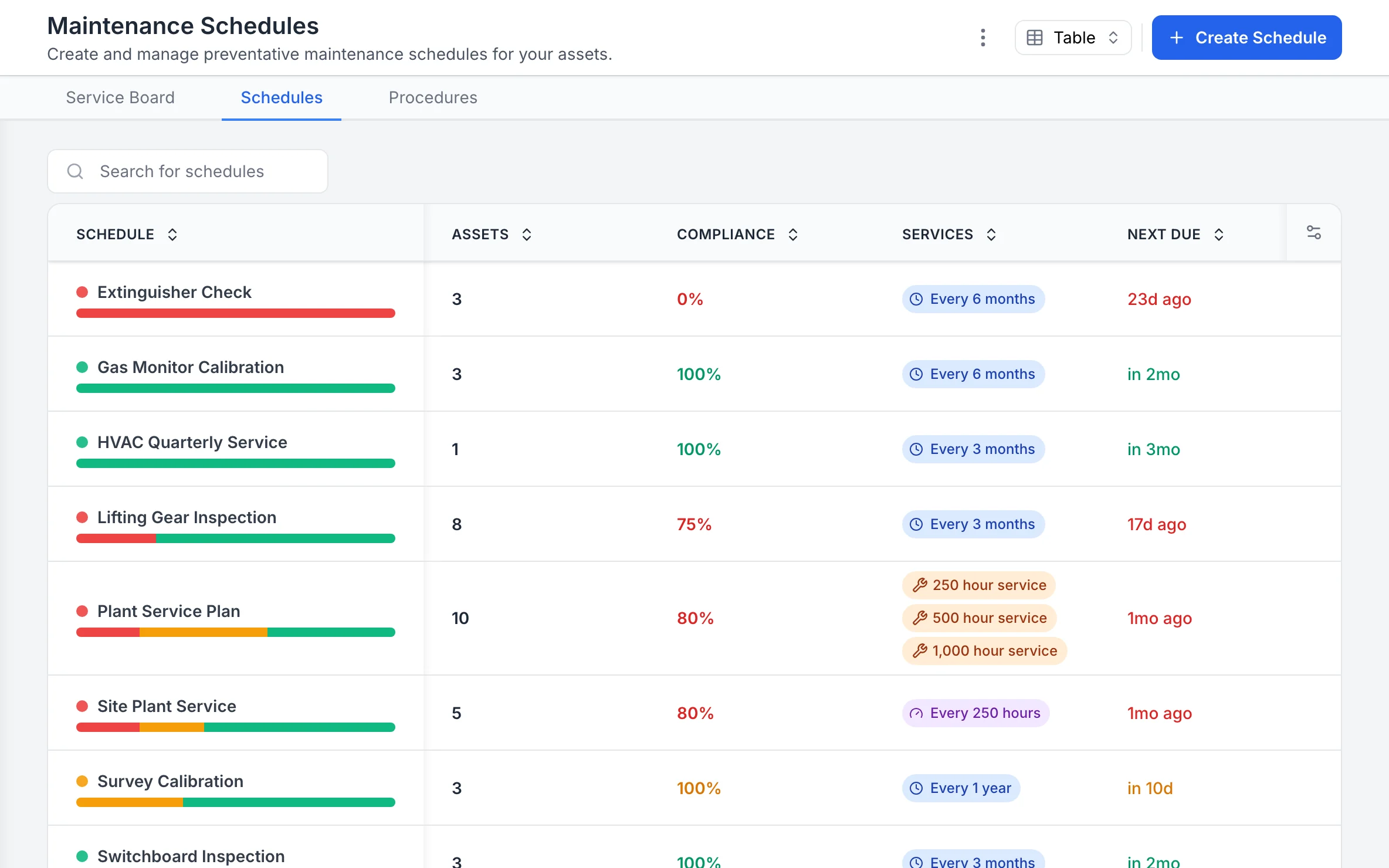
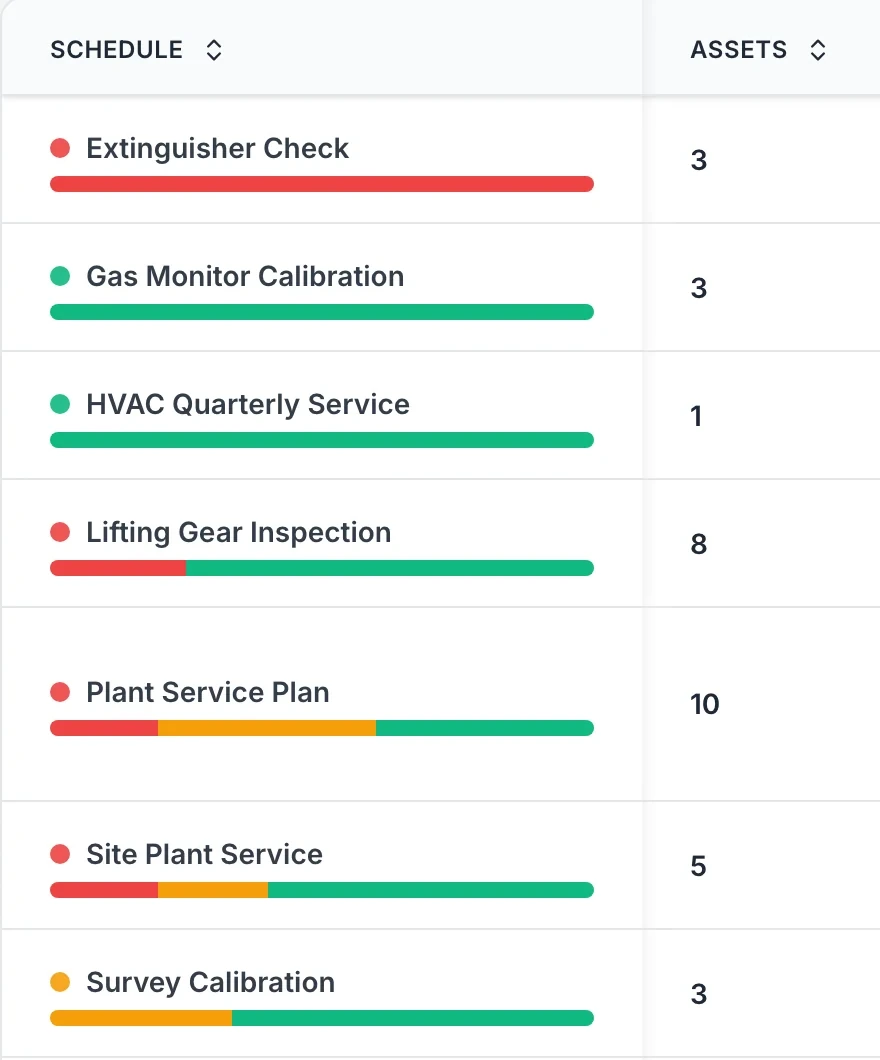
Every maintenance schedule, with how it is tracking
Each schedule shows how many assets it covers, its compliance, its interval in time or hours, and when it is next due.
MapTrack app · Demonstration data · Captured
About this screenshot
Captured at a 1440 x 900 desktop viewport at 2x in a demonstration workspace, right of the sidebar.
Auto work order creation
Choose how due work becomes a work order
Choose manual, per-asset automatic or batch automatic generation. Meter readings can raise work orders automatically. For date-based work, raise the job from the schedule in a couple of clicks, for one asset or a whole batch, or test the rule you set. Test the trigger with one asset and inspect the job before enrolling a larger group.
Explore maintenance & work orders →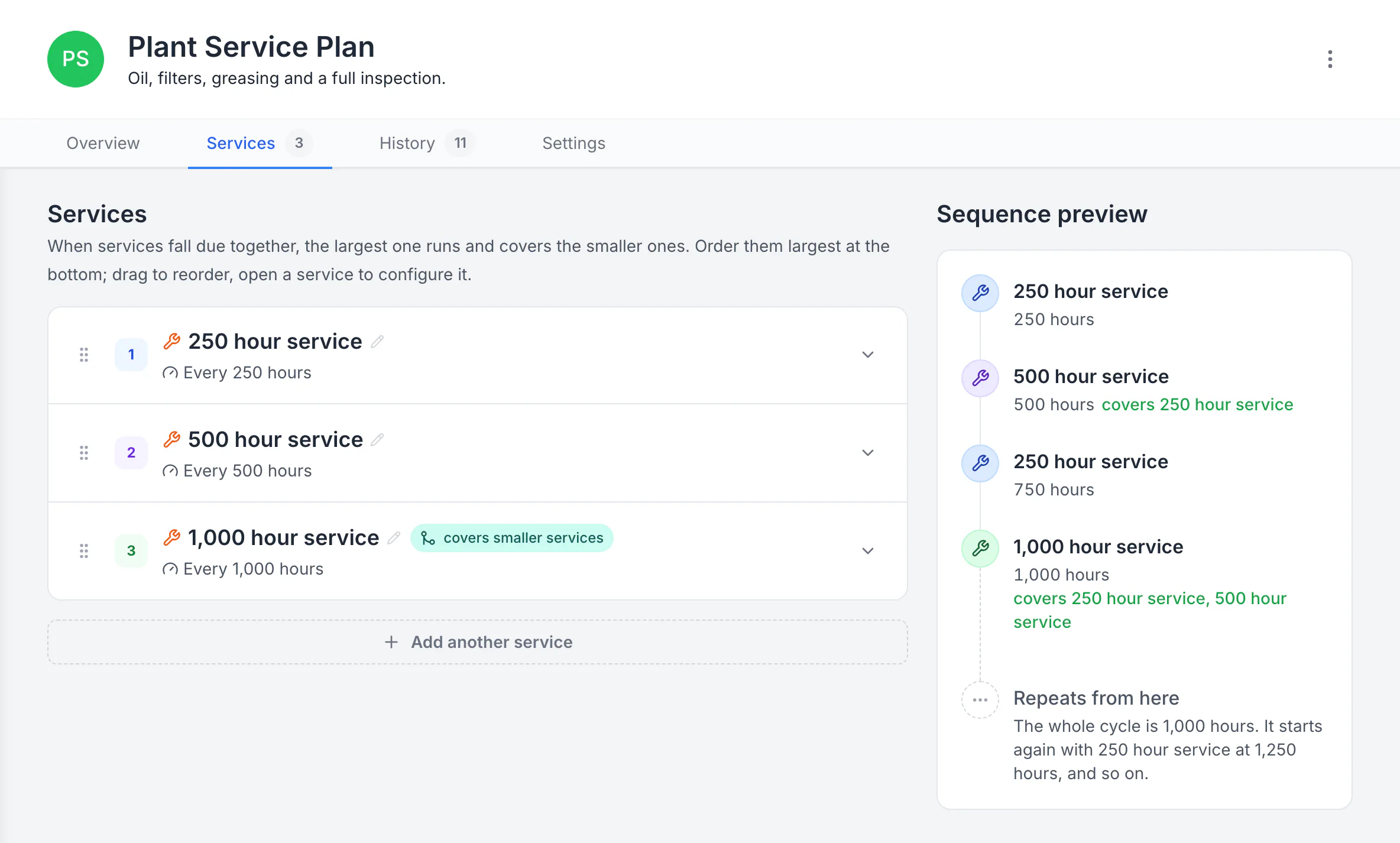
Build a plan with separate service levels
The plan runs a 250-hour service, a 500-hour service that covers it, and a 1,000-hour service that covers both. The sequence preview shows the whole 1,000-hour cycle and where it starts again.
MapTrack app · Demonstration data · Captured
About this screenshot
Demonstration plan. Each level carries its own triggers, procedure, parts and work-order defaults. Follow your equipment manufacturer’s service intervals.
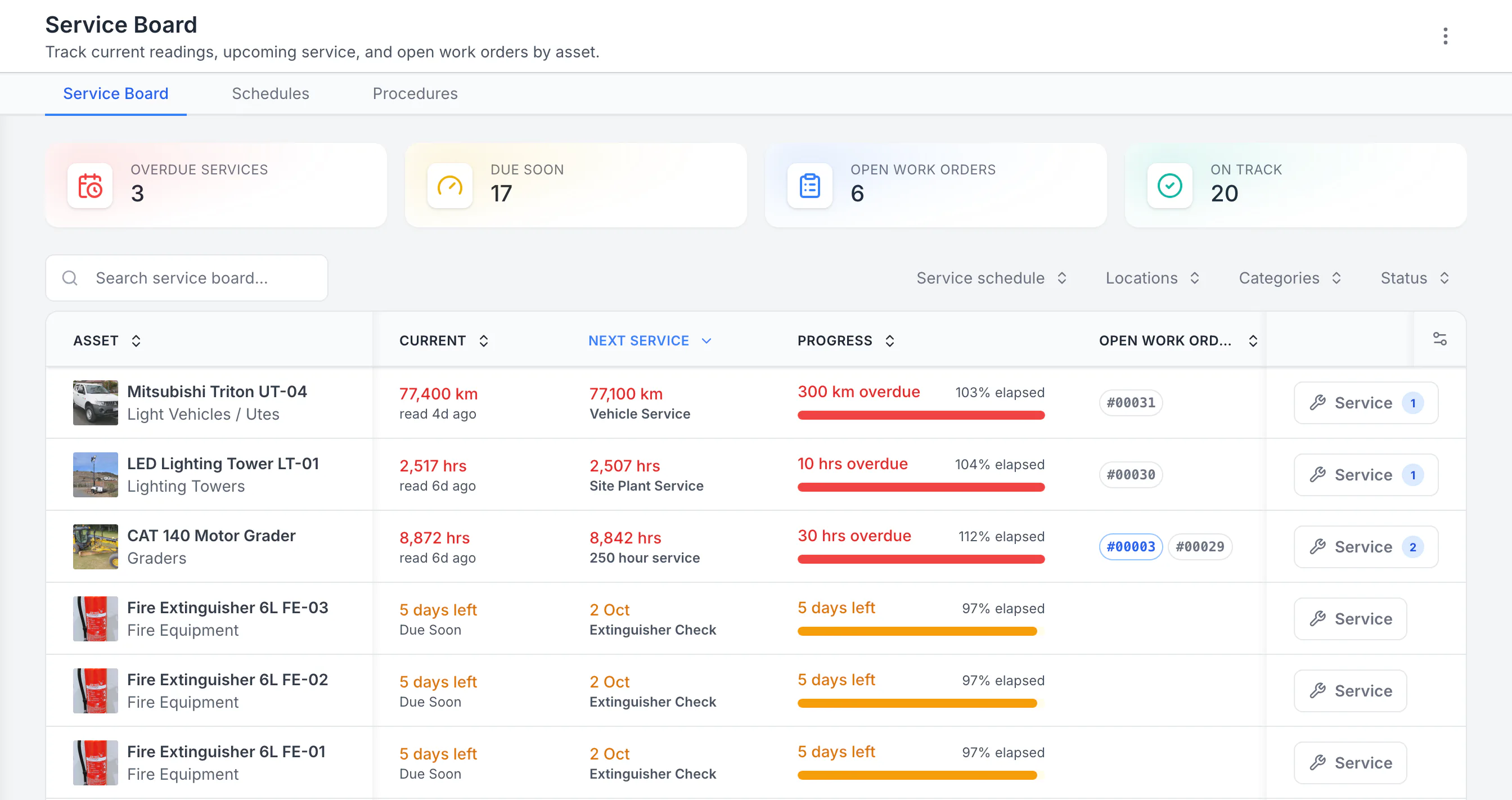
See the next service beside the current reading
Sorted by next service, the three overdue schedules come first: a ute 300 km past its service, then a lighting tower and a grader past their hour services. Each shows its open work orders. Extinguisher checks due in five days follow. Hours, kilometres and calendar checks share one board.
MapTrack app · Demonstration data · Captured
About this screenshot
Demonstration workspace with 40 schedule enrolments. Columns were chosen and resized in the board’s own display settings. Requires enrolled assets, configured schedules and an internet connection.
Service Board
See due dates alongside reservations
MapTrack shows service due and overdue on the asset and in planning views. Reserve and allocate assets knowing what's ready. No separate CMMS that doesn't know who has the asset.
Explore scheduling & planning →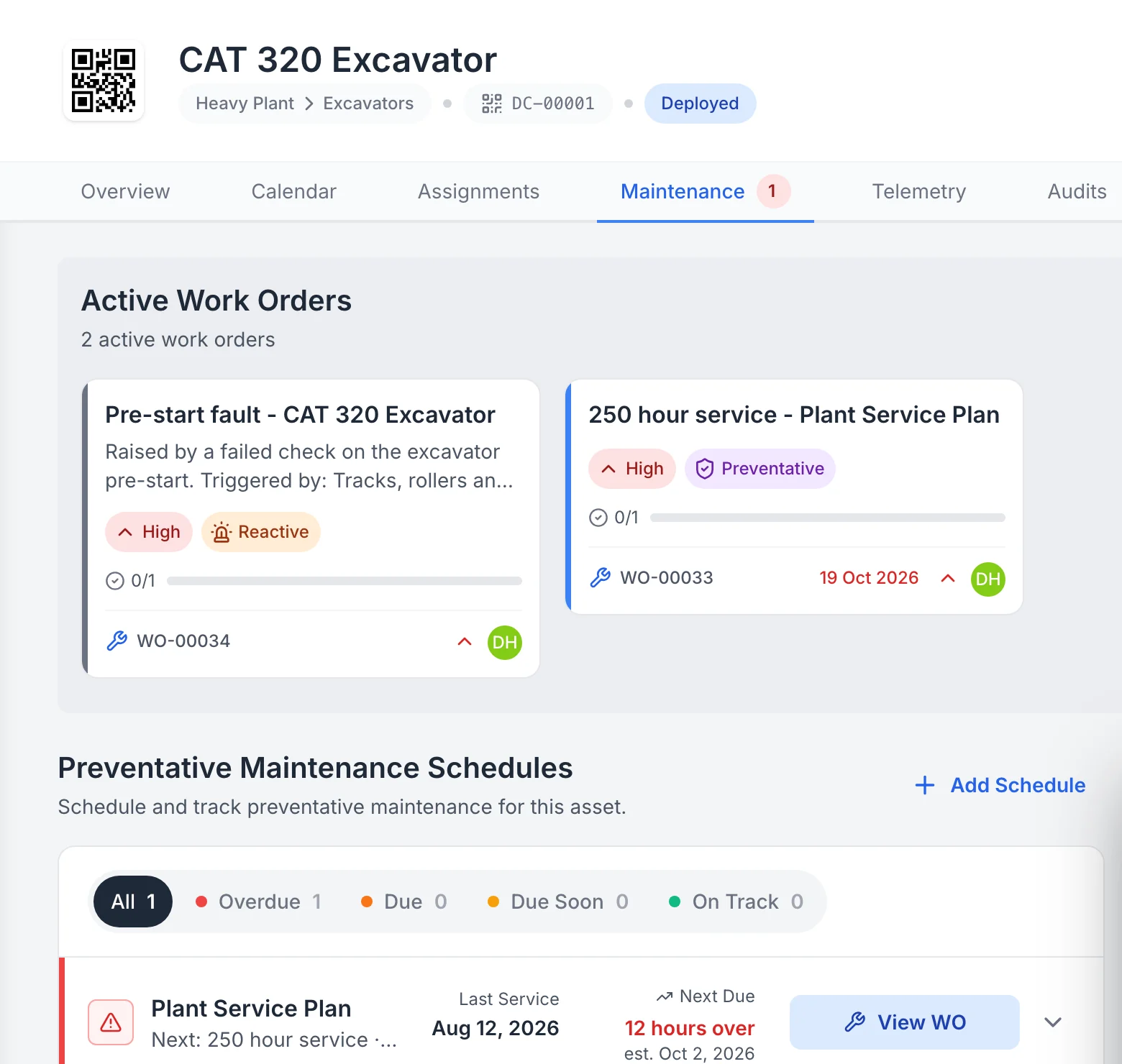
Open work and schedules on one machine
The excavator’s Maintenance tab lists the work orders open against it and the preventive schedules it is on, with the next service due.
MapTrack app · Demonstration data · Captured
About this screenshot
Captured at a 1440 x 900 desktop viewport at 2x in a demonstration workspace, right of the sidebar. Cropped to the work orders and schedules.
Completion tracking
Track completion in-house or in the field
Whether maintenance is done in a depot or on site, completion and next due date update on the asset. Full history stays on the record for compliance and planning. Proof of service when you need it.
Explore service history →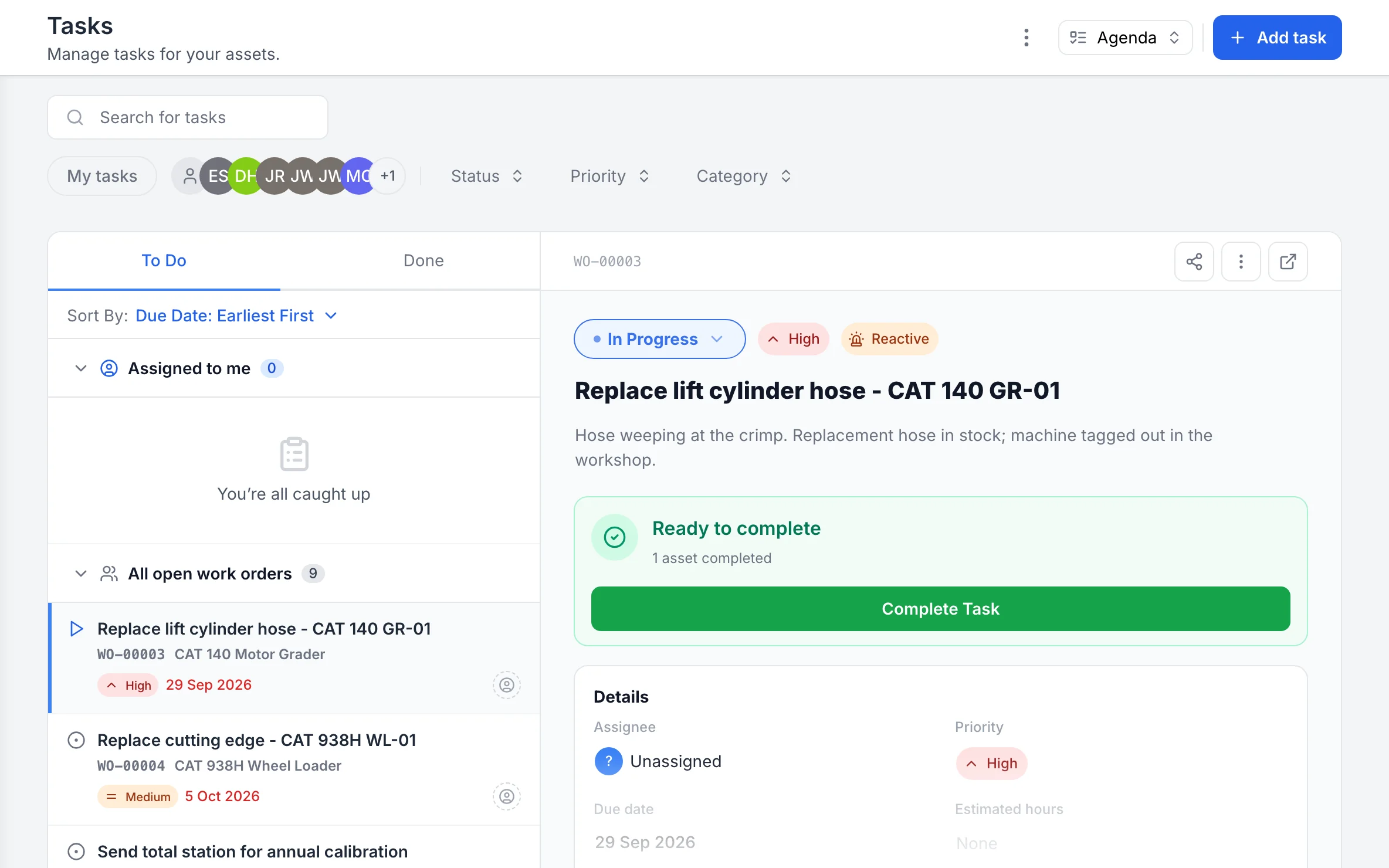
Open work orders, and one ready to complete
Open work orders sort by due date, and each opens beside the list with its status, priority and progress.
MapTrack app · Demonstration data · Captured
About this screenshot
Captured at a 1440 x 900 desktop viewport at 2x in a demonstration workspace, right of the sidebar.
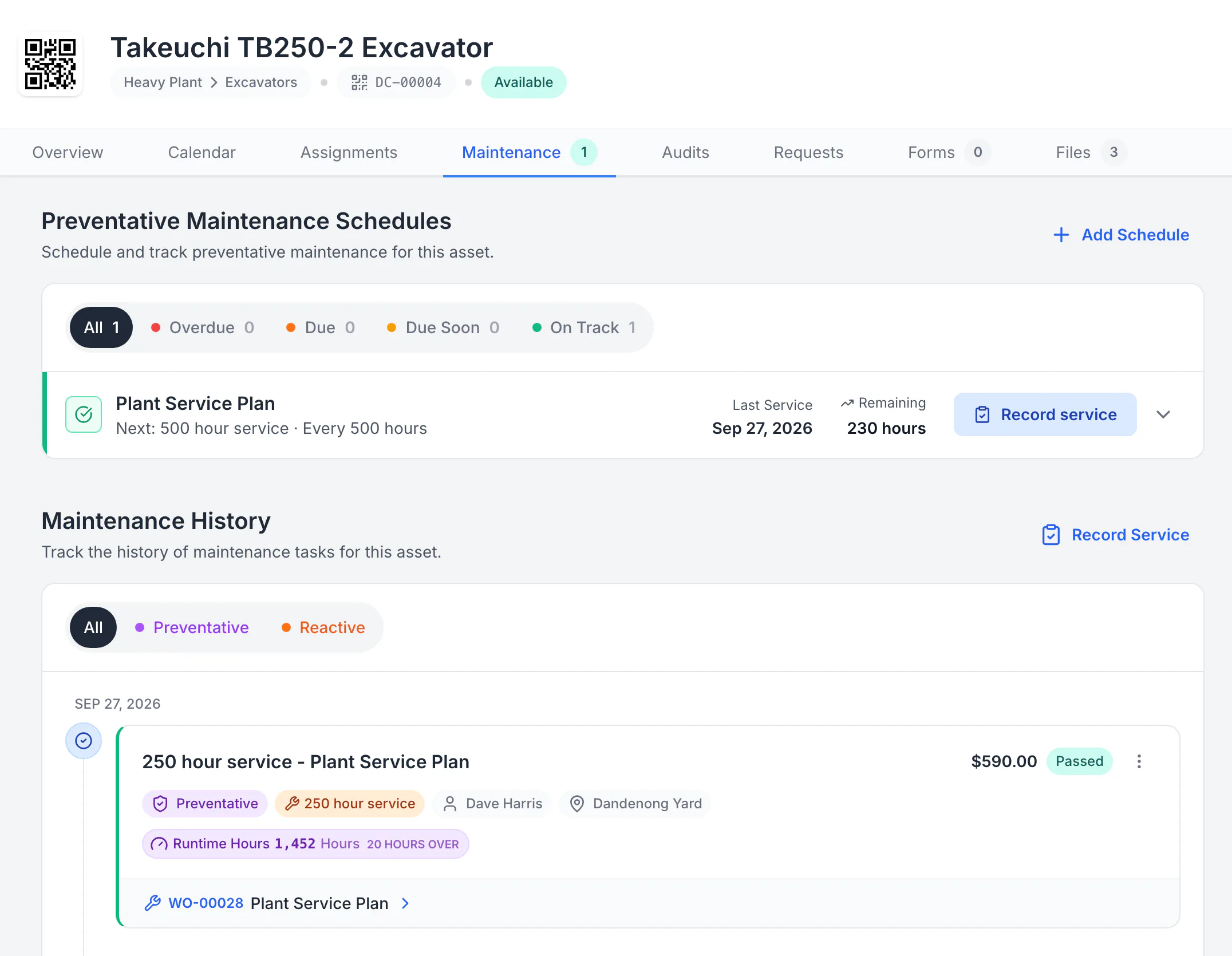
Open the saved service record on the asset
The 250-hour service was completed on work order WO-00028 at 1,452 hours, 20 hours past its service point, with $590 in logged costs. After completion the plan moved on: the 500-hour service is next, 230 hours away.
MapTrack app · Demonstration data · Captured
About this screenshot
The work order was started, time and costs were logged and it was completed in a demonstration workspace, then the record was reopened from the asset’s Maintenance tab.
Why PM scheduling belongs in your asset platform
Schedule maintenance before things break
Time and meter intervals, configured work-order generation and a Service Board for due work. Try MapTrack free.
- No credit card required
- Unlimited users
Frequently asked questions
Set schedules that stick
Join teams using MapTrack for preventive maintenance scheduling.
- No credit card required
- Unlimited users