
Truck dash cams
Truck Dash Cams for Fleets
AI dash cams for rigid trucks, prime movers and the utes that run with them. The camera records the road and, on the MapTrack DualSight AI dash cam, the driver. Its own GPS puts the truck’s location, trips and estimated run hours and kilometres in MapTrack, beside its pre-starts, services and costs, so a camera truck doesn’t need a separate GPS tracker.
Cameras from $795 ex GST ($874.50 inc GST), with month-to-month plans from $34 ex GST ($37.40 inc GST) a month.
Ships 5-10 business days after you accept your quote. Freight is quoted with your order. 12-month manufacturer's warranty. 30-day returns.
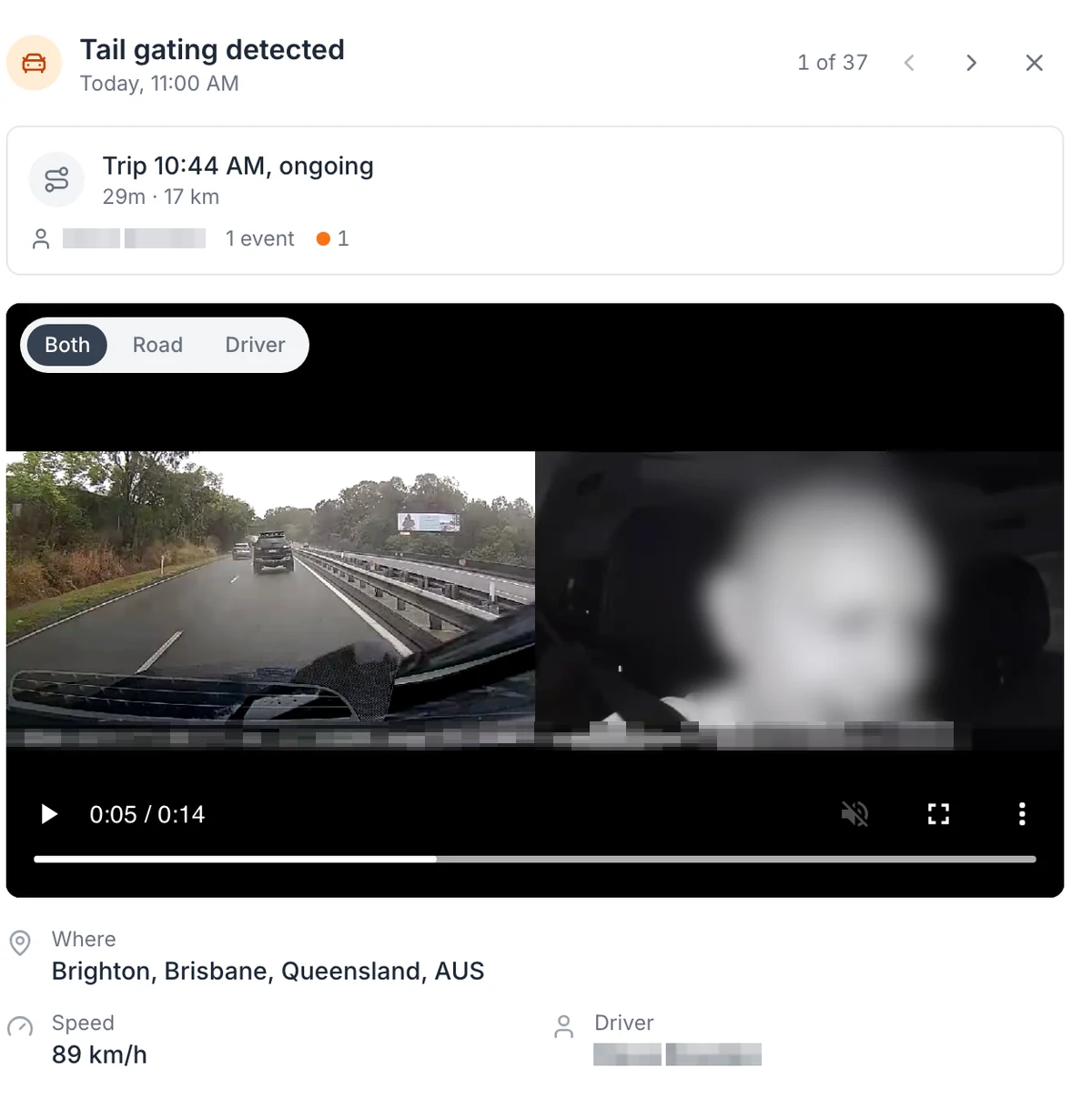
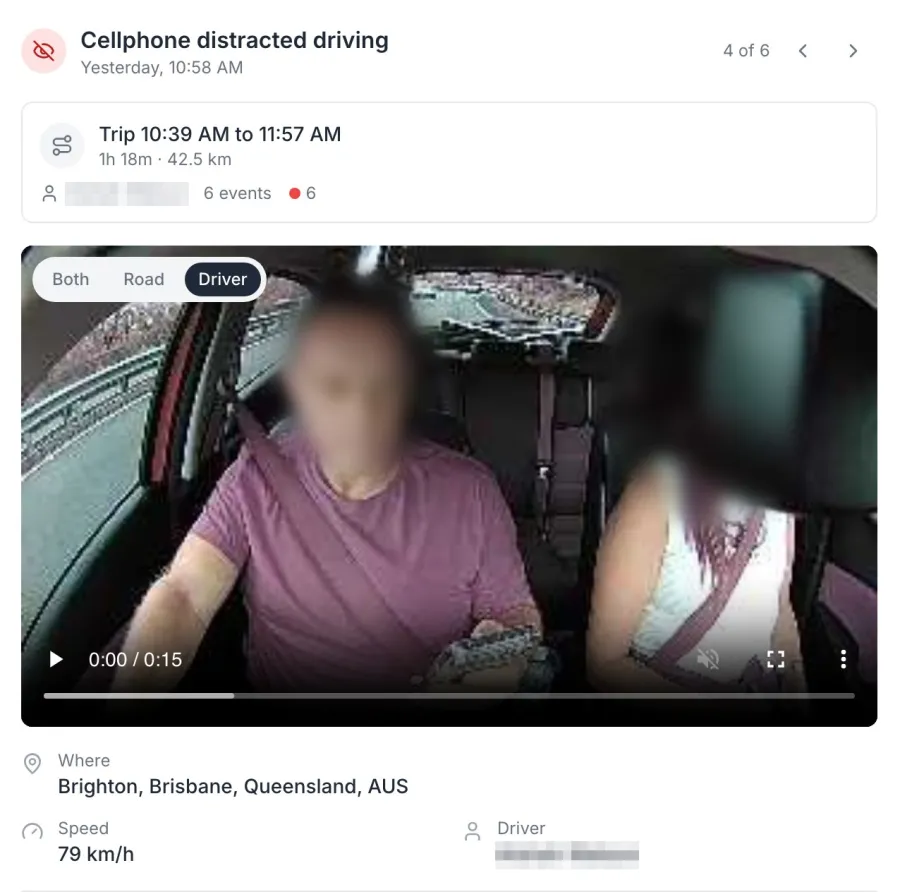
A tailgating alert, with the road and the cab side by side
An AI dash cam event as it opens in MapTrack: the clip from the road and cab cameras together, the trip it happened on, the speed at the time and the suburb. Road and Driver views are one tap away. The face is blurred in this screenshot, and the driver name is masked.
MapTrack app · Demonstration data · Captured
About this screenshot
Demonstration account at a 1440 px desktop viewport. The event drawer is cropped from the device page. The driver’s face is pixelated and blurred, and the driver name and the clip’s burnt-in position overlay are masked.
Trusted by construction, mining and field service teams
















“MapTrack has completely transformed how we manage our tools, equipment and fleet.”
What you see in MapTrack
These are from one of the cameras in our demonstration account, captured in the MapTrack app.
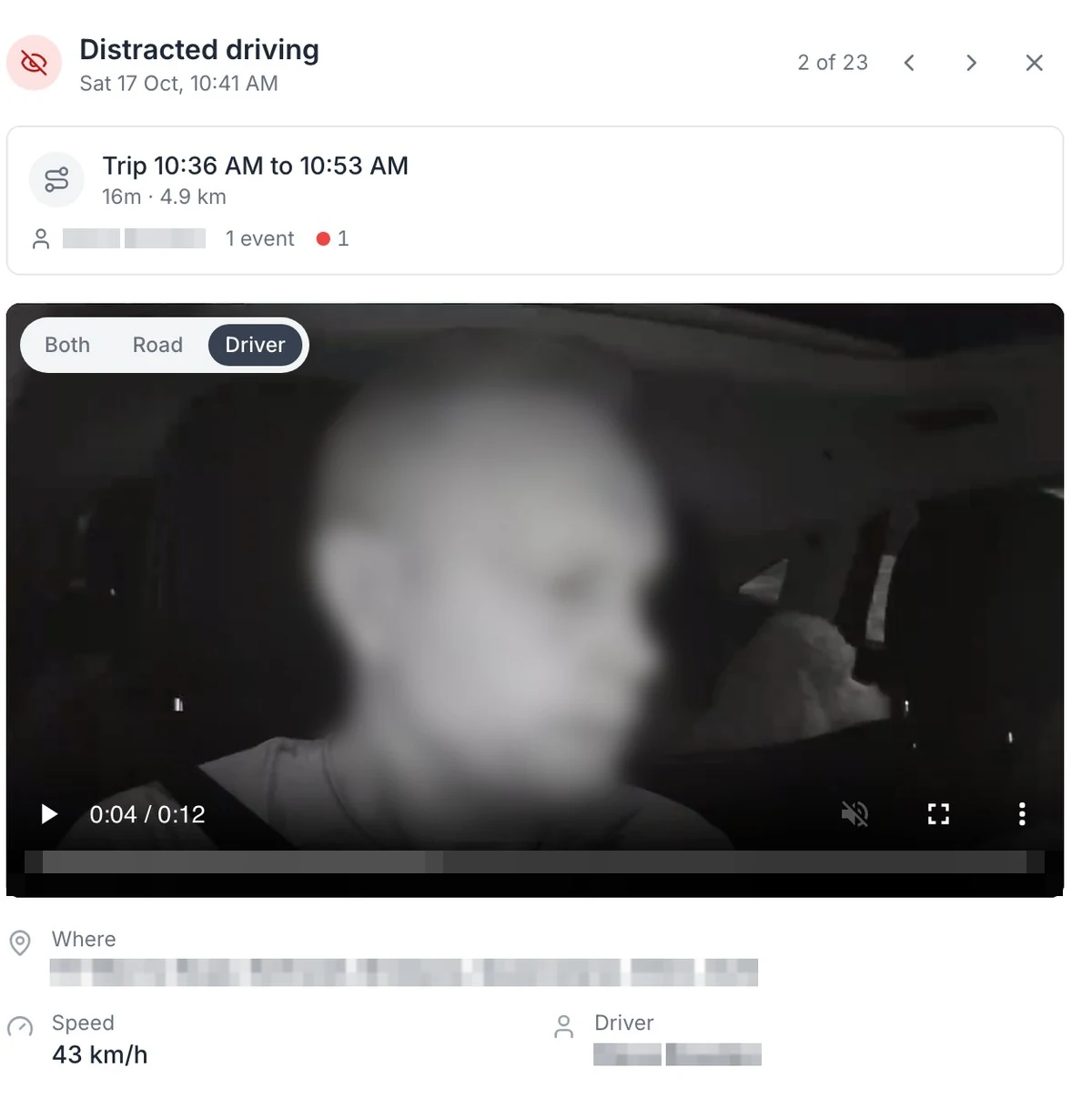
Distracted driving, on the camera facing the driver
On the DualSight, the camera facing the driver picks up distraction, fatigue and phone use on the Advanced plan. The face is blurred here.
MapTrack app · Demonstration data · Captured
Open full size screenshot: Distracted driving, on the camera facing the driver (new tab)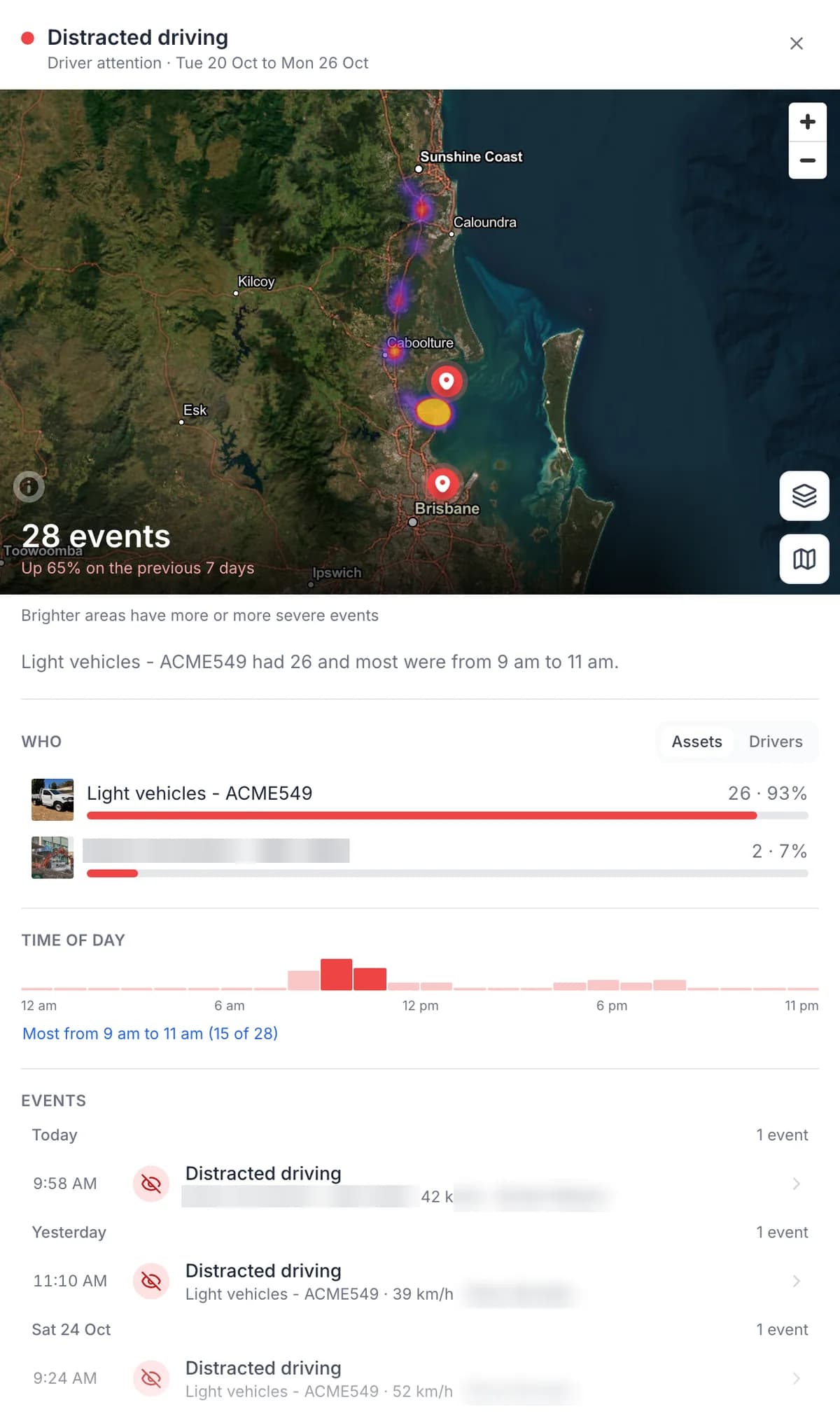
One event type: where, who and what time of day
Pick an event type to see how many, where, which vehicles and what time of day. Driver names are masked here.
MapTrack app · Demonstration data · Captured
Open full size screenshot: One event type: where, who and what time of day (new tab)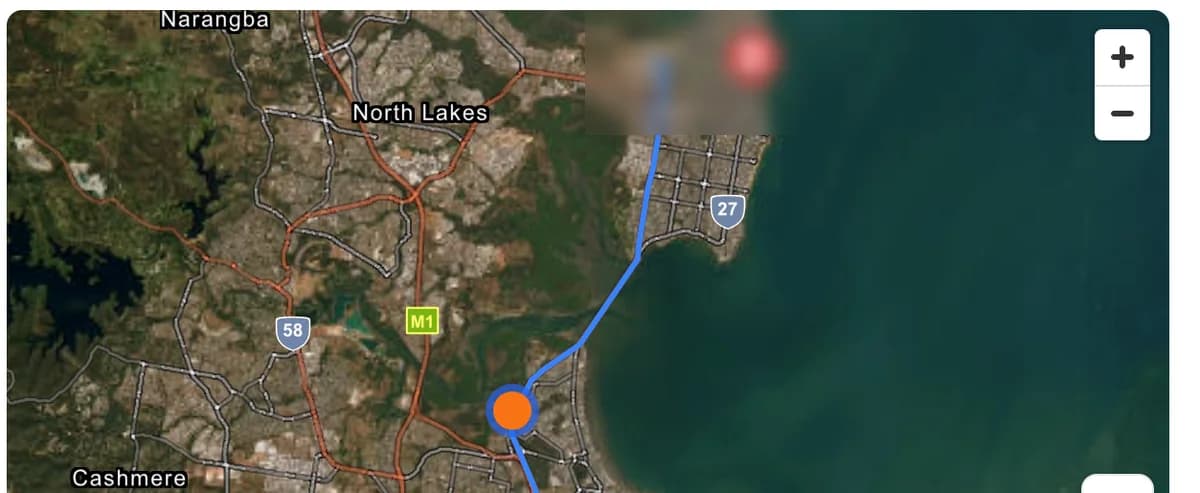
The trip’s route and where the alert happened
Each event opens with the trip it happened on: the route, and a marker where the alert fired.
MapTrack app · Demonstration data · Captured
Open full size screenshot: The trip’s route and where the alert happened (new tab)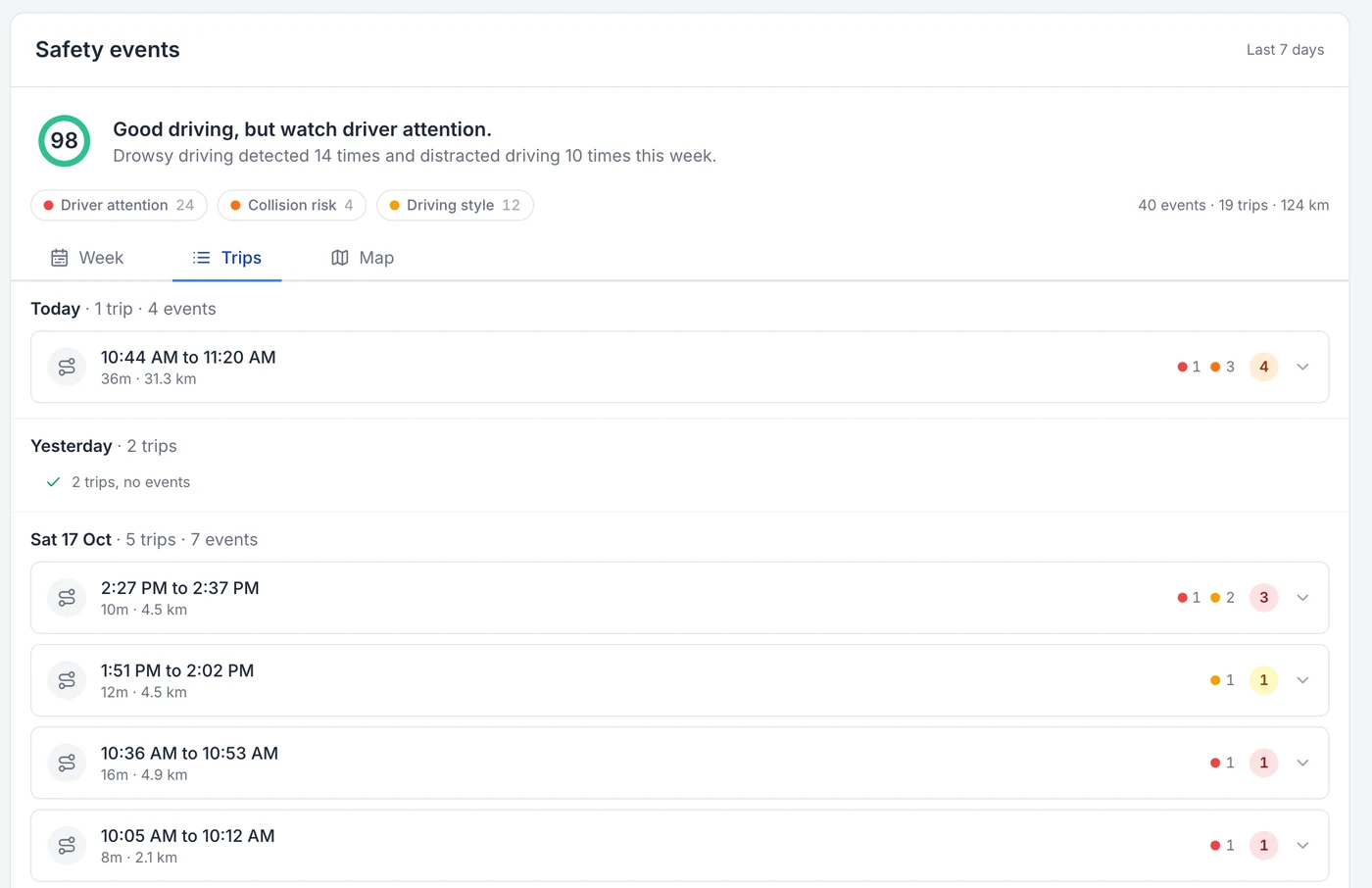
Every trip, with the events on it
Every trip is logged with its times and kilometres, and the events that happened on it.
MapTrack app · Demonstration data · Captured
Open full size screenshot: Every trip, with the events on it (new tab)
What the AI catches
Short clips of real events, saved by the camera with the speed and place. Which alerts are live depends on the camera and your plan.
On the road
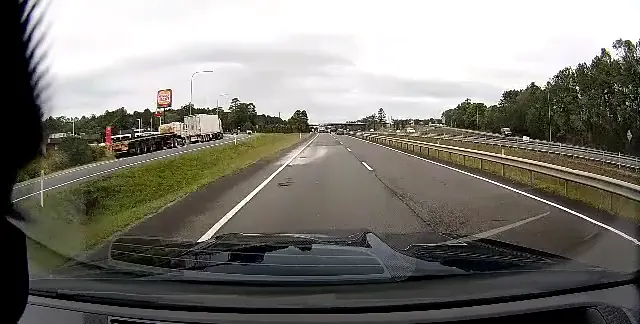
Speeding alert at 111 km/h.
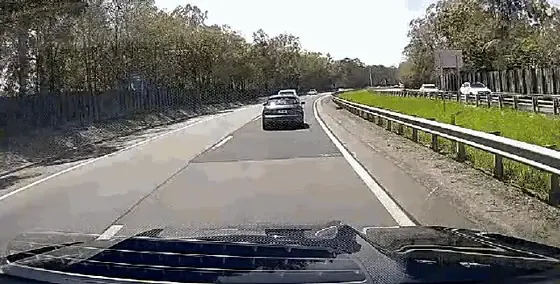
Tailgating alert at 94 km/h, road camera.
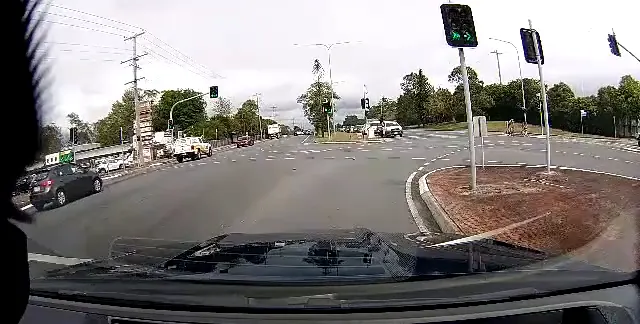
Harsh braking alert at the lights.
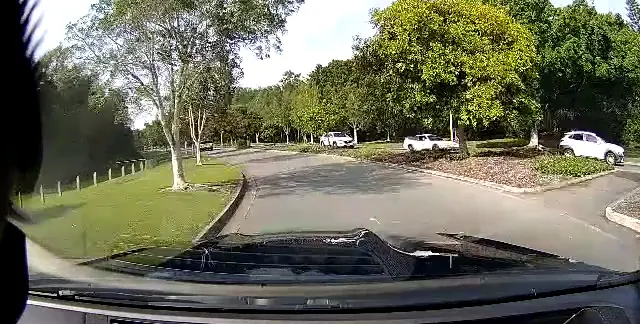
Harsh cornering alert at a roundabout.
In the cab
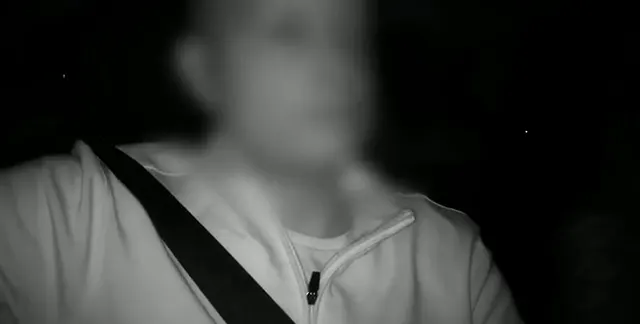
Drowsiness alert on the driver camera at night (infrared). Face blurred for privacy.
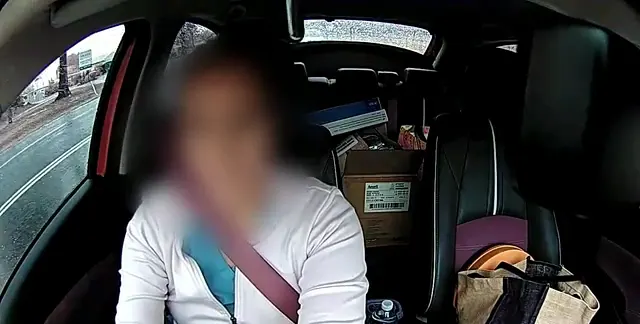
Eyes-down distraction alert at 66 km/h in the rain. Face blurred for privacy.
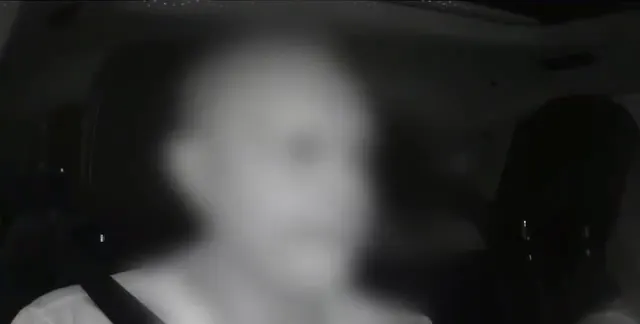
Distraction alert: head turned away from the road. Face blurred for privacy.
A privacy lens cap is available for the driver-facing lens. Workplace surveillance rules differ by state, so check your obligations and tell your drivers before you fit driver-facing cameras.
New in MapTrack
Every camera on one safety dashboard
The Safety events dashboard in MapTrack brings every connected camera into one view, so you can see how the whole fleet is driving, not one vehicle at a time. It sits under Devices, and camera footage and safety events are visible to account owners only, because they're personal to the driver.
- Trips, drive time, distance and events per 100 km for the whole fleet, each against the previous period.
- A week view that shows when events happen, and a heat map that shows where. When one kind of event keeps happening at the same spot, MapTrack flags it.
- Needs attention lists the events to look at first, such as panic button presses.
- Click an event type to see how many, where, which vehicles or drivers, and the time of day it happens.
- A table ranks every vehicle, or every driver, by safety score and top issue, with To watch and Safest filters.
- Date ranges from today back to the last quarter, and every vehicle’s own record keeps its camera’s week.
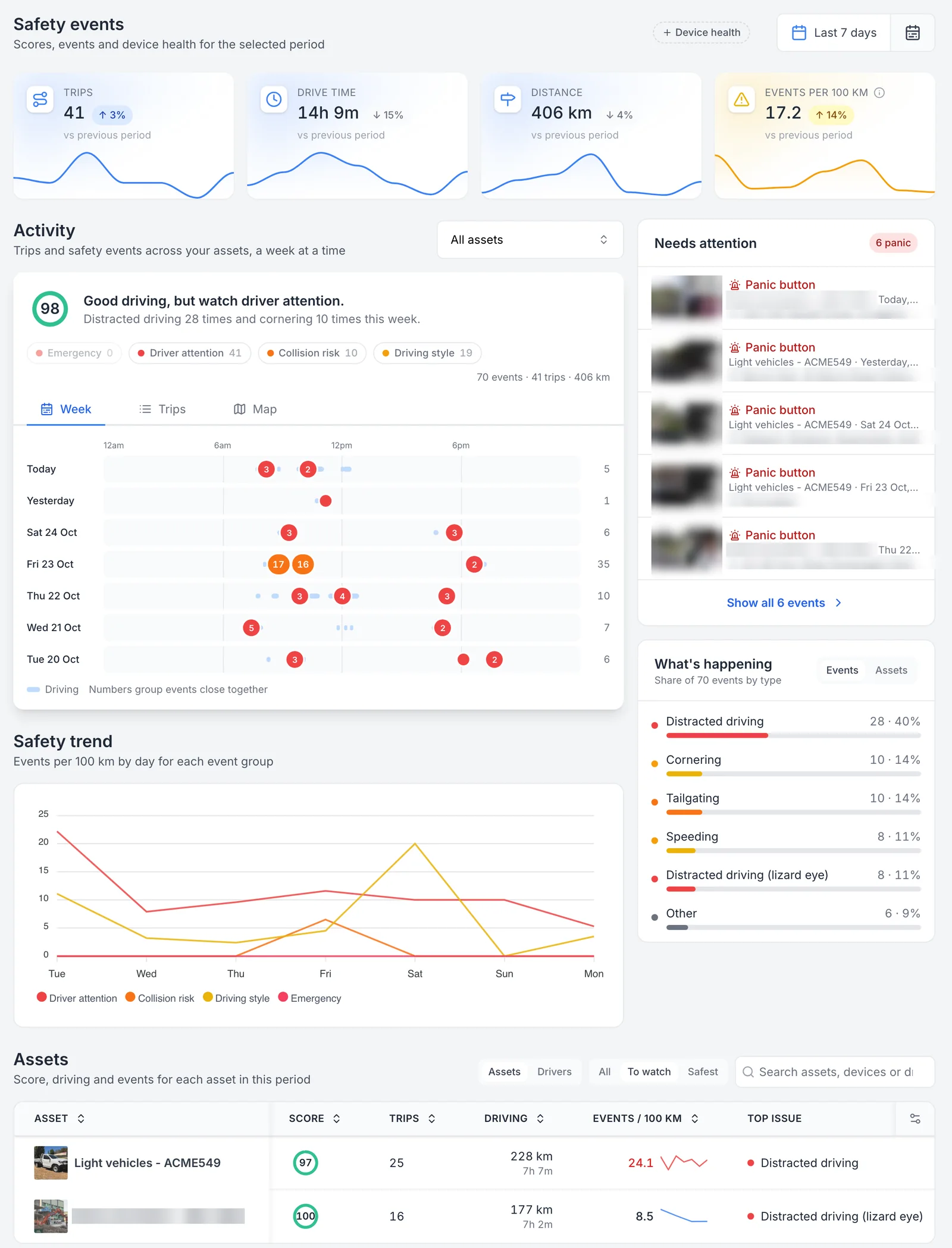
Every camera’s safety events on one page
Released on 25 October 2026: one page for every camera in the fleet. Trips, drive time, distance and events per 100 km sit against the previous period, the week shows when events happen, Needs attention lists panic button presses first, and the Assets table ranks each vehicle by its score and top issue. Thumbnails, street addresses and one demonstration asset name are masked.
MapTrack app · Demonstration data · Captured
About this screenshot
Demonstration account at a 1440 px desktop viewport, signed in as an account owner (camera data is owner-only). Settings, Devices, Safety events over the last 7 days, Assets table filtered to To watch. Event thumbnails, street addresses and one demonstration asset name are pixelated.
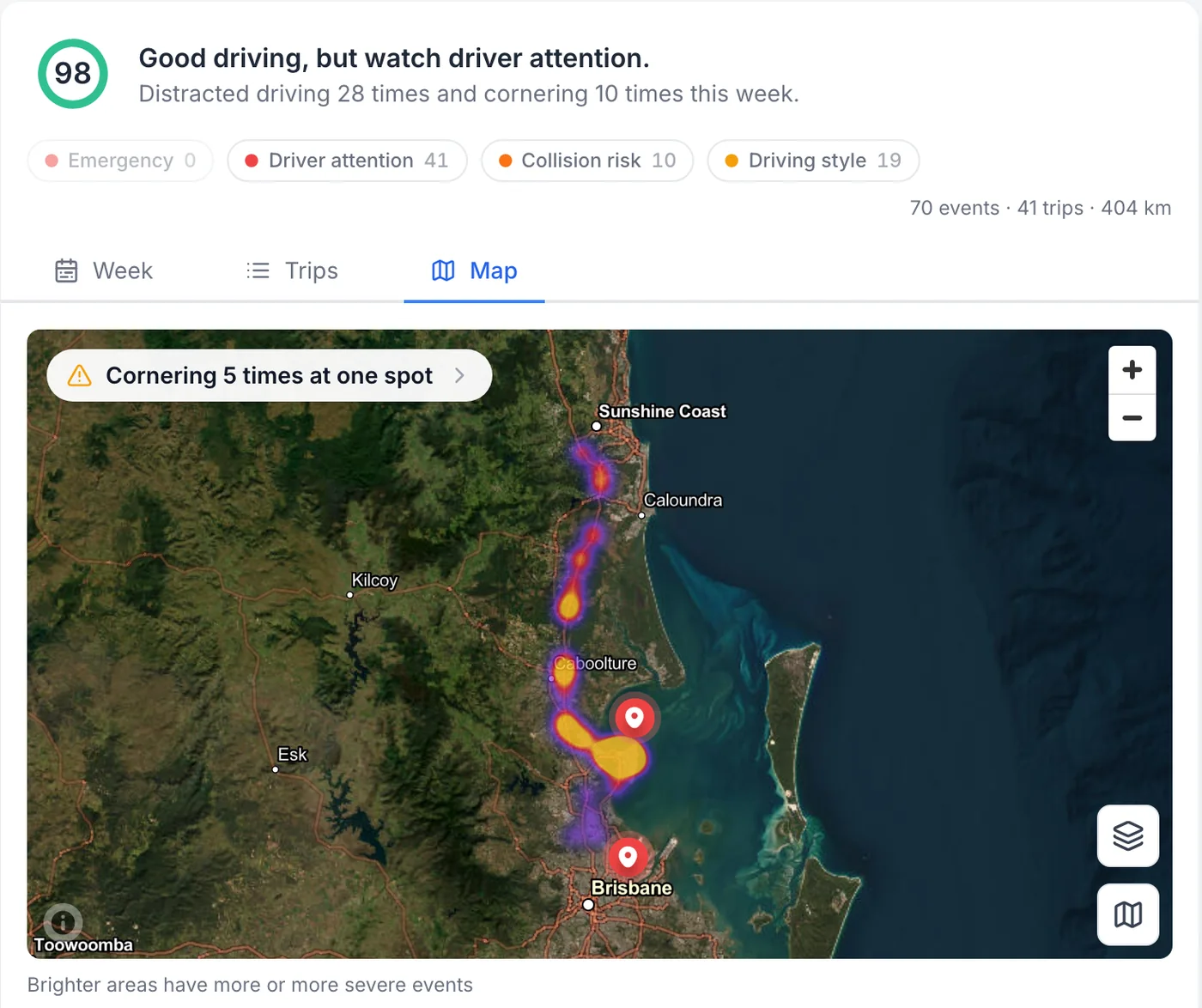
Where the fleet’s events happen, as a heat map
The same week on the map for the whole fleet. Brighter areas have more or more severe events, and when one kind of event keeps happening in the same place, MapTrack flags the spot, here cornering five times at one spot.
MapTrack app · Demonstration data · Captured
About this screenshot
Demonstration account at a 1440 px desktop viewport, signed in as an account owner. Safety events dashboard, Activity on the Map view at its opening zoom over the last 7 days.
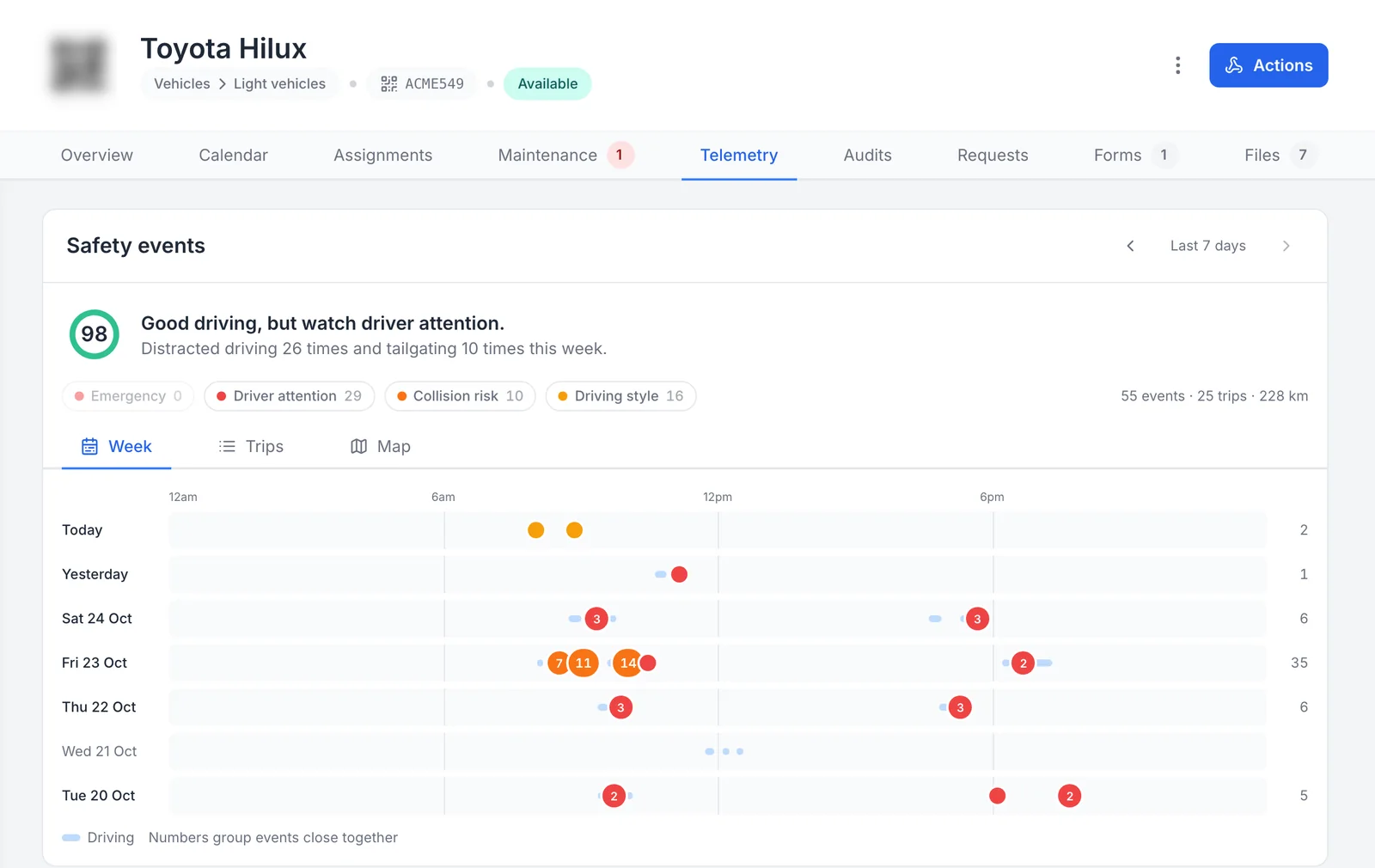
The camera’s week on the vehicle’s own record
The vehicle’s own record carries its camera’s safety events, on the Telemetry tab next to its maintenance, inspections and files. The arrows step back a week at a time.
MapTrack app · Demonstration data · Captured
About this screenshot
Demonstration account at a 1440 px desktop viewport, signed in as an account owner. Asset record, Telemetry tab, cropped to the header and the Safety events card. The asset QR code is pixelated.
See it on your own fleet
We'll show you the dashboard on a 30-minute call, work out which camera and plan each vehicle needs, then send the quote.
Which camera suits which truck
Three cameras cover most trucks. Start from what you need to see, then pick the plan.
- MapTrack RoadSight AI dash cam, road only: rigid trucks and vehicles where you want the road ahead on record. Standard or Pro plan.
- MapTrack DualSight AI dash cam, road and driver: prime movers, long-haul and any truck where fatigue and distraction matter. Its infrared driver camera works at night, and driver monitoring is on the Advanced plan.
- MapTrack Panorama AI dash cam, multi-camera: up to four extra TVI cameras and one USB camera for blind spots, the trailer or the load. Its plan and how it connects to MapTrack are confirmed with your quote.
No separate GPS tracker on a camera truck
The RoadSight and DualSight have GPS built in. In MapTrack, the truck’s location and trips land on its own record, and completed trips add estimated run hours to its meter, so services can fall due on real use. Keep GPS trackers for the plant, trailers and gear that don’t carry a camera, and see the whole fleet in one register.
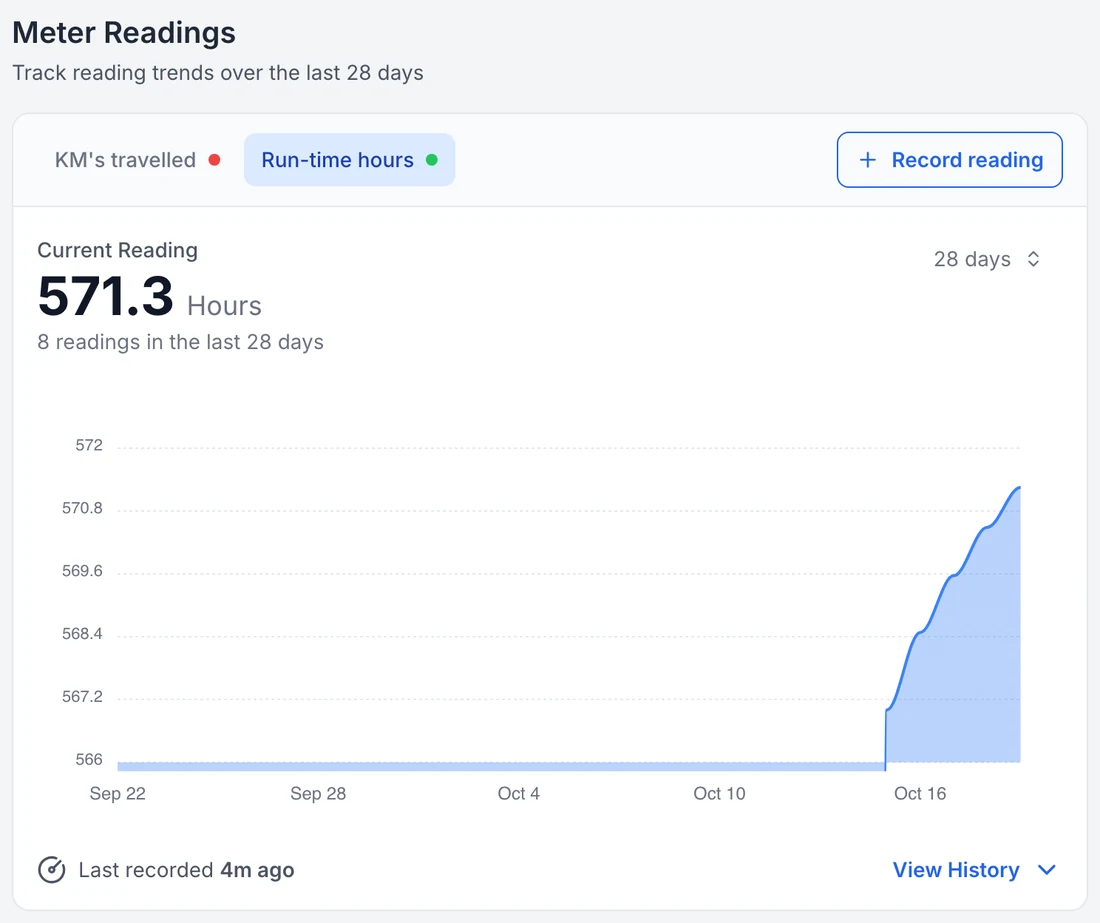
Run hours on the vehicle record
Completed trips from the camera add estimated run hours to the vehicle’s own meter, beside its servicing and costs. The flat start is the period before the camera was connected: the count begins at connection and is an estimate built from finished trips.
MapTrack app · Demonstration data · Captured
About this screenshot
Demonstration account at a 1440 px desktop viewport, Meter Readings card on the asset record with Run-time hours selected over 28 days.
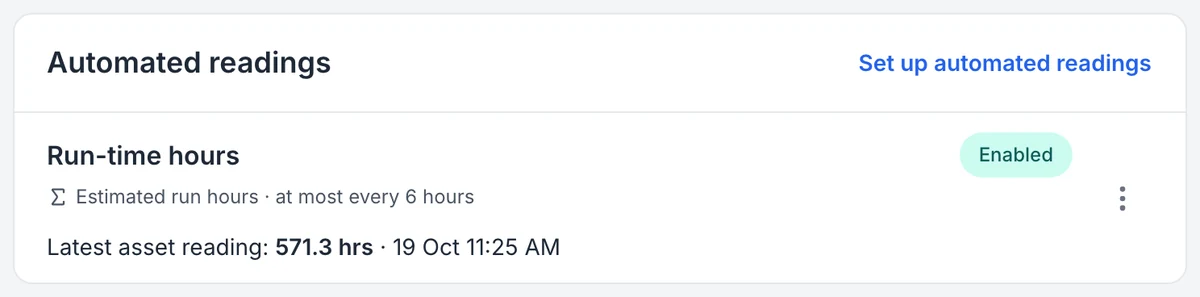
The reading the camera sends, and how often
MapTrack names the reading an estimate and shows how often it can update. Hours and distance are worked out from completed trips, so time spent idling is not counted.
MapTrack app · Demonstration data · Captured
About this screenshot
Demonstration account at a 1440 px desktop viewport, Automated readings card cropped from the device page.
What happens when something happens
The camera records to its card on a loop. When it picks up an event, such as harsh braking, a hit or an AI alert, it saves a clip stamped with the GPS location, speed, date and time. In MapTrack, that clip opens with the trip it was on, the speed and the suburb, so you can see what happened before anyone asks.
Live road alerts for tailgating, lane departure and harsh braking are on the Pro plan. Driver alerts for fatigue, distraction, phone use, seatbelt and smoking are on the Advanced plan with the DualSight.
Find the trucks, and the places, to work on
The Safety events dashboard in MapTrack puts every camera truck on one page. You see trips, drive time, kilometres and events per 100 km for the fleet against the previous period, a week view of when events happen and a heat map of where. When one kind of event keeps happening at the same spot, MapTrack flags it: in our demonstration fleet, cornering five times at one spot.
Click an event type to see how many there were, where, which trucks or drivers, and the time of day. The Assets table ranks every truck by its safety score and top issue, and you can look back from today to the last quarter. Camera footage and safety events are visible to account owners only.
Built for the cab
All three cameras are hardwired. The RoadSight and DualSight run on 12 to 32 volt power, so they suit both 12 V and 24 V trucks, and all three are rated to run from minus 20 to plus 60 degrees. The DualSight comes with a 128GB industrial card and the Panorama with two 512GB cards. The road camera on the RoadSight and DualSight sees a 142 degree field of view in 1080p.
Installation is hardwired. We coordinate it with your quote, and we’ll go through each vehicle type on a 30-minute setup call before anything ships.
MDVR or AI dash cam?
An MDVR (mobile digital video recorder) is a recorder box that several cameras plug into, common on buses and heavy vehicles. An AI dash cam puts the recorder, the road camera and the AI in one unit on the windscreen. If one or two views cover the truck, an AI dash cam is simpler to fit. If you need cameras around the truck and trailer as well, the Panorama takes extra cameras, confirmed with your quote.
Fatigue and distraction on long runs
On the DualSight with the Advanced plan, the driver camera picks up drowsy and distracted driving and phone use, and each event is saved with its clip. That gives you a dated record to support your fatigue management and your duties under the Heavy Vehicle National Law. It doesn’t replace a fatigue management system or a work diary.
Not sure which camera each vehicle needs?
We'll go through it with you on a 30-minute call, then send the quote.
The cameras
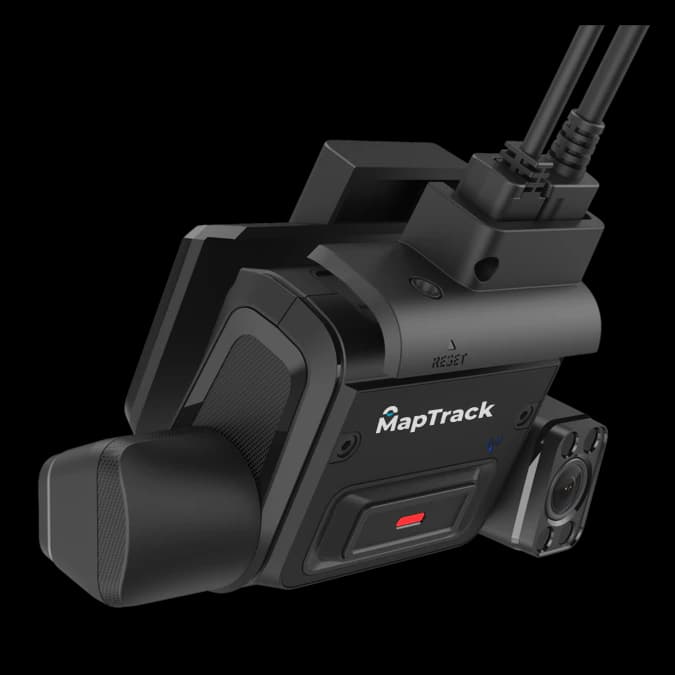
Commercial AI dash cam with road-facing and infrared driver-facing 1080p cameras, GPS, and video in MapTrack. Driver monitoring on the Advanced plan. 128GB industrial card included.
- Dual-facing 1080p HD cameras (road + driver)
- Driver monitoring on the Advanced plan: fatigue, distraction, phone use
$995 ex GST($1,094.50 inc GST)
+ camera plan from $34 ex GST($37.40 inc GST) a month, plus the vehicle's MapTrack plan
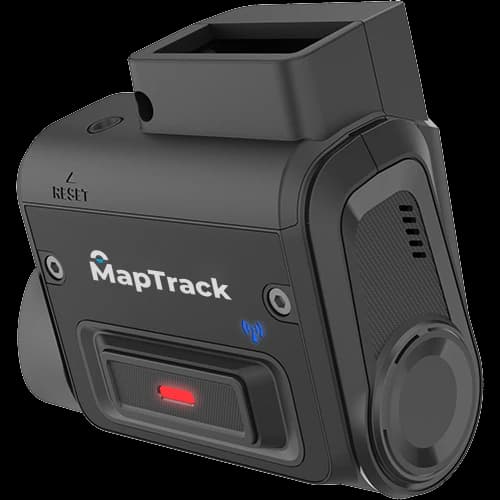
Road-facing AI dash cam for commercial vehicles. Full HD forward recording, 4G LTE, GPS and video in MapTrack. No driver-facing camera.
- Road-facing 1080p Full HD camera, 142° diagonal field of view
- Live ADAS alerts on the Pro plan: tailgating, lane departure, harsh braking
$795 ex GST($874.50 inc GST)
+ camera plan from $34 ex GST($37.40 inc GST) a month, plus the vehicle's MapTrack plan
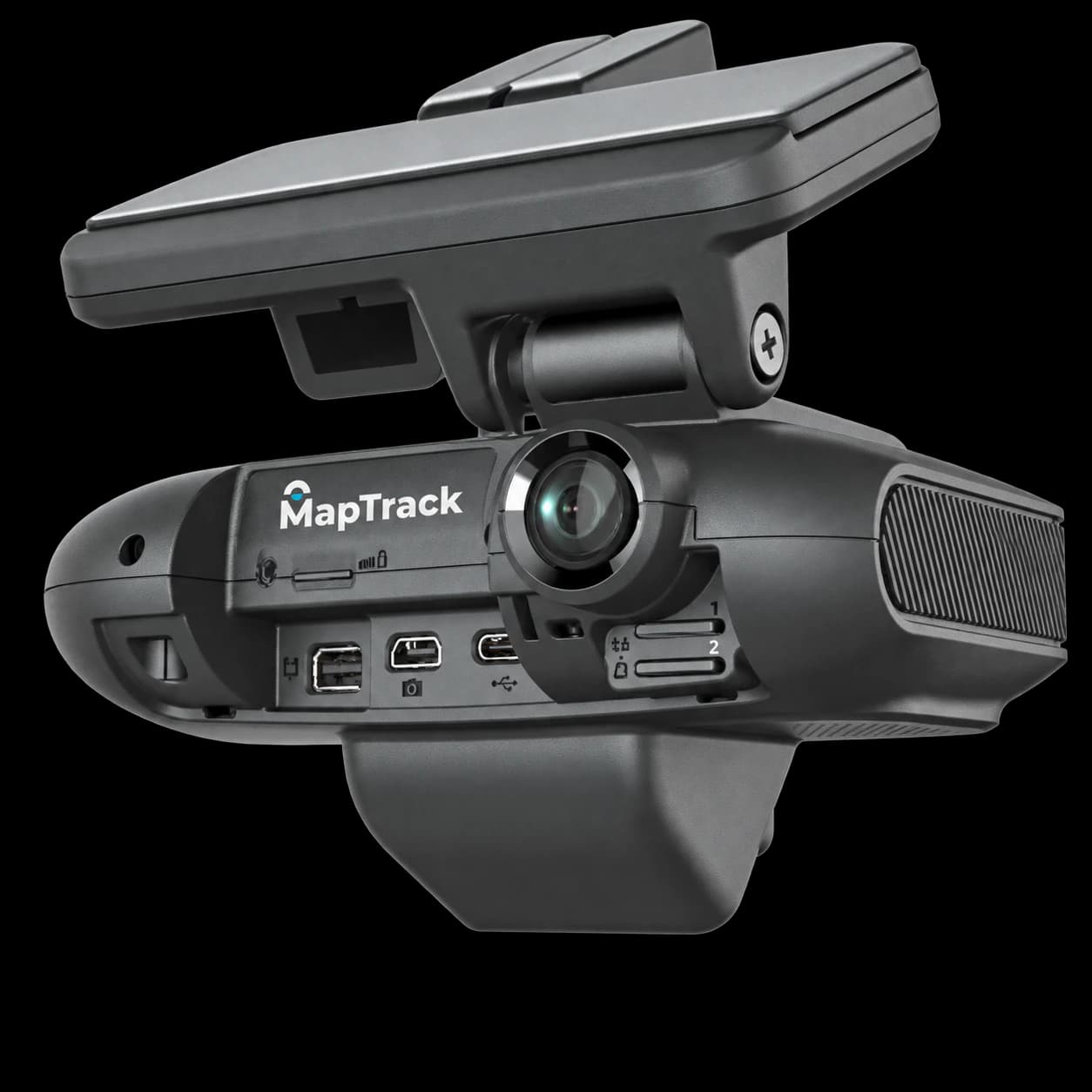
Road-facing and driver-facing AI dash cam with connections for extra cameras, for vehicles that need more viewpoints. 2 x 512GB storage included.
- Road-facing 1080p Full HD camera, 142° diagonal field of view
- Driver-facing camera
$1,519 ex GST($1,670.90 inc GST)
Plan confirmed with your quote
Compare the cameras
| Feature | RoadSight | DualSight | Panorama |
|---|---|---|---|
| Road-facing camera | 1080p, 142° | 1080p, 142° | 1080p, 142° |
| Driver-facing camera | No | Yes, infrared | Yes |
| AI driver alerts | No (no driver camera) | Phone use, fatigue, distraction, seatbelt, smoking (Advanced plan) | Confirmed with your quote |
| Extra cameras | None offered | 1 USB camera | Up to 4 TVI + 1 USB |
| Storage included | Confirmed with your quote | 128GB | 2 x 512GB |
| Monthly plans | Standard, Pro | Standard, Pro, Advanced | Confirmed with your quote |
| 1 to 9 cameras | $795 ex($874.50 inc) | $995 ex($1,094.50 inc) | $1,519 ex($1,670.90 inc) |
| 10 to 99 cameras | $649 ex($713.90 inc) | $799 ex($878.90 inc) | $1,219 ex($1,340.90 inc) |
| 100+ cameras | $584.10 ex($642.51 inc) | $719.10 ex($791.01 inc) | $1,097.10 ex($1,206.81 inc) |
Prices, volume bands and every plan are on the fleet and commercial AI dash cams page.
Truck dash cams FAQ
Do I need a separate GPS tracker on a truck with a dash cam?
Which dash cam is best for a prime mover?
Will it run on a 24 volt truck?
How much does a truck dash cam cost?
Can I see the footage for an incident?
Choosing fleet cameras
Guides and tools
Talk it through before you order
We'll go through your vehicles, which camera and plan each needs, and installation on a 30-minute call, then send the quote.