
Integrations & API
Connect MapTrack to your existing systems
Review the public API for custom integrations, available OEM and telematics data sources, and scoped ERP field references. Availability and supported objects vary, so production exchange must be verified.
Get pricing4.9 on G2 · 5.0 on Capterra, GetApp & Software Advice15 current G2 reviewsNo credit card required

Read how these teams run MapTrack









Co-Founder & GM of Operations
Your data in, from spreadsheets to telematics
- Public API
- documentation available
- Vendor-neutral
- many OEM data sources
- Scoped
- custom ERP exchange
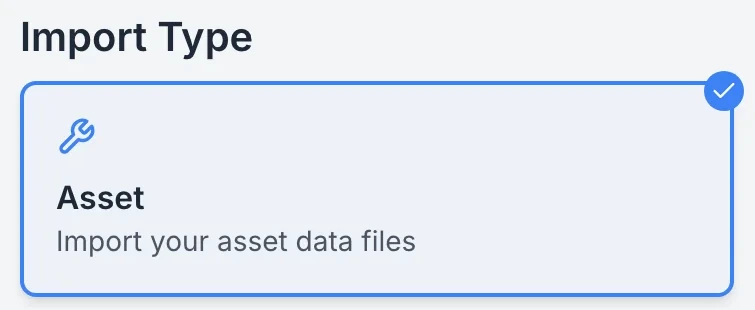
Imports run in three steps, upload, map the fields and review, for assets, locations or people, from a CSV or XLSX file.
MapTrack app · Demonstration data · Captured
See imports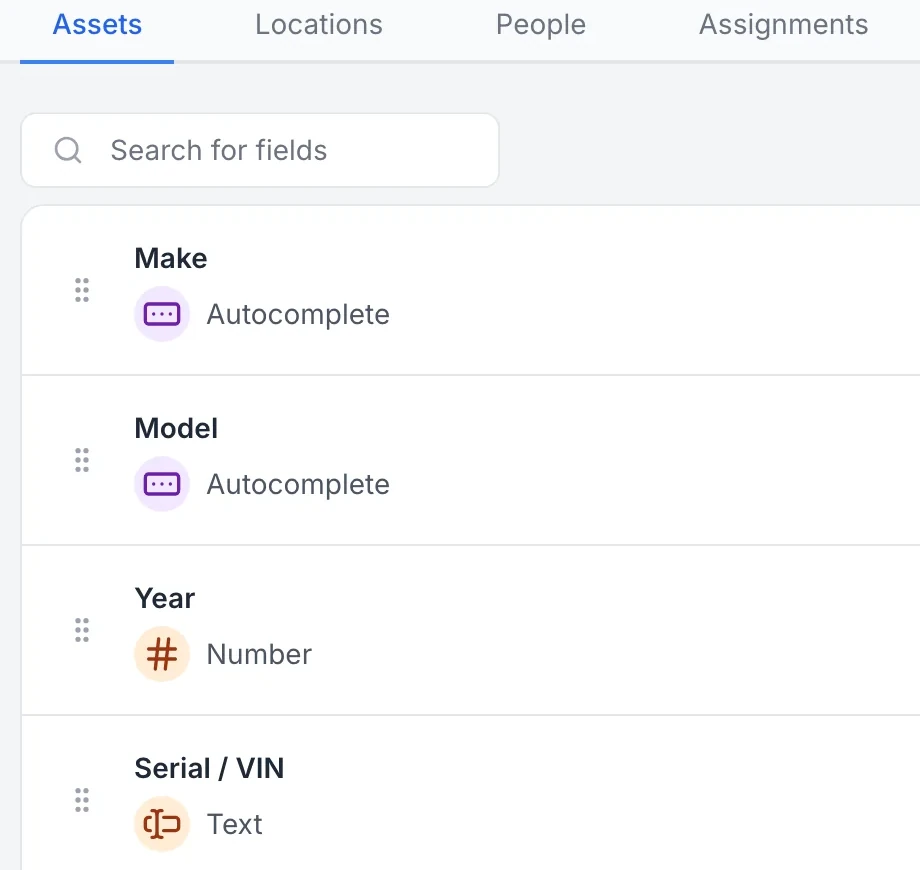
Custom fields are set per record type, with a field type for each, so every asset, location and person holds the details your team tracks.
MapTrack app · Demonstration data · Captured
See custom fields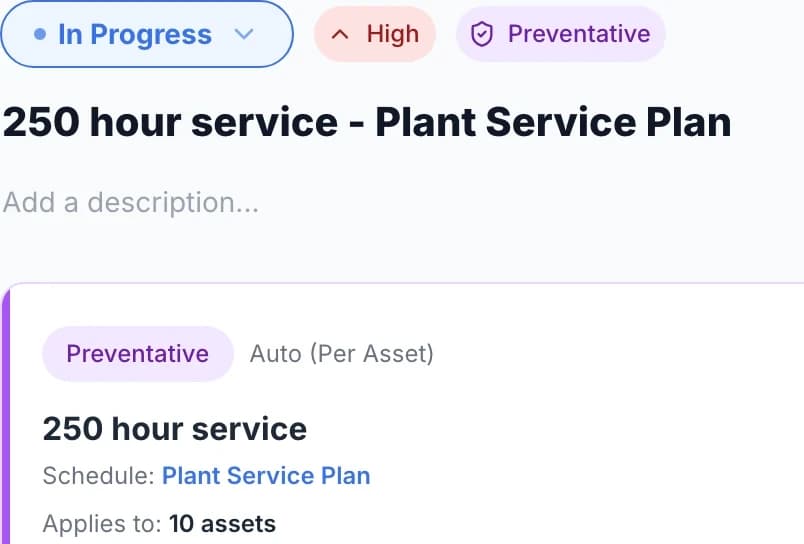
Service when the asset needs it, not just on a calendar.
MapTrack app · Demonstration data · Captured
See meter-based triggers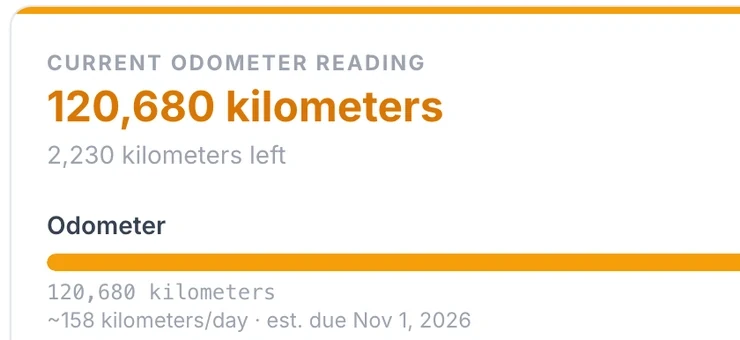
MapTrack works out each asset’s usage rate from its recent readings and estimates when the next meter service will fall due.
MapTrack app · Demonstration data · Captured
See the service forecast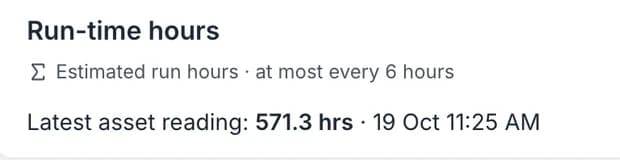
MapTrack names the reading an estimate and shows how often it can update.
MapTrack app · Demonstration data · Captured
See telematics data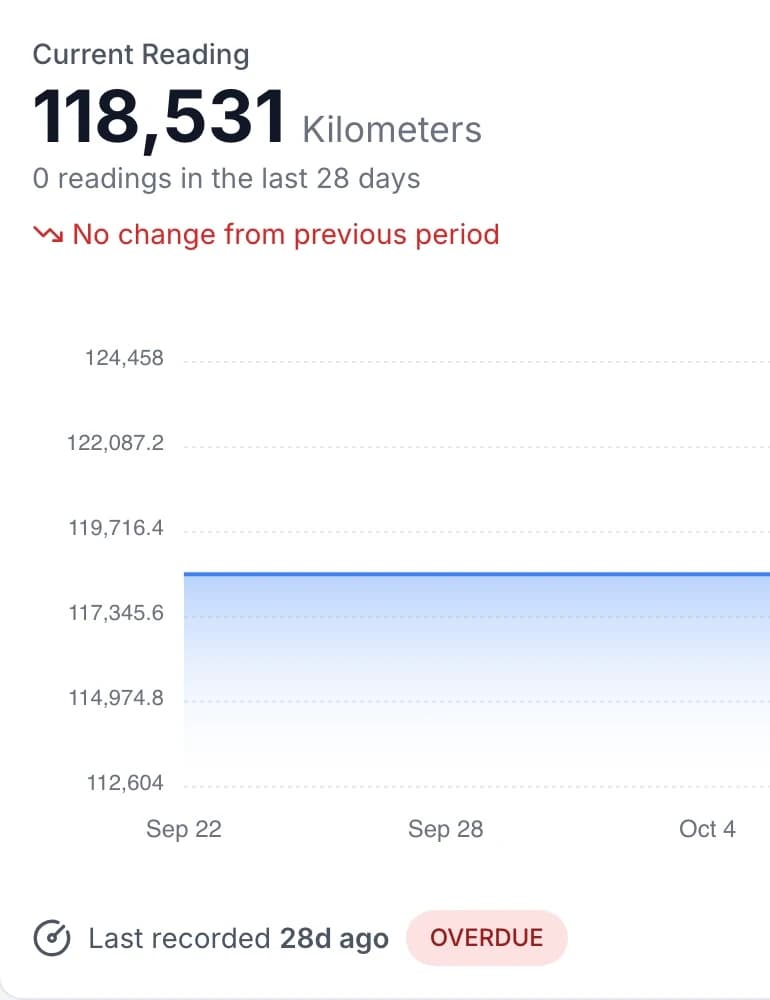
MapTrack also flags meters whose readings are out of date, or whose estimated due date has passed without a new reading, so services don’t slip between readings.
MapTrack app · Demonstration data · Captured
See overdue readings
Trusted by construction, civil and mining teams









One register, many sources - vendor-neutral
Asset data can come from MapTrack and from OEM/telematics. One place to see location, meters and maintenance triggers. We integrate with many telematics and OEM vendors. Not locked to one hardware vendor.
ERP field integration planning
Assess MapTrack assets, durable QR workflows and forms around an ERP. Work-order, evidence and status exchange requires custom integration.
Review ERP scope →Public API
API key access and documentation for current asset, category, custom-field, location, people and account-user resources.
Explore API access →OEM and telematics data
Odometer, engine hours, location, fuel and faults can feed in where configured from a wide range of vendors.
View integrations →Enterprise integration
Plan ownership, object mappings, retries, conflicts and support before selecting middleware or building a custom connector.
Read the architecture →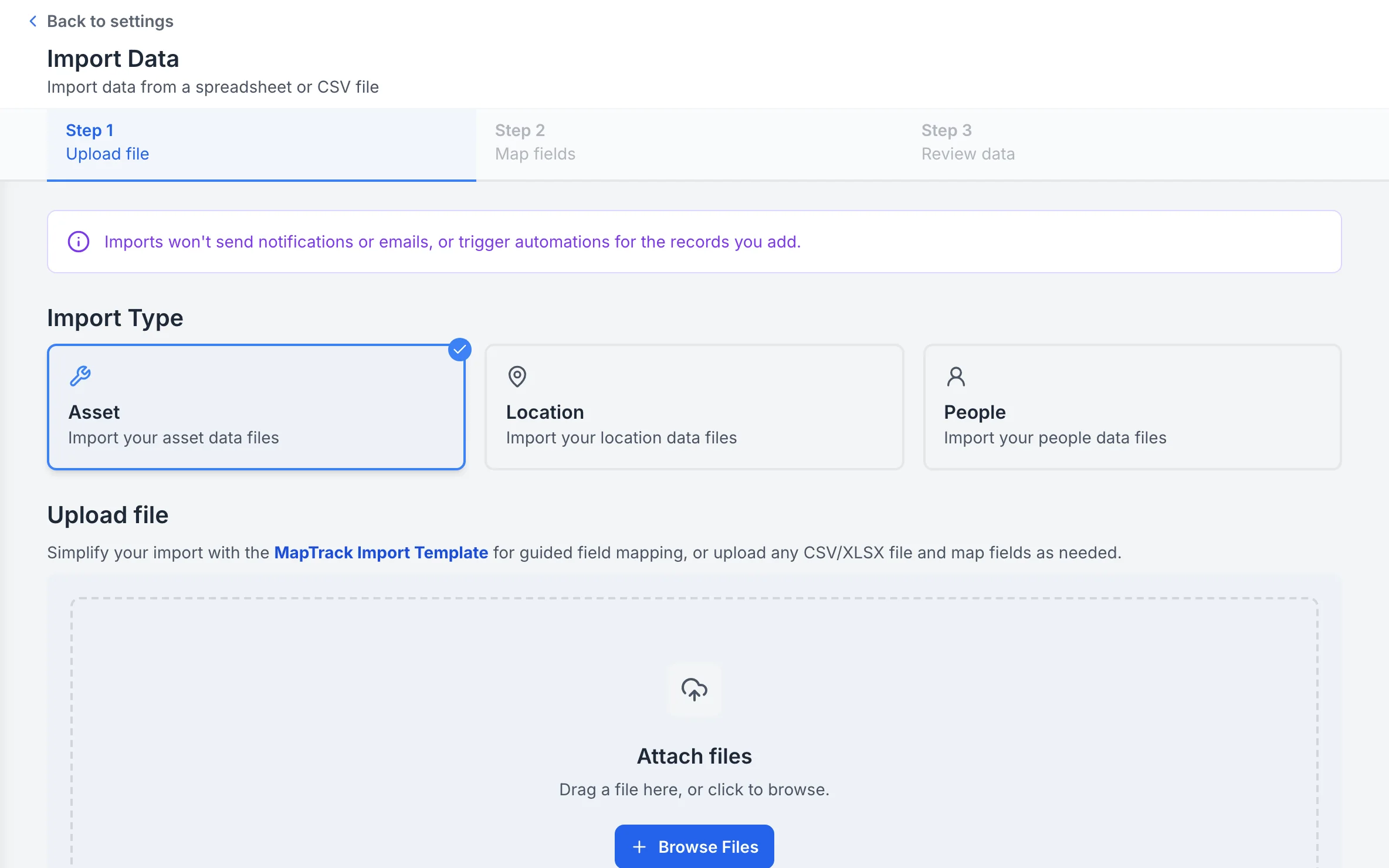
Import assets, locations or people from a spreadsheet
Imports run in three steps, upload, map the fields and review, for assets, locations or people, from a CSV or XLSX file.
MapTrack app · Demonstration data · Captured
About this screenshot
Captured at a 1440 x 900 desktop viewport at 2x in a demonstration workspace, right of the sidebar.
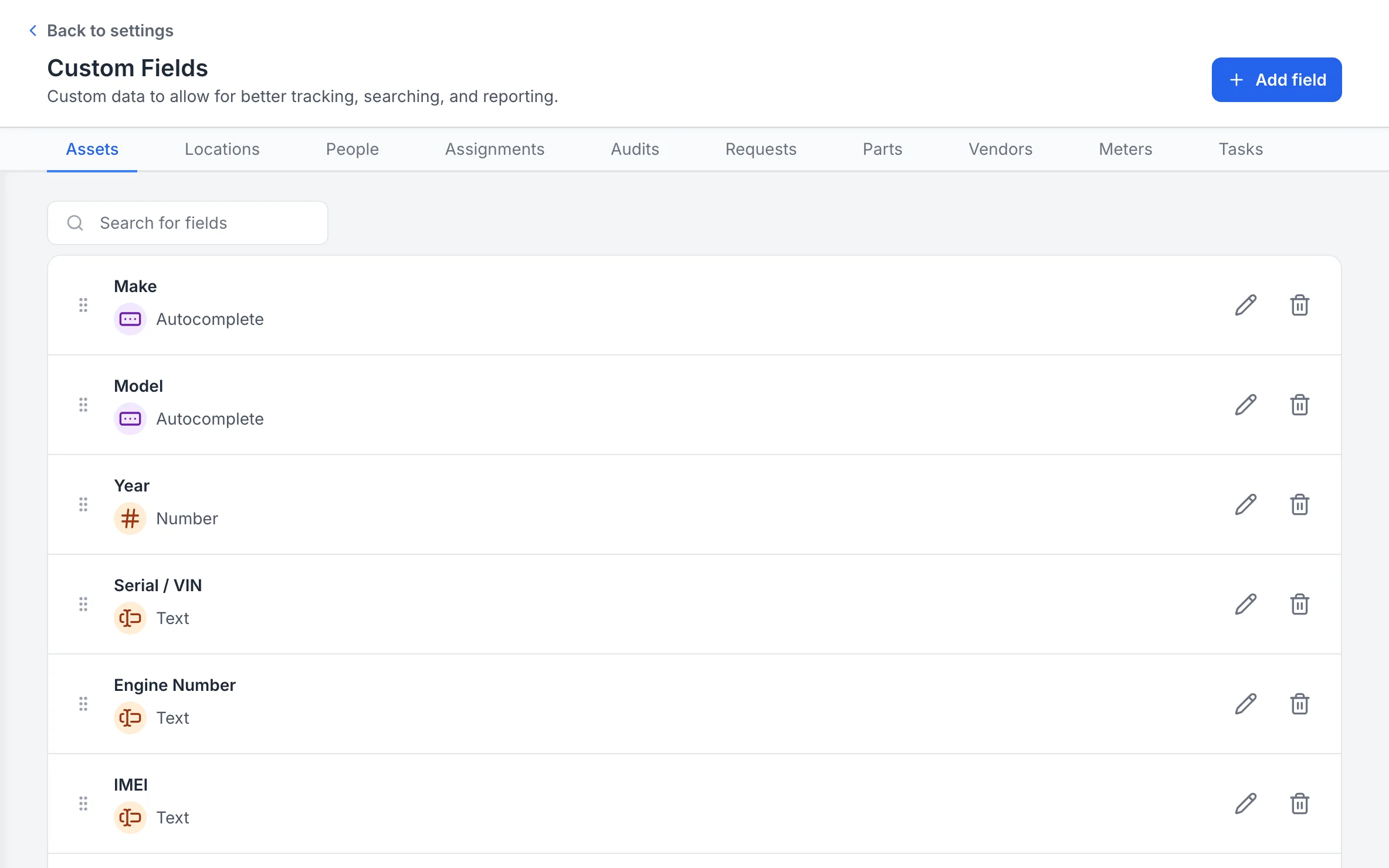
Your own fields for each record type
Custom fields are set per record type, with a field type for each, so every asset, location and person holds the details your team tracks.
MapTrack app · Demonstration data · Captured
About this screenshot
Captured at a 1440 x 900 desktop viewport at 2x in a demonstration workspace, right of the sidebar.
Meter-based triggers
Trigger work orders from real usage data
Use OEM data to trigger work orders and maintenance from runtime, ODO or engine hours. Geofence-based utilisation reporting where location data is available. Service when the asset needs it, not just on a calendar.
Explore maintenance & work orders →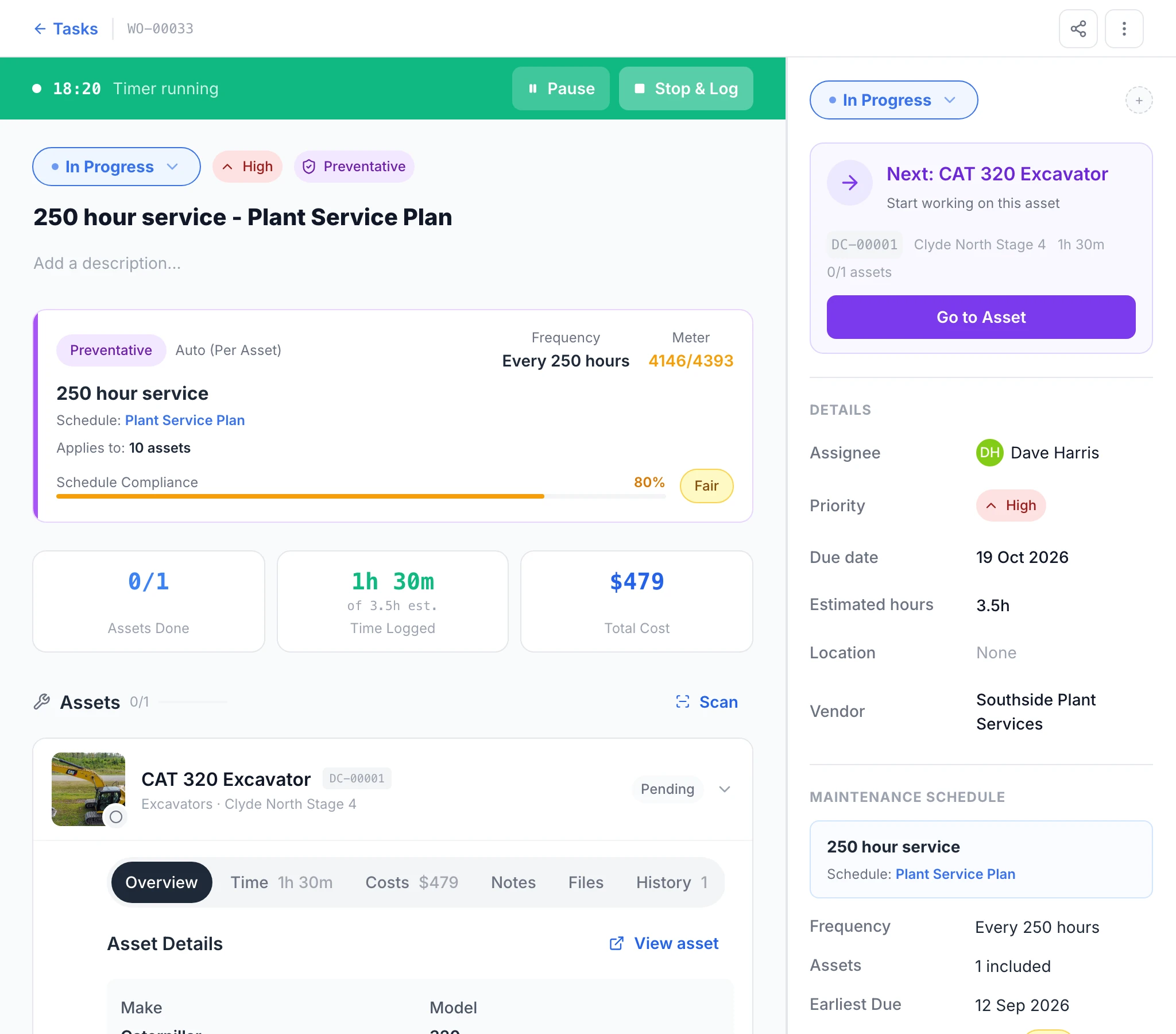
The work order a reading raised
The Plant Service Plan raised this 250 hour service work order for the CAT 320 on its own (Auto, per asset) at a meter reading of 4146. With the job started, its timer runs, and the page shows the assignee, due date, estimate, time logged and total cost so far.
MapTrack app · Demonstration data · Captured
About this screenshot
Demonstration workspace at a 1280 px desktop viewport. The schedule raised the work order when a reading was entered by hand; the due date, logged time and costs were then added in the app. Requires an asset enrolled in a meter-based schedule.
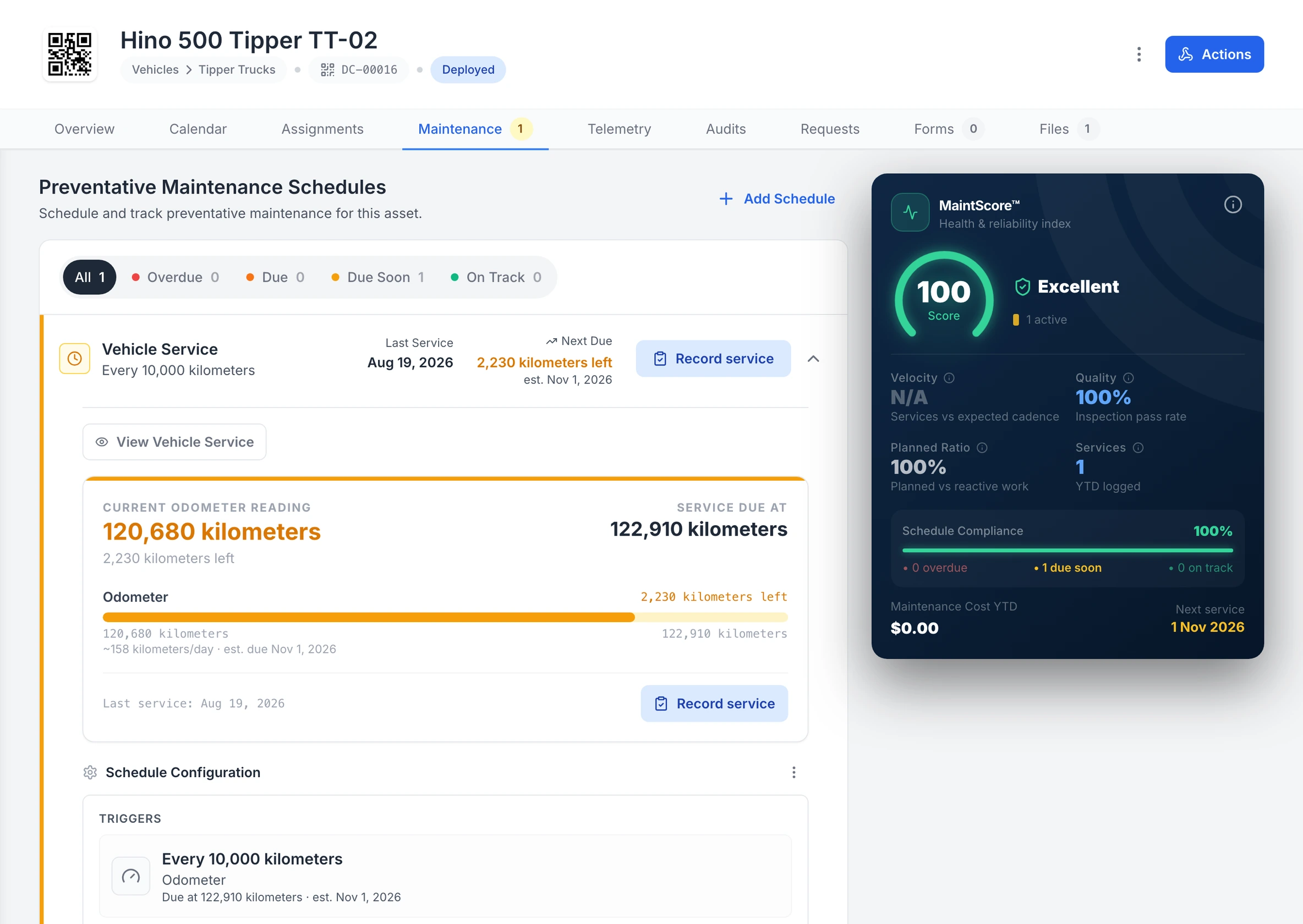
A truck’s kilometre service, forecast from its use
Tipper TT-02’s Vehicle Service runs off its odometer: 2,230 kilometres to the 122,910 kilometre service, with the due date estimated from about 158 kilometres a day.
MapTrack app · Demonstration data · Captured
About this screenshot
Demonstration workspace at a 1600 px desktop viewport on the truck’s Maintenance tab, cropped right of the navigation sidebar and above the schedule’s service history. The 10,000 km interval is the demonstration workspace’s own schedule, not the maker’s.
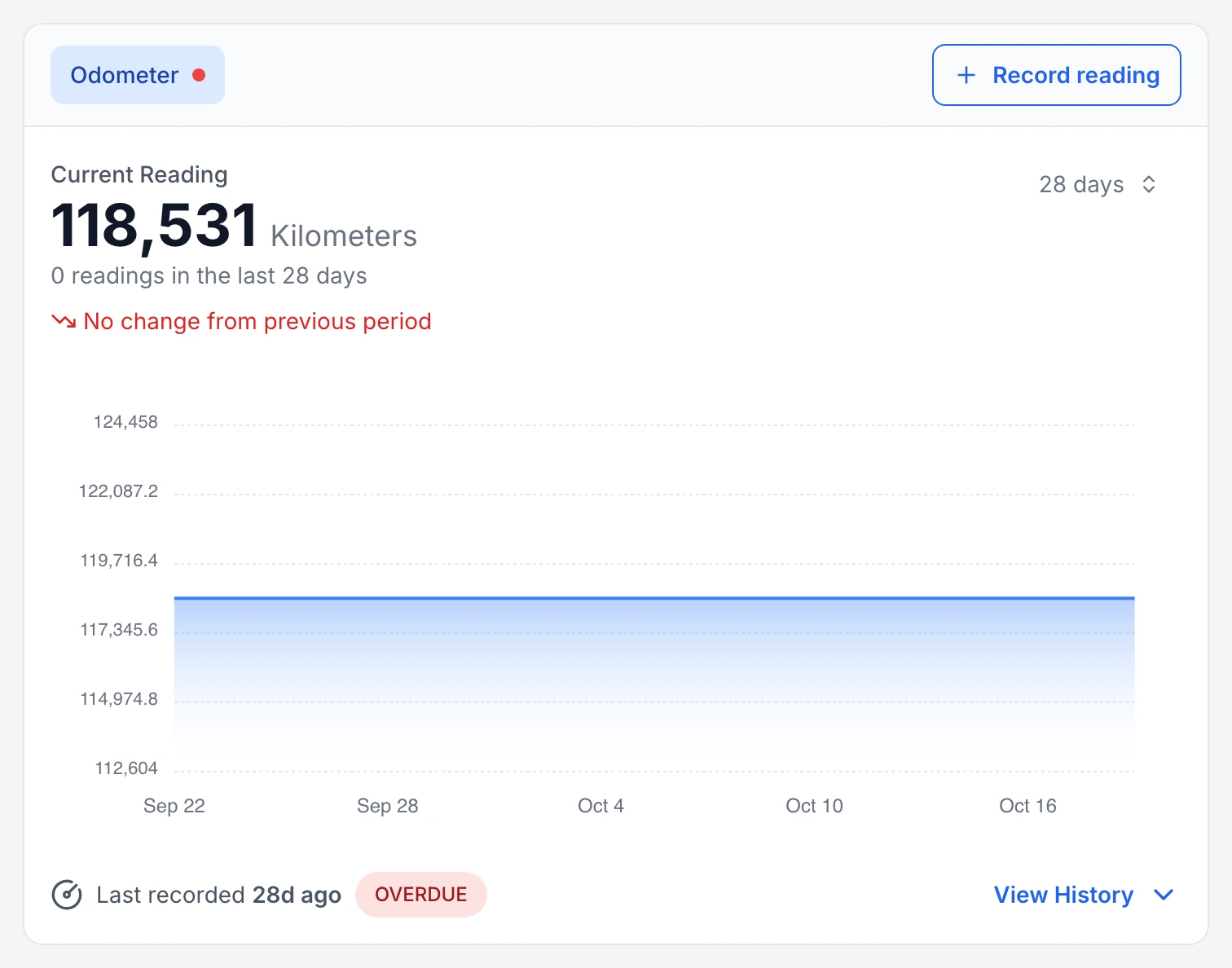
A truck odometer that has stopped updating, flagged
Tipper TT-01’s odometer: no reading in the last 28 days, so MapTrack marks the meter overdue for a reading and shows the gap on its 28-day chart.
MapTrack app · Demonstration data · Captured
About this screenshot
Demonstration workspace at a 1440 px desktop viewport on the truck’s Overview tab, cropped to its Meter Readings card.
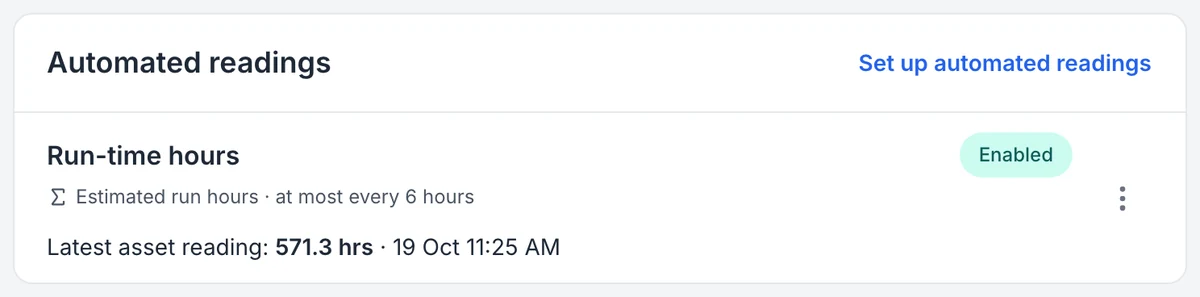
The reading the camera sends, and how often
MapTrack names the reading an estimate and shows how often it can update. Hours and distance are worked out from completed trips, so time spent idling is not counted.
MapTrack app · Demonstration data · Captured
About this screenshot
Demonstration account at a 1440 px desktop viewport, Automated readings card cropped from the device page.
Telematics integration
Connect telematics and OEM data feeds
MapTrack integrates with a wide range of telematics, fuel-card and fleet/asset management systems. Odometer, engine hours, location, fuel and faults can feed in where configured. Not locked to one hardware vendor.
View full OEM integrations list →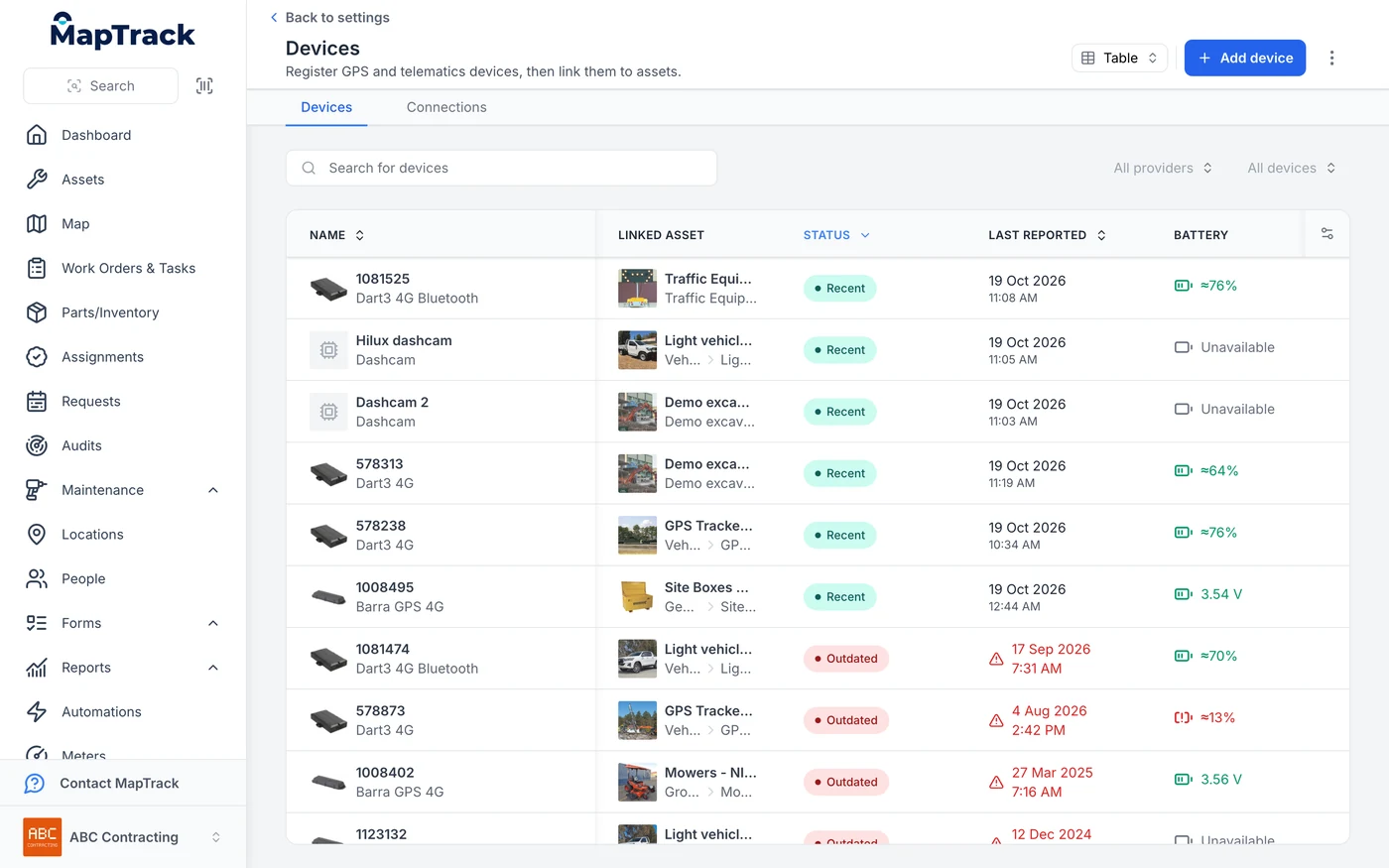
Cameras and trackers in one device list
An AI dash cam registers in the same device list as the GPS trackers and links to the asset it is fitted to. The status and last reported columns come from the devices themselves, so a tracker that has stopped reporting shows as Outdated.
MapTrack app · Demonstration data · Captured
About this screenshot
Demonstration account at a 1440 px desktop viewport, Devices list sorted by status. The camera maker’s name is masked.
Why integrations belong in your asset platform
Connect MapTrack to the tools you already use
Use the public API, verified OEM and telematics sources, or a scoped custom project for ERP and other enterprise workflows.
- No credit card required
- Unlimited users
Frequently asked questions
Connect to your existing tools
Join teams connecting MapTrack to telematics, OEM and enterprise systems.
- No credit card required
- Unlimited users