

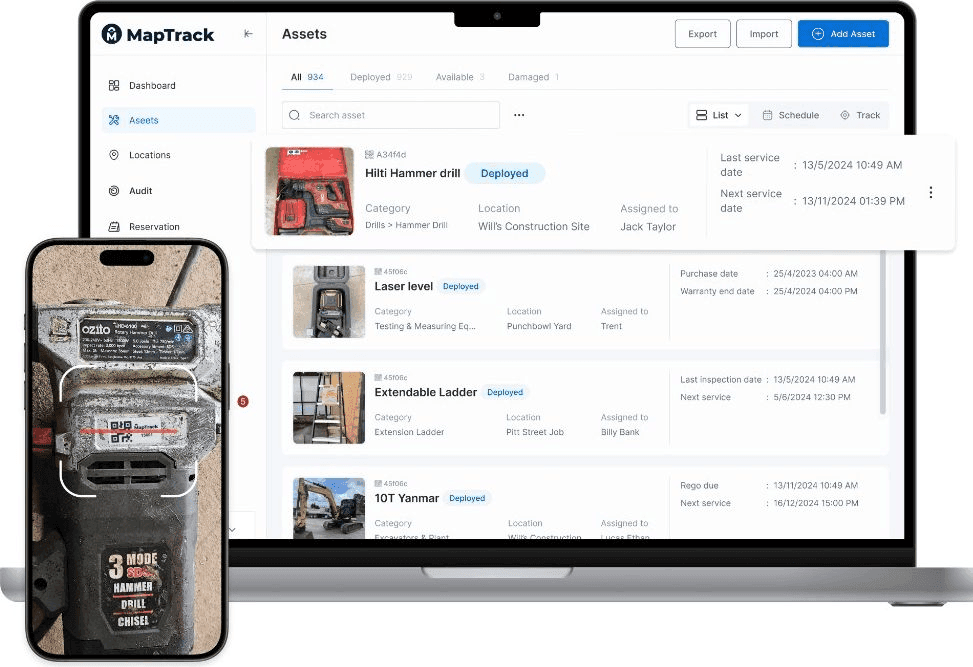
An ERP field front end is not a skin placed over every enterprise screen. It is a deliberately narrow operational layer for the moments where a technician, operator or contractor identifies an asset, completes a task and captures evidence. The ERP or EAM keeps control of enterprise planning and records; the field layer reduces the friction of physical work.
This reference architecture is for teams evaluating MapTrack around SAP Asset Management, Oracle Maintenance, Pronto Xi, IBM Maximo, Microsoft Dynamics 365 or another ERP/EAM. It separates current MapTrack product capability from custom integration scope. It is a planning reference, not a claim that a prebuilt connector exists.
Choose the Right Decision Boundary
Start with the field problem, not the vendor name. A native ERP mobile application may already be the best answer when technicians need broad, transactionally complete access to one maintenance system. A separate field layer becomes more relevant when the workflow crosses mixed plant, fleet, tools, equipment and inventory, or when durable QR labels, scanner users and rapid form changes are central to adoption.
Use these three tests before commissioning integration work:
- Field-fit test: can the intended user identify the asset and finish the task quickly in gloves, sunlight, a vehicle, workshop or low-connectivity site?
- Control test: can the proposed design preserve ERP approvals, required fields, status rules and audit history without creating a second uncontrolled record?
- Value test: is the measured reduction in task time, rework or missing evidence worth the connector, support and change management cost?
MapTrack currently provides a strong field foundation for asset records, durable QR workflows and digital forms. It does not currently ship a one-click SAP, Oracle, Pronto, Maximo or Dynamics connector.
Define System Ownership
Assign one authoritative owner for every object and field. Terms such as “two-way sync” are too vague for production design because they do not say which system wins, which states can be changed or how a rejected update is resolved.
| Object | Typical authority | Field-layer responsibility | Decision to document |
|---|---|---|---|
| Equipment and functional location | ERP/EAM | Search, scan and show approved operational fields | Which fields are read-only, writable or locally enriched? |
| Work order and operation | ERP/EAM for ERP-controlled work | Present the task and collect agreed completion evidence | Which statuses, labour, parts and failure codes may be submitted? |
| Inspection submission | Defined per workflow | Capture answers, photos, signatures and corrective tasks | Does the ERP receive a result, full answers, an attachment or a link? |
| Parts and stock value | ERP inventory and finance | Capture field consumption only when included in scope | When is a reservation, issue, return or adjustment posted? |
| Identity and access | Enterprise identity provider | Apply SSO, role and site access to field workflows | How are contractors, leavers and shared devices governed? |
Map ERP and Field Objects
Build an object-and-field contract before designing screens. The contract should name the ERP object, MapTrack object, external identifier, source of truth, create/update direction, writable fields, validation rules, status mapping and retention requirement.
Current public MapTrack API boundary
The current public API can support integration work around the following resources:
- Assets
- Categories
- Custom fields
- Locations
- People
- Account users
The following capabilities exist in the MapTrack product or are common ERP requirements, but they are not current public API resources and therefore need custom product and integration work before they can be represented as an automated ERP exchange:
- ERP work orders and operations
- MapTrack work orders
- Form templates and submissions
- Files, photos and signatures
- Meter readings
- Maintenance schedules and events
- Inventory and parts usage
- Assignments and utilisation intervals
- Status events and approval outcomes
Do not use asset numbers, work order numbers or email addresses as the only integration key. Keep immutable source-system identifiers and a mapping table so business-facing numbers can change without breaking referential integrity.
Design the Workflow Sequence
A field workflow should be written as a state sequence that names both systems. For an ERP-controlled maintenance task, a defensible sequence might be:
- The ERP approves and releases a work order and operation.
- Middleware validates the allowed fields and creates or updates the field task using a stable external identifier.
- The technician scans a durable QR label or searches for the approved asset, then sees only the information needed to perform the work.
- The technician captures structured answers, notes, photos, signatures or readings included in the agreed scope.
- A supervisor reviews the submission when the process requires an approval gate.
- Middleware posts only the approved fields to the ERP and records the response, timestamp and source record identifiers.
- Rejected or conflicting updates enter a visible exception queue rather than being silently discarded.
MapTrack forms can currently be completed offline. MapTrack work orders and the ERP exchange described above are not a standard offline product flow today. Treat the sequence as target architecture until the scoped connector has passed production-like testing.
Specify Offline Behaviour
“Works offline” must be defined per action. A user may be able to open a cached asset and complete a form while being unable to receive a newly released ERP work order, reserve stock or close a task. Document each action as online, cached read, queued create, queued update or not available offline.
| MapTrack action | Current boundary | Integration implication |
|---|---|---|
| Complete forms and access selected assets/QR records | Offline support available | Define queued-submission visibility, duplicate handling and sync confirmation |
| Work orders, assignments and maintenance | Connectivity required | Do not promise offline ERP work execution without new verified product scope |
| Inventory movements and audits | Connectivity required | Prevent users from assuming a queued ERP stock issue exists |
| Maps, reports and live GPS context | Connectivity required | Show stale-data timestamps and a clear unavailable state |
Test aircraft mode, intermittent connectivity, app termination, expired authentication, a full device, simultaneous edits and a submission made just before a server-side status change. These conditions reveal more than a demonstration on office Wi-Fi.
Engineer Reliable Data Exchange
Production integration is an observable process, not a background API call. The minimum reliability contract should include:
- idempotency keys for every create or completion transaction;
- bounded retries with exponential backoff and dead-letter handling;
- field-level validation before a request reaches the ERP;
- optimistic concurrency or an explicit source-of-truth conflict rule;
- correlation IDs across MapTrack, middleware and ERP logs;
- an exception queue with owner, age, reason and resolution history;
- reconciliation reports for missing, duplicate and out-of-order records;
- alerts based on failure rate and queue age, not only system uptime;
- a replay procedure that does not create duplicate business events.
Record the business result separately from transport success. An HTTP success response does not prove that the ERP accepted the intended status, attachment, stock movement or meter reading.
Apply Security and Governance
Use least-privilege service identities, separate non-production and production credentials, rotate secrets and restrict network access where the ERP supports it. MapTrack supports SAML SSO, role-based access and activity history, but the integration design still needs its own threat model and access review.
Governance decisions should cover:
- which personal, location and photographic data may cross systems;
- attachment size, malware scanning and permitted file types;
- data residency, retention, legal hold and deletion obligations;
- contractor onboarding, offboarding and device access;
- production support ownership and incident escalation;
- change control when ERP configuration or form versions change.
Keep the first release narrow. Every additional writable field expands the validation, permission, conflict and support surface.
Compare Native ERP Mobile Options
A credible assessment compares MapTrack with the vendor’s current mobile option. Native applications already cover substantial maintenance functionality and should not be dismissed with generic claims about poor UX.
- SAP: SAP Service and Asset Manager supports offline maintenance execution, forms, readings, inventory and signatures. Compare against a specific field-adoption gap.
- Oracle: Oracle Maintenance work execution and its REST resources cover controlled maintenance processes. Do not confuse Oracle Maintenance with Oracle Field Service.
- Pronto Xi: Pronto Xi Asset & Facility Management includes mobile maintenance capability. Test the exact Pronto version and workflow before proposing another layer.
- IBM Maximo: Maximo Mobile is the native benchmark for work, inspection and asset workflows.
- Dynamics 365: Dynamics 365 Field Service mobile provides technician work execution. Confirm whether the process is customer field service, internal asset maintenance or both.
MapTrack’s strongest wedge is not generic mobile maintenance. It is a narrow, easy-to-adopt field layer for mixed physical assets, durable QR deployment, forms and hardware-aware context where the native workflow leaves a measured operational gap.
Run a Production Pilot
A pilot should prove adoption and control, not merely demonstrate that two APIs can exchange a record. Keep it to one workflow, site, asset class and user cohort, then agree exit criteria before configuration begins.
Before the pilot
- Baseline current task time, error rate and missing-evidence rate.
- Approve the ownership and object mapping tables.
- Define supported devices, labels, scanners and connectivity cases.
- Prepare test records for every status and validation path.
- Assign business, ERP, integration and support owners.
Production-like acceptance tests
- Create, update, cancel and reassign the source task.
- Submit the same completion twice and prove idempotency.
- Change the ERP record while the field user is working.
- Reject a required field, invalid code, attachment and reading.
- Interrupt connectivity at every workflow step.
- Replay a failed event and reconcile both systems.
- Remove a user and confirm access is revoked everywhere expected.
Expansion decision
Compare the pilot with the baseline using median task time, completion quality, exception rate, mean exception age, support effort, technician adoption and supervisor rework. Expand only after the workflow meets its adoption target and the exception process is supportable.
Start with the ERP integration readiness assessment to frame the pilot, then review the vendor-specific integration scope pages and current MapTrack API boundary before estimating delivery.