
AI features
AI that speeds setup and adoption - shipped standard
Use AI to speed setup and adoption. Create assets from a photo, build forms from PDF or description, and match fields when importing data. Get to a clean register and audit-ready forms faster - shipped as standard.
Get pricing4.9 on G2 · 5.0 on Capterra, GetApp & Software Advice15 current G2 reviewsNo credit card required


Read how these teams run MapTrack









Co-Founder & GM of Operations
From paper and spreadsheets to MapTrack, with AI doing the typing
- AI-assisted
- form creation
- Shipped standard
- no add-on
- Practical
- operator-first
Review the questions, options, required fields and logic, then publish it for the relevant assets, people or locations.
MapTrack app · Demonstration data · Captured
See how a draft is reviewed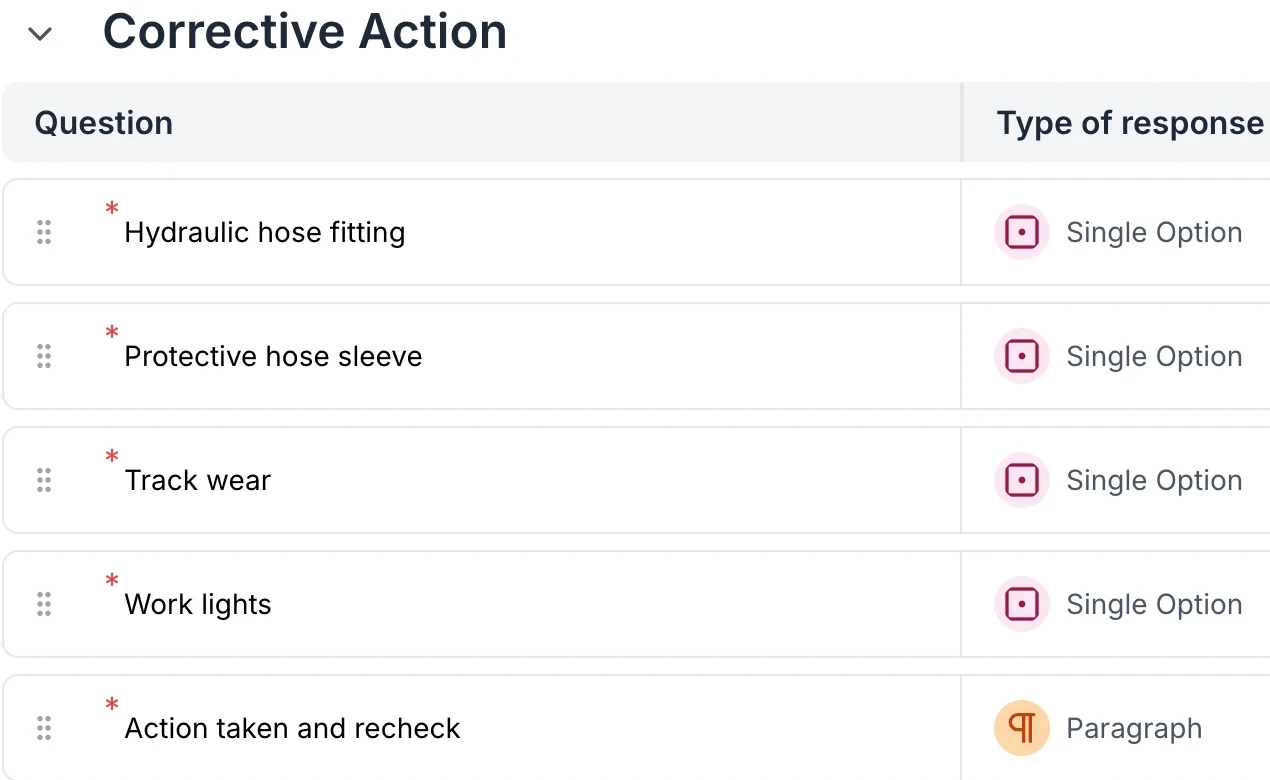
MapTrack AI generates a digital form with fields, logic and structure.
MapTrack app · Demonstration data · Captured
See AI form creation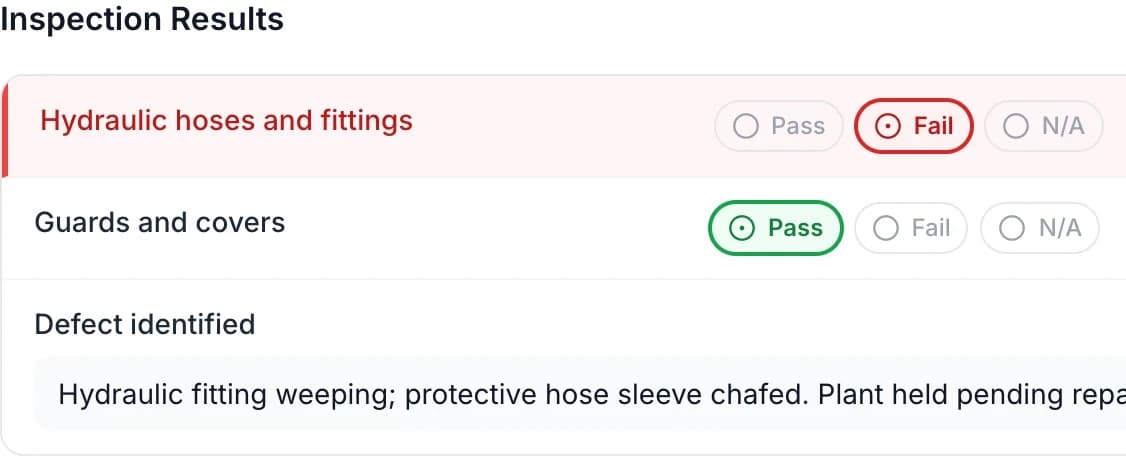
Great for migrating from paper or existing checklists.
MapTrack app · Demonstration data · Captured
See forms from paper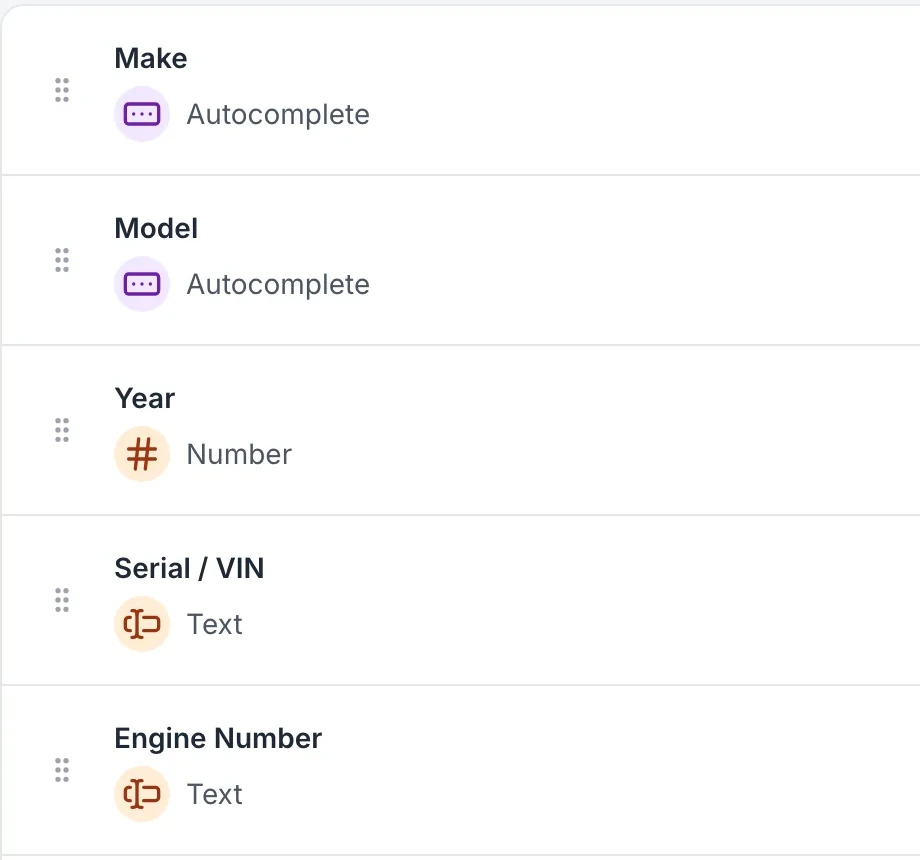
Snap a photo of an asset; MapTrack's AI suggests or fills asset details so you can create the record quickly.
MapTrack app · Demonstration data · Captured
See AI asset creation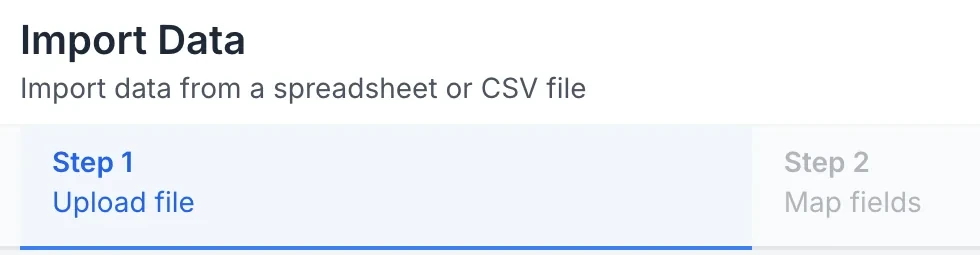
Use AI suggestions with a deliberate review step
MapTrack can prefill an asset or part from a photo and prepare a form or maintenance procedure from existing material. The person creating the record still reviews and saves the result.
1. Photograph the useful information
Use a clear asset plate, part label or packaging image. Check the proposed make, model, serial and custom-field values against what is actually legible.
2. Prepare forms from existing documents
Upload a PDF, Word document, spreadsheet, CSV, text or image to prepare the form structure. Review required answers, options, defaults and instructions before using it in the field.
3. Control where AI is available
The account has a master AI setting and separate controls for asset photos, part photos and form creation. The form setting also covers maintenance procedures.
4. Verify the saved record
Confirm the final details and save the asset, part or form through its normal workflow. Test a generated form with a sample submission before activating it for the crew.
Setup and limits
- AI generation requires a connection and enabled account settings. Suggestions need review, especially unclear identifiers, technical instructions and required fields.
Trusted by construction, civil and mining teams









AI that does the heavy lifting, so you get to value faster
AI asset creation, AI form creation and AI data import are shipped standard. No separate AI add-on. Focused on real workflows: create asset from photo, form from PDF, match import columns.
AI asset creation
Snap a photo of an asset; MapTrack's AI suggests or fills asset details so you can create the record quickly.
Explore AI features →AI form creation
Upload a PDF or describe your form in words. MapTrack generates a digital form with fields and structure.
Explore →AI data importer
When importing spreadsheets or CSV, AI helps match columns to MapTrack fields. Reduces manual mapping and errors.
Explore →AI form creation
Create forms with AI in seconds
Upload a PDF or describe your checklist in words. MapTrack AI generates a digital form with fields, logic and structure. Edit and assign to asset types. Great for migrating from paper or existing checklists.
Explore forms & checklists →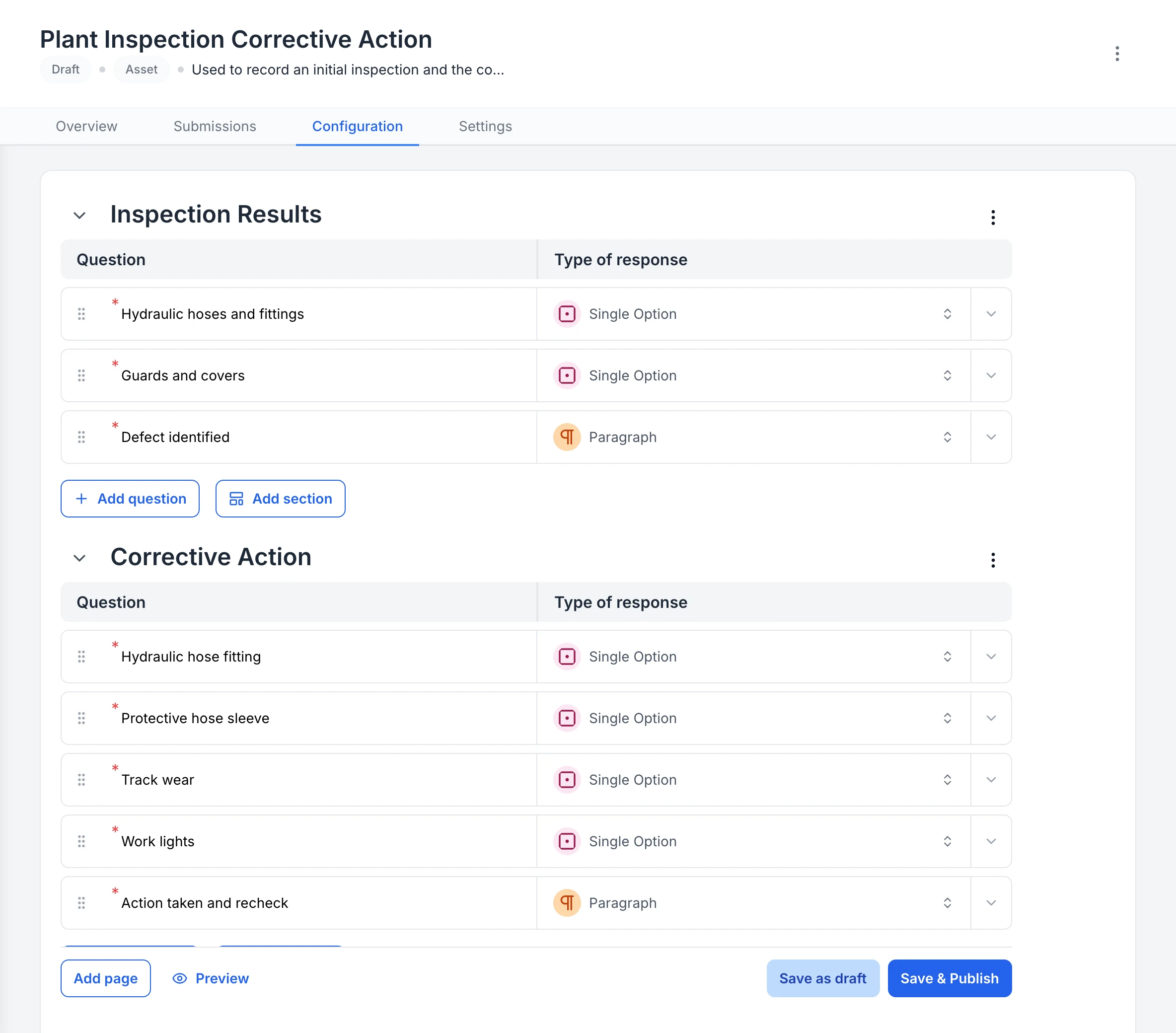
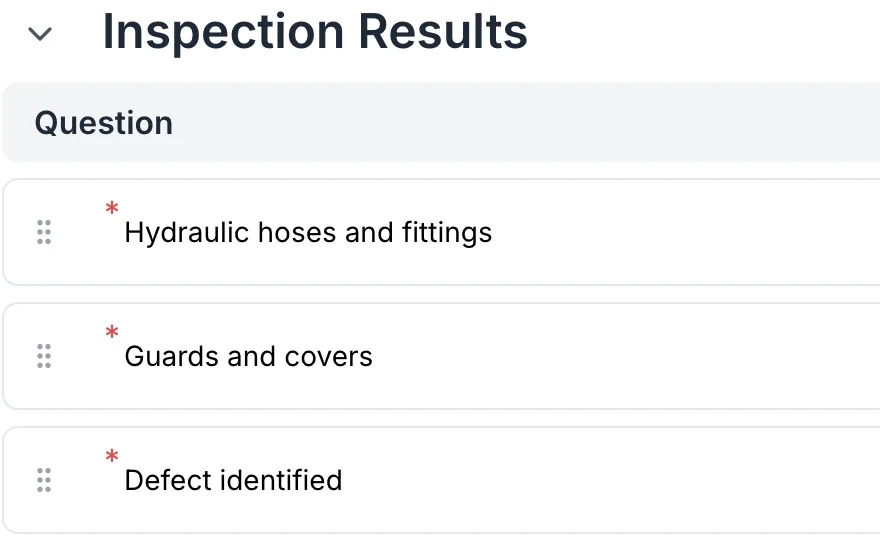
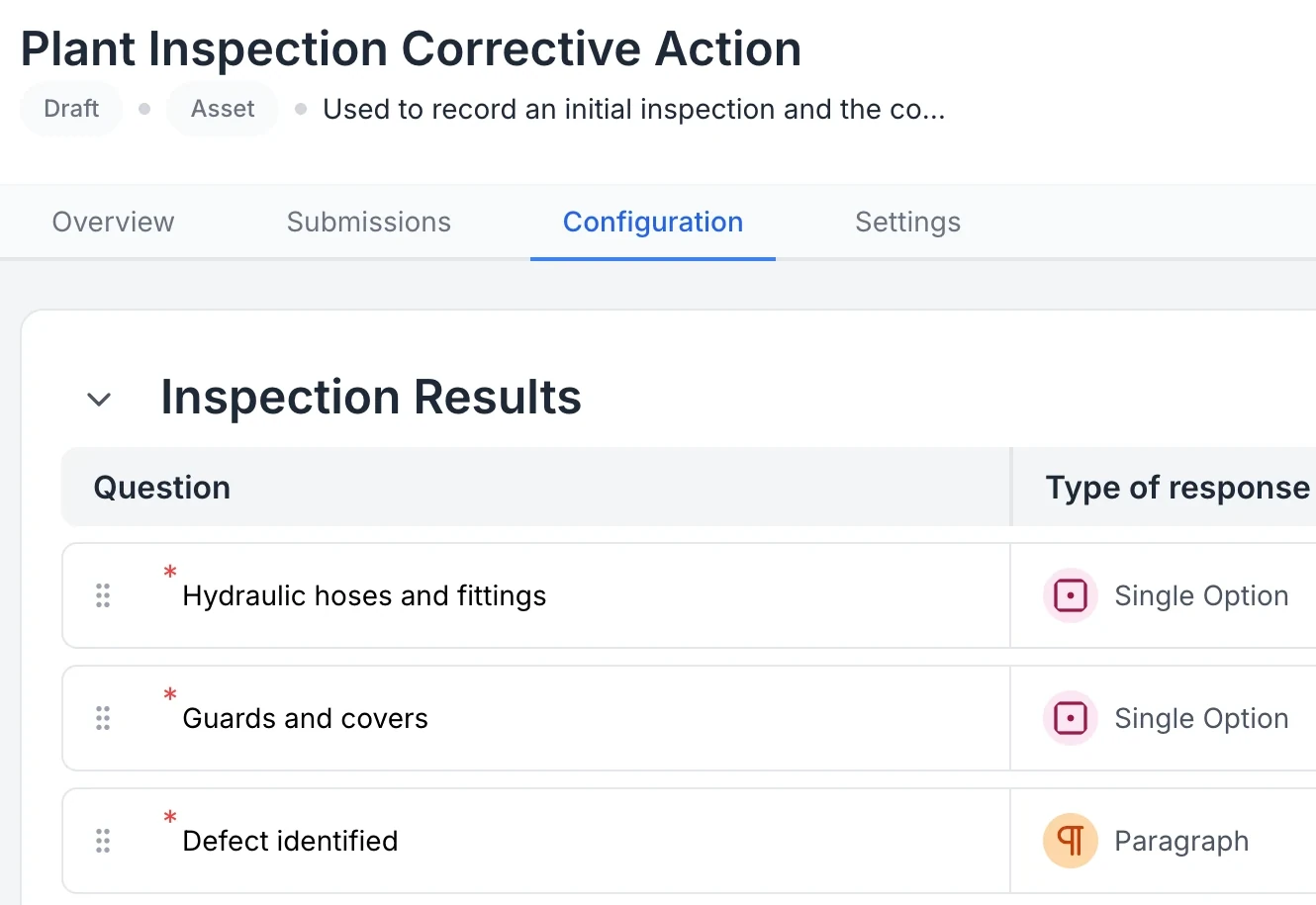
Review the AI-generated inspection before publishing
AI prepared the two sections and eight questions from a written description. Review the answer options and requirements before publishing. This is the setup draft for the completed example; its title was shortened to Plant inspection during review.
MapTrack app · Demonstration data · Captured
About this screenshot
Genuine draft configuration captured before publication. A generated form is a starting point, not evidence that an inspection has been completed.
AI data import
Import data with AI-assisted field matching
When importing spreadsheets or CSV, AI helps match columns to MapTrack fields. Reduces manual mapping and errors during migration from spreadsheets or other systems. Get to a clean register faster.
Explore asset tracking →What AI prepares
What each AI tool prepares, and what your team checks
MapTrack’s AI works inside the screens your team already uses: adding an asset, adding a part, building a form and setting up a maintenance procedure. Each one prepares a draft from material you already have. Nothing is saved until a person reviews it and saves it through the normal workflow, so the record stays yours.
New asset from a photo
- You give it
- One or more photos of the asset, ideally its compliance or serial plate.
- It prepares
- Suggested asset details such as make, model and serial number, plus any of your active custom fields it can read.
- You check
- Identifiers against what is actually legible on the plate, then save the asset.
New part from a photo
- You give it
- A photo of the part, its label or its packaging.
- It prepares
- Suggested part details for the parts record.
- You check
- Part numbers and descriptions, then set stock levels and locations yourself.
Form from a document or description
- You give it
- A PDF, Word document, spreadsheet, CSV, text or image of an existing form, or a written description of the check you need.
- It prepares
- A draft form with sections, repeating groups and question types, ready in the form builder.
- You check
- Required answers, options, defaults and instructions. Test it with a sample submission before the crew uses it.
Maintenance procedure
- You give it
- The same document or description, from a maintenance schedule’s procedure settings.
- It prepares
- A procedure form that uses the same form builder, so it behaves like any other MapTrack form.
- You check
- Each step and safety instruction against the maker’s manual or your own procedure.
Where AI stops
- AI suggestions need a connection. Once a record is saved, it works offline like any other MapTrack record.
- AI prefills fields; it doesn’t save records, complete inspections or close work on its own.
- An administrator can switch AI off for the whole account, or separately for asset photos, part photos and form creation. Turning a switch off removes that AI option from the screen it lives on.
- Asset drafts include your account’s active custom fields alongside the standard ones, so they match your register rather than a generic template.
“MapTrack's a great platform - intuitive for the guys out in the field and also has fantastic support.”
Why teams choose MapTrack AI
See AI-powered insights on your assets
MapTrack AI takes the busywork out of setup: it creates assets from a photo, imports your existing asset data and builds inspection forms for you, so your team spends less time on data entry. Try it free.
- No credit card required
- Unlimited users
Frequently asked questions
Let AI do the heavy lifting
Join teams using MapTrack AI to get to value faster.
- No credit card required
- Unlimited users