
Cost tracking
Track costs by asset, job and project. One platform
Track costs against assets, jobs and projects. Record fuel, maintenance, parts and labour. Where geofence data is available, use time onsite for job costing. One platform so cost and tracking stay in sync.
Get pricing4.9 on G2 · 5.0 on Capterra, GetApp & Software Advice15 current G2 reviewsNo credit card required

Read how these teams run MapTrack









Co-Founder & GM of Operations
From the work order to the asset record
- Asset-level
- cost visibility
- Job & project
- cost alignment
- One platform
- cost + tracking
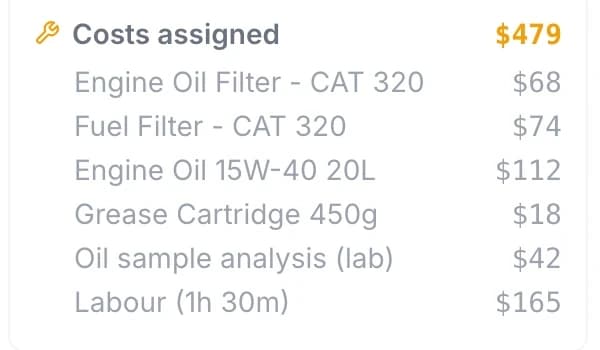
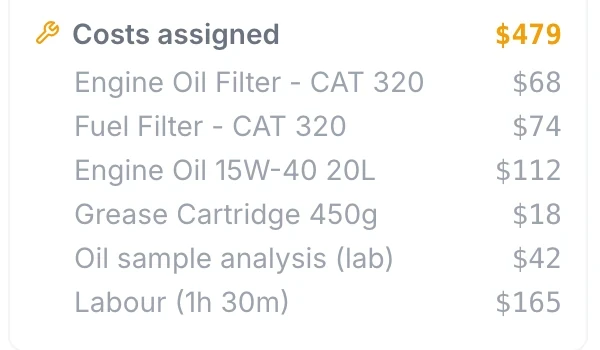
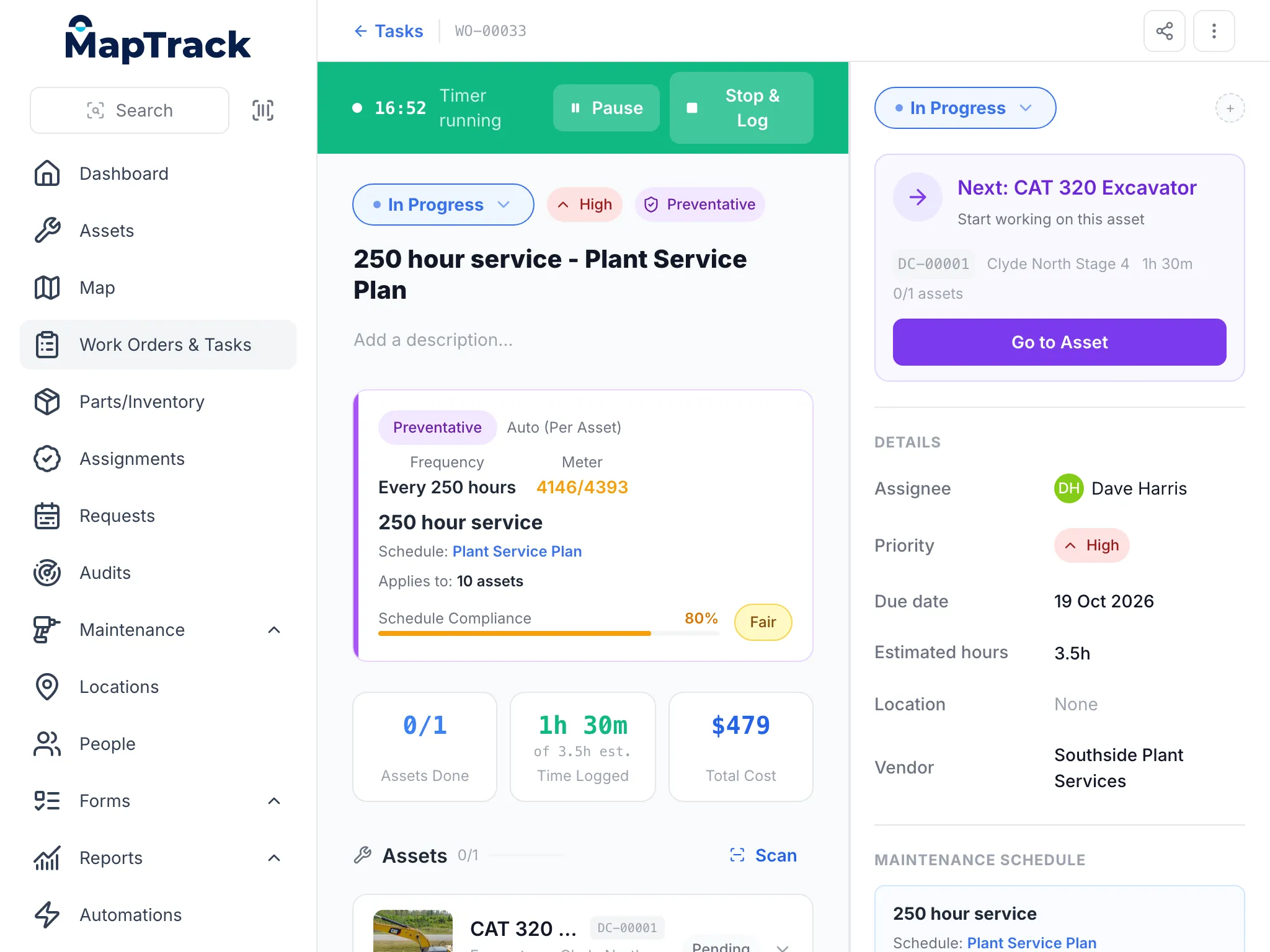
Part costs, an outside lab fee and logged labour add up on the work order: $479 for this 250 hour service at the time of capture.
MapTrack app · Demonstration data · Captured
See costs on the job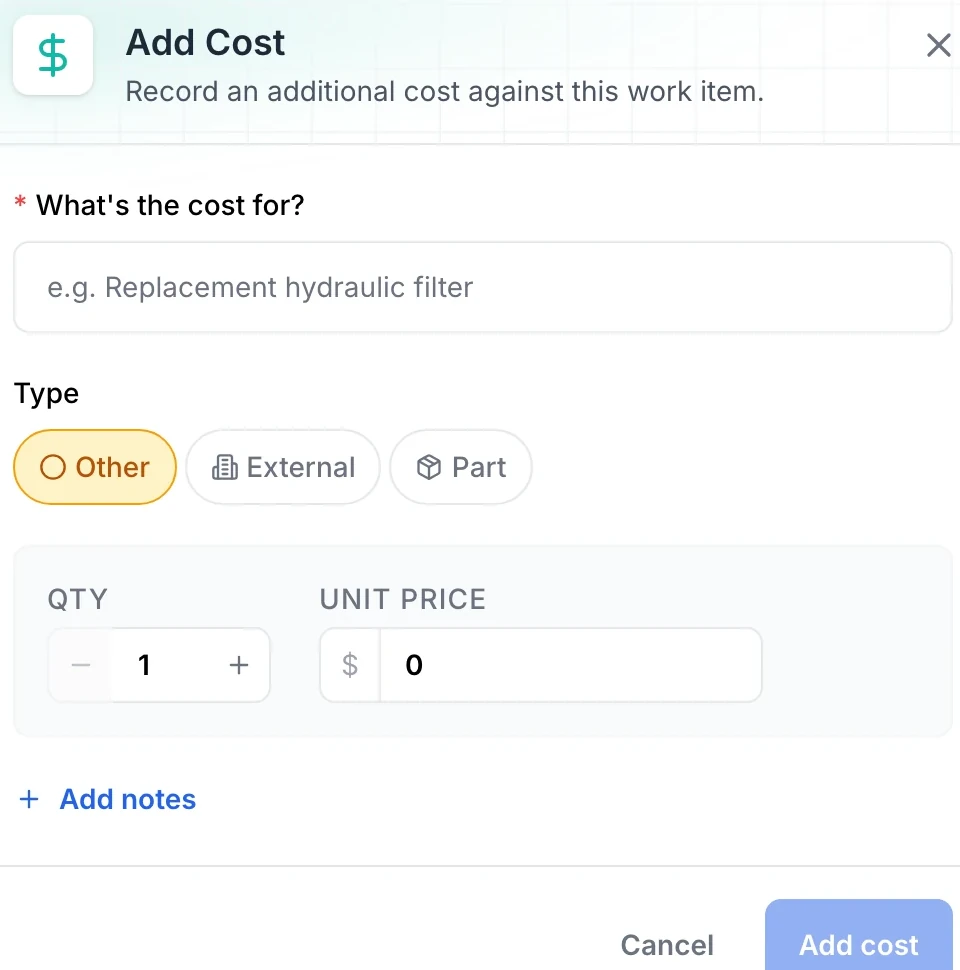
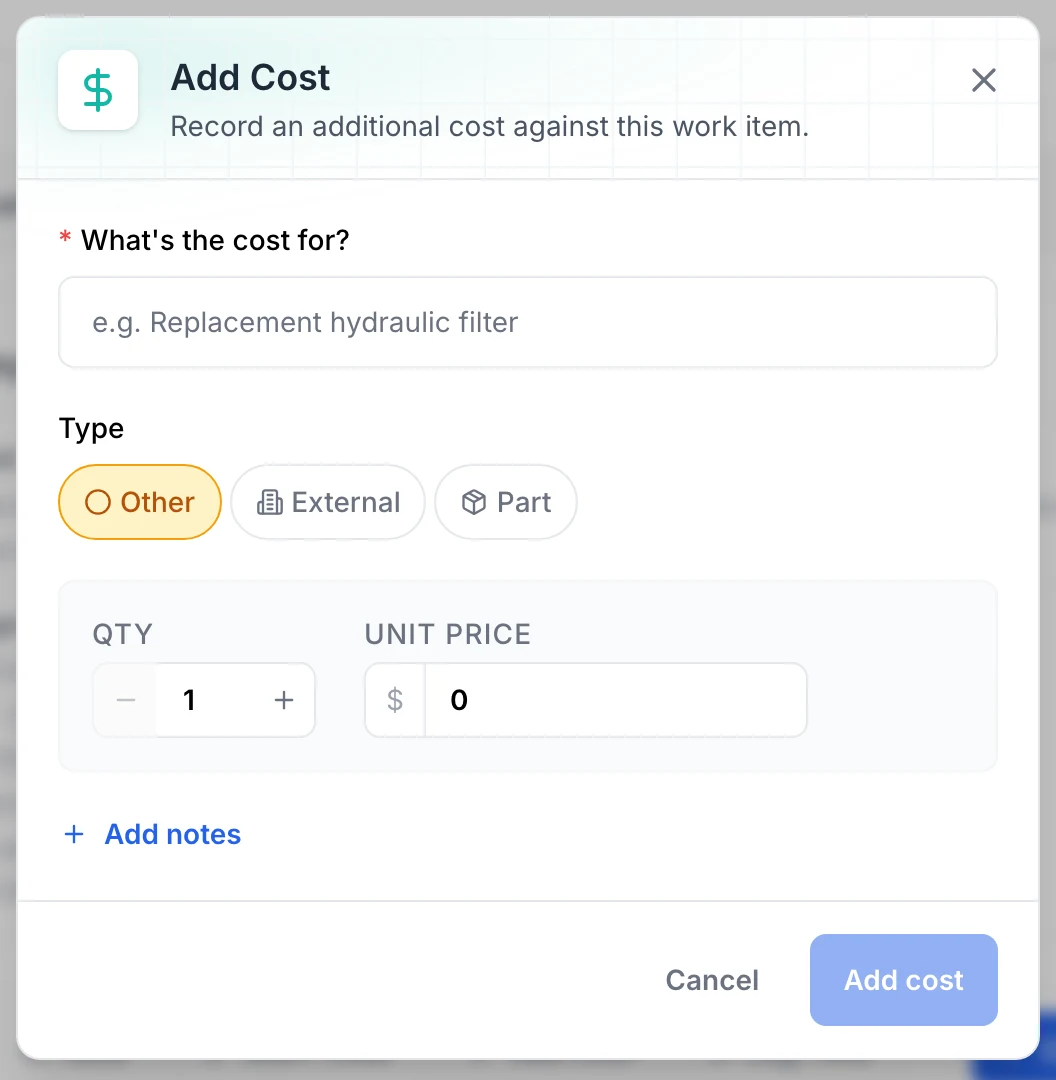
A cost is recorded against the job it belongs to: what it was for, whether it is a part, an outside service or something else, and the quantity and unit price.
MapTrack app · Demonstration data · Captured
See cost recording
The parts list shows stock on hand and its value, and flags the items running low.
MapTrack app · Demonstration data · Captured
See parts and stock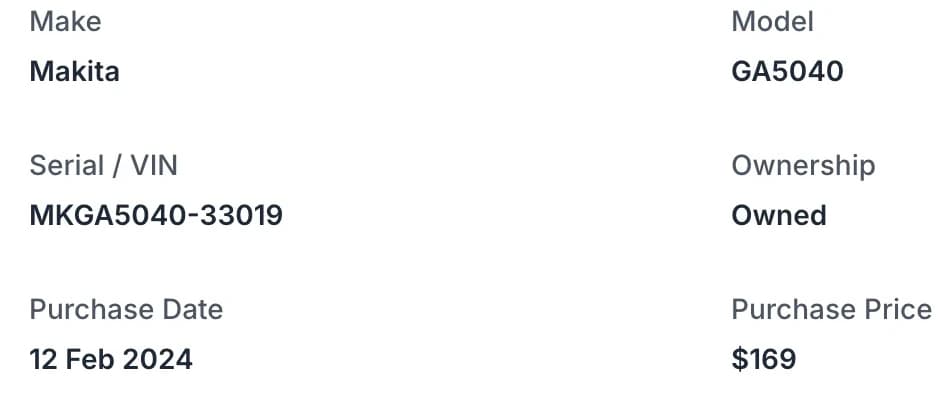
See what you're spending per asset. Useful for lifecycle cost, replacement decisions and project margins.
MapTrack app · Demonstration data · Captured
See asset-level visibility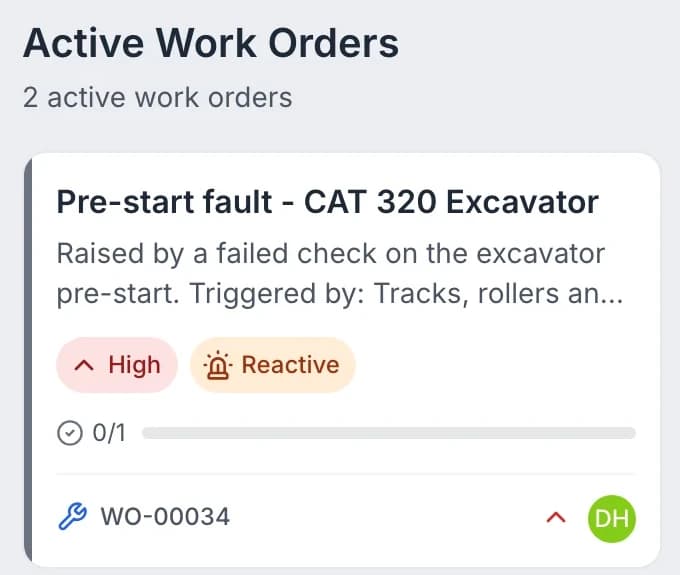
Each asset’s costs sit on the same record as its location, pre-starts, bookings and maintenance, so the inspection that caught a fault, the job that fixed it and what it cost are in one place.
MapTrack app · Demonstration data · Captured
See how costs sit on the record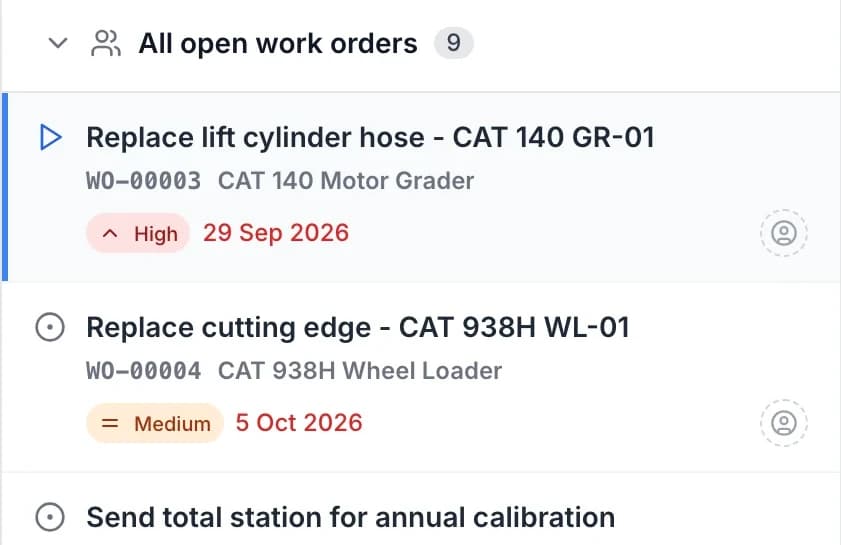
Record a service cost, or break it down into labour, parts and external costs; time and costs logged on a work order roll up into each asset’s service record.
MapTrack app · Demonstration data · Captured
See costs across work orders
Trusted by construction, civil and mining teams









Record, allocate and report. One source of truth
Attach cost entries to assets - maintenance, parts, fuel, labour or other. Categorise so you can report by type, job or project. Where you allocate assets to jobs, costs follow.
Record costs on the asset
Attach cost entries to the asset record. Categorise by maintenance, parts, fuel, labour or custom types.
Explore cost tracking →Link to jobs and projects
Costs can be assigned to jobs or projects for better spend visibility and project margins.
Explore →Geofence time onsite
Where GPS and geofences are used, time-in-zone data supports job costing and allocation.
Explore →Cost by project
See spend by asset, job or project
Where you allocate assets to jobs or projects, costs can be assigned the same way. See spend by asset, job or project for better visibility on margins and total cost of ownership.
Explore reporting & dashboards →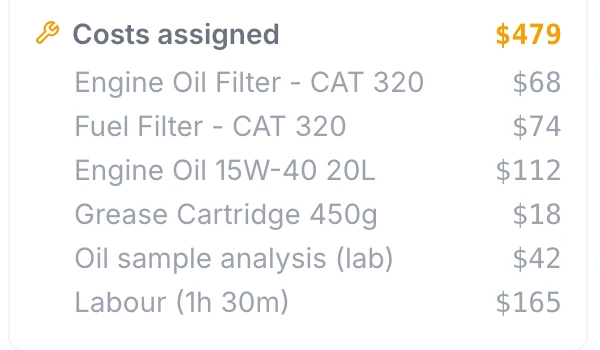
Parts, outside work and labour on the job
Part costs, an outside lab fee and logged labour add up on the work order: $479 for this 250 hour service at the time of capture. The part lines were entered as costs; this capture doesn’t show stock being drawn from the parts store.
MapTrack app · Demonstration data · Captured
About this screenshot
Demonstration workspace at a 1024 px desktop viewport, cropped to the work order’s cost summary. Costs were added with Add Cost, and labour with Log Time at $110 an hour.
A service job on a tablet
The same work order a mechanic runs on a phone or a desk, here on a tablet: the timer, the schedule that raised it, the time logged and the costs.
MapTrack app · Demonstration data · Captured
About this screenshot
Captured at a 1024 x 768 tablet viewport (the app at a 1024 px wide window) in a demonstration workspace; nothing pressed.
Adding a cost to a job
A cost is recorded against the job it belongs to: what it was for, whether it is a part, an outside service or something else, and the quantity and unit price.
MapTrack app · Demonstration data · Captured
About this screenshot
Demonstration workspace at a 1440 x 900 desktop viewport, the dialog opened on a service work order and cropped to the dialog; it was closed with Cancel, so nothing was saved.
Cost recording
Record costs directly on the asset
Attach cost entries to the asset record - maintenance, parts, fuel, labour or other. Categorise so you can report by type, job or project. Cost entries are recorded with dates and categories for a full audit trail.
Explore maintenance & work orders →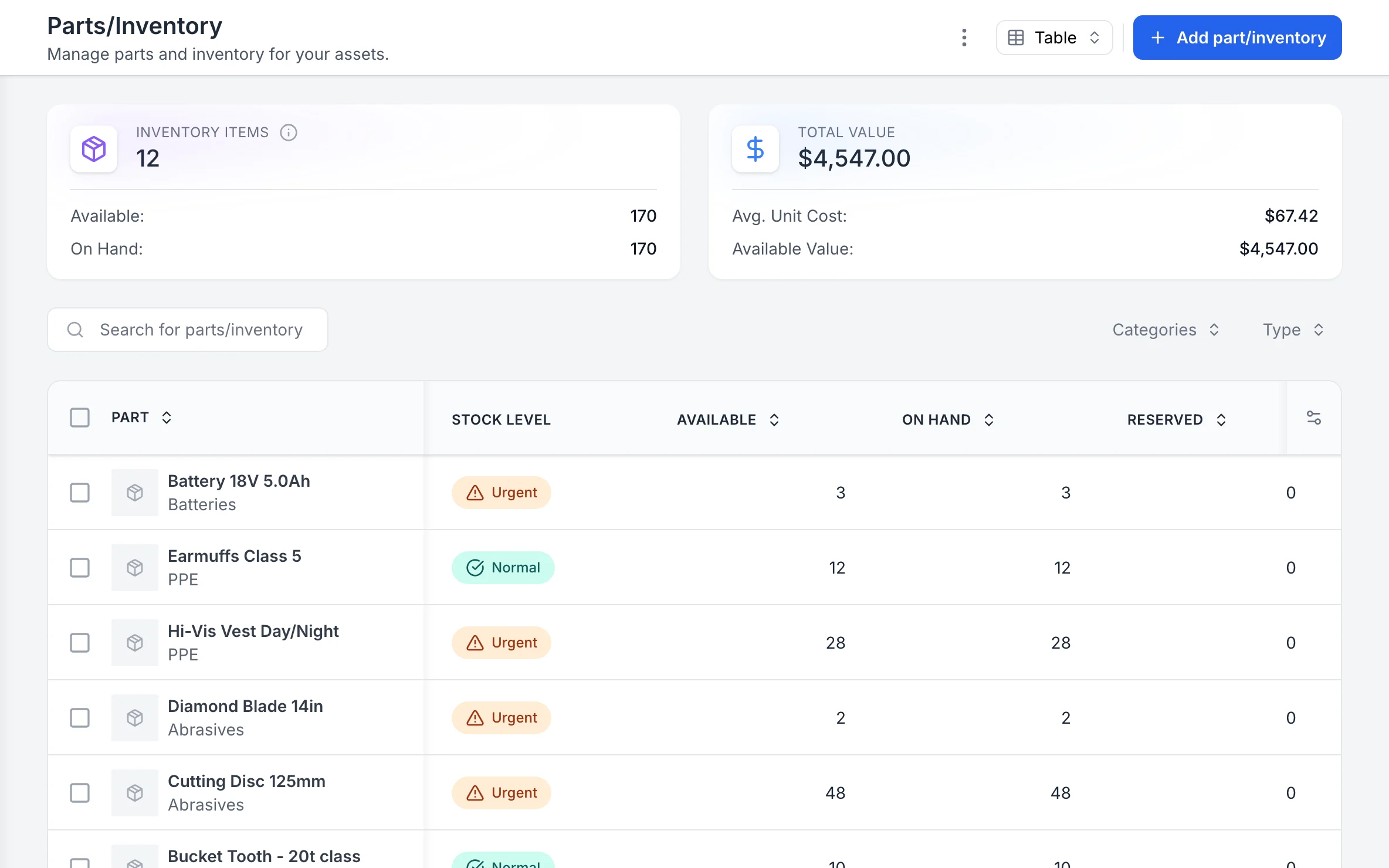
Parts and stock, with what is running low
The parts list shows stock on hand and its value, and flags the items running low.
MapTrack app · Demonstration data · Captured
About this screenshot
Captured at a 1440 x 900 desktop viewport at 2x in a demonstration workspace, right of the sidebar.
Cost reporting
Report on costs by asset, category or site
Report on costs by asset, category, site or project. Export for finance or project reviews. Complements your existing job costing where needed. See total cost of ownership and per-job cost.
Explore reporting →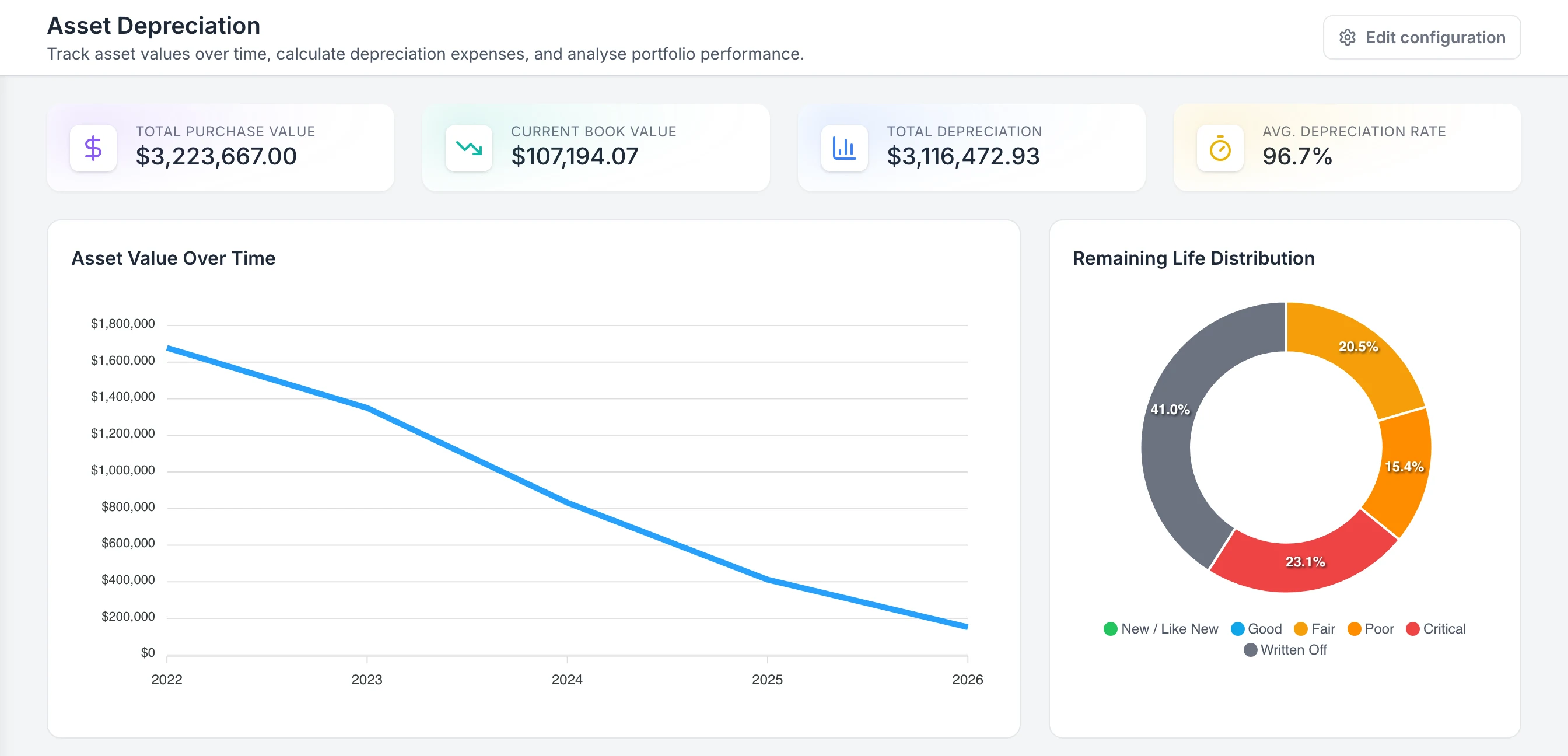
Read calculated values from the configured report
The summary shows calculated purchase value, book value and depreciation for assets with eligible source data. Remaining Life Distribution describes the calculation, not the equipment’s physical condition.
MapTrack app · Demonstration data · Captured
About this screenshot
Demonstration report using Straight Line, AUD, five-year useful life and zero residual value. These example values are not customer results or tax calculations.
Why cost tracking belongs in your asset platform
See where every dollar goes
Track maintenance costs, depreciation and total cost of ownership per asset. Data-driven decisions start here. Start your free trial.
- No credit card required
- Unlimited users
Frequently asked questions
See the true cost of every asset
Join teams tracking costs by asset, job and project on MapTrack.
- No credit card required
- Unlimited users