
Location management
Location Management Software with Geofences
Set up every site, yard, container and vehicle as a location, with zones, a geofence on the map and its own team, so the work at each location goes to the right people.
Get pricing




600,000+ assets tracked since 2012

Read how these teams run MapTrack





Trusted by construction, mining and field service teams





Every site, yard, container and vehicle as a location
Every location has a type (site, storage, vehicle or other), zones inside it, an address with a pin you can move, and one or more geofences: a circle from 50 m to 1,000 km, or an area you trace.
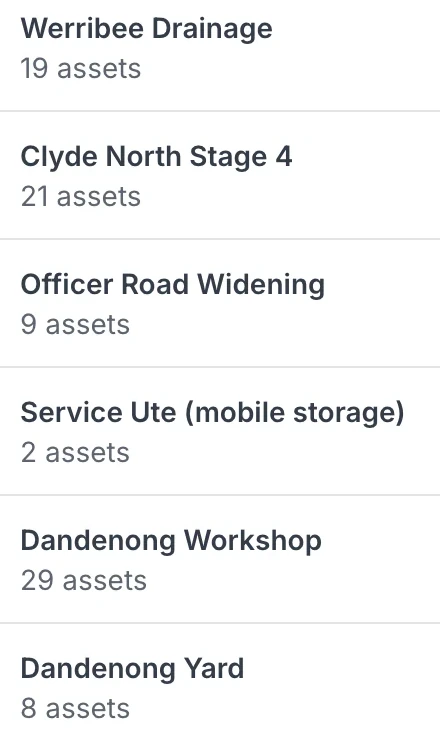
Each site, yard and service vehicle is a location, and the list shows how many assets are at each one.
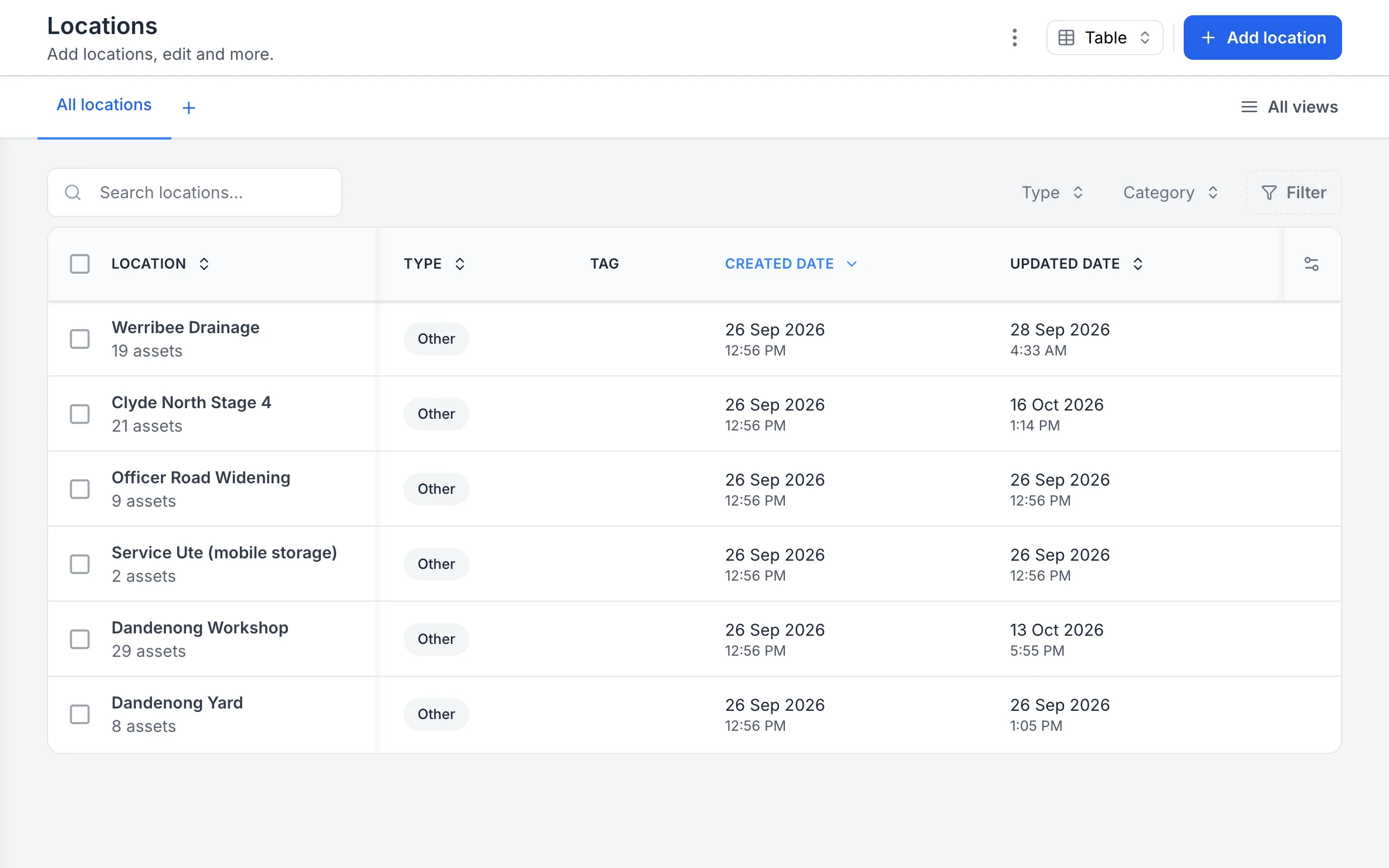
Your sites, with the assets at each
Each site, yard and service vehicle is a location, and the list shows how many assets are at each one.
MapTrack app · Demonstration data · Captured
About this screenshot
Captured at a 1440 x 900 desktop viewport at 2x in a demonstration workspace, right of the sidebar.
Zones sit inside a site: here a site container is a zone typed Storage, with the tools checked into it. The tools that live on the ute are listed against it, so you can see what is on board.
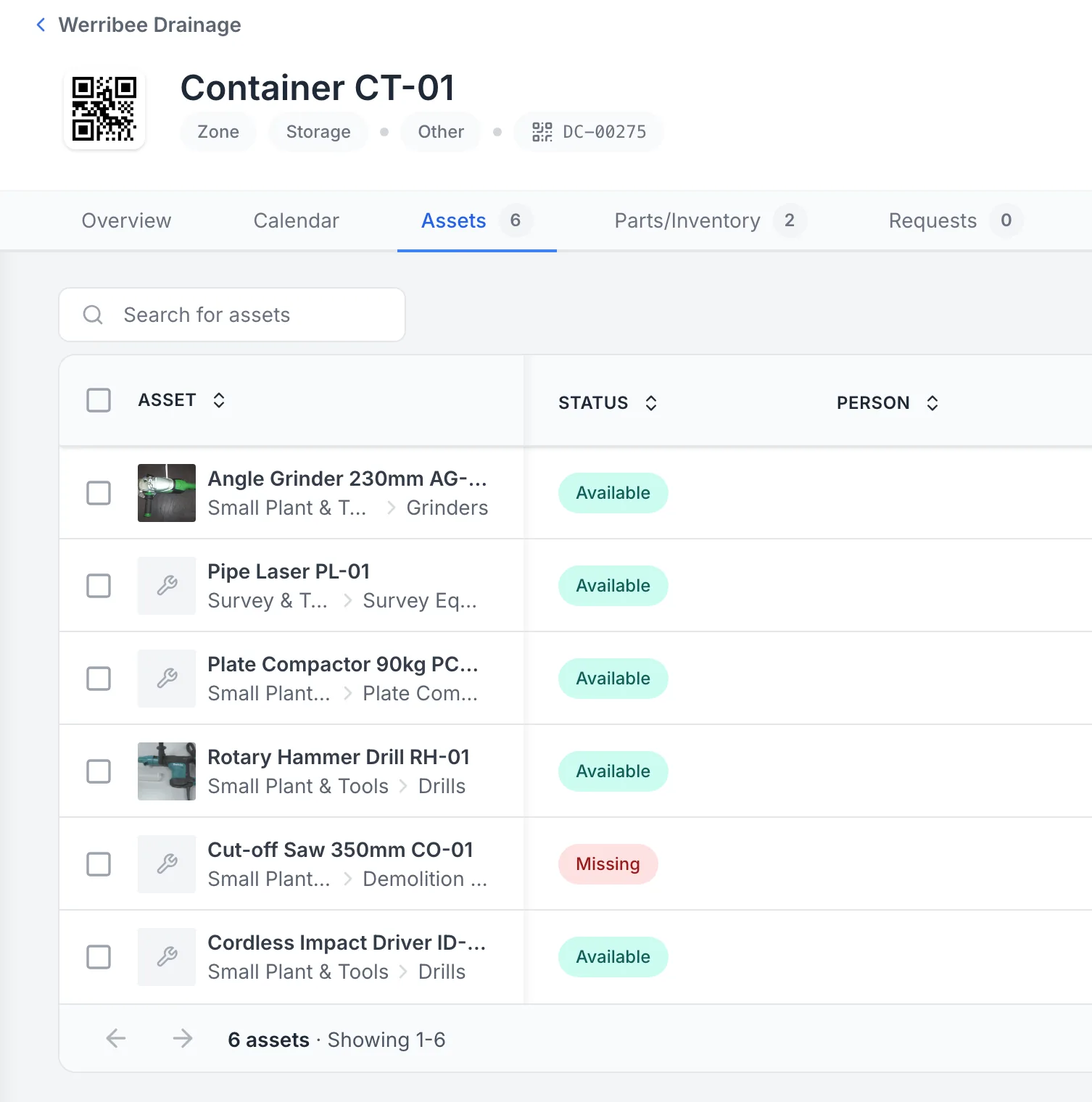
A site container as a location, with the tools checked into it
Container CT-01 set up as a location: the six tools checked into it, one of them marked Missing after its stocktake.
MapTrack app · Demonstration data · Captured
About this screenshot
Demonstration workspace at a desktop viewport on the container location’s Assets tab, cropped to the title row and the asset list.
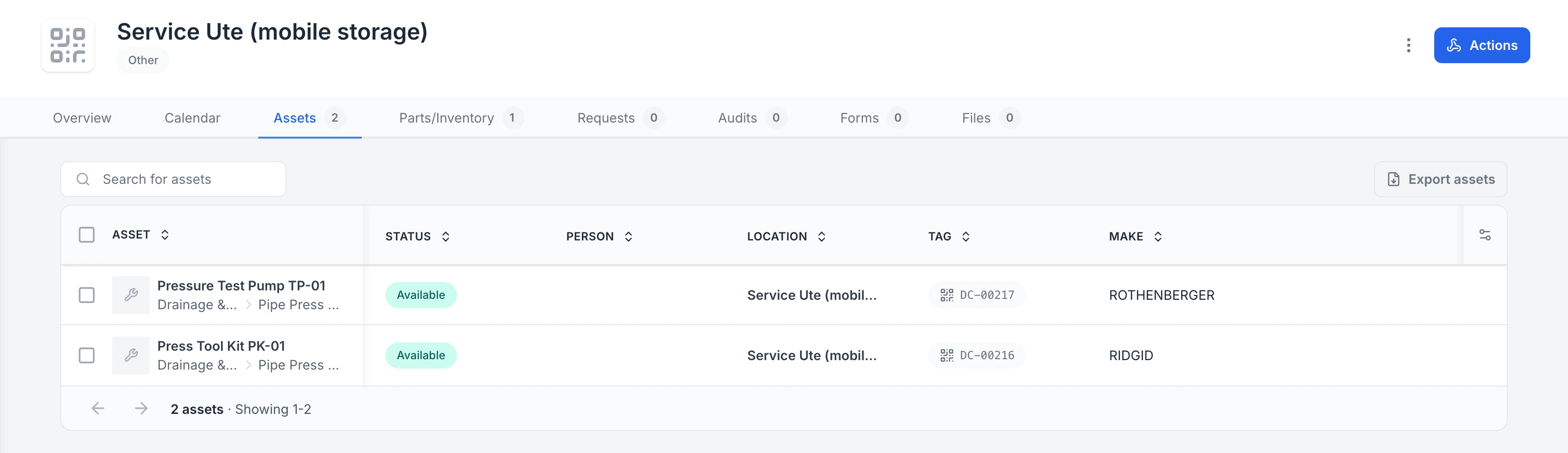
The tools that live on the ute
The tools that live on the ute are listed against it, so you can see what is on board.
MapTrack app · Demonstration data · Captured
About this screenshot
Demonstration location for a service ute holding two tools.
Geofences: a circle or an area you trace
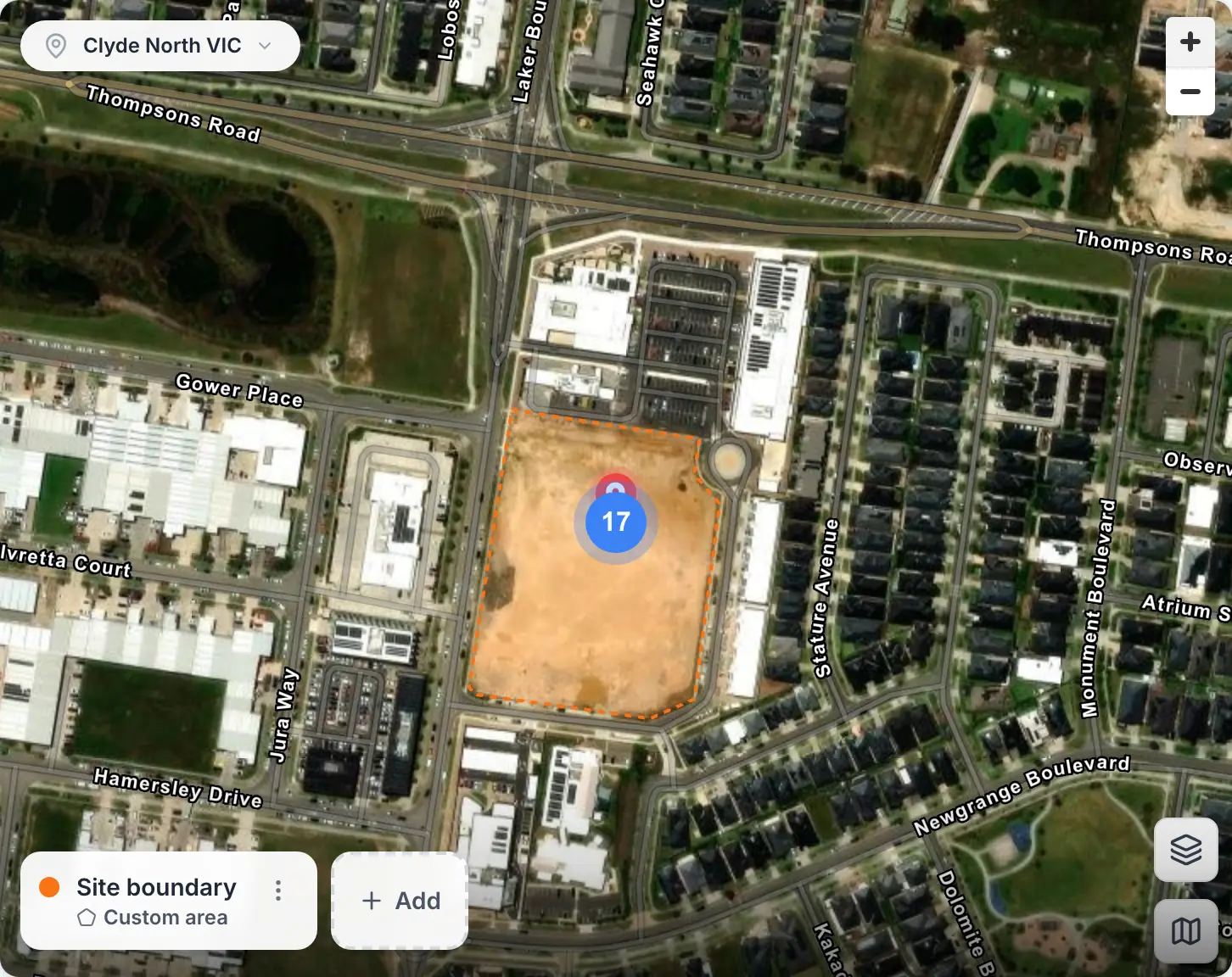
Each location can have one or more geofences: a circle from 50 m to 1,000 km, or an area you trace. Boundaries show on every map; click one to see what’s inside.
A site’s boundary on its map
A site’s boundary in Clyde North, drawn on its map in MapTrack, with a marker for the 17 assets assigned to the site. None of them has a tracker, so they show at the site rather than at a live position.
MapTrack app · Demonstration data · Captured
About this screenshot
Demonstration workspace at a 1440 px desktop viewport on the location’s Overview tab. The map was dragged to centre the site and zoomed in one step; the map card is cropped from the page.
Using GPS trackers as well? Live tracking, trips, entry and exit alerts and time on site run in MapTrack Telematics. See GPS tracking.
You are here, Nearby and the site filled in
Check-outs and forms offer one-tap You are here and Nearby choices, and a new asset fills in the site you’re standing in.
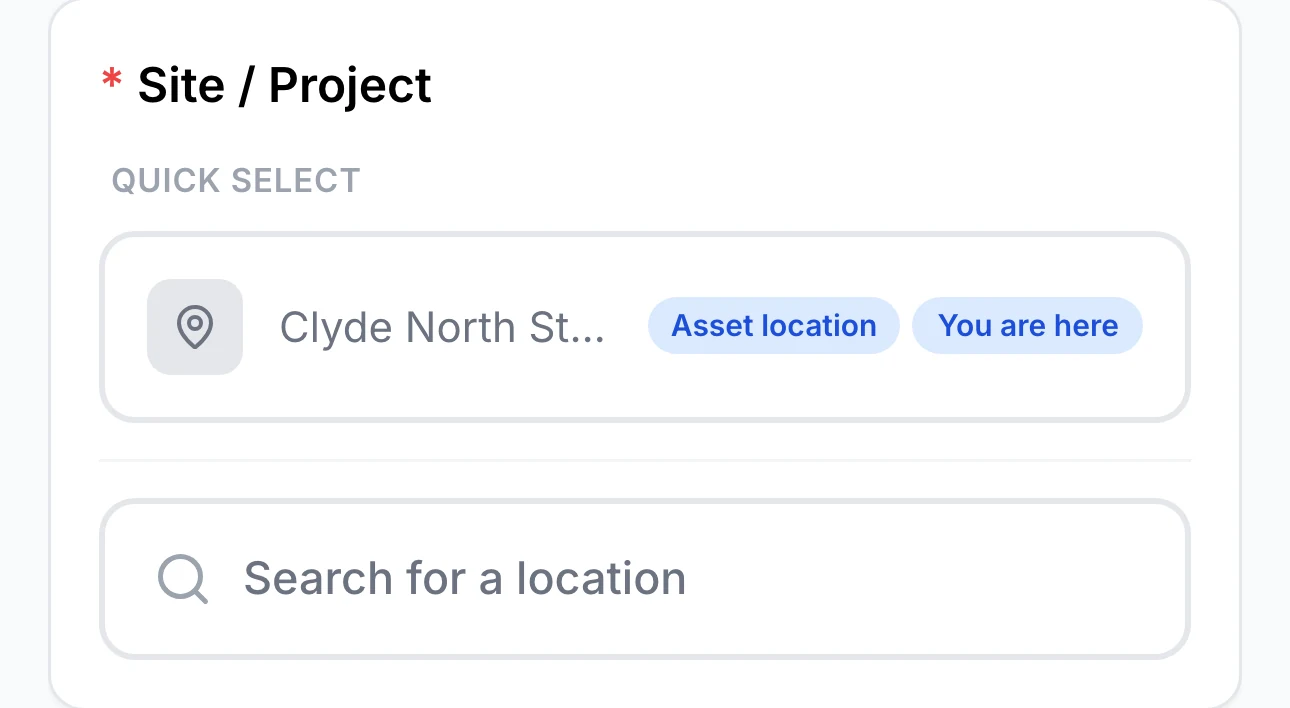
Where a site has a geofence and the phone shares its location, the form suggests that site as a one-tap choice tagged You are here.
The form suggests the site you are on
Where a site has a geofence and the phone shares its location, the form suggests that site as a one-tap choice tagged You are here. Here it is also where the excavator is recorded.
MapTrack app · Demonstration data · Captured
About this screenshot
Captured at a 430 x 932 phone viewport at 3x in a demonstration workspace and cropped to the question. The phone’s location was set inside the Clyde North Stage 4 geofence.
Where the pre-start was submitted
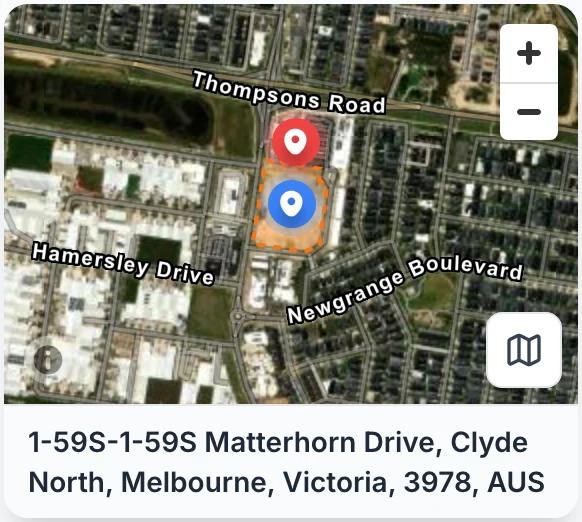
The saved pre-start pins where it was submitted and gives the street address. The map also draws your site geofences, so you can see the check was done inside the site boundary.
MapTrack app · Demonstration data · Captured
About this screenshot
Captured at a 1440 x 900 desktop viewport at 2x from the saved submission and cropped to its location card. For the demonstration, the phone’s location was set inside the Clyde North Stage 4 geofence.
A saved pre-start pins where it was submitted, and its map draws your site geofences, so you can see the check was done inside the site boundary. See pre-start inspections and tool tracking.
A team for each location
Give each location its own team: Location Manager, Maintenance Lead, Supervisor, Warehouse Manager and Safety Officer, renamed to suit you, or roles you add.
- Location Manager
- Maintenance Lead
- Supervisor
- Warehouse Manager
- Safety Officer
Tasks, work orders, request approvals, audits and failed-inspection follow-ups at that location go to the right people, who follow 19 notification events by email and in the app, as they happen or as a digest. Put your safety manager in as the site’s Safety Officer and your maintenance manager as its Maintenance Lead.
Zones inherit their site’s team, and someone can cover a role until a date.
Routing, not access
Location roles route work; they don’t change what anyone can see. Access still comes from each person’s role: Admin, Field User, Requester, Scanner/Viewer or Form Submitter.
See how work orders and their follow-ups run on maintenance and work orders and audits.
What site and field teams say about MapTrack
600,000+ assets tracked since 2012

 Source: G2.com, Inc.
“Doing monthly site audits in MapTrack has drastically reduced our equipment loss and downtime.”
Khalid El-Hussein
NSW Store Manager at Axis Services Group

“Thanks to MapTrack we know exactly where our gear is, who has it and when it needs servicing.”
Denis Slaviero
HSEQ Manager at Hacer Group
 Source: G2.com, Inc.
“Finally we've got everything in one place - I would recommend this platform to anyone.”
Ashley Sutherland
Plant & Logistics Administrator at RIX Specialist Contracting
What location management software does in MapTrack
Location management software keeps a record of each place your gear lives or works: sites, yards, stores and vehicles, with their boundaries and the people responsible for them.
In MapTrack, every location has a type, zones inside it and an address with a pin you can move, and its geofences show on every map. Each location can have its own team, so the work there goes to the right people, while what each person can see still comes from their access role. Read more on what geofencing is.
Why locations and assets belong in one system
When the site list sits in a spreadsheet and the gear in another system, finding out what’s at a site means asking around. In MapTrack, each location lists the assets at it, and the people on that location’s team get the work that comes up there.
Location management software FAQs
What does MapTrack’s location management software do?
What kinds of location can we set up?
How big can a geofence be?
Does MapTrack send alerts when equipment enters or leaves a site?
What do You are here and Nearby do?
Can each site have its own team?
Who gets the work at a location?
Do location roles change what people can see?
Can a vehicle or a container be a location?
Where do GPS trackers fit in?
Put every site, its gear and its team in one system
Book a demo to see how locations, geofences and location teams fit together in MapTrack, or start a free trial on your own sites.
- No credit card required